
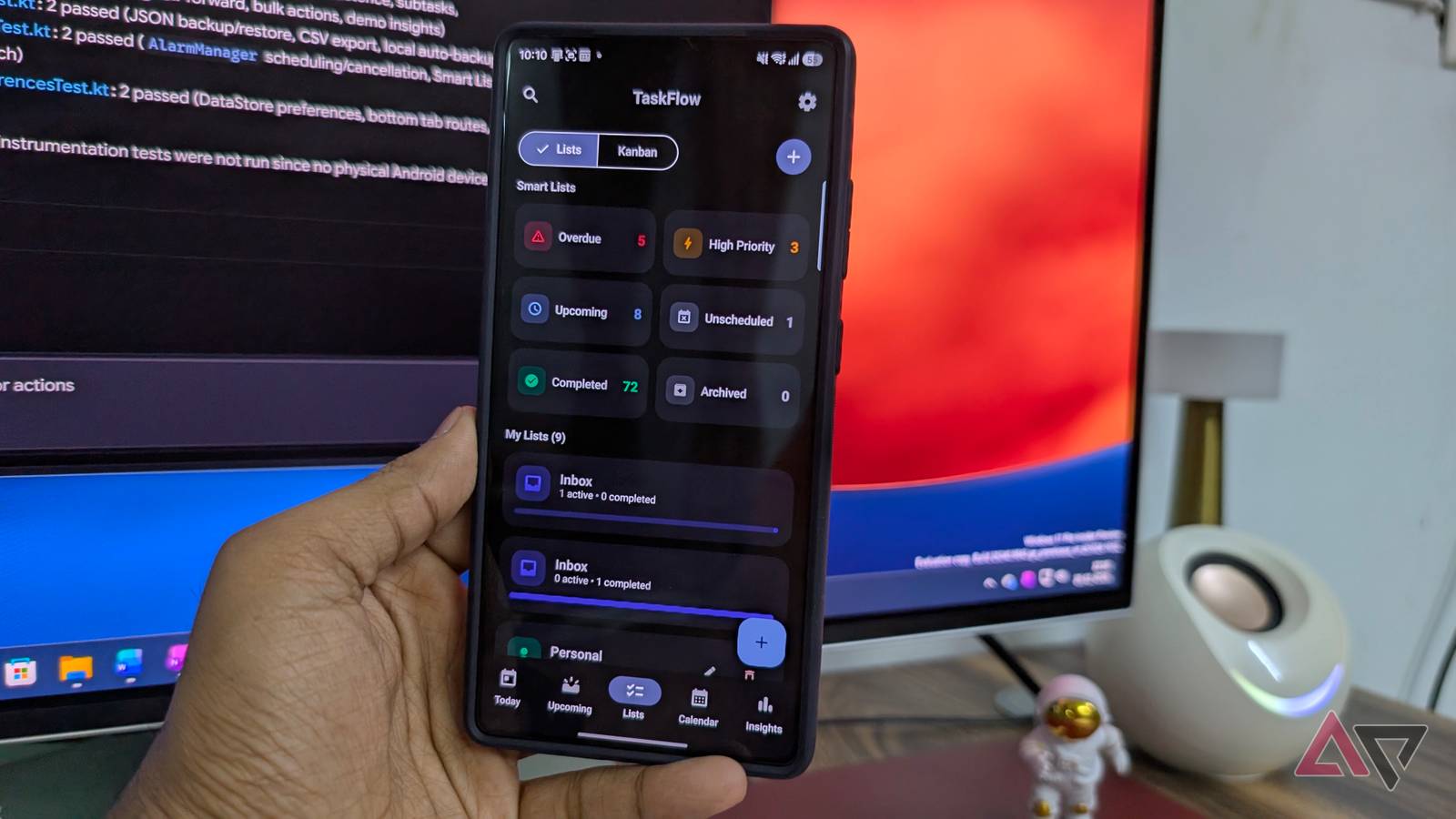
Published Nov 29, 2026, 1:24 PM EST Parth is a technology writer at Android Police, where he has published over 800 articles covering Android, productivity apps, artificial intelligence, and consumer technology. Before joining Android Police, he contributed to Guiding Tech and TechWiser, building his experience in software tutorials, troubleshooting guides, and practical technology coverage. His daily setup includes a Samsung Galaxy S25 Ultra, Google Pixel 8, MacBook Pro with M1 Pro, Samsung Galaxy Watch, and a Windows desktop. He regularly tests Android features, AI-powered tools, productivity software, and device integrations across these platforms. His writing draws on hands-on experience with the apps, devices, and workflows he uses in his everyday routine. Outside of writing and testing technology, Parth enjoys watching K-dramas, exploring emerging mobile technology trends, and following developments in artificial intelligence. Whenever I use Google Tasks, I can't help but think about how much potential Google is leaving untapped. While it gets the basics right, it falls short when I need anything beyond managing simple to-do lists. With Gemini 4 available in Google Antigravity, I decided to put Google's own AI model to the test by asking it to build a more feature-rich alternative to Google Tasks. An ambitious prompt to start with From a prompt to an APK I gave Gemini a detailed prompt covering everything from a premium interface, customizable themes, and advanced task management to Kanban boards, calendar views, insights, and an integrated Pomodoro timer. I also asked it to include native Android integrations like home screen widgets, notifications, and offline data storage. I used Gemini 4 Hydrogen in Google Antigravity to handle the entire development process, from writing the code and designing the interface to fixing errors and generating an installable APK file. After the app was ready, I sideloaded it onto my Samsung Galaxy S25 Ultra and reviewed it. First impressions caught me off guard It doesn't feel like a prototype The moment I installed TaskFlow on my Galaxy S25 Ultra, I was surprised by how polished everything looked. Gemini nailed the Material You design language with rounded UI elements, thoughtful spacing, neat typography, and a consistent color theme throughout the app. The interface felt right at home on my Samsung phone rather than looking like a generic Android app put together by an AI coding agent. Gemini also paid attention to customization. It included a dedicated AMOLED black theme that looked gorgeous on my S25 Ultra's OLED panel. As I explored the app settings and different menus, I noticed that Gemini hadn't skipped any of my requested features. Even advanced features like biometric app locking made their way into the app. At first glance, TaskFlow looked robust. There was no obvious sense of an unfinished prototype. It looked like a well-thought-out app that I could discover while browsing the Google Play Store. Gemini went beyond basic task management The little details matter the most Gemini didn't simply recreate Google Tasks with a fresh coat of paint. One of my favorite additions is support for natural language, where I can type something like "Meet doctor this Friday 5 PM," and it takes care of the relevant details. There is also a neatly designed calendar view that gives me a bird's-eye view of my upcoming commitments. Advanced filters make it easier to narrow down tasks based on specific criteria, while Kanban boards offer a more visual approach to managing small personal projects. I appreciate having the flexibility to switch between different task views depending on what I am working on. My favorite addition is the Insights menu. I can glance over my productivity summary, monitor task completion progress, and analyze my performance through beautifully designed graphs. I like how Gemini managed to accommodate all these additions without making the interface feel unnecessarily crowded. From a functionality standpoint, TaskFlow is already miles ahead of Google Tasks for my needs. There are a few misses, though The UX could have been better As impressive as TaskFlow is, there are several areas where Gemini could have delivered a better user experience. The fonts on the Today menu, for instance, looked slightly out of place compared with the rest of the interface. I also found the Add Task menu unnecessarily crowded. Gemini tried to accommodate every feature from my prompt, but the result was a menu filled with too many buttons, options, and settings. Even creating a simple task felt somewhat underwhelming at first. I would have preferred a minimal interface with advanced options tucked away behind an expandable menu. The same problem extends to individual task cards. They display everything from recurring frequency and subtasks to tags, projects, and other relevant details. While having all that information readily available sounds great on paper, it adds unnecessary visual clutter. This is where I believe the human touch still matters. Gemini understood my requirements and added features, but the user experience still leaves a lot to be desired. An ambitious experiment with surprising results Don't search for it in the Play Store, though As impressive as TaskFlow turned out to be, I have no intention of publishing it on the Play Store. The entire purpose of this experiment was to demonstrate what's possible with Gemini 4 Hydrogen in Antigravity and a couple of well-crafted prompts. I wanted to see whether I could turn my productivity wish list into a functional Android app without manually writing thousands of lines of code. I can now experiment with my own ideas, build something tailored to my requirements, and refine it through prompts. Google Tasks suddenly feels too basic My experiment with Gemini 4 in Antigravity has changed how I look at AI-powered app development. TaskFlow may not be perfect, but it's amazing how a few prompts helped me create a feature-rich Android app in around 20 minutes. I would encourage you to get creative with your own app ideas. You can think about the limitations of your favorite apps, the features you have always wanted, or an everyday problem that existing software fails to solve. Similarly, I have created a home inventory app for my family, and they love it.
I built a feature-rich Google Tasks rival using Gemini; it blew my mind
Full Article
Original Source
Read the full article at Androidpolice →KhanList aggregates and links to publicly available news content. We do not host full articles from third-party sources. Always verify important information with original sources.