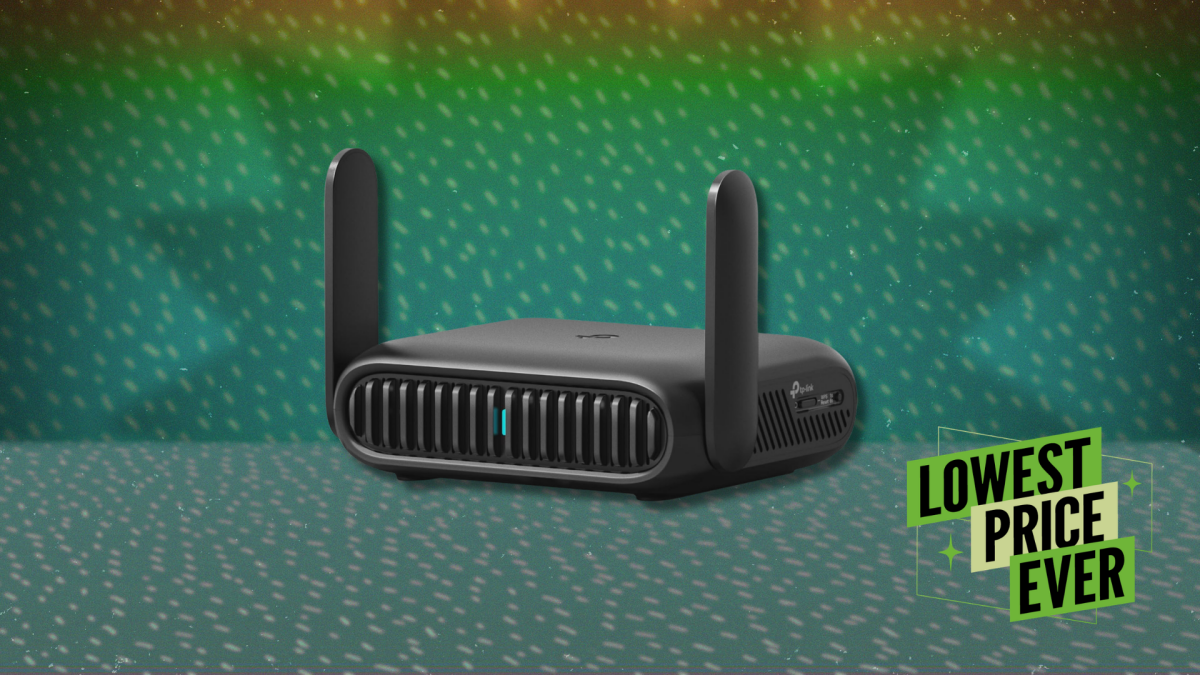
Pradershika Sharma Pradershika Sharma Freelance Writer ExperiencePradershika Sharma is a tech deals writer for Lifehacker. She has a Master’s degree in English Literature, a B.Ed., and a TESOL certification. She has been writing professionally since 2018, creating product reviews, affiliate articles, and search ads for global clients while working with Rubix Agency and Cognizant. Previously, she spent a year teaching English at the junior high level.An avid reader since childhood, Pradershika's idea of extreme sports is staying up to read “just one more chapter.” She lives in India. Read Full Bio July 30, 2026 Add as a preferred source on Google Add as a preferred source on Google We may earn a commission from links on this page. Deal pricing and availability subject to change after time of publication. Credit: Amazon Table of Contents A novel solution for connecting to the internet on the go, the TP-Link Roam 7 travel router is down to $89.99 (originally $129.99), which is its lowest price ever, according to price-trackers. This is not a full-size home router but, as the name suggests, a compact travel companion that measures roughly the size of a paperback book, with foldable antennas so it slips easily into a bag. The idea of the Roam 7 is simple: You use it to take one internet connection and turn it into your own controlled network, whether you’re in a hotel, at an airport, or anywhere else. It is more about convenience than chasing top speeds—you can run it as a standard router, connect it to public wifi and create your own private network, or use USB tethering to share your phone’s internet. It supports Ethernet input, USB modems, and even using it as a range extender or wireless client. That flexibility comes in handy when you’re juggling a laptop, phone, and maybe a tablet on unreliable networks.Setup is straightforward through the TP-Link Tether app: Scan a QR code, choose your connection type, and you’re online in a few minutes. On the hardware side, you get a 2.5 Gbps WAN port, a 1 Gbps LAN port, and a USB 3.0 port for storage or tethering. It runs on 5V/3A power over USB-C, so a basic power bank can keep it going. That makes it practical for travel or outdoor use. What do you think so far? As convenient as it is for travel, this isn't a good choice for your permanent home network. Even with Wifi 7, it doesn’t deliver the same coverage or sustained speeds as a larger router. The 5 GHz band can hit high theoretical numbers, but real-world performance depends heavily on your connection and setup. USB tethering, for example, can feel slower than using your phone directly. It also leaves out features like automatic band steering, so you may end up managing networks yourself. Still, if you travel often or need a portable network hub for multiple devices, it holds up pretty well. Our Best Editor-Vetted Tech Deals Right Now Deals are selected by our commerce team Lifehacker has been a go-to source of tech help and life advice since 2005. Our mission is to offer reliable tech help and credible, practical, science-based life advice to help you live better. Our Mission Our Team Newsletter © 2001-2026 Ziff Davis, LLC., A ZIFF DAVIS COMPANY. ALL RIGHTS RESERVED. Lifehacker is a federally registered trademark of Ziff Davis and may not be used by third parties without explicit permission. The display of third-party trademarks and trade names on this site does not necessarily indicate any affiliation or the endorsement of Lifehacker. If you click an affiliate link and buy a product or service, we may be paid a fee by that merchant.
This TP-Link WiFi 7 Travel Router Is 31% Off Right Now
Full Article
Original Source
Read the full article at Lifehacker →KhanList aggregates and links to publicly available news content. We do not host full articles from third-party sources. Always verify important information with original sources.