
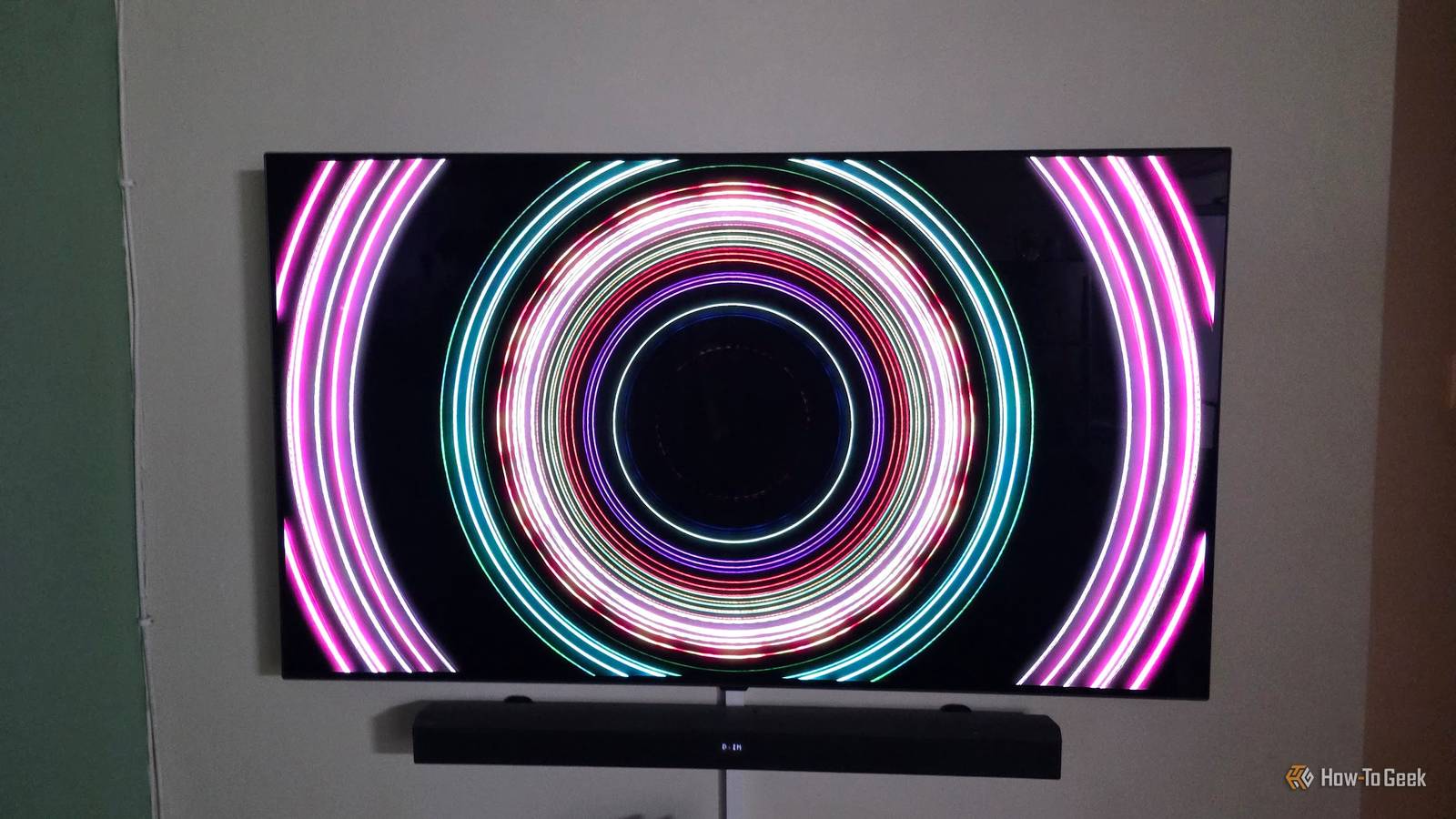
Published Oct 31, 2026, 11:00 AM EDT Sydney Butler is a technology writer with over 20 years of experience as a freelance PC technician and system builder and over a decade as a professional writer. He's worked for more than a decade in user education. On How-To Geek, he writes commerce content, guides, opinions, and specializes in editing hardware and cutting edge technology articles. Sydney started working as a freelance computer technician around the age of 13, before which he was in charge of running the computer center for his school. (He also ran LAN gaming tournaments when the teachers weren't looking!) His interests include VR, PC, Mac, gaming, 3D printing, consumer electronics, the web, and privacy. He holds a Master of Arts degree in Research Psychology with a minor in media and technology studies. His masters dissertation examined the potential for social media to spread misinformation. Outside of How-To Geek, he hosts the Online Tech Tips YouTube Channel, and writes for Online Tech Tips, Switching to Mac, and Helpdesk Geek. Sydney also writes for Expert Reviews UK. He also has bylines at 9to5Mac, 9to5Google, 9to5Toys, Tom's Hardware, MakeTechEasier, and Laptop Mag. In case you didn't know, the popular Plex self-hosting media service also supports music. You can take your CD collection, rip them as high-quality lossless files, and then play that music back through the Plex client. Using the Plexamp app on a mobile device, a desktop PC, in headless mode, or with CarPlay and Android Auto is a breeze. However, there is no Plexamp client for TV streaming boxes or smart TV OSes. Sure, you can listen to your music using the main Plex client, but it's just not the same. The good news is that someone has already solved this with the Caldera Music app. It takes seconds to get Caldera running It's literally like installing any app Despite being an independent project by Plex co-founder Elan Feingold (who left Plex at the end of 2025), Caldera Music (the TV app) is a breeze to use. Obviously, you need to have a music library set up in Plex. You add it like any video library, but simply specify "music" as the content type. For demonstration purposes, I created a new music library on my Plex server and copied a FLAC rip of my Linkin Park Live in Texas CD to it. With the library ready to go, I installed Caldera Music on both my Apple TV 4K 3rd-Gen box and on my TCL TV's Google TV OS, both directly from their respective app stores. Once you open the app, it will show you a QR code and an activation key. You can either visit the website and enter the code while logged in to your Plex account, or use your phone camera to scan the code and achieve the same thing. The app is simultaneously minimalist and feature-rich. It plays pretty much any audio format, can sync across multiple rooms, and supports multichannel 5.1 and 7.1 audio sources. Perhaps most importantly for some, all the Caldera apps have no analytics, tracking, or ads. The interface is clean and easy to understand. Caldera tends to keep the verbiage to a minimum, but in general, just the little pictures alone are enough without needing to read the frugal text. Plexamp is still in control Your choice of remote control When using the Caldera Music app on your TV, you can control it with your TV or streaming box remote. However, the official PlexAmp app will see any device, including your TVs, with Caldera installed as a player. So you can open the app, pick a song or playlist, and simply activate playback on Caldera. It's completely seamless, and I found it very intuitive. There are obvious pitfalls here, though. Your phone and the Caldera devices have to be on the same local network. Even then, if discovery fails, you may have to tweak some things on your LAN. Especially if you've configured your smart TV or streaming box to run on an isolated network that can just access the internet. Who could blame you in this age where your smart devices all seem to want to spy on you? Generally, if Plexamp works with your Plex server, Caldera shouldslot right in. The visualizer takes me straight back to Winamp It's a trip! Do you remember Winamp? This was how most people listened to CD rips on their computers back then, and it was one of the first programs I installed on a fresh Windows install, all the way up to my first streaming music subscription. One of the best things about Winamp was its built-in visualizer, with various mesmerizing patterns that responded to the current track. Caldera Music has exactly that same style of visualizer, and it is fantastic. Seeing this stuff on our main OLED TV in the living room was candy for my eyes, and I can definitely see myself setting up a playlist that lasts hours on a Saturday afternoon, and just letting the visualizer run through the hundreds of presets that are available. Don't forget about Caldera Amp! Caldera Music and Caldera Amp are two different apps, but the premise is pretty much the same. I installed it on my PC, which has a vintage CRT monitor connected for retro gaming and media. Sliding the visualizer over to that screen took me straight back to my first encounter with MP3 on my old Pentium II. If you centralize your personal music collection in Plex and use Caldera as the front end, you can enjoy a slick, ad-free, high-fidelity listening experience I haven't really seen since the '90s and early 2000s. While I love running music-video playlists on Spotify on my TV, I think Caldera Music will be a regular part of my personal music ritual from now on.
This overlooked app from Plex's co-founder is the easiest way to stream PlexAmp on your TV
Full Article
Original Source
Read the full article at Howtogeek →KhanList aggregates and links to publicly available news content. We do not host full articles from third-party sources. Always verify important information with original sources.