
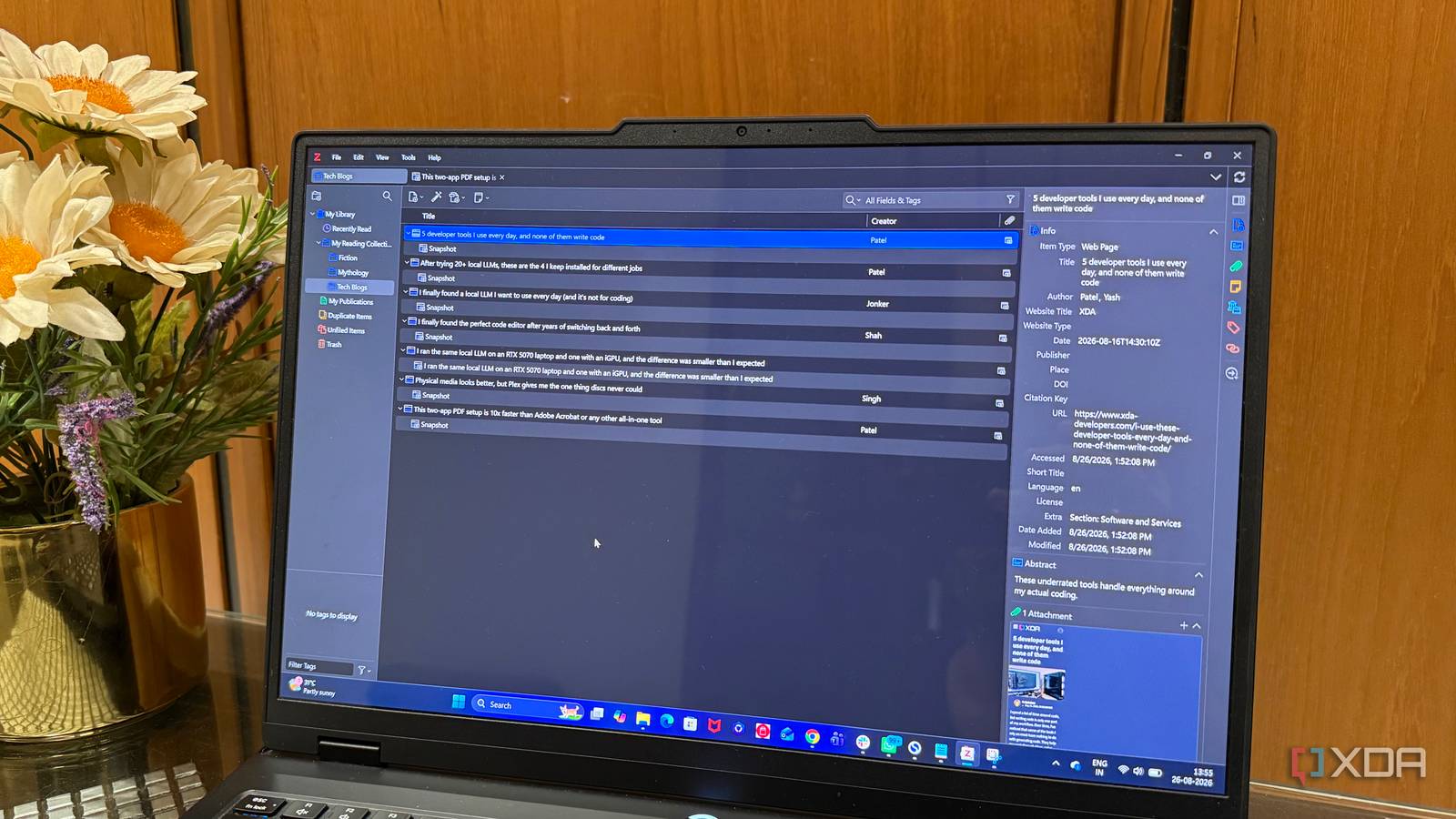
Published Sep 1, 2026, 5:30 PM EDT Beginning his professional journey in the tech industry in 2018, Yash spent over three years as a Software Engineer. After that, he shifted his focus to empowering readers through informative and engaging content on his tech blog – DiGiTAL BiRYANi. He has also published tech articles for MakeTechEasier. He loves to explore new tech gadgets and platforms. When he is not writing, you’ll find him exploring food. He is known as Digital Chef Yash among his readers because of his love for Technology and Food. Some of the best productivity tools aren't the ones designed for the job I'm using them for. I have often picked up an app because it solves one specific problem, only to slowly adjust it around my own workflow. Open-source software makes this even more common because I can use a tool in ways its creators may never have expected. That's exactly what happened with Zotero. It was built with academics in mind, but I found myself using it for much more than citations or academic work. The more I used it, the more naturally it fit into my everyday workflow. What started as a niche tool ended up becoming one of my favorite ways to stay organized. Zotero is much more than a citation manager It became more than I expected I originally installed Zotero because I kept seeing it recommended as a citation manager. I assumed that was its entire purpose. After spending some time with it, I realized the citation side is only one part of what makes it useful. What surprised me was how well Zotero handles information. It gives me a structured place to bring things together without forcing me to build a complicated system around them. I can keep related information connected, add context when I need it, and move between different pieces of information without losing the thread. I use Zotero to keep track of articles I want to revisit I stopped losing useful articles One of the simplest ways I use Zotero is to save articles that I know I will want to read again. I come across plenty of useful articles while researching a topic, but I don't always have time to read them properly. Instead of leaving them open in a browser tab, I save them to Zotero and move on. This has become useful when I find something that isn't immediately relevant to the article I'm writing. It might explain a technology well, cover an interesting development, or simply give me an idea I want to explore later. I can save it without having to decide what I will do with it right away. I also like that saving an article doesn't interrupt my workflow. The browser connector lets me add it to Zotero in a couple of clicks, so I don't have to copy the title, URL, or other details manually. Over time, this has given me a much better place for articles I want to revisit than my browser's bookmark folder ever did. Zotero has become my research library I built my own research library The more I used Zotero, the more I started treating it like my own research library. Instead of thinking about individual sources, I began organizing information around the subjects I regularly write about. This made it easier to build a useful collection of material over time. For example, when I'm working on a topic like self-hosting, AI, or productivity software, I can keep everything related to that subject together. I don't have to create a new system every time I start researching something. I simply add useful material to the relevant collection and continue working. I also like that my research stays separate from the actual writing process. Zotero is where I gather and organize the material, while my writing tools are where I turn that material into an article. Keeping those two things separate makes my workflow feel much less cluttered. The biggest change is that I no longer think of research as something that ends when an article is published. The material I collect can remain useful for future projects, giving me a growing library that I can return to whenever I need it. The PDF and annotation features I get more from every PDF The PDF support is another reason Zotero has stayed in my workflow. I often download manuals, reports, research papers, and other documents while working, and Zotero gives me a convenient way to work with them without opening another app. What I find most useful is being able to highlight parts of a document and add notes directly to it. I also use annotations when I'm reading longer documents. Rather than trying to remember where I saw something useful, I can leave a short note beside it. Later, I can return to the document and quickly understand why I marked that particular section. For me, this makes Zotero useful during the actual reading process, not just as a place to store documents. I stopped thinking of Zotero as an academic tool Zotero wasn't designed for the way I use it today, but that is exactly what makes it interesting. I don't need to be a student or researcher to get value from a tool built around managing information properly. It has quietly become one of those apps I rely on whenever I don't want useful information to disappear into the mess of everyday work. I simply wanted a better way to keep track of things, and Zotero turned out to be surprisingly good at it. Zotero Zotero collects sources and other metadata from research papers, webpages, etc., that can be inserted into documents in the form of citations.
This open-source tool was built for academics, and it's the best productivity tool I own
Full Article
Original Source
Read the full article at Xda-developers →KhanList aggregates and links to publicly available news content. We do not host full articles from third-party sources. Always verify important information with original sources.