
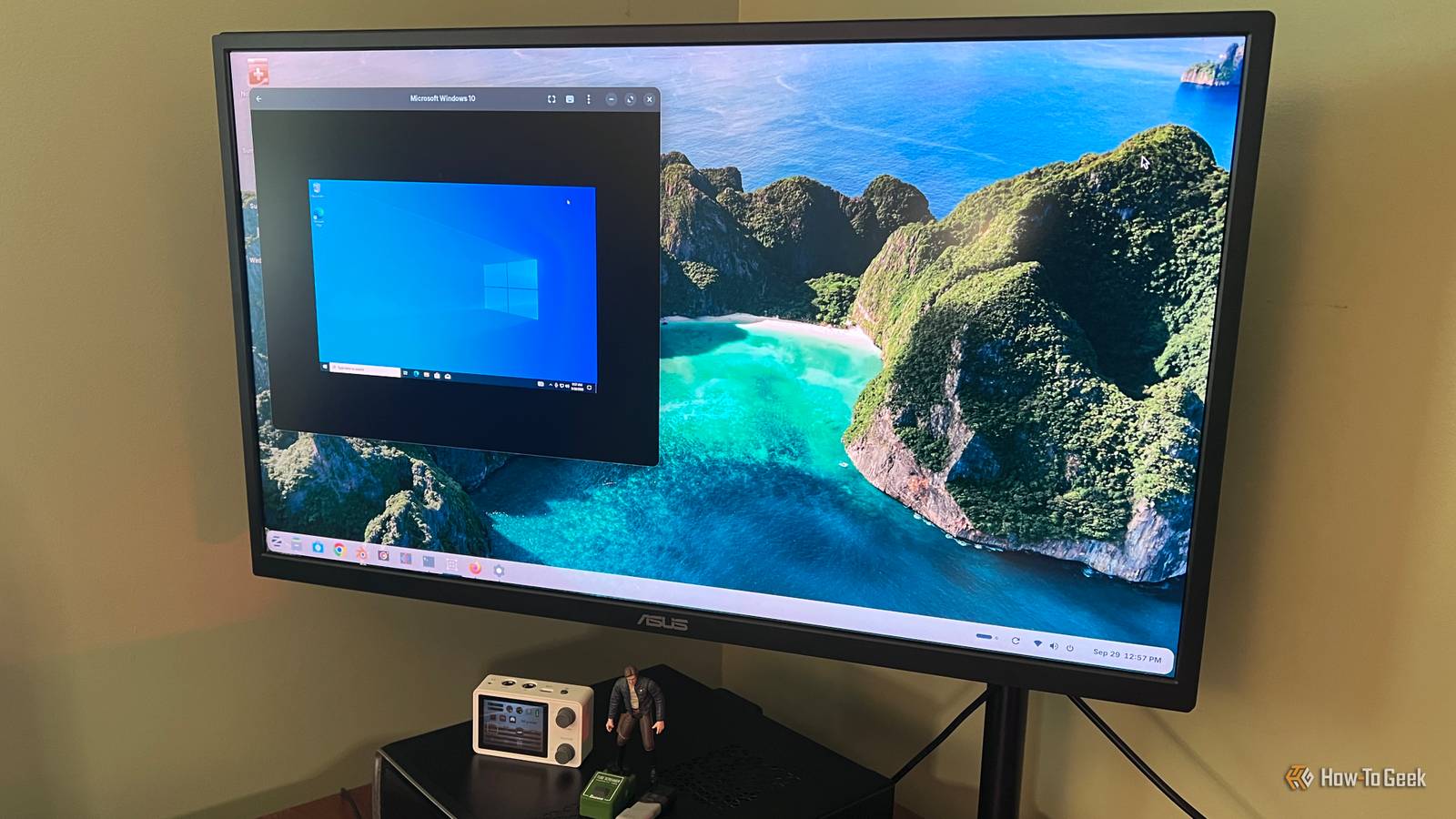
Published Oct 1, 2026, 12:30 PM EDT Rich Hein is a veteran technology journalist with more than two decades covering developer, consumer and enterprise topics. Rich's career has been dedicated to service journalism, connecting readers to content that informs and delights. Previously, Rich was vice president and editor-in-chief for Simpler Media Group, director of audience development for IDG and editor/writer for sites like CIO.com, ComputerWorld, CodeGuru and other tech-centric publications. He's received numerous accolades, including the IDG Summit and Azbee awards and has been covered by Medium for his work in audience development. When not at his desk, Rich lives in Daytona Beach with his wife and three dogs. He enjoys playing guitar, surfing and staying abreast of the latest in tech. Sign in to your How-To Geek account Over the last year, I've been using Linux more consistently. What originally started as a way to breathe life into my tired old Windows PCs has become something that could replace Windows for me. Like many people who switched to Linux, one of the biggest things holding me back is the software. There are apps I’ve used for years that simply aren’t available on Linux. I tried Ubuntu and Linux Mint before finally settling on Zorin OS. One of the things that sold me was Zorin’s built-in support layer for Windows apps. I recently did some testing on that compatibility layer to see what I could bring over from my Windows PC. For simpler apps, it worked surprisingly well. There were a few minor glitches to iron out, but performance was solid once they were resolved. But what about more resource-intensive software? I wasn’t sure I wanted to rely on Zorin's compatibility layer, so I decided to take it to the next level and set up GNOME Boxes on my Zorin OS computer. The machine I used is an older Dell desktop with a Core i3-6100, so I wasn’t expecting much. I also didn’t want to overload it. I kept the Windows VM setup simple I only gave Windows what it needed I was looking for a way to get this done when I came across GNOME Boxes. It seemed like a simple way to get a full Windows 10 virtual machine running within Zorin. I installed Windows 10 Pro instead of Windows 11 because I wanted to keep the VM as light as I possibly could. This PC came from Dell with Windows 10 installed, so I knew it was up to the challenge. Once I got the VM installed, I had to set up the resource settings within Boxes. I gave the VM 6GB of RAM, 2 virtual CPUs, and just under 64GB of storage. Once that was all squared away, I moved straight into testing the apps. Windows 10 is out of regular support now, so I wouldn’t recommend it for a new long-term setup, but it made sense for this test on older hardware. I moved my everyday Windows apps into the VM I tested the software I actually care about Once I got Windows 10 up and running, I wanted to test it with apps most Windows users are familiar with. I installed Microsoft PowerToys and Microsoft Outlook because they're both apps I use every day. I also added Microsoft PC Manager as a third app to see how another modern Microsoft utility worked inside this virtual environment. PowerToys gave me a good test of Windows-specific tools that have deeper system integration. I love the Command Palette, and I also use FancyZones. Outlook is one of those apps that is difficult to get away from in an enterprise environment. Microsoft PC Manager was a wild card for me to test with. All three apps installed just as they would normally on Windows. There were no workarounds. There was no special tweaking. Just a straightforward install. Now it was time to see whether the apps worked well enough to be used comfortably. The performance was better than I expected It was fast enough that I stopped thinking about the VM Ultimately, I was running Windows 10 inside Zorin on an older Dell desktop. I expected the virtual machine to feel noticeably slower. Despite all that, it worked better than I had hoped for. Don't get me wrong, it wasn't as fast as my much newer Dell XPS laptop running Windows 11, but the difference wasn't as big as I thought it would be. The apps worked well enough that I wasn't getting frustrated waiting for them to do their thing. That was the point where this experiment started to feel more important than I had anticipated. Windows app compatibility has been one of the biggest things keeping me tied to Windows, and this gave me a practical way around it. If I can run the Windows software I still need comfortably inside Linux, one of the biggest reasons for keeping a separate Windows installation starts to disappear. Most of my Linux usage has been on worn-out PCs that I was trying to get more life out of. That made me start wondering what this setup would feel like on something newer and more powerful. If Windows 10 in a VM was already this usable on an older Core i3 desktop, a modern Linux PC with more CPU power and memory could make the experience even better. I'm done with dual-booting I'm not ready to say I'll never install Windows directly on a PC again, but for the way I use it now, a separate Windows partition feels unnecessary. If I can open the few Windows apps I still need from inside Linux and get acceptable performance, rebooting into another operating system just adds friction. At this point, I'd rather put that effort into building a better Linux machine than maintaining two operating systems on the same PC.
This Linux experiment convinced me to stop dual-booting Windows
Full Article
Original Source
Read the full article at Howtogeek →KhanList aggregates and links to publicly available news content. We do not host full articles from third-party sources. Always verify important information with original sources.