
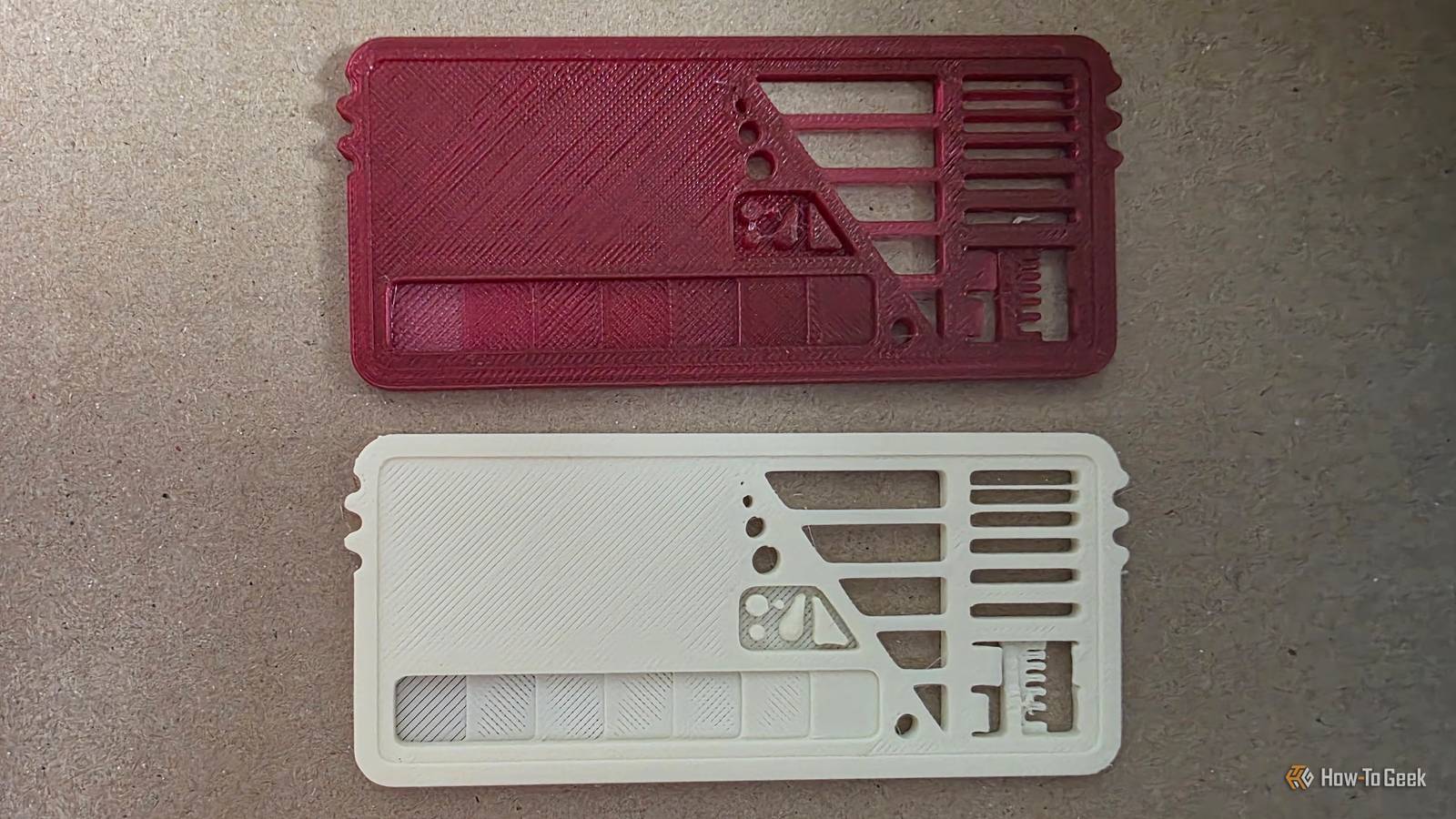
Published Oct 28, 2026, 3:30 PM EDT Sydney Butler is a technology writer with over 20 years of experience as a freelance PC technician and system builder and over a decade as a professional writer. He's worked for more than a decade in user education. On How-To Geek, he writes commerce content, guides, opinions, and specializes in editing hardware and cutting edge technology articles. Sydney started working as a freelance computer technician around the age of 13, before which he was in charge of running the computer center for his school. (He also ran LAN gaming tournaments when the teachers weren't looking!) His interests include VR, PC, Mac, gaming, 3D printing, consumer electronics, the web, and privacy. He holds a Master of Arts degree in Research Psychology with a minor in media and technology studies. His masters dissertation examined the potential for social media to spread misinformation. Outside of How-To Geek, he hosts the Online Tech Tips YouTube Channel, and writes for Online Tech Tips, Switching to Mac, and Helpdesk Geek. Sydney also writes for Expert Reviews UK. He also has bylines at 9to5Mac, 9to5Google, 9to5Toys, Tom's Hardware, MakeTechEasier, and Laptop Mag. When you look at a roll of 3D printing filament you've never seen before, it comes with a lot of on-paper information. You know the primary materials, roughly what additives are in them, and the recommended temperatures and settings. You can even just look at the filament to see the color and texture, so what more do you need? Well, none of this tells you what's actually going to come out of your printer's nozzle, because that process can dramatically change the look and feel of a filament. It doesn't even help to see an example print from a different printer than yours, because one filament might do great in one printer, but be a mess in another. Which is why I'm thrilled that I found Blauwkeut's Filament Swatch model, which neatly solves a long list of problems for me. I’d rather discover a problem on a swatch than halfway through a print You need to sample the product I've always tried to make small, fast test prints the first time I load a new filament, before I commit to printing the big project that I bought it for in the first place. The Benchy Boat has been my go-to for years if I just wanted to see what a material looks like and didn't want to wait hours. Of course, the Benchy is also a mild 3D printer benchmark, but to test the limits of a filament (given the same printer), I've also used the legendary Torture Toaster. Credit: Clockspring The filament swatch pulls together much of what I used these models for, and while it's not a replacement for them, it's a fantastic previewing tool. It shows me what the filament actually looks like as an object Seeing is believing One of the key functions of this swatch is seeing what the filament looks like after being printed. It offers a variety of textures, and also a segment to test transparency. However, you need to print at 100% infill for the transparency test part to work correctly. The swatch you see above is for a roll of translucent rainbow PLA I purchased, which has been a real pain to work with, and the swatch really does show how it varies in appearance depending on how you print it. Its tiny features give printing problems somewhere to show up Just a tiny bit of torture Beyond offering a quick overview of what a filament looks like after printing in different lighting conditions, the card also includes a mini torture test. It includes overhang tests, gaps, wall thickness, hole diameter tests, sharp corners, slopes, and more. Here's the official legend showing what each part does. Credit: blauwkeut Obviously, your print settings also affect how well the filament performs, so this can also be used as a rough calibration tool. If you get the same problems no matter what filament you use, it can also point to an issue with your printer or settings, so while this swatch doesn't work as a smoking-gun diagnosis tool, it can certainly give you a clue in the right direction. Looking good doesn’t necessarily mean the parts will fit Can't we all just get along? Even though a given swatch might look good and clean, that doesn't mean you're good to go. This card also helps determine the precision of the filament for printing. The M3 screw hole is a good test to see if the fit is correct, as are the 1–4 mm holes, which you can measure with a vernier to ensure they're accurate. One of the coolest features is that if you print two swatches, you can use the interlocks on the ends to check your bed adhesion and to see if the tolerance is good. It's insanely versatile, which makes the fact that you can print it so quickly even better. Every swatch becomes a reference for the next project I have a tendency to find filaments I like and stick with them, which means that I discovered this filament swatch solution after already experiencing the worst filaments I've used the hard way. However, I still try new filaments from time to time, and this has become really useful thanks to filament samples from my local 3D print supply shop. It's usually just enough filament to print one of these, which means you don't have to commit to the full price of a 1KG (or more) roll at all, only to find out it's got problems when combined with your machine. The swatch also conveniently has a spot to put a sticker with information about that filament. You can print your own and glue it in properly, but if you have the roll, you can also just peel the sticker off that and attach it to the swatch before filing it away.
This is the 3D-printable “lie detector” I use before trusting a new spool of filament
Full Article
Original Source
Read the full article at Howtogeek →KhanList aggregates and links to publicly available news content. We do not host full articles from third-party sources. Always verify important information with original sources.