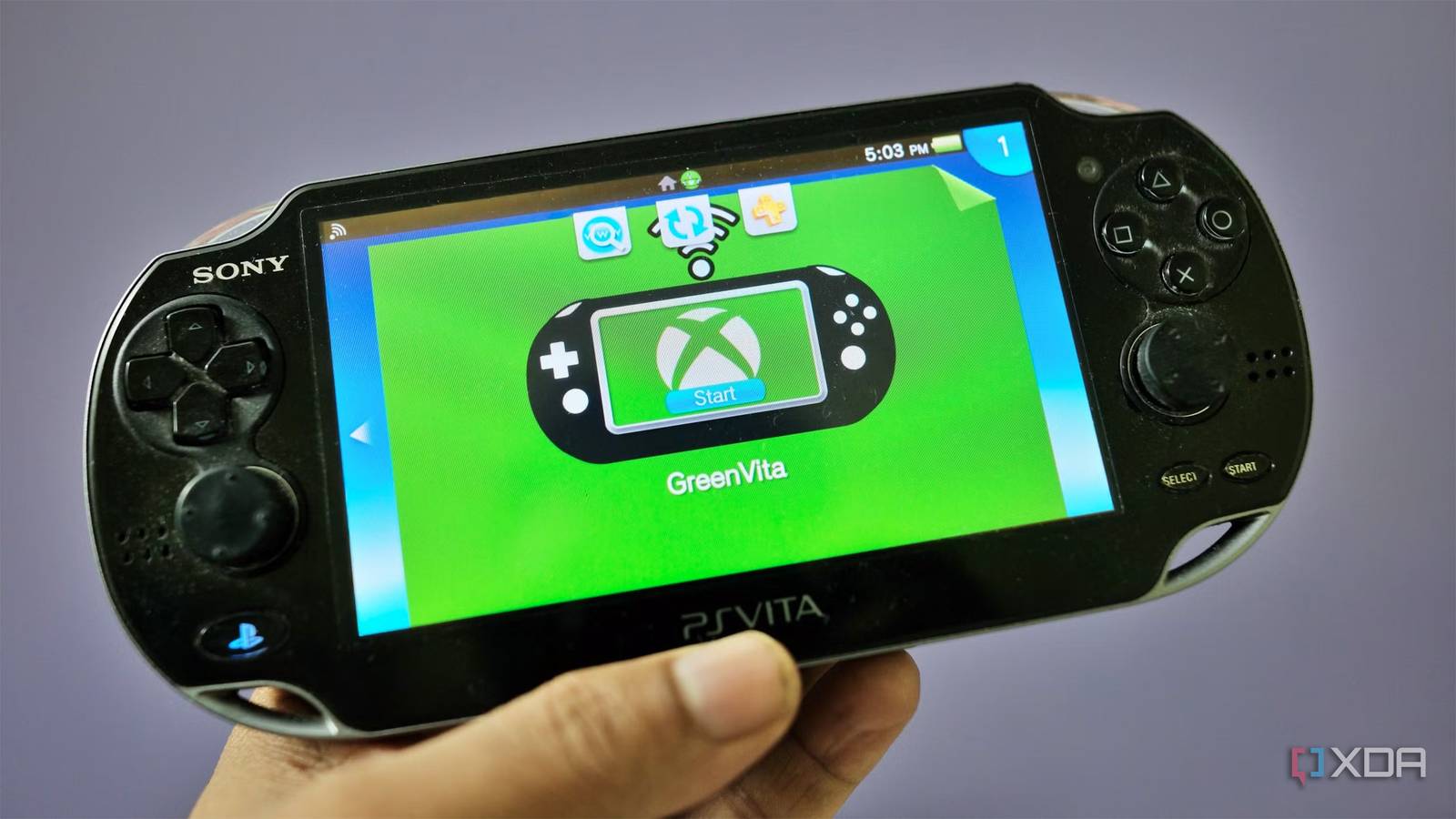
Published Aug 7, 2026, 4:30 PM EDT Samir Makwana is a technology journalist and editor from India since past 18 years and his work appears on MakeUseOf, HowToGeek, GSMArena, BGR, GuidingTech, The Inquisitr, TechInAsia, TechWiser, and others. He has written news, features, and gadget reviews for national technology media publications. His passion is to help people with their technology problems and gadget purchases. For that, he has worked for some of the biggest international technology publications, covering news, explainers, how-to guides, listicles, and product-buying guides. He has worked as an editor and managed teams since 2015. His expertise broadly covers computers, smartphones, game consoles, headphones, smart home products, browsers, and apps. Sony gave up on the PlayStation Vita console in 2019. The homebrew community continues to release new apps and games for the legacy handheld console. The biggest challenge with the PS Vita is the lack of games exclusive to other platforms. The PlayStation Store on Vita has been dead for years and online in name only. Sony’s decision to sunset the PlayStation Store in July 2027 didn’t dampen the homebrew community’s spirits. An interesting new homebrew app called Green Vita works as an Xbox Cloud Gaming client on PS Vita. As the name suggests, it brings Xbox games to PS Vita. If you own a PS Vita that's gathering dust somewhere, this might be the reason you’d want to clean it and charge it up in years. Green Vita adds Xbox games streaming to Sony’s PS Vita Hardware decoding makes the games playable Green Vita is a native homebrew client written in Rust. It uses an egui/SDL2 interface to render the menus and video output. To be clear, it’s not a browser wrapper or a remote-desktop hack for an Xbox console. It connects directly to the Xbox Cloud Gaming servers, letting you stream and play games on your Vita. Daniela (Day-OS) is a single developer who handles this project after leaning into a few existing homebrew and streaming projects. These include Greenlight for handling xCloud protocol, xbox-xcloud-player for the WebRTC streaming layer, and Vita Moonlight for low-latency decoding on Vita hardware. PS Vita packs an ARM Cortex-A9 chip and has no business decoding a modern video stream in real time on its own. Surprisingly, Green Vita takes a different approach. It sidesteps the decoding problem by tapping into the H.264 decoder module that Vita uses for video playback apps. After all, the action needs to keep up with a stream. Getting Green Vita to run takes more than homebrew smarts This one checkbox toggle is what makes the difference You’ll need a modded PS Vita to install any homebrew before you even think of trying out Green Vita. Also, Xbox Cloud Gaming only works if you have an active Game Pass subscription: Essential, Premium, or Ultimate. Download the latest green-vita.vpk release from the project’s GitHub releases page onto your Vita over USB or FTP, and install it through VitaShell like any other homebrew package. Alternatively, if you have VitaDB Downloader installed, search for Green Vita and install it from there. There’s one setting you need to enable before launching the Green Vita client on your PS Vita. In HENkaku settings, check the box for Unsafe Homebrew. That helps Green Vita access the hardware decode module. If you skip this step, the client won’t decode the stream at all. When you launch Green Vita, you’ll need to choose a region’s language and then use a web browser to sign in to your Xbox account using the token shown on the screen. Or you can use the QR code displayed. Once you’ve successfully signed in, the app shows two options: Cloud and Home. You need to choose Cloud to stream the titles that support Xbox Cloud Gaming. Streaming experience holds up better than expected The struggle lies with the controls I went in skeptical, expecting Green Vita to hit streaming hiccups. And when I did, switching to a public DNS server solved the problem. I was surprised that my Vita streamed several titles more smoothly than I expected. The graphics quality was mostly enjoyable, though it won’t please folks who prefer frame-perfect timing. The one thing I struggled with the most was control input, even for single-player games. The layout of Vita’s buttons and shoulder triggers doesn’t match Xbox Cloud Gaming’s controls. They aren’t as accurately mapped as you’d experience with the games you’d play natively on Vita. With the streaming groundwork laid, I believe the controls fix is merely a few updates away with Green Vita. The app indicates that you can also stream games from your local Xbox console on your home network. However, the developer notes that the feature has yet to be tested on modern Xbox consoles. A handheld beats your phone for cloud gaming Homebrew trade-offs still apply Instead of using my smartphone with a controller clip, I’d rather use my aged handheld console for cloud gaming. The Vita gives me a real gaming console feel with physical buttons, analog sticks, and shoulder triggers. A smartphone with controller attachment feels like a compromise. Even a branded controller attachment costs as much as a used PS Vita. You’ll certainly spot the Vita on eBay with a price tag higher than its launch sticker price. But getting a new, refurbished, or a used handheld is entirely up to you. Apart from that, the usual disclaimers apply for Green Vita, as it's a homebrew app. There’s no official support for Xbox Cloud Gaming here. The updates and fixes depend entirely on a single developer or a community effort. Expect some rough edges and some troubleshooting until the project properly catches up on all fronts. A clever second life for a handheld Sony gave up on Green Vita isn’t a polished, first-party client. It doesn’t try to be. It’s a solid reminder of homebrew software and the community pushing the envelope for a handheld console. Despite the PlayStation Store going dark and Sony continuing to walk away, it’s the homebrew community that keeps coming up with projects to give you new reasons to pick up the Vita. Green Vita Green Vita is a homebrew app that brings Xbox Cloud Gaming to a modded PS Vita.
This free PS Vita homebrew app turns Sony’s forgotten handheld into an Xbox Cloud Gaming device
Full Article
Original Source
Read the full article at Xda-developers →KhanList aggregates and links to publicly available news content. We do not host full articles from third-party sources. Always verify important information with original sources.