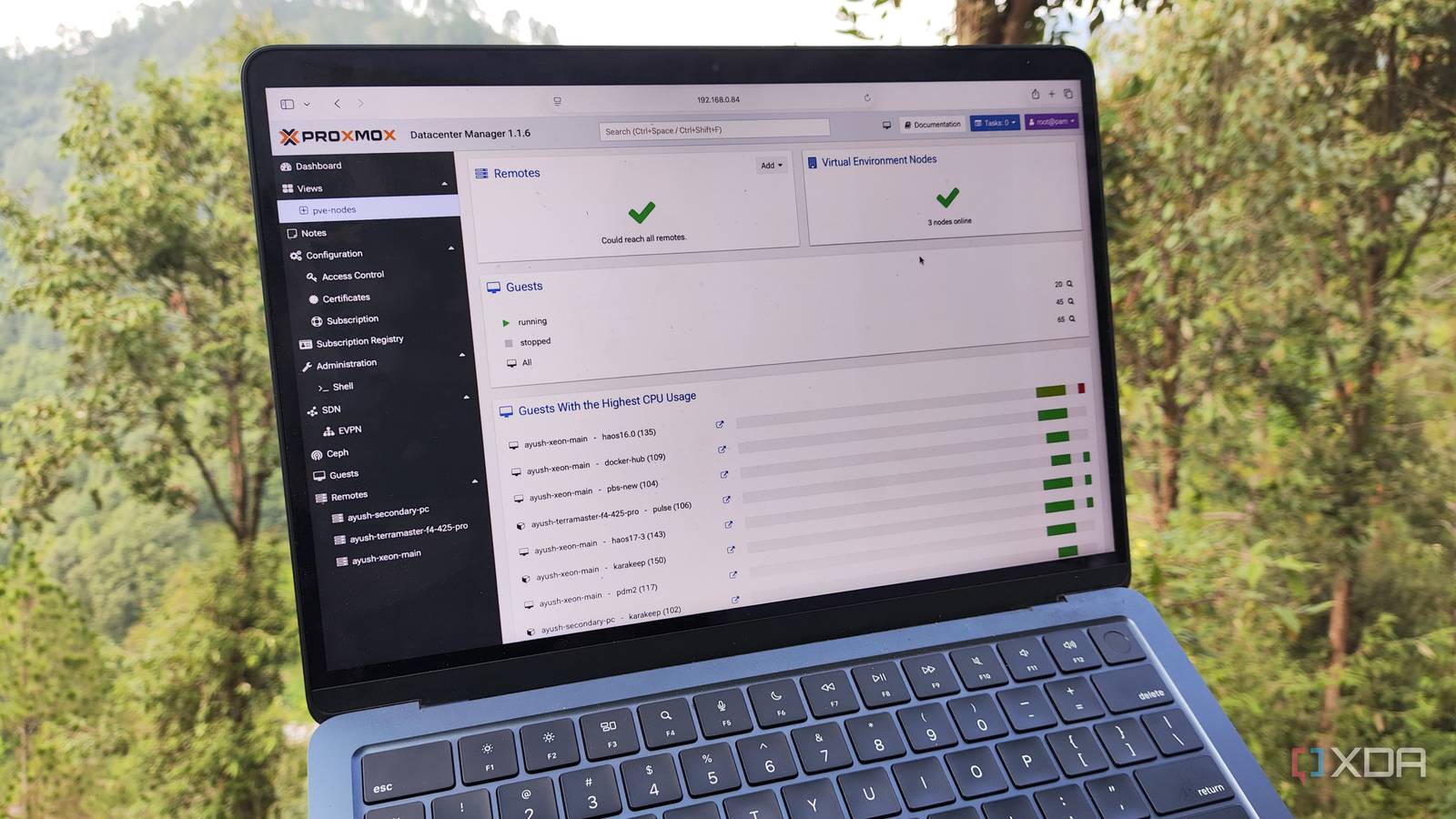
Published Jul 19, 2026, 8:00 PM EDT Ayush Pande is a PC hardware and gaming writer. When he's not working on a new article, you can find him with his head stuck inside a PC or tinkering with a server operating system. Besides computing, his interests include spending hours in long RPGs, yelling at his friends in co-op games, and practicing guitar. Proxmox may have killer virtualization tools, but it’s the companion services designed by the genius developers and talented community members that really make it ideal for tinkerers. Proxmox Backup Server is by far the most popular among these tools, and considering its storage-efficient snapshots, remote sync support, and extra recovery features, it deserves all the love it gets. That said, there’s another utility that often gets overshadowed by PBS. I’m talking about Proxmox Datacenter Manager, which is another first-party tool that, despite sounding overkill for simple home labs, is a godsend for folks with more than one PVE node in their arsenal. Proxmox Datacenter Manager can control standalone nodes from a unified interface It’s perfect for managing my servers without clustering them together Unlike many of its rivals, Proxmox’s incredibly low system requirements make it a terrific platform for reviving old machines, and I say that as someone who has run this virtualization platform on everything from decade-old laptops and x86 SBCs to Xeon servers. In fact, I’ve currently set up a few secondary Proxmox nodes just so I can keep my essential VMs and LXCs running without worrying about a botched experiment bringing down all my virtual guests. But this adds another problem to the mix. Although Proxmox’s web UI is amazing for managing every aspect of a home server, things started to get messy when I moved past a single-node setup. Swapping between multiple standalone web interfaces just to manage a specific virtual guest gets annoying pretty quickly. Sure, creating a cluster of nodes is a decent workaround, but unless you can ensure the quorum will be maintained all the time, it’s a recipe for disaster, especially if you tend to use experimental workstations as I do. Proxmox Datacenter Manager solves this conundrum by pairing with every PVE system in my arsenal and providing a centralized UI to manage them. And I’m not just talking about regular ol’ system metrics, either. PDM lets me start virtual guests on my Proxmox servers, take their snapshots, and even run commands within their shell. Heck, it can even run shell commands on my hosts and trigger updates. As such, I don’t need to cycle between different browser tabs for simple management tasks. The latest PDM update has even added automated installation pipelines for deploying hosts. I tend to create (virtual) PVE hosts for some DevOps and AI (mostly Pi agent harness) experiments, so being able to configure new Proxmox servers without tweaking everything manually is a real godsend for my projects. It even supports Ceph clusters and Proxmox Backup Server systems Recent Proxmox Datacenter Manager updates have made this control panel compatible with more than just Proxmox VE nodes. The full release brought Proxmox Backup Server support to PDM, which lets me keep tabs on the Datastore statistics of my 3-2-1 snapshot pipeline. I’ve even used PDM to recover my virtual guests from snapshots stored in my Proxmox Backup Server while I was away from my home lab. While I could still pair my cluster nodes with Proxmox Datacenter Manager in older versions, the latest update also added a unified panel for monitoring high-availability clusters built with Ceph distributed storage. I’m currently using a ZFS replication setup for my 2-node (+ 1 Raspberry Pi QDevice), but I’m glad PDM added resource tracking provisions for Ceph clusters. But remote migration is still my favorite aspect of Proxmox Datacenter Manager It’s perfect for moving virtual guests between my primary and secondary nodes As much as I adore the monitoring, management, and backup tools built into PDM, remote migration is the utility I rely on the most. That’s because it’s the easiest method for transferring LXCs and VMs across my home lab arsenal. Sure, I can create vzdump backups and use them to spin up new virtual guests on other nodes, but I’d have to use a bunch of commands or (an SCP client) to move the files between the sender and recipient nodes. Tossing a Proxmox Backup Server does make things easier, but then I’d have to add extra storage to my PBS workstation to ensure it has enough space to house TBs worth of snapshots every time I want to move particularly large virtual guests across my nodes. Meanwhile, PDM can directly transfer virtual guests between my Proxmox workstations as long as I’ve configured them as remote systems on the former’s UI. And this includes everything from standalone systems to cluster nodes and virtualized PVE setups. I use my secondary home servers to test any LXC that looks fun, and if it turns out to be something I want for my everyday tasks, I use PDM to run it on the primary Proxmox systems that I run 24/7. But PDM isn’t the only useful tool for Proxmox home labs Besides the first-party Backup Server and Datacenter Manager tools, Proxmox meshes well with several community-created apps. Pulse, for instance, is a top-notch monitoring utility that not only supports Proxmox, but also works well with other Linux distros (and even Windows-based Docker hubs). I’ve also configured Proxmox to send essential alerts to my self-hosted Gotify instance, while the SSO server Authentik keeps the central Proxmox management containing my important virtual guests safe from unauthorized access. Proxmox Datacenter Manager
This free Proxmox tool is overkill for a home lab, and that’s exactly why I put it in charge of mine
Full Article
Original Source
Read the full article at Xda-developers →KhanList aggregates and links to publicly available news content. We do not host full articles from third-party sources. Always verify important information with original sources.