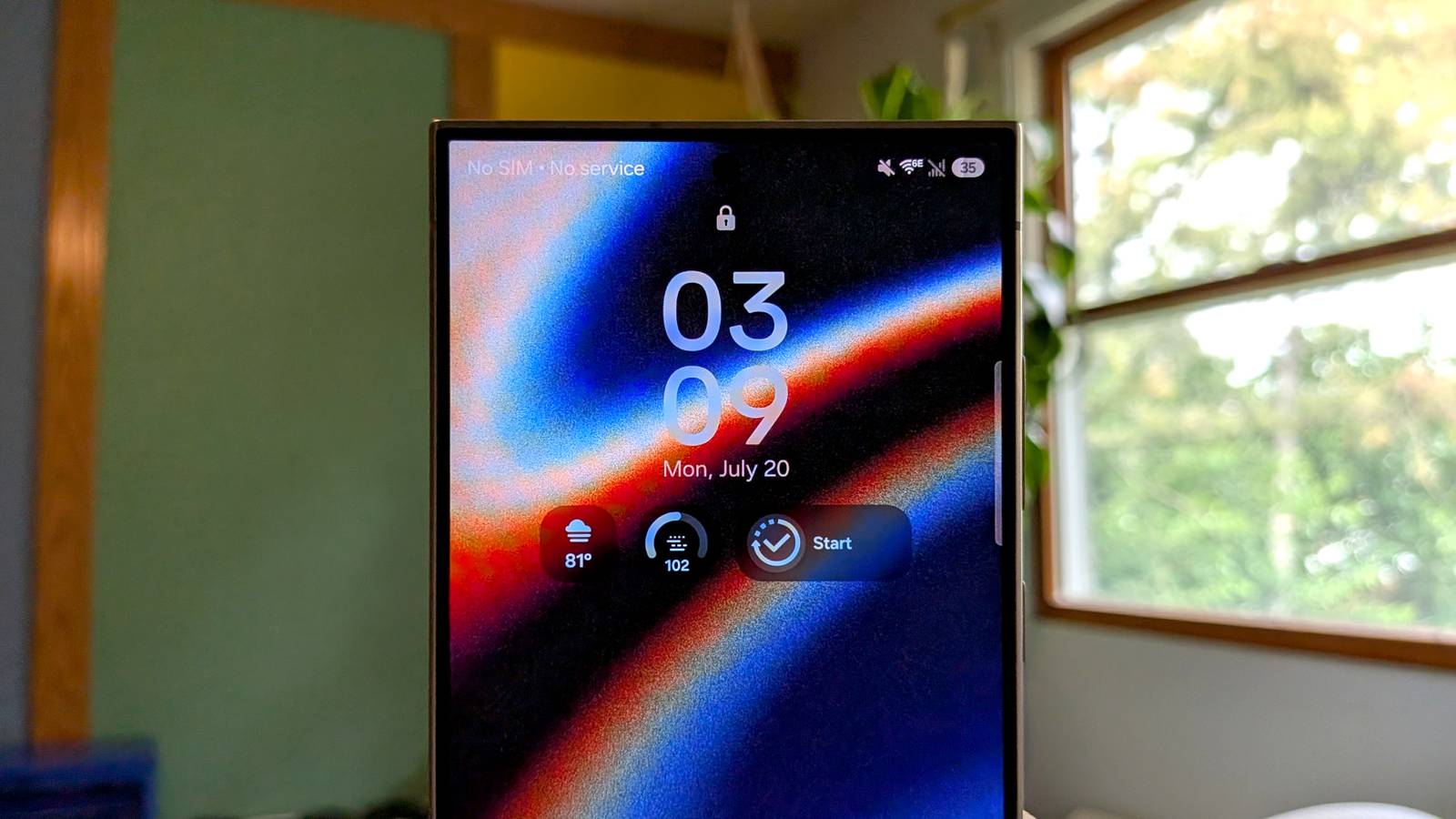
Published Jul 20, 2026, 3:30 PM EDT Joe Fedewa has been writing about technology for over a decade. Android and the rest of the Google ecosystem have been a focus for years, as well as reviewing devices, hosting podcasts, filming videos, and writing tutorials. Joe loves all things technology and is also an avid DIYer and food blogger. He has written thousands of articles, hundreds of tutorials, and dozens of reviews. Before joining How-To Geek, Joe worked at XDA-Developers as Managing Editor and covered news from the Google ecosystem. He got his start in the industry covering Windows Phone on a small blog, and later moved to Phandroid where he covered Android news, reviewed devices, wrote tutorials, created YouTube videos, and hosted a podcast. From smartphones to Bluetooth earbuds to Z-Wave switches, Joe is interested in all kinds of technology. After several years of jailbreaking and heavily modifying an iPod Touch, he moved on to his first smartphone, the HTC DROID Eris. He's been hooked ever since. Samsung is known for offering high-end hardware and tons of software features. But part of being on the cutting edge is letting some old things fall by the wayside. Galaxy phones have lost almost as many features as they’ve gained, and I miss a few of them more than others. Third-party Edge Panels Edge panels used to be more fun Galaxy S25 UltraCredit: Justin Duino / How-To Geek Samsung’s “Edge Panels” debuted all the way back on the Galaxy Note Edge as “Edge Screen,” but it’s still around all these years later. What hasn’t stuck around, however, is much of the functionality. By default, the only Edge Panel that’s enabled is “Apps”—a simple app launcher. There are also panels for people, tasks, weather, and a couple of other Samsung services. It used to be possible to download Edge Panels from the Galaxy Store, but that was removed in One UI 7. Third-party options added much more variety to the Edge Panel than we have today. People created panels for calculators, browser links, Quick Settings toggles, Twitter, and much more. Android is always better when it’s more open. Magnetic Secure Transmission (MST) Tap-to-pay that didn’t rely on NFC Credit: Samsung A little over a decade ago, the ability to pay for things in the real world by touching your phone to a terminal was new and exciting. It was so new that not many retailers supported it yet, but Samsung Galaxy phones had a workaround: Magnetic Secure Transmission technology. MST sent a magnetic signal from the Galaxy phone to the payment terminal, mimicking the magnetic strip on a credit card. It essentially tricked the terminal into thinking a card had been swiped. It didn’t matter if the terminal was older than you were—you could still enjoy the convenience of tap-to-pay. Nowadays, most retailers support modern tap-to-pay with near-field communication (NFC). However, there are still some hold-outs. Walmart, in particular, is a big one, but the usual suspects are smaller shops. MST was a nifty trick that put everyone on the same level. Following Apple instead of Android Credit: Joe Fedewa / How-To Geek Android’s on-again, off-again relationship with lock screen widgets is well known, but Samsung has also been indecisive. Before One UI 7 was released in 2024, it was possible to have full-sized widgets on the lock screen—not anymore. Now, despite full-size lock screen widgets being officially supported since Android 16, Samsung adopted iPhone-like “widgets” instead. Calling them “widgets” is generous since they’re mostly the size of icons. Plus, the space you have for them is extremely limited, and they’re all from stock Samsung apps. It’s a pretty big downgrade. Iris Scanner Samsung had a solution to Android’s face unlock problem Credit: Joe Fedewa / How-To Geek Most Android phones, including Samsung Galaxy devices, include a “Face Recognition” feature. However, unless you have a Pixel phone, that face unlock method can’t be used for mobile payments and signing into bank apps. Samsung used to be in the conversation, too, but it gave up. For a couple of years, Samsung shipped iris scanners in its high-end Galaxy phones. The iris scanners qualified for Class 3 biometric security, which is needed for mobile payments, banking apps, etc. Samsung ditched iris scanners after the Galaxy S29 series and hasn’t replaced them with Class 3-compatible front-facing cameras. You’re stuck scanning fingerprints for high-level security purposes. Win some and lose some No one will ever accuse Samsung of being stingy with features, but even a few things get washed down the drain with the kitchen sink approach. The good news is that Samsung usually replaces features with something else, rather than leaving a hole. You might just have to dig into the settings to find them. Samsung Galaxy S26 SoC Snapdragon 8 Elite Gen 5 Display 6.3-inch Dynamic AMOLED 2x
4 Galaxy phone features I wish Samsung hadn't abandoned
Full Article
Original Source
Read the full article at Howtogeek →KhanList aggregates and links to publicly available news content. We do not host full articles from third-party sources. Always verify important information with original sources.