
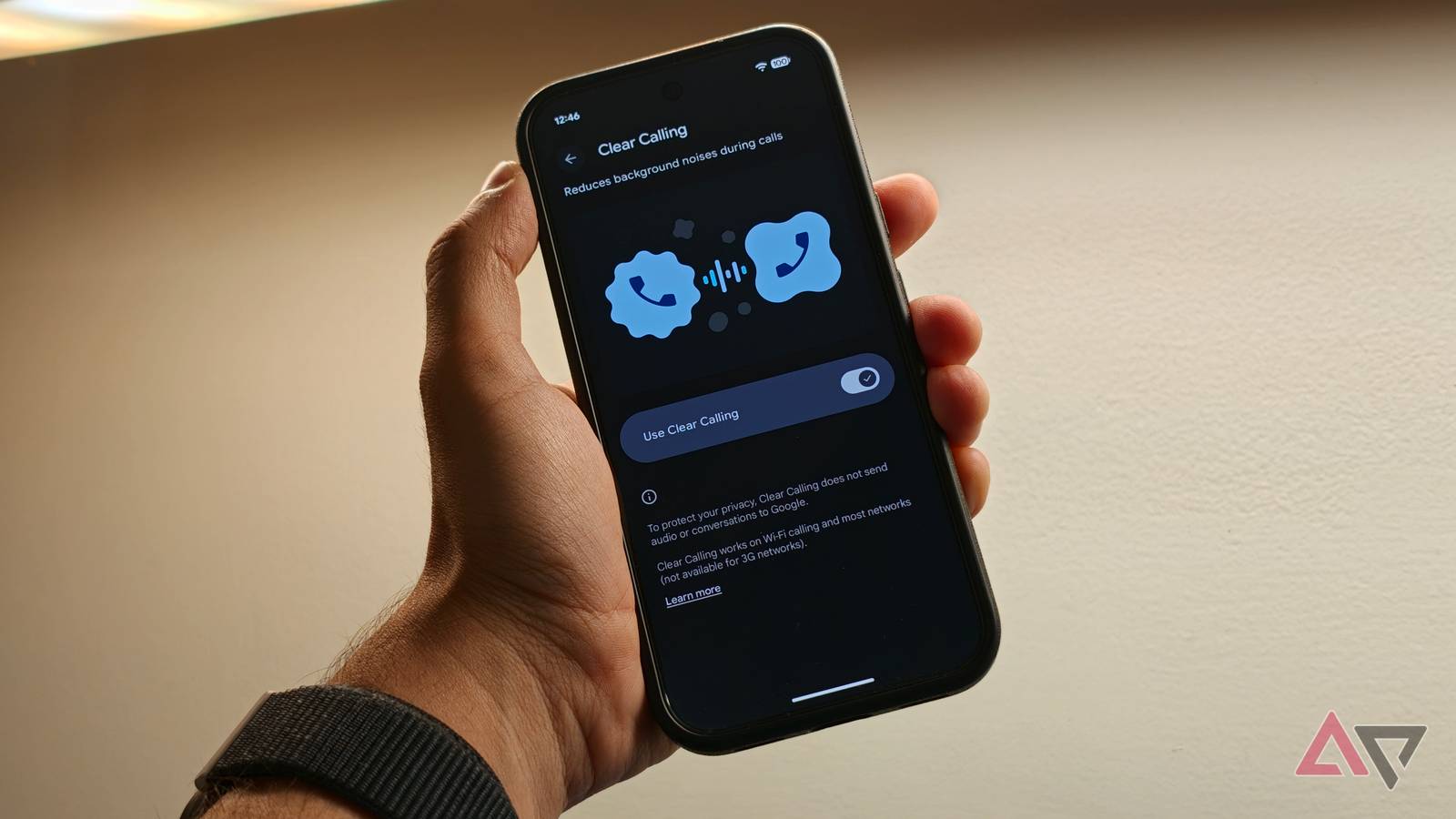
Published Nov 10, 2026, 8:00 AM EST Dhruv Bhutani has covered the Android ecosystem since 2010, with a focus on smartphones, connected devices, and home networking. His reporting is informed by hands-on experience reviewing hundreds of smartphones and testing a wide range of smart home and audio products over more than a decade. He has attended Mobile World Congress eight times since 2011 and IFA Berlin five times, alongside regular coverage of launch events and industry briefings from companies including Google, Xiaomi, Oppo, and Qualcomm. This on-ground access and long-term exposure to product cycles inform how he evaluates hardware, software direction, and ecosystem shifts. First-Hand Experience Reviewed and tested hundreds of smartphones since 2009 Tested smart home, audio, and connected devices across multiple categories Attended Mobile World Congress (8 times, first in 2011) Attended IFA Berlin (5 times) Covered industry events including Qualcomm Summit and launch events from Google, Xiaomi, Oppo, and Vivo Career History CNET — Freelance Editor May 2024 – Present Android Police — Freelance Editor July 2023 – Present Android Authority — Contributor November 2022 – Present Android Authority — Editor January 2019 – October 2022 FoneArena — Editor February 2010 – January 2018 PhoneReport.info — International Correspondent February 2010 – May 2011 Nokia Mobile Talk — Writer June 2009 – October 2009 Working remotely has its benefits, but there are a few downsides that you might not be aware of. I might be at my desk, but I might just as well be running errands or trying to get through a work call while in a noisy environment. Unlike a corporate office, which is designed for calls and ambient silence, construction outside my home doesn't care about my calls. But background noise can make even a simple conversation surprisingly difficult to understand. I've lost count of how many times I've had to ask someone to repeat themselves. Earlier this year, I switched to the Google Pixel 11 Pro, and the first thing I switched on was Clear Calling. This built-in feature on Google Pixel phones uses machine learning to clean up background noise during calls. That's it. There's no visual switch-up, but it immediately makes conversations significantly easier to follow by cleaning up the audio coming from my phone. I'd go as far as saying that this one feature completely redeemed buying into the Pixel for me. Keep background noise out of your work calls Google's on-device AI does the trick Before going in, it's best to set clear expectations about what Clear Calling does and doesn't do. The feature doesn't quite work the way you might think from the name. It isn't designed to clean up audio that you hear on the earpiece or act as a noise-cancelling layer on incoming calls. Instead, it focuses on making your voice clearer to hear on the other side, no matter where you are. The Pixel does this by filtering out background noise so the person on the other end can hear you clearly, and it works brilliantly. It's hard to quantify the difference because you don't quite toggle the feature on or off, but with it turned on, the Pixel 11 Pro does a remarkable job of cutting down ambient noise and background disturbances. This is extremely useful because I don't always have control over the environment I'm taking calls in. For example, right now, a power drill is going off in the background because of construction across the street. Often, it's an incoming delivery doorbell. And if not that, the clunky ceiling fan making noise is distracting. I can't always escape to another room either. Without some form of noise reduction, the microphone picks up almost everything around me. Depending on where I'm sitting, that could mean traffic, a fan running in the background, or people talking. Clear Calling automatically kicks in and solves that problem. The feature uses on-device processing and AI algorithms to identify my voice and isolate it from surrounding noise, suppressing the latter during calls. And it does all this in real time. No microphone settings to manage or extra noise-cancellation settings to enable. Tap Settings on your Pixel phone, scroll down to Sound and vibration, and tap Clear Calling. After the setting is switched on, it just works. Clear Calling works in the background with minimal setup You don't need the latest Pixel to use Clear Calling For as plug-and-play as the feature is, there's very little you need to watch for. Google recommends keeping the phone's microphone close to your mouth for optimal results, which sounds fair enough. The more detail the phone picks up, the better the audio, and it needs to pick up my voice clearly. In my experience, though, as long as you don't hold the phone too far from your mouth, the feature works perfectly fine. Elsewhere, processing is entirely local, and no call data is shared with Google. That matters to me for privacy reasons, but beyond that, the latency would be too high to make this workable. The best part, though, is that the feature doesn't need the latest Pixel smartphone. It works all the way back to the Pixel 7, so if you have an older Pixel, it'll work just the same. Similarly, the feature works on regular calls and VoIP calls, which means that even if WhatsApp is your primary means of communication, it should work perfectly well. The only real caveat here is that, as good as it is, Clear Calling isn't magic, and it still benefits from a good mic, better placement of the mic close to your mouth and, broadly, being in as quiet a room as practically possible. If I had to dig deep, there's no real way to cancel the feature mid-conversation, and you'll need to dig deep into the settings, but given how well it works, I see no reason to switch it off. The kind of AI feature I can get behind The Pixel lineup has plenty of exciting features, but for me, the most exciting ones are the features that just do their thing in the background without much or any manual intervention. If you take a lot of calls, there's no reason not to keep Clear Calling enabled. The feature works beautifully and cuts background distractions down to a mild hum at best. It works locally and is the kind of AI use that I can get behind. Can't complain.
This built-in Pixel audio feature single-handedly saved my remote work call routine
Full Article
Original Source
Read the full article at Androidpolice →KhanList aggregates and links to publicly available news content. We do not host full articles from third-party sources. Always verify important information with original sources.