
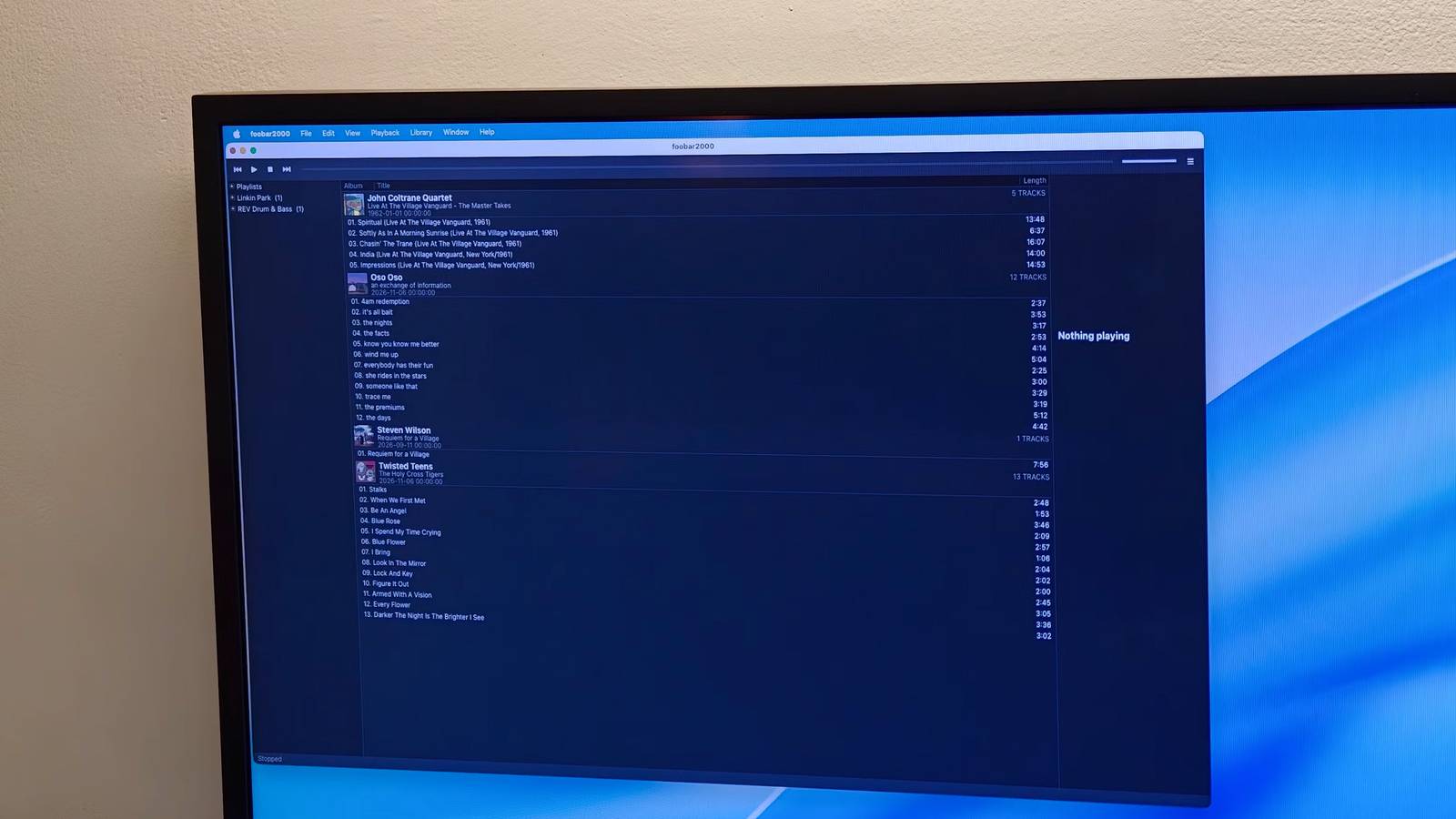
Published Nov 10, 2026, 8:30 AM EST Dhruv Bhutani has been writing about consumer technology since 2008, offering deep insights into the personal technology landscape through features and opinion pieces. He writes for XDA-Developers, where he focuses on topics like productivity, networking, self-hosting, and more. Over the years, his work has also appeared in leading publications such as Android Police, Android Authority, CNET, PCMag, and more. Outside of his professional work, Dhruv is an avid fan of horror media spanning films and literature, enjoys fitness activities, collects vinyl records, and plays the guitar. My music library is fairly substantial, clocking in at a few hundred gigabytes. It's been an ongoing process for the last decade and a half, with plenty of albums, CD and vinyl rips, demos, and more accumulated from different sources. Keeping all this music organized has, understandably, been a challenge. For a while, I depended on MediaMonkey to pull it off, but the app hasn't been updated much, and it doesn't have proper Mac support. Elsewhere, streaming services might be nice for discovery, but they don't scratch the itch when what you want is a fully organized offline music library. So, I've been building a music library on my NAS. But when it comes to managing it, there's only one app that I trust — Foobar2000. This 20-year-old music manager and player has helped me organize metadata across hundreds of thousands of music files, organize playlists, and just discover my library. It doesn't look all that amazing compared to some modern music player apps, but if you want functionality, nothing comes close. Foobar2000 makes batch tagging and cleanup extremely simple Automate repetitive tasks using components like Masstagger or convert audio for other devices Credit: The problem with building a large music collection is handling metadata. There's no way to click across different folder structures to play music. For a while, I had all artists in a single folder, but once you cross a certain threshold, those never-ending folders can be effectively useless for actual listening. So, I pivoted to genre-based folders. But that's no good either for making a genre-bending playlist. Foobar2000 solves this problem by taking a metadata-first approach to a music library and turning it into a real music library, not just a collection of files. All you have to do is point it at a folder containing your music and let it index everything into a searchable database. With that done, you should be able to browse your collection by artist, album, genre, or any other metadata field you choose. More importantly, it lets you create custom views based on how you actually listen to your music. The feature I find most useful is tagging. This is, of course, a mainstay of any music management app, but when you're managing a library, efficiency and flexibility are key. Foobar2000 lets you edit tags individually or for hundreds of tracks at once. And it does that without requiring you to jump through multiple steps or batch things. For example, I've got a running playlist folder of liquid drum and bass tracks that spans hundreds of files. Managing this folder in Apple Music brings it to a grinding halt if I'm trying to standardize genre tags or fix numbering. Foobar2000 also struggles with a folder like this. Further, with over 20 years of development around it and a fully plugin-driven architecture, there are plenty of metadata tools like Masstagger that can handle repetitive tasks. Personally, I like to add the year tag to the album name. It's an old habit of using iPods because iPods don't always sort albums by year. So I started adding the relevant information in front of the album name. Doing this manually is time-consuming, so I use Masstagger to automate it. Similarly, as someone who still uses an iPod, I use the built-in file converter to transcode my FLAC library to AAC for on-the-go listening and storage efficiency. Customization makes Foobar2000 useful beyond music playback Components let you add almost any feature you want Perhaps one of Foobar2000's best features is that it doesn't force you to use it in a specific way. Most music apps have a fixed layout with few ways to tweak the look and feel to match your needs. That's fair since not every app is designed for users with a terabyte-scale library. Foobar2000, on the other hand, ships with a bare-bones interface that you can make as complex or as simple as you want. You can rearrange panels, add columns, and build a layout that shows you exactly what you want to see. You achieve this with the aforementioned components. Talking about components, there's a huge repository available that can do everything from adding DSP effects to VU meters to your music listening setup. The key to why Foobar2000 remains my favorite and a popular choice even 20 years in is the fact that someone has probably built a component that does exactly what you want from your music player, and if it isn't available, you can just build it yourself. You can't do that with most other music players. Foobar2000 still makes sense in a streaming-first world I get why most people have moved to streaming. It's simply convenient, gives you a large library and requires no hand-holding. But while that's true, they have plenty of limitations, too. There's no ownership, no control, no ability to add in live versions of your favorite albums if they're not already available on the platform. That's why I still use Foobar2000 with my music library. The music player gives me all the tools I need to make sense of the library without adding unnecessary complexities. More importantly, it lets me enjoy my vast music curation by spending less time searching for something to listen to and more time actually playing music. foobar2000 Foobar2000 is a lightweight music player built for people who care about accurate playback and full control over their local library.
foobar2000 is over 20 years old, and it's still the best way I've found to manage a huge music library
Full Article
Original Source
Read the full article at Xda-developers →KhanList aggregates and links to publicly available news content. We do not host full articles from third-party sources. Always verify important information with original sources.