
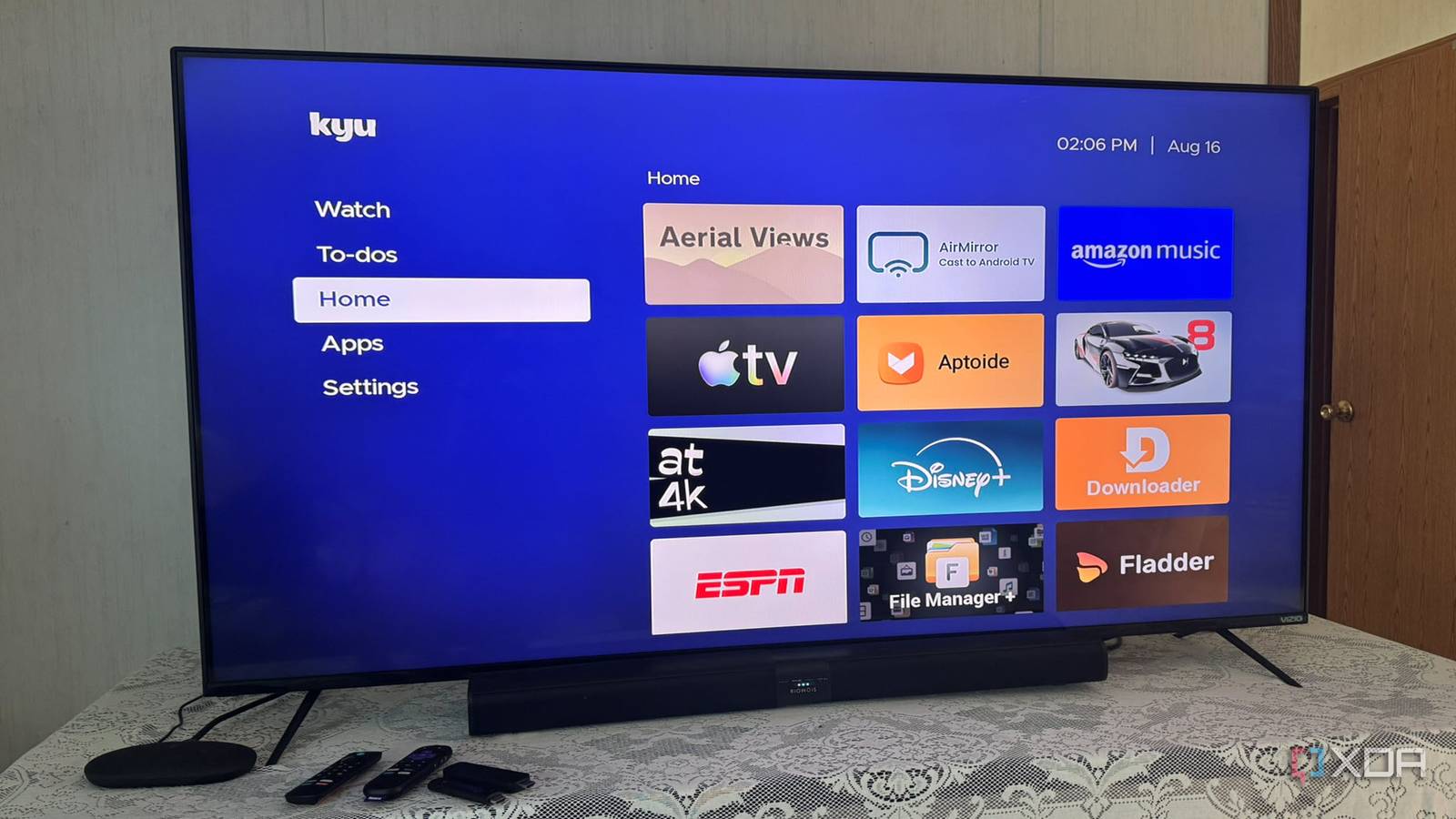
Published Sep 6, 2026, 3:00 PM EDT Based in rural Minnesota, Brian Burgess worked in IT for 10 years before finding his passion for writing about consumer technology. Brian earned his degree in computer and network technology in 2000. He held various IT positions, including help desk support, router installations for IBM, database administration, and other associate network administration roles. He's been a personal technology journalist for 18 years and has written thousands of articles about Microsoft products and services, Android, iOS, streaming, and more. He has written for notable tech sites including XDA, InformationWeek, How-To Geek, Byte, groovyPost, and others. When he is away from the keyboard, you will hear him playing guitar, working outdoors, and watching Star Trek. My Android-powered smart TV was destroyed when a lightning storm hit, and I had connected it to the wrong surge protector. I'll never make that mistake again, but I digress; in the meantime, I used different streaming sticks. However, compared to the Android/Google TV experience, they're so locked down and full of ads. So, I ended up giving a budget Android TV box a chance, and it completely changed how I think of streaming sticks. It gives me the Google TV experience back and offers more functionality than Google's own TV Streamer device. Budget-friendly doesn't mean cheap An Android TV box rich with features At just $60, my Onn 4K Pro Android TV box from Walmart costs the same as, or $10 more than, a top-of-the-line Fire or Roku streaming stick that lacks much of the functionality, app selection, and customization options. It has exactly the Google TV experience I am used to. I can easily sideload Android APKs, and they work, even if designed for a Pixel. Despite appearing more powerful on paper, the Onn box performs better. Also, the home screen and the user interface as a whole are more responsive than on the Google TV Streamer. The Onn is also far less buggy, and the UI is more responsive, likely due to the CPU's higher clock speed and beefed-up GPU. Still, if you want a Google TV box, for the price, a Google TV Streamer is a good deal, even though it's a 2024 device and is often discounted. Google TV Streamer 4K Streaming sticks lack customization Home screens are a mess Google TV has a chaotic home screen, but it isn't as bad as Roku and Fire TV sticks. Luckily, on the Google TV box I can easily install an alternative launcher like Projectivy for a cleaner experience and Aerials for an Apple TV-like screensaver. However, on Roku, customizing the home screen is limited to installing theme packs. For instance, I applied a Game of Thrones theme, but it doesn't remove annoying huge ads throughout the UI. With Fire TV sticks still running Android-based Fire OS, I can sideload APKs to get some of the same customizations. But the new sticks run Amazon's proprietary, locked-down, Linux-based Vega OS. Those sticks offer very limited customization options. None of which allow for a better home screen or screensaver experience. Far more apps on Android TV Streaming sticks lack choice There are over 10,000 apps optimized for Google TV, but with sideloading APKs and alternative stores, the range is actually in the millions. While they may not run correctly on the TV's display, they open a playground not available on streaming sticks' limited stores. The app count for Fire TV and Roku sticks ranges between 40,000 and 50,000 — with more on Fire OS — but sideloading is limited. There's also an issue with Sideloading APKs on Fire TV sticks still powered by the Android-based Fire OS. The process doesn't always work as it does on my Android TV box. Since it is a forked version of Android, sideloading an app isn't always practical since apps may not run. Many require the Google Services Framework, which you can install, but it's meticulous and can become unstable. With Roku sticks, I have to rely on the existing store. There is no sideloading available. Like Vega OS, if an app isn't in the store, I can't install it. The Android box's app flexibility is another selling point. Additionally, the Android box has more internal storage than a streaming stick, so I can install many more apps than on either stick. More functionality than Google's own TV Streamer A USB port makes a difference My budget Android TV box includes a USB-A 2.0 port (down from a 3.0 port in the 2024 model), which the Google TV Streamer lacks. While this detail can easily be dismissed, it is essential for adding local storage to play video files, view photos on the big screen, and even do light document work by attaching a Bluetooth keyboard and mouse. I use an app like VLC or Kodi, swap USB drives, and organize items with the File Manager+ app. In fact, I am looking at making it a self-hosted media server by using a large external drive and plugging it into a USB hub with pass-through power. With the right configuration and hardware, the Android box can become a local media player or a self-hosted media server. It can also serve as a light productivity box. The port makes it easy to plug in a drive directly, while the Streamer requires using a workaround with a USB-C hub/dongle to free up the port for storage while supplying power. I still need a workaround to make the budget box a self-hosted media server, but it's nice to play local media without a workaround. Either way, I can't do that with a Roku or Fire TV streaming stick. Onn 4K Pro Streaming Device $60 $60 Save $0 Abandoning streaming sticks might be my future Even if I get a new Android-powered smart TV, I will likely want an external device of some kind. Smart TVs use old processors; Google TV runs slowly. Google has been slow to update its Streamer device, and might quietly abandon it. So, for now, the budget Android TV looks like the device I'll stay with for a while. It can do far more than streaming.
This budget Android TV box is making me rethink streaming sticks
Full Article
Original Source
Read the full article at Xda-developers →KhanList aggregates and links to publicly available news content. We do not host full articles from third-party sources. Always verify important information with original sources.