
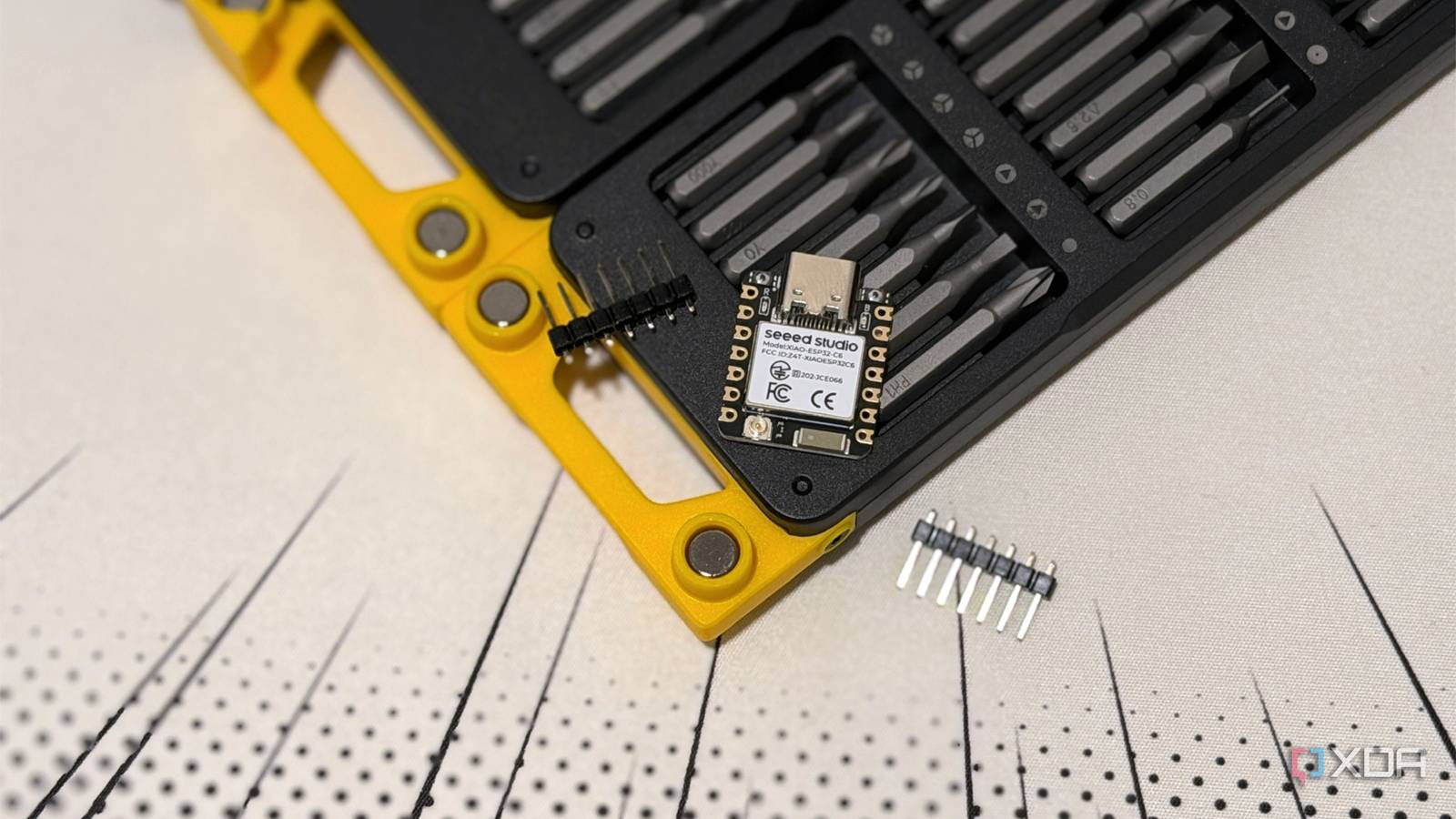
Published Sep 6, 2026, 3:30 PM EDT Maker, meme-r, and unabashed geek, Joe has been writing about technology since starting his career in 2018 at KnowTechie. He's covered everything from Apple to apps and crowdfunding and loves getting to the bottom of complicated topics. In that time, he's also written for SlashGear and numerous corporate clients before finding his home at XDA in the spring of 2023. He was the kid who took apart every toy to see how it worked, even if it didn't exactly go back together afterward. That's given him a solid background for explaining how complex systems work together, and he promises he's gotten better at the putting things back together stage since then. Sign in to your XDA account I've collected ESP32 boards like they were Pokémon, and just like my gaming skills, I keep choosing the wrong ones. Some have no Bluetooth. Others can't run the ESPHome firmware I wanted to use with them because they don't have enough memory, and only one of them can do Zigbee, even though that's the protocol I want to use. And it's not really my fault, because the ESP32 covers roughly 15 chips, two CPU architectures, and more radio combinations than the ice cream flavors at Baskin-Robbins. Most store listings only say ESP32, and it's like a blind bag for your next development board. And that's only part of the issue, because the dev board around it determines whether your project flashes on the first try or loses power when the Wi-Fi turns on. Your next ESP32 project deserves the right board, so let's decipher those listings. ESP32 covers a range of boards now, not just the chip When the ESP32 hit the market in 2016, we got a dual-core Xtensa LX6 with Wi-Fi 4, Bluetooth Classic plus BLE, two DACs, and an Ethernet MAC. Now we have tons of options, from the S2 and S3, which use LX7 Xtensa cores, to the RISC-V cores in the C, H, and P series. The chipset matters because it determines how good your toolchain will be, and how well the project libraries are compatible. Expressif's new designs are all RISC-V, including the ESP32-H21, which refreshes the H2 with a lower-power option, and the ESP32-S31, a 320 MHz dual-core RISC-V chip with Wi-Fi 6, Bluetooth 5.4 (Classic), Thread, Zigbee, and a Gigabit Ethernet MAC. That's the one to go for nowadays for most projects, mainly because it gives you more options, and you can get them for just over $5 when you buy in bulk. And yes, there's still the classic ESP32, the S2 and S3, the budget C2 and C3, the C5, C6, and C61, the Wi-Fi-less H2 and H4, and the wireless-less P4. XIAO ESP32 C6 The XIAO ESP32 C6 is a tiny microcontroller with support for 2.4 GHz Wi-Fi 6, Bluetooth 5 LE, and IEEE 802.15.4 for Thread and Zigbee development. Don't worry about the clock speed Which wireless capabilities are more important Most of my ESP32 graveyard is there because I got the wrong radio module. The ESP32-S2 doesn't have Bluetooth, which can be fine if you don't need it. The C3, S3, C5, and C6 only have BLE, so you can't build Bluetooth audio projects or any classic SPP project. Then there's the 802.15.4 radio that you need for Zigbee or Thread. The classic ESP32, S2, S3, C2, C3, and C61 don't come with one. You'll need a C6, C5, H2, H4, H21, or S31 for that. The C6 is the sensible pick for a smart home node because it keeps Wi-Fi 6 and BLE alongside the 802.15.4 radio, and the H2 is the battery-powered endpoint with no Wi-Fi and a deep-sleep figure that Espressif rates at 7µA. And there's exactly one ESP32 with the 5 GHz band, the C5. And only the S2 and the original ESP32 have a DAC, so nothing else will output analog audio. The part number tells you everything if you pay attention And stops you being stuck with an underpowered board I'm a sucker for display projects, and that means you need PSRAM to output the frame buffer. The problem is that many cheap S3 boards ship with none, and the amount you get on other boards is often only mentioned in the suffix. Espressif's module naming works like this: **N** is flash size in MB, **R** is PSRAM size in MB, and if there's no R at all, there's no PSRAM. So ESP32-S3-WROOM-1-N16R8 has 16MB of flash and 8MB of PSRAM, while N8 has 8MB of flash and nothing else. The old WROVER naming only applies to the original ESP32 and S2. Everything else needs you to read the module naming, and I'd caution against ordering from any listing that doesn't have the full string. There's another gotcha hiding away. Even if you have PSRAM, the 8MB R8 modules use Octal SPI, which eats GPIO35, 36, and 37, and you have to remember to select Octal PSRAM in the IDE, or it won't show up. The 2MB R2 chips use Quad SPI and leave those pins free. Which dev board you pick also comes into play The ESP32 might be the right one but that's not the whole project Let's face it, the chip gets the attention, but the board is where the pain lives. Start with the USB-to-serial chip. Boards use CP2102, CH340, CH343, FTDI, or the chip's own native USB, and each behaves differently. CH340 boards need their own driver; some adapters only toggle RTS, not DTR, and when the auto-reset timing is off, the board boots normally instead of entering download mode. The fix is to hold BOOT while you upload; you'll find it in an issue thread after an hour of 'failed to connect' errors. Power is also an issue, because Espressif says you should have a 3.3V capable of 500mA or more, and many clones have a power regulator that overheats and sags when the Wi-Fi goes on, with a "brownout detector was triggered" error message that nothing will fix. Okay, one thing — buy the right board to begin with. The classic 38-pin DevKitC is too wide to fit a standard breadboard, so you need to use two breadboards with the inner power rails removed. And there's a whole litany of pin issues that even the best AI models get wrong each time, and you're better off doing forum diving first. Software support is always behind board releases The new chips only work with the ESP-IDF framework for now All my homeys love Home Assistant, and ESPHome lets you make your own smart devices. The ESP32-C6, H2, and P4 were all added in the 2025.6.0 release, but the changelog warns that those boards are still being refined, not every component will work, and they only work with the ESP-IDF framework rather than Arduino. Oh, the H2 is more reliable than the C6 for Zigbee, and Matter in ESPHome is still experimental, so you'll want to use the native API over Thread instead. And if you're deep into Arduino, you have a shock of a migration to deal with. The 3.0 core added C6 and H2 support but then broke LEDC, ADC, I2S, and BLE APIs and dropped the Hall sensor support. ESP-EDF 6.0 removed a stack of legacy drivers and treats warnings as errors. And for controlling WLED strips, you're still safest with the classic ESP32. The S3 can handle 12 strips, the C3 two, but the C6, C5, and P4 are stuck on one strip until the drivers mature. Choose the radio functionality you need Sure, you could buy the cheapest listing that says ESP32 and pray you get the specs you need, but that's just silly. Saving a few bucks isn't worth losing half your weekend on error tracking, and I suggest you look for the radio specifications you need before you look at the price. ESP32-S3 with R8 suffix for anything you're using a display, camera, or microphone with; An ESP32-C6 for Matter, Thread, or Zigbee; the H2 for the battery-powered version; or the C5 if you need to use 5 GHz Wi-Fi. And stay on top of the recent ESPHome changelogs, because support status changes faster than new boards come out.
Not all ESP32 boards are the same, and picking the wrong one wastes weeks of your project time
Full Article
Original Source
Read the full article at Xda-developers →KhanList aggregates and links to publicly available news content. We do not host full articles from third-party sources. Always verify important information with original sources.