
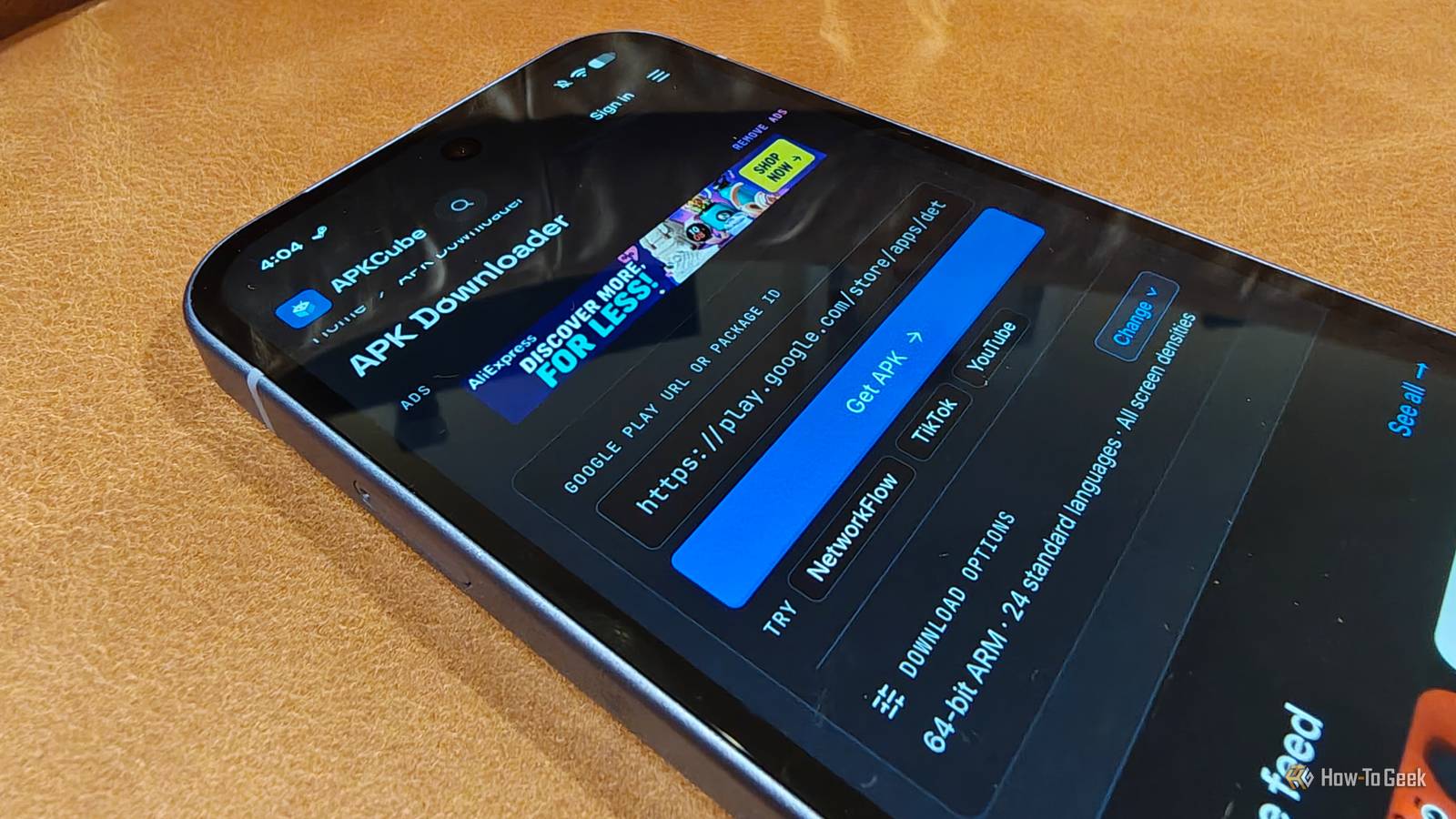
Published Nov 29, 2026, 3:00 PM EST Bertel is a lifelong tech enthusiast with over a decade of experience writing thousands of articles about Android devices, Linux, and more. Before joining the How-To Geek team, Bertel wrote for the likes of MakeUseOf, MakeTechEasier, and Android Police—at the latter he wrote over 3,500 articles. He delights in helping others decide which tech to bring into their lives... and which tech to do without. Bertel graduated from the College of William and Mary in 2012 with degrees in History and Government. He has spent his entire career as a tech journalist covering Android, Linux, wearables, smart home devices, and more. Smartphones are easy to use in part because they abstract away all the bits and bobs that make your phone work. This makes them accessible, but sometimes you don't want an app store—you want an APK. You can hunt around for Android app installers on the web, but with the right tool, you can download APKs directly from the Play Store or extract them from the apps already on your phone. APKCube can download APKs from the Play Store It only works with apps that are free The Play Store is the de facto place to download the vast majority of apps that are available for Android, but it requires a Google account, and the big G keeps a record of every app you download. That means if you don't have a Google account, or you simply want to regain control of your digital life, you'll have to seek out other options. APKCube is a web-based alternate front end to the Play Store that lets you search for and download APKs directly. The intrusive pop-ups and redirects can be a nightmare though, so you'll want to use a web browser with strict privacy settings and blockers in order to navigate it at all. To reduce your exposure to these pop-ups, you can navigate directly to APKCube's APK Downloader tool. This will present you with a search bar where you can paste the direct link to an app's Play Store page. APK Downloader will then offer you an APK to download. The website asserts that this APK is the exact same package you would download from Google Play, signed with the same developer key. The developer key and the SHA-256 are presented in order for you to verify. That said, even just loading this one page can be a pain. I have multiple browsers on my phone and in one, the URL is hijacked as soon as I try to load the link. Know that going in. Tools like this that circumvent the Play Store are in a murky gray area, but one thing is clear—this isn't piracy. You can only download apps that are available for free. This is not a way to get around paying for software, and to those who are comfortable signing in with a Google account, I absolutely encourage you to pay for apps if you want to see better software make its way to Android. Another way to get APKs for apps that are available in the Play Store is to download them to your phone first and then extract the APK. There are multiple tools that allow you to produce APKs from the apps that are already saved on your device, which you can then back up or share. You can find some options in the Play Store, but for an open source option you can trust, I recommend APK Extractor. I downloaded it via F-Droid, but it's not available by default. You must first add the IzzyOnDroid repo. Using APK Extractor requires little in the way of instruction. When you fire it up, you will see a list of your installed apps. Tapping on one will present you with two primary options, to "extract APK and save," or to "extract and share." APK Extractor also works with system apps, and you don't need root, either. You may need to tap "AntiSplit/merge and save" to avoid ending up with a zip folder filled with multiple APKs. To avoid ever having to give that any thought, you can tap the cog to open the app settings and select "merge split APKs into single APK." This method requires a separate computer Credit: Patrick Campanale / How-To Geek If you want to extract APKs the way Google intended, and you don't mind plugging your phone into a separate computer, then you can always just use the Android Debug Bridge, better known ADB. For this, you'll have to go through the steps of setting up ADB on your computer. Then it's just a matter of opening a command prompt and entering two commands. adb shell pm path com.example.app adb pull /path/to/base.apk This will pull the APK from your phone and save it to a folder on your PC. If you want to use ADB, but you don't want to pull out a separate computer, there's a way to use ADB entirely on your phone as well. APKs aren't guaranteed to work, but they're nice to have around It can feel comforting to have a folder filled with APKs, but their long-term value is limited. Software tends to break after major Android updates, so you can't count on them being useful a few years from now. Yet getting your hands on APKs can still be useful for doing without a Google account or moving apps around between multiple devices in your home.
These tools let you download APKs from the Play Store and beyond
Full Article
Original Source
Read the full article at Howtogeek →KhanList aggregates and links to publicly available news content. We do not host full articles from third-party sources. Always verify important information with original sources.