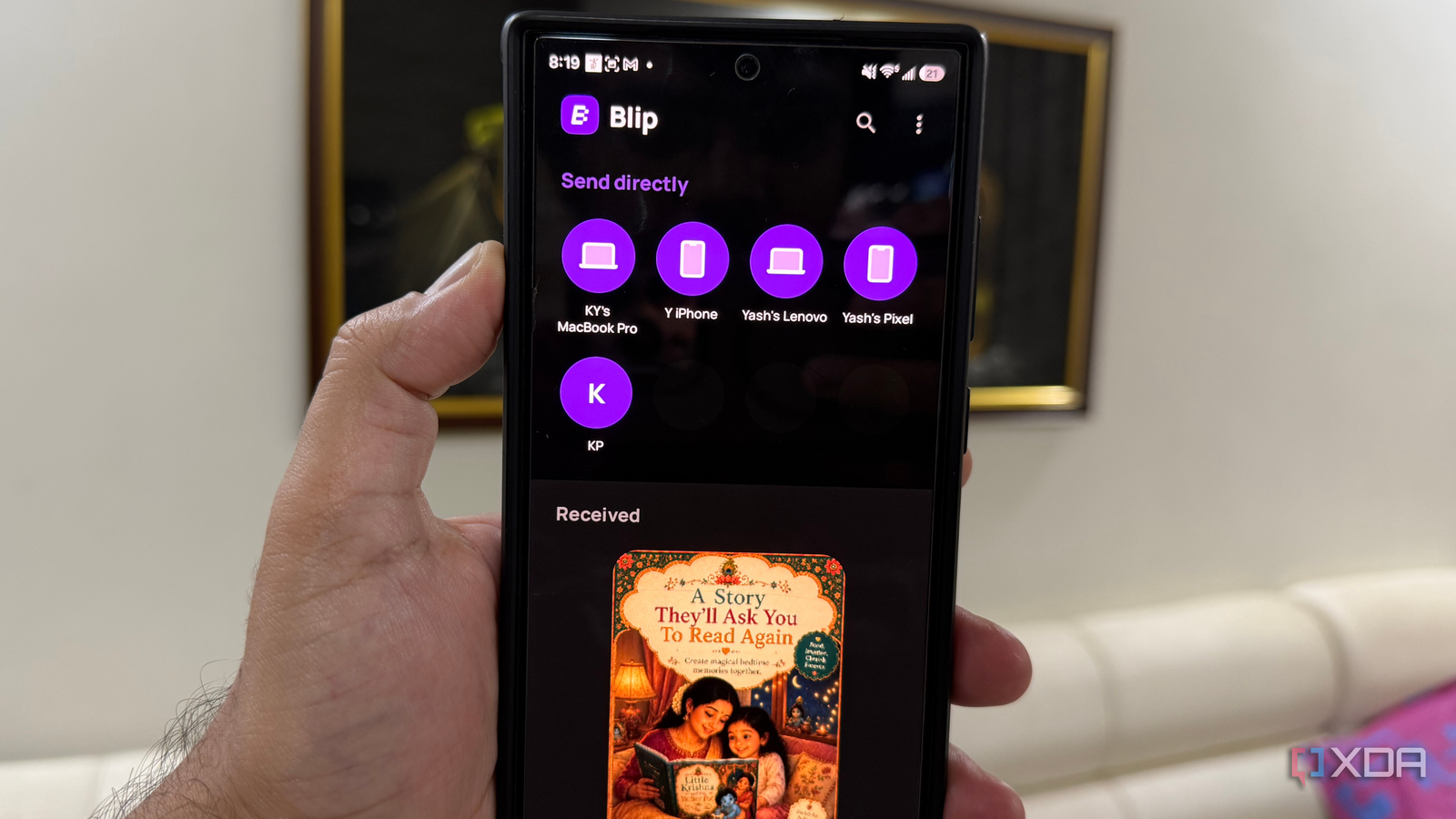
Published Aug 4, 2026, 8:30 AM EDT Beginning his professional journey in the tech industry in 2018, Yash spent over three years as a Software Engineer. After that, he shifted his focus to empowering readers through informative and engaging content on his tech blog – DiGiTAL BiRYANi. He has also published tech articles for MakeTechEasier. He loves to explore new tech gadgets and platforms. When he is not writing, you’ll find him exploring food. He is known as Digital Chef Yash among his readers because of his love for Technology and Food. When I switched from an iPhone to Android, I expected file sharing to be one of the biggest things I'd miss. AirDrop had always been quick, reliable, and incredibly convenient, so I wasn't sure if Android could offer a similar experience. Thankfully, that concern disappeared much faster than I expected. After trying several file-sharing tools over the past few months, I found a handful that made moving files just as easy, and in some cases, even more flexible. If you're planning to switch to Android or simply want better ways to share files, these are the tools that have worked best for me. Quick Share was the first app that convinced me I wouldn't miss AirDrop after switching to Android. Since it comes built into most modern Android phones, I didn't even have to install anything. I simply turned it on, made my device discoverable, and started sending files. In daily use, it feels just as effortless as AirDrop. I can share photos, videos, PDFs, APKs, and other files with nearby Android devices in just a few taps. As long as both devices have Quick Share enabled, the connection is established quickly, and transfers usually finish within seconds. I've also found it reliable, with far fewer failed transfers than some third-party alternatives I've tried. Another thing I appreciate is that it doesn't rely on cloud storage or messaging apps. The files are transferred directly between devices, which keeps the process fast and avoids unnecessary uploads. For anyone who mainly shares files with other Android users, Quick Share is the closest experience to AirDrop I've found. It's simple, built into the operating system, and works so well that I rarely think about AirDrop anymore. Quick Share Google's Quick Share is a fast, built-in wireless file-transfer tool for Android and Windows that functions similarly to Apple's AirDrop. LocalSend The app that broke ecosystem barriers Quick Share works great, but only when the other device also supports it. That's where LocalSend made a huge difference. Whenever I needed to send files between my Android phone, Windows PC, or Linux machine, I opened this app. What I like most is that it's free and open-source. I didn't have to create an account, sign in, or upload my files to the cloud. As long as my devices were connected to the same Wi-Fi network, they could instantly see each other and start transferring files. I've used it to send photos, videos, PDFs, ZIP files, and even large folders, and it has been reliable every time. The transfers happen directly between devices, so they're fast and more private than cloud-based sharing. Today, it's one of those apps I always keep installed. If you use more than just Android devices, I think it's one of the best AirDrop alternatives available. It works across different platforms, is easy to use, and being open source is an added bonus. LocalSend LocalSend is a free and open source mobile app to send files between devices securely so long as they are on the same Wi-Fi network. Blip The file-sharing app that works from anywhere Blip isn't limited to nearby devices or the same Wi-Fi network. This open-source app is available for Android, Windows, Linux, iPhone, and Mac, so I can easily send files between all of my devices, even when I'm away from home. I can also share files with someone in a different city, making it far more flexible than tools that only work over a local network. The app is also very easy to use. Once I linked my devices, they appeared automatically in the app. From there, I simply selected the destination device, picked the files, and started the transfer. I've used it for photos, videos, documents, and other large files, and everything arrived in its original quality without any noticeable hassle. What I like most is not having to think about where my devices are. Whether I'm at home, in the office, or traveling, I can quickly move files between them without carrying a cable or uploading everything to a cloud storage service first. For anyone who needs to transfer files beyond their home network, Blip is a surprisingly useful tool to have installed. Blip Blip is a cross-platform file transfer app that lets you securely send files and folders directly between devices without cloud storage. Pairdrop PairDrop became my favorite option whenever I needed to share a file from a device where I couldn't install an app. Since it runs entirely in a web browser, I just open the PairDrop website on both devices, and they're usually detected within seconds. There's nothing to download, and I don't have to sign in or create an account. I've found this especially useful on shared computers or devices that I only use occasionally. Instead of installing another application, I can simply open the browser and start transferring files. It works across Android, iPhone, Windows, Linux, and Mac, so I don't have to worry about what operating system the other device is running. Most of my transfers have been quick and reliable, whether I'm sending a few photos, a PDF, or a larger file. The interface is also refreshingly simple, with almost no learning curve. I don't use PairDrop every day, but I'm always glad it's available when I need it. It's one of those tools that's worth remembering because it works almost anywhere without requiring any installation. Pairdrop Pairdorp is a local file sharing tool that runs on any web browser, and it can be self-hosted, too. The right tool makes file sharing effortless After using these tools for a while, I realized that fast file sharing isn't about finding an AirDrop replacement; it's about having the right tool for each situation. Whether I'm moving files between my own devices, sharing something with friends, or transferring documents for work, there's always an option that gets the job done quickly. That has made my daily workflow smoother and removed one of the biggest concerns I had before switching to Android. Today, file transfers are just another part of my routine, and I no longer feel like I'm missing out by leaving Apple's ecosystem behind.
These 4 free AirDrop alternatives made file sharing on Android effortless
Full Article
Original Source
Read the full article at Xda-developers →KhanList aggregates and links to publicly available news content. We do not host full articles from third-party sources. Always verify important information with original sources.