
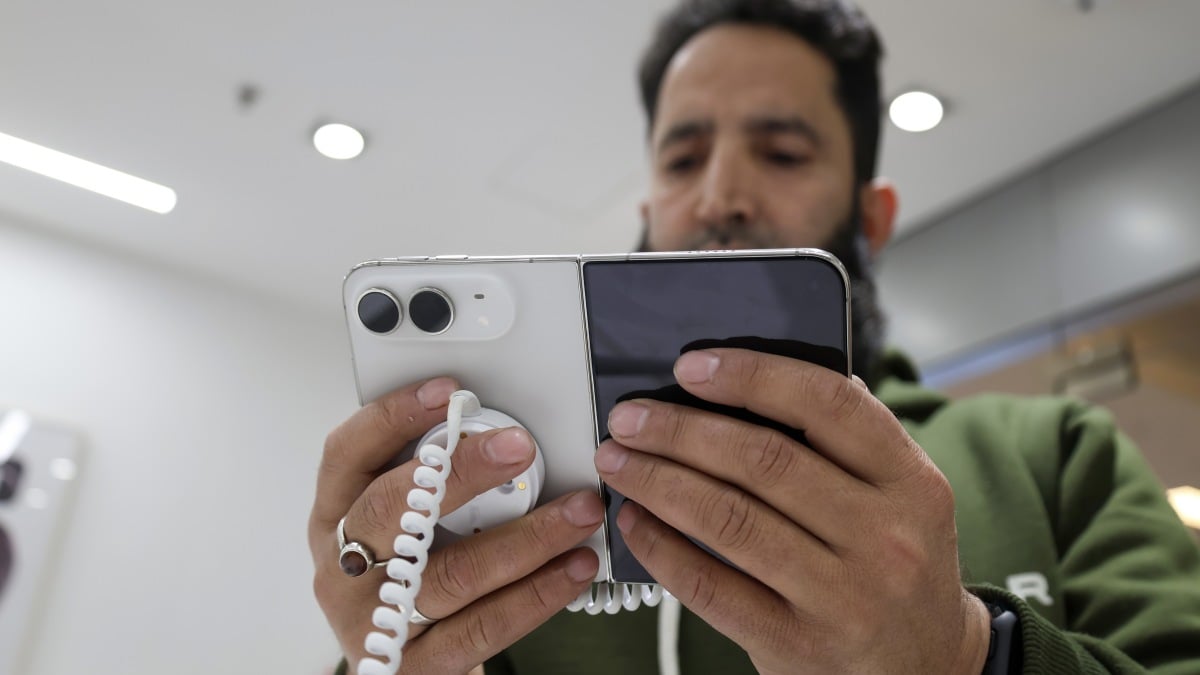
Jake Peterson Jake Peterson Senior Technology Editor ExperienceJake Peterson is Lifehacker’s Tech Editor, and has been covering tech news and how-tos for nearly a decade. His team covers all things technology, including AI, smartphones, computers, game consoles, and subscriptions. Read Full Bio November 16, 2026 Add as a preferred source on Google Add as a preferred source on Google Credit: Firdous Nazir/NurPhoto via Getty Images Key Takeaways Apple is testing a new feature that lets you unlock your iPhone Duo with your face. This isn't "Face ID;" instead, you can unlock your Duo with a simple face scan. Your iPhone Duo still requires Touch ID for Apple Pay, passwords, and after 45 minutes of inactivity. You can try it out now if you're running the second iOS 27.3 developer beta on your iPhone Duo. Table of Contents Apple dropped iOS 27.2.1 last week, patching a handful of security vulnerabilities and bugs—including two iMessage flaws that let people read messages they shouldn't. But while most of us are running this version (or should install it as soon as possible), others are running something different—iOS 27.3.Apple is currently beta testing the third major update in the iOS 27 era, and anyone—developer and public tester alike—is free to install it at their leisure. With it, comes the return of the Health app, vertical Safari tabs, and Siri AI app actions, among other new features. But for users of Apple's first foldable, the iPhone Duo, iOS 27.3 brings two rather notable changes—both of which are for the better. With the second iOS 27.3 developer beta, Apple is introducing face unlock for the iPhone Duo. The foldable famously ships with Touch ID, the first new iPhone since the third-gen iPhone SE to do so. While that isn't a problem per se, many of us are used to unlocking our iPhones with our faces. This update just lets new Duo owners keep up with that muscle memory. Now, take note: This isn't Face ID. No software update can introduce new hardware, so the iPhone Duo still doesn't have the camera tech required to power Apple's Face ID system. As such, the Duo's face unlock is likely not as secure as Face ID on other iPhones. Perhaps that's why your iPhone Duo will require Touch ID for Apple Pay and passwords, or after 45 minutes of inactivity. This feature seems to be one of pure convenience: If you want to be able to unlock your Duo with your face (at least, some of the time), you can. What's more, this isn't a default setting. If you're running the beta, or if you're reading this after iOS 27.3 drops, you can find the option in Settings > Touch ID & Passcode. What do you think so far? You can now lock your iPhone Duo by closing itApple made a big deal about the continuity involved with opening and closing the iPhone Duo. As you do, your content moves with you seamlessly—a very Apple thing to do. That said, you might expect folding the Duo to lock it, but it doesn't. You need to hit the side button to actually put the phone to sleep. iOS 27.3 changes that. If you so choose, you can enable a setting to lock your Duo whenever you close it. That won't work for everyone, of course—some users may still want to move between modes without worrying about locking their Duos. But for those who would rather lock their devices whenever they fold them up, the new option is under Settings > Display & Brightness. Lifehacker has been a go-to source of tech help and life advice since 2005. Our mission is to offer reliable tech help and credible, practical, science-based life advice to help you live better. Our Mission Our Team Newsletter © 2001-2026 Ziff Davis, LLC., A ZIFF DAVIS COMPANY. ALL RIGHTS RESERVED. Lifehacker is a federally registered trademark of Ziff Davis and may not be used by third parties without explicit permission. The display of third-party trademarks and trade names on this site does not necessarily indicate any affiliation or the endorsement of Lifehacker. If you click an affiliate link and buy a product or service, we may be paid a fee by that merchant.
The iPhone Duo Is Getting Face Unlock
Full Article
Original Source
Read the full article at Lifehacker →KhanList aggregates and links to publicly available news content. We do not host full articles from third-party sources. Always verify important information with original sources.