
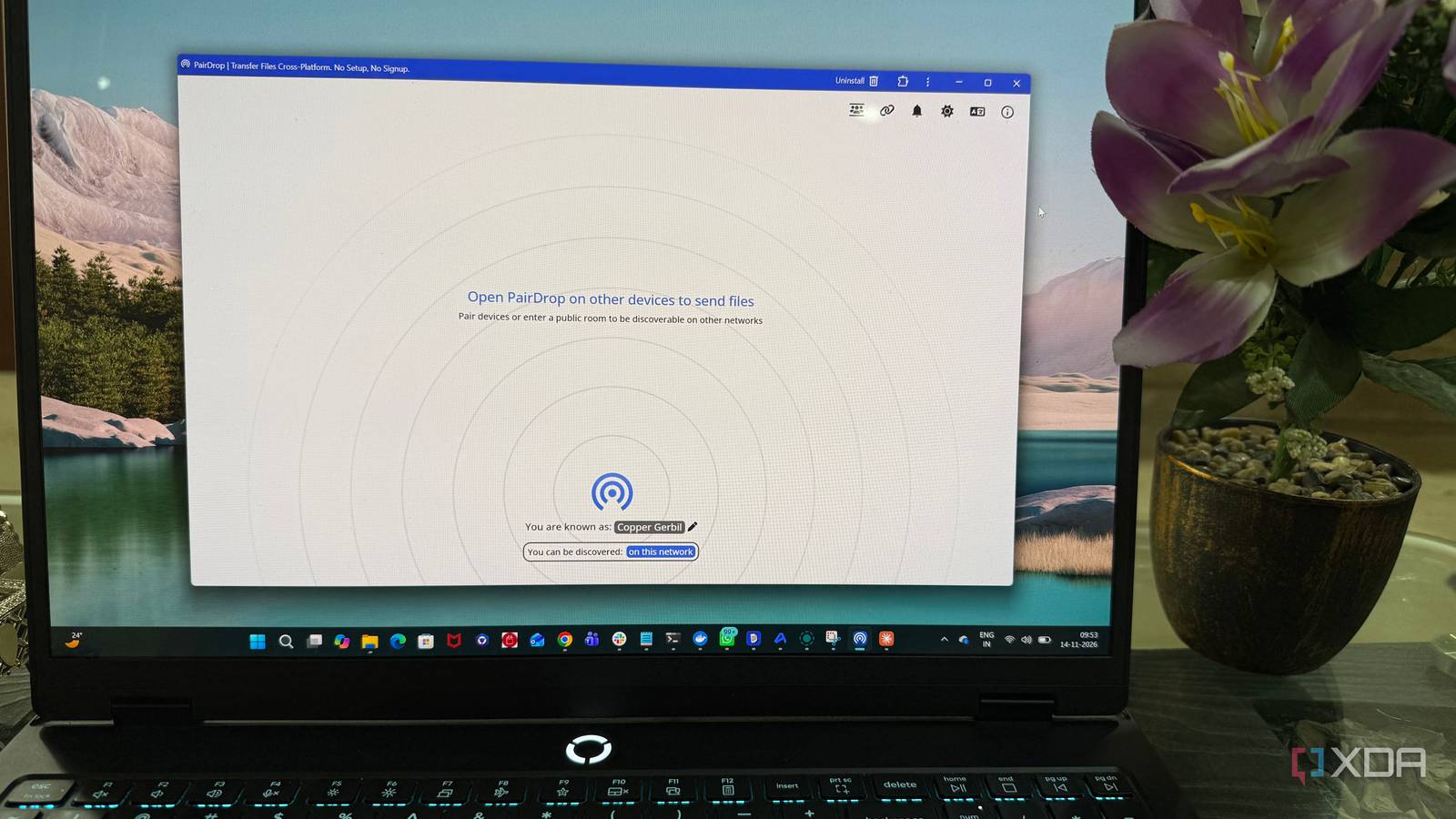
Published Nov 16, 2026, 4:00 PM EST Beginning his professional journey in the tech industry in 2018, Yash spent over three years as a Software Engineer. After that, he shifted his focus to empowering readers through informative and engaging content on his tech blog – DiGiTAL BiRYANi. He has also published tech articles for MakeTechEasier. He loves to explore new tech gadgets and platforms. When he is not writing, you’ll find him exploring food. He is known as Digital Chef Yash among his readers because of his love for Technology and Food. Open-source software doesn't always have to be a full-fledged alternative to popular applications to be worth installing. Some of the most interesting projects are built around a single purpose and do that job without unnecessary complexity. I often find these smaller tools more appealing because they don't demand much attention but can make everyday computing a little less frustrating. Here are five lesser-known open-source apps that deserve more recognition. Espanso Stop typing the same things repeatedly Typing the same information repeatedly is one of those small annoyances that rarely gets attention but adds up over time. Espanso tackles this with a simple idea: replace lengthy text with short keyboard triggers. For example, typing :email inserts a complete email address, while :thanks can expand into a frequently used response. It's particularly convenient when working on articles, replying to emails, or filling out repetitive forms. There's more to Espanso than expanding short text snippets. It supports dynamic forms, date and time variables, shell commands, and clipboard-based expansions. You can also use regular expressions to create advanced triggers or organize snippets into separate configuration files. It works across Windows, macOS, and Linux, so the same approach to text expansion can follow you across different operating systems. Once these shortcuts become part of your daily routine, you'll start noticing how often you rely on them, even for the smallest tasks. Espanso Espanso is a free text expander with a focus on customization, incluiding the ability to install community-created packages. Flameshot My go-to screenshot tool Screenshots are a regular part of my writing and research workflow, whether I'm documenting an application or preparing images for an article. Flameshot makes this process less cumbersome by combining screen capture and annotation in one interface. Select an area of your screen, and a toolbar appears with options to add arrows, text, lines, highlights, and blur sensitive information. There's no need to save an image, open an editor, make changes, and export it again. Keyboard shortcuts make capturing screenshots quick, while edited images can be copied directly to the clipboard or saved locally. You can also upload screenshots through supported upload services. The customization options let me adjust the tool to suit my preferences, but its biggest advantage is how quickly I can prepare a finished screenshot. After getting used to annotating images directly after capturing them, going back to the default Windows screenshot tool feels rather limiting. Flameshot Flameshot is a free, open-source, cross-platform screenshot and image-editing tool. Pomatez A simple timer that keeps my workday on track When I'm caught up in researching or drafting an article, it's easy to spend hours at my desk without taking a proper break. Pomatez helps put some structure around that routine without introducing another complicated productivity system. It's an open-source Pomodoro timer that divides work into focused intervals, followed by short and longer breaks. The default intervals can be adjusted to suit different tasks. For example, shorter sessions might work better for handling emails, while longer ones can accommodate research and article writing. Pomatez also includes desktop notifications, sound alerts, and session statistics to help keep track of completed work. You can even keep the timer visible while switching between applications. Having a timer running in the background also removes the need to keep checking the clock. When a session ends, I know it's time to step away rather than pushing through another hour at my desk. It's a simple way to give my writing routine some structure without constantly thinking about time management. Pomatez Pomatez is a cross-platform, open-source Pomodoro timer and minimalist task manager built to help individuals stay focused and take regular breaks. QuickLook Preview files without opening them Browsing through folders often means opening several files just to figure out what's inside them. QuickLook eliminates much of that unnecessary back-and-forth. Inspired by the macOS preview feature, this Windows utility lets you select a file and press the spacebar to inspect it without launching its associated application. It works with various file types, including images, PDFs, videos, and documents. The preview window isn't just a static pop-up, either. You can resize it, move it around, and keep it on top of other windows. You can install additional preview extensions to handle even more file formats. QuickLook has become especially useful when sorting through downloaded resources, reference documents, and image assets for articles. When several files have similar names, a quick preview helps me identify the right one without opening each file individually. It's one of those Windows utilities that becomes second nature surprisingly quickly. QuickLook QuickLook enables a very quick preview of file contents by pressing the Spacebar. PairDrop The easiest way to move files between my devices Transferring a photo from my phone to my laptop shouldn't involve sending myself an email or uploading it to cloud storage first. PairDrop offers a much simpler alternative. It's an open-source, browser-based file-sharing tool that lets devices exchange files without installing a dedicated desktop application. Open PairDrop in a browser on both devices, select the recipient, and start the transfer. The application works across Windows, macOS, Linux, Android, and iOS. Besides sending multiple files, you can share text and create temporary rooms to exchange files with devices on different networks. It uses WebRTC to establish peer-to-peer connections, allowing devices to transfer files directly when network conditions permit. PairDrop also lets you self-host the service rather than depend entirely on its public instance. That's a welcome option for anyone who prefers running their own services and having more control over how their tools operate. Pairdrop Pairdorp is a local file sharing tool that runs on any web browser, and it can be self-hosted, too. The best discoveries aren't always the popular ones Popular software gets plenty of attention, but smaller open-source projects deserve a place in the conversation too. These five applications show how much thought can go into solving very specific problems. Some might become part of your daily routine, while others might only come in handy occasionally. Either way, they're worth exploring. Sometimes, the most useful addition to your PC isn't another all-in-one application, but a tiny tool that does one thing exceptionally well.
These 5 tiny open-source tools became essential to my workflow, and you've probably never heard of them
Full Article
Original Source
Read the full article at Xda-developers →KhanList aggregates and links to publicly available news content. We do not host full articles from third-party sources. Always verify important information with original sources.