
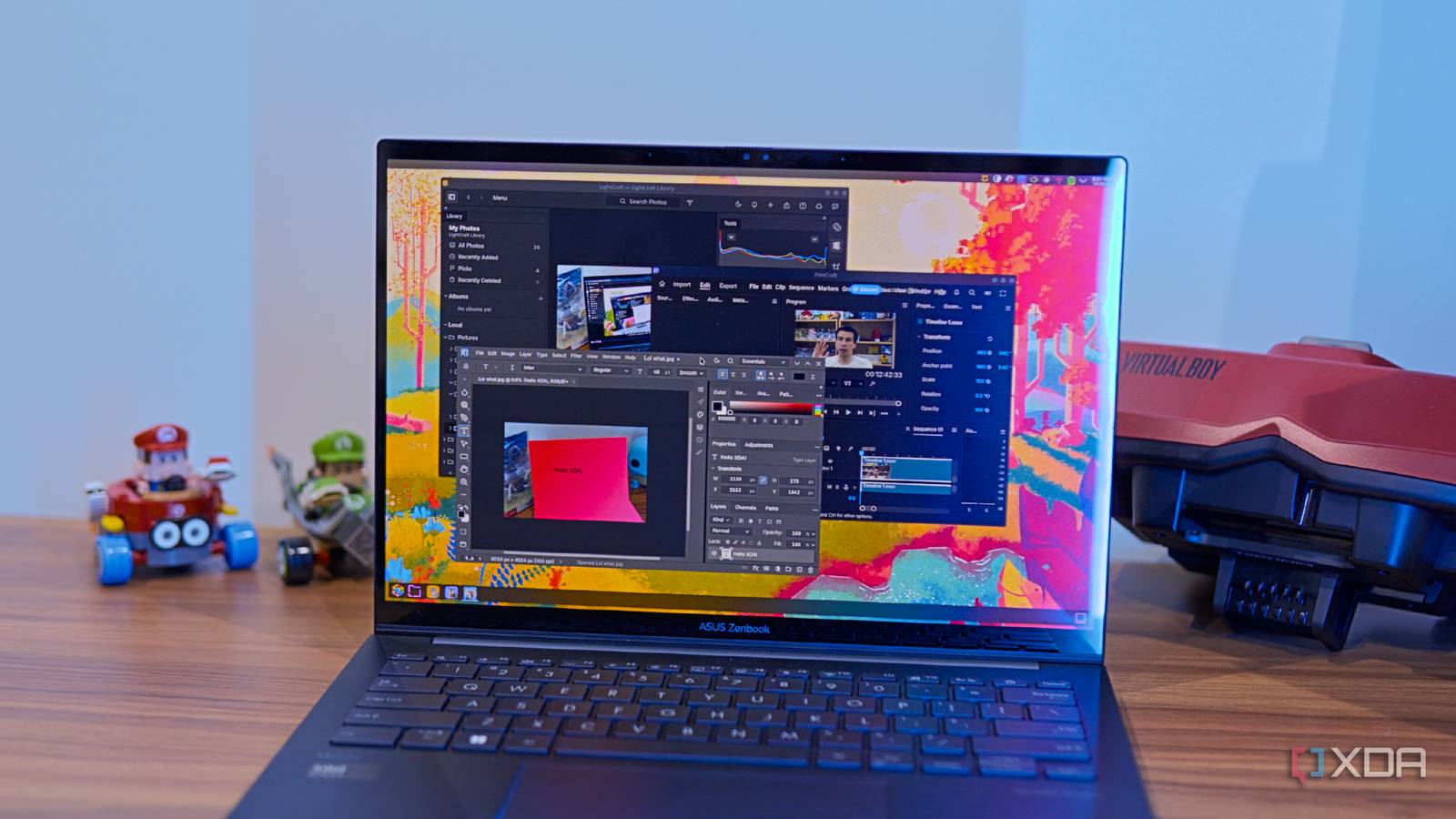
Published Oct 29, 2026, 10:30 AM EDT João has been covering the tech world for over 7 years, with a heavy focus on laptops and the Windows ecosystem. I also love all things tech and videogames, especially Nintendo, which he's always happy to talk about. Prior to joining XDA in 2021, he worked at Neowin: https://www.neowin.net/news/poster/jo%C3%A3o-carrasqueira/ Sign in to your XDA account AI vibe-coded projects are taking the internet by storm across all facets of software. Whether it's apps for a specific purpose, plugins for those apps, or game decompilations and ports making their way to other platforms in droves, it seems like AI is powering an absolute deluge of projects. One infamous example that recently started making the rounds is the Artcraft suite. This is a vibe-coded alternative to Adobe's Creative Cloud apps, and it's not exactly shameful. The inspiration is more than obvious, but I was curious about whether this kind of tool can really stand up to Adobe's apps. After trying them, I have to say I'm positively surprised, but that doesn't mean these tools are really ready to replace their existing alternatives just yet. PhotoCraft is surprisingly competent Fast and (mostly) effective Let's start with PhotoCraft, an alternative to Photoshop, arguably one of Adobe's most popular apps. I used Photoshop a lot for a while before switching to Affinity, and honestly, PhotoCraft holds up better than I thought it might. My use case for Photoshop isn't as in-depth as some others, but I do have some workflows I could test, and PhotoCraft held up decently well. I played around with object selection, which is one of the best parts of Photoshop for me, and while PhotoCraft wasn't as accurate by default, it still did the job well. It falls short of Photoshop in a couple of ways: the initial selection isn't as accurate, and refining the selection with a brush doesn't show the selection area updating in real-time, but it's still very smooth and more than usable. It's arguably still better or at least on par with Affinity, and that's pretty good for my use case. I then tried other features like creating text layers, applying layer effects, and using clipping masks, and everything seems to work quite well. Like Photoshop, there's support for tabs, so I can open multiple documents and easily copy content from one to the other, and I never experienced any real issues in doing this. Cropping also works well with the same general set of tools I'm used to in Photoshop, including the useful perspective crop tool that can help fix some perspective issues in certain photos. If you rely heavily on Photoshop's latest features, the biggest thing you might notice is missing is AI integration. You can't simply generate background or entire images from scratch, at least not as easily as you can in Photoshop. For me, that's irrelevant, but if you need that kind of shortcut, it doesn't seem to be here quite yet. Adjustments like changing white balance, color levels, channel mixing, and so on are all here as well, along with the typical corrections like object removal, red eye removal, and so on. Though these are a bit beyond what I usually use Photoshop for. Typically, I do my photo adjustments in Lightroom when developing a RAW file, which brings me to the next app in the ArtCraft suite. I can edit my photos in LightCraft It's not perfect, but it's close LightCraft is the Lightroom replacement in ArtCraft, and much like PhotoCraft, I came away fairly impressed with what it has to offer. Because it's essentially cloning Lightroom, it has a lot of features I love, starting with the ability to browse local folder dfirectly in the app to make edits. It sounds small, but I can't overstate how much easier my life is when I can do that instead of opening each RAW file individually as a full image project like Affinity forces me to. In PhotoCraft, editing photos in bulk is just as easy as in Lightroom, and I love that. Another Lightroom feature that's very welcome in LightCraft is the ability to automatically apply adjustments to a photo, though I wasn't too happy with the results when I did this. LightCraft has a tendency to exaggerate the contrast and make the shadows in a picture far too dark, which is not the kind of result I generally want. However, automatic adjustments almost always get me at least a little closer to the look I want, so I do still appreciate it. And manually fixing these settings is also relatively easy, with a UI that's still more intuitive than Affinity's. Interestingly, when it comes to denoising, LightCraft doesn't pack an AI denoising model, but it does give you the option to load your own locally. After looking at the app's GitHub, I found this recommendation from another user, which basically takes the RawNIND denoising model used by Darktable and makes it usable here, and it works decently well. You may be able to find better models, as I don't think this is quite perfect for low-light photos, but it does help a lot. Manual denoising takes longer and often produces worse results in LightCraft, so this is a definite step up, though this is nowhere near Lightroom's quality for denoising. One big thing seems to be missing from PhotoCraft, and that's automatic lens corrections based on the lens profile. PhotoCraft claims there's no lens data embedded in my photos, even though other software recognizes it as you would expect, so all my photos have a slight fish-eye effect by default and I have to fix it manually each time. The usual set of features for touching up photos is also here. You can use content-aware removal, create masks, and more to make your photos look just right. I used content removal and it works reasonably well, though it's not as intuitive as using Lightroom or Affinity, in my opinion. On the whole, though, LightCraft is already quite solid, even with some of its annoying limitations. Video editing may be a lot to ask FilmCraft feels more unfinished The last of the big apps I tried here is FilmCraft — if you're interested in EffectCraft, my colleague Nolen has already tested it — an alternative to Adobe Premiere. Admittedly, Premiere is the app I have the least experience with because I've always just used DaVinci Resolve, but seeing as Resolve is also free for most non-professional use cases, it's still fair to compare these two. The workflow is definitely quite a bit different between FilmCraft and Resolve, but most of the core features I'm accustomed to are still here. I can, relatively easily, import media to use in my project and drag and drop it to the timeline as needed. I started running into trouble when I want to cut out certain clips, though, because right-clicking a clip shows no Delete option. There's a Ripple delete button, but it doesn't do anything if there is other media at that timestamp in other tracks, so I had to resort to using Cut or pressing Backspace on my keyboard. The app also doesn't have all the same transitions I'm used to with Resolve, but in general terms, it was easy enough to get one of my usual video projects going. But there are some other big things missing compared to Resolve for me. Fairlight gives me a pretty great and relatively easy-to-use to to change detailed settings for audio tracks, but the audio capabilities in FilmCraft feel significantly more limited. When I used the audio features to try and automatically match the loudness of an ambient track to the rest of the video, FilmCraft initially froze and crashed, though it worked when I tried a second time once I left it alone for a while. Video editing is far more complex, and this happened on a relatively small project, so I wouldn't be surprised to see others struggle with limitations on more intricate videos. I also worry about the existence of potential plug-ins, though I'm sure that's something that can come in time, if the project survives into the future. On Resolve, I use a plug-in for automatically captioning my videos with speech recognition, and there are tons of Premiere plugins out there, too. It all works on Linux But how long will it stick around? Ultimately, the best selling point for the ArtCraft suite (for me, anyway) is that it's compiled to run on Linux, and that's actually where all of my testing happened here. None of Adobe's apps support Linux, and neither does Affinity, so these solutions are likely the closest you can get to the proper Adobe experience, and I have to say it's definitely an enticing idea. Even DaVinci Resolve, which does have a Linux version, can be hard to install on the platform, so there's no denying this is a lifeline for users avoiding Windows or macOS. While I definitely wouldn't say this software is production-ready, many of us just want a solution that has most of the Photoshop or Lightroom features with a familiar UI, and ArtCraft clearly does that. It's also a very early project, so there's potential that it will get even better as time goes on, and updates have been quite frequent since it made its debut. I only tested the apps I have experience with, but in addition to EffectCraft, there are others in the lineup such as FigCraft and DesignCraft, that replace other Adobe tools, and they all work on Linux. That's a big deal. ArtCraft is promising, but be careful Realistically, the biggest question is how long it will take Adobe to try and find a way to shut this down, and whether that's even possible. Companies like Adobe heavily pushed for AI adoption, but it's now having to contend with the idea that its own AI-powered products can be replicated by small-time developers, and there's no chance the company will let that slide. There's a lot of uncertainty about the future of projects like this, and it's hard to recommend switching to it when it could easily be dead in a year's time. I find it fascinating, and it's worth checking out for the novelty, but I'd hold off a little longer before planning to switch to it. ArtCraft
The free vibe-coded Photoshop and Lightroom clones impressed me, but Adobe is safe for now
Full Article
Original Source
Read the full article at Xda-developers →KhanList aggregates and links to publicly available news content. We do not host full articles from third-party sources. Always verify important information with original sources.