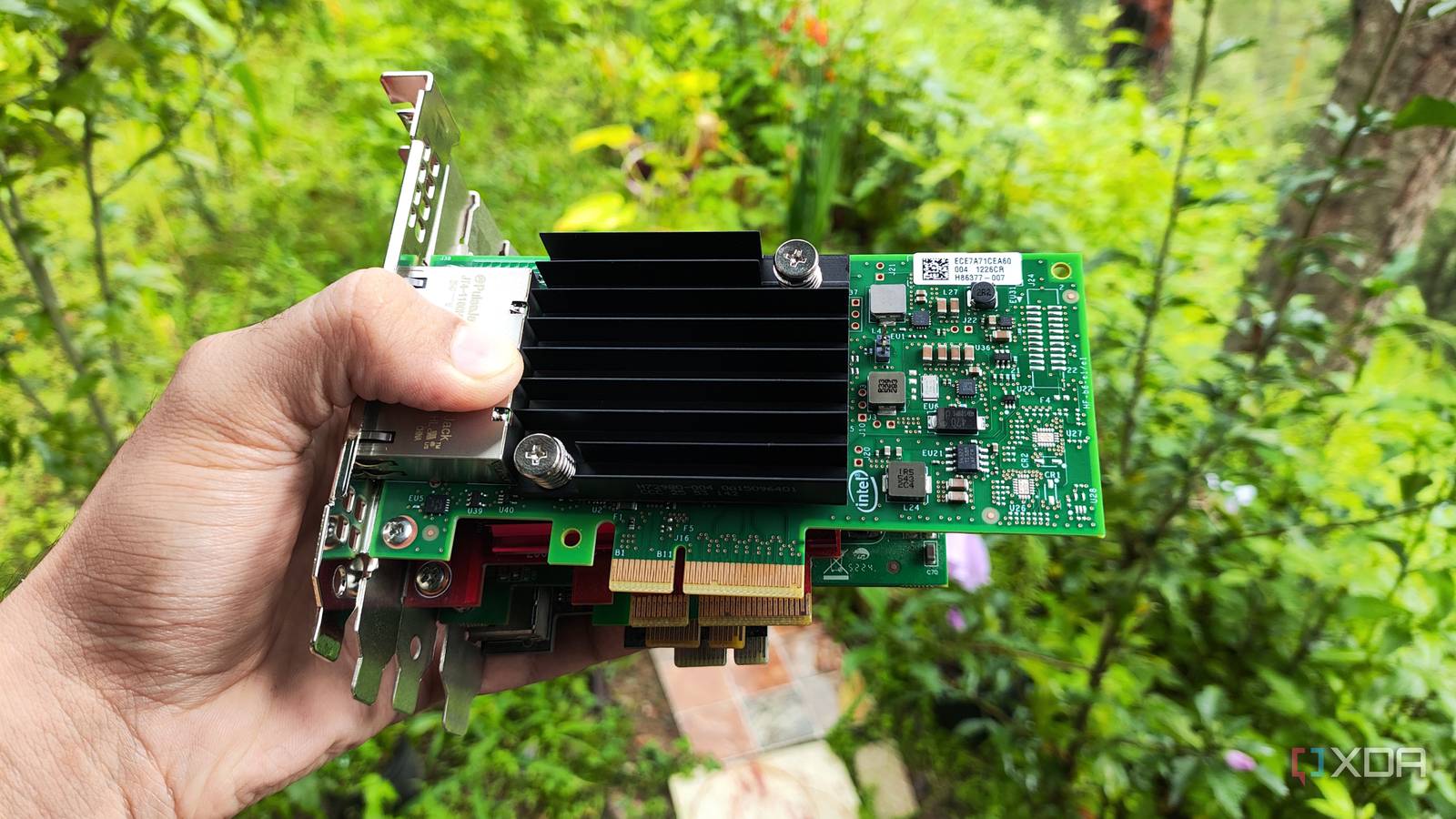
Published Aug 5, 2026, 7:00 PM EDT Ayush Pande is a PC hardware and gaming writer. When he's not working on a new article, you can find him with his head stuck inside a PC or tinkering with a server operating system. Besides computing, his interests include spending hours in long RPGs, yelling at his friends in co-op games, and practicing guitar. When I built my first PC, I figured the PCIe slot was useless outside of plugging a graphics card, and I went my merry way after tossing my pixel-pushing companion into the rig. Unfortunately, this trend continued for longer than I’d like to admit, until I ran into a situation where I needed extra adapter cards after my motherboard’s I/O ports proved to be inadequate for my tinkering misadventures. That’s what convinced me to start hunting eBay, flea markets, and online shopping websites for cool PCIe cards I can slot into the PCs in my computing arsenal. USB expansion cards are a cheap yet reliable upgrade for most PCs I've already choked my motherboard's USB ports Let’s say you’ve got a budget-friendly system such as I do, which has around two USB 2 ports on the back for keyboard and mouse, with four additional USB 3 (and their variants) rear IO ports (and another two on the case) for optional accessories. Well, with all the productivity gizmos out there, it’s easy to choke up all the slots. Take my setup, for instance. For example, my drawing tablet and MasterHUB control pad are borderline necessary for my productivity tasks. Once I add my microphone, headphones dongle, Bluetooth adapter, and webcam into the equation, I’d end up filling my motherboard’s USB slots. As such, I’d have to yank some of these out whenever I want to add a controller’s dongle and a capture card for my gaming needs. The same holds true every time I want to add yet another ISO file to my Ventoy USB drive, flash a microcontroller with my painstakingly written code, or write an OS onto a microSD card. Leaving my experiments aside, when you’ve got an old AM4 system built from cheap parts like mine, it’s not uncommon for the motherboard to have zero USB Type-C ports. Adding a PCIe-to-USB adapter solved these problems instantly, as I don’t need to reach back into my PC’s rear I/Os and fiddle with the USB cables and dongles every time I switch from work mode to gaming mode (and vice versa). I’ve even got a USB Type-C expansion adapter to use the fast USB standard for gaming handhelds and external SSDs. While we’re on the subject of storage drives… Yeeliya PCIe-to-USB Card PCIe-to-NVMe adapters are just as useful when you've run out of M.2 slots Especially when you're using a budget motherboard Considering how bloated Windows 11 has become, the OS can hog quite a lot of space on the boot drive. Likewise, FOSS applications and productivity tools need their own storage investment, and don’t even get me started on the amount of storage I need for short RAW B-roll footage for my video editing tasks. On the gaming front, modern titles have become extremely bloated, and certain e-sports and MMORPGs can hog hundreds of GBs worth of storage. I’ve got a 1TB SSD that can barely hold more than a few triple-A games. In fact, the storage situation with multiplayer games has gotten so out of hand that I had to delete the texture packs and graphics mods for my single-player titles just to keep the free space above the 10% mark. Thanks to MoE offloading, I also run local bulky LLMs in the 20B-40B range on my gaming PC, which further adds to the space dilemma. For video editing and LLM hosting tasks, any ol’ SATA SSD wouldn’t have the same speeds as its NVMe counterpart. Fortunately, PCIe-to-NVMe adapters can solve this problem by adding extra M.2 slots. The ones I use for my PCIe Gen 4 SSDs aren’t very inexpensive, either, making them a neat investment for productivity tasks that require the blazing-fast speeds of NVMe drives. NICs can bolster network speeds for hardwired systems Or you can go down the wireless card route if you want better Wi-Fi speeds Although 2.5GbE ports have gotten more mainstream on modern motherboards, you could end up with 1G connectivity on cheaper mobos. Now, I wouldn’t go so far as to say that the slower standard is completely unusable. However, if you’re involved in as many local backups, SMB transfers, and iSCSI experiments as I am, you’re bound to need faster Ethernet provisions. Then there’s the fact that budget-friendly motherboards can have low-quality onboard Ethernet controllers, which could cause Internet drops or go unresponsive occasionally. A dedicated Ethernet card can help out with both the speed and the connectivity problems, and that’s before I even talk about wireless cards. Unless you’ve got a high-end motherboard with fast Wi-Fi connectivity, you might want to invest in a dedicated wireless network card to lower the latency in games, especially if you’re not a member of the hardwired Ethernet faction. You can connect even cooler PCIe cards to your home server So far, I’ve only covered common PCIe accessories for everyday systems, but you can tinker with plenty of useful devices if you’ve got a home lab. HBA cards, for example, are really handy for hardcore backup workstations, and you can even grab SAS-compatible cards to use cheap refurbished enterprise HDDs that rely on SAS connectivity. IPMI cards, on the other hand, are a godsend for troubleshooting, as they let you access a PC’s BIOS and view its video output remotely from another system.
The empty PCIe slots in your PC can do more than hold a graphics card
Full Article
Original Source
Read the full article at Xda-developers →KhanList aggregates and links to publicly available news content. We do not host full articles from third-party sources. Always verify important information with original sources.