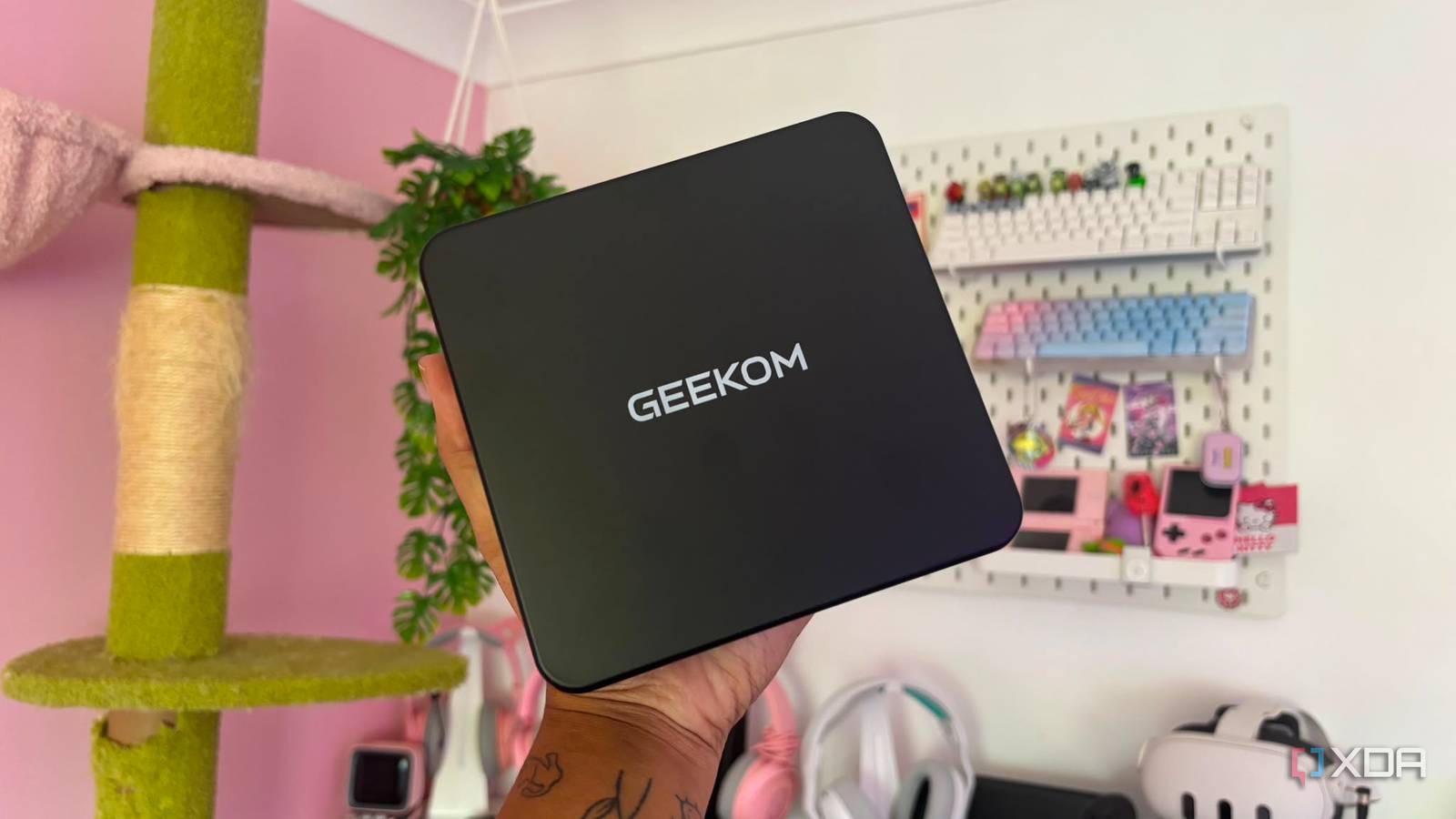
Published Aug 8, 2026, 1:30 PM EDT Jasmine is Software and PC Hardware Author at XDA with years of tech reporting experience ranging from AI chatbots right down to gaming hardware, she's covered just about everything. Whether it's breaking news about the latest AMD NPUs or creating video tutorials on social media platforms, Jasmine has contributed to the world of AI and tech in a variety of ways including interviewing the CEO of Razer, AMD's Director of Product Marketing and the VP of Lenovo. Passionate about gaming and PC technology, she has built countless computers, keyboards and other peripherals - knowing them inside and out. Having a traditional PC setup comes with its flaws. Whether it's the massive 30L mid-tower sitting under or on your desk, the fact it consumes hundreds of watts under load, pulls in a lot of dust or even the heat it produces matches that of a space heater, a traditional PC setup is far from perfect. I decided to experiment and swap out my $2,000 desktop tower for a sub-1 L mini PC as my primary daily driver for work, multitasking, media, and leisure gaming. I knew going into it that I wouldn't be able to do any 4K AAA gaming, but that's not something I really partake in anyway. From my multi-monitor office, productivity and local AI acceleration to 4K video playback and 1080p gaming, a modern mini PC delivers a nearly identical real-world experience to a full-size desktop. Keep an eye out for the best specifications Your CPU needs to be powerful When swapping over to a mini PC, the specifications are absolutely fundamental. You want to make sure the device you're choosing can match the desktop-class silicon you already have on hand. This is why I opted for the GEEKOM IT 13 Max. Its absolutely minuscule footprint still comes with pretty high-end specifications that deliver exactly what I need from a computer. In terms of the CPU, it's got an Intel Core Ultra 9 185H engine. This comes with 16 cores (6 for performance, 8 for efficiency, 2 for low-power efficiency). You also get 22 threads, boasting up to 5.1 GHz. Single-core responsiveness in web browsers, heavy spreadsheets, and photo batch edits feels pretty instant and identical to a high-end desktop CPU, to the point where I wasn't even noticing a difference. It also comes with dual-channel DDR5 memory, which is expandable up to 96GB, or up to 128GB depending on the model you pick up. Pair this with the NVMe SSD, and it delivers decent speeds that prevent bottlenecks even when I've got dozens of browser tabs, virtual machines, and background communication apps open simultaneously. Unfortunately, all of my Chrome tabs are something I am not willing to sacrifice, and I was glad to learn that even a mini PC could handle them all. For those who use multiple monitors, be sure to check the ports available on the mini PC you're picking up. The GEEKOM IT13 Max comes with dual 40 Gbps USB 4 Type-C ports and dual HDMI 2.0 ports, so you can use up to four 4K displays simultaneously without needing any separate display docks. It's not a completely flawless experience Particularly for gamers So when I actually started using the mini PC for gaming, this is where some cracks began to show. On a compact device like this, you're obviously not going to be able to play AAA titles at 4K. However, that doesn't mean you write off the device altogether. Thanks to the integrated 8x Core Arc GPU, competitive 1080p titles like Valorant, Counter-Strike 2, and League of Legends can comfortably run at a smooth 120 FPS based on the settings that you pick. You can play those more demanding titles thanks to XeSS AI upscaling, with games like Cyberpunk 2077, Forza Horizon 5, and The Witcher 3 all fully playable. Intel's Xe Super Sampling upscaling allows a mini PC node to maintain playable 45-60fps at 1080p medium presets without requiring a separate GPU, so while you aren't getting the absolute top end of performance, your library is still completely accessible. For those who want to bridge the remaining gap between a mini PC and a 2000 gaming tower, an eGPU can help. Thanks to the rear 40 Gbps USB4 ports, you can connect an external desktop GPU dock and transform the IT13 Max into a native 4K AAA gaming machine whenever high-end graphics power is required. From a quieter and cooler setup right down to aesthetics There are a range of perks The benefits of using a mini PC over a full desktop tower for everyday use are pretty substantial, from thermal and noise performance to everyday desk ergonomics. The GEEKOM IT 13 Max specifically keeps a 45W TDP processor tame inside this tiny enclosure. This is due to the ice-blast thermal design. It remained pretty cool, from completing simple office tasks to intense gaming sessions and even while benchmarking the device. At no point did I hear any fans blasting, either, keeping system noise low during the majority of the tasks I was undertaking. You also get the perks of a minimalist aesthetic setup. The PC itself has such a small footprint on your desk that it's easy to tuck away behind a monitor. If you want to take it a step further, you can even mount the aluminum chassis directly to the back of a screen using the included VESA bracket, which also eliminates cable clutter. Mini PC's are more powerful than they've ever been They can match the performance of a desktop (within reason) For decades, I felt I had to invest in a huge workstation because it was the only way to get real work done. However, mini PCs have advanced so significantly in the past 10 years that newer models prove that modern high-efficiency silicon has crossed the threshold where a 0.9 L micro PC can handle professional multitasking as well as casual gaming effortlessly. While there are downsides to switching to a mini PC, such as the eventual need for an eGPU for anyone who wants to play AAA titles at 4K, you get a whole range of benefits too. Whether that's the thermals, the noise, or even the aesthetics of your desk. Geekom Mini IT13 $699 $899 Save $200 8.5/10 CPU Up to Intel Core i9-13900H Graphics Intel Iris Xe graphics Memory Up to 64GB DDR4-3200 A modern mini PC can deliver you exceptional performance which rivals that of a full-size desktop with the option to pick up an eGPU separately to bridge the gap. Storage Up to 2TB PCIe 4.0 SSD Motherboard Proprietary Ports 2x USB4 40Gbps, 3x USB 3.2 Gen 2, 1x USB 2.0, 2x HDMI 2.0, 3.5mm headphone jack, 2.5Gb Ethernet, 1x full-size SD card reader
Mini PCs have finally crossed the threshold where they can replace your desktop tower
Full Article
Original Source
Read the full article at Xda-developers →KhanList aggregates and links to publicly available news content. We do not host full articles from third-party sources. Always verify important information with original sources.