
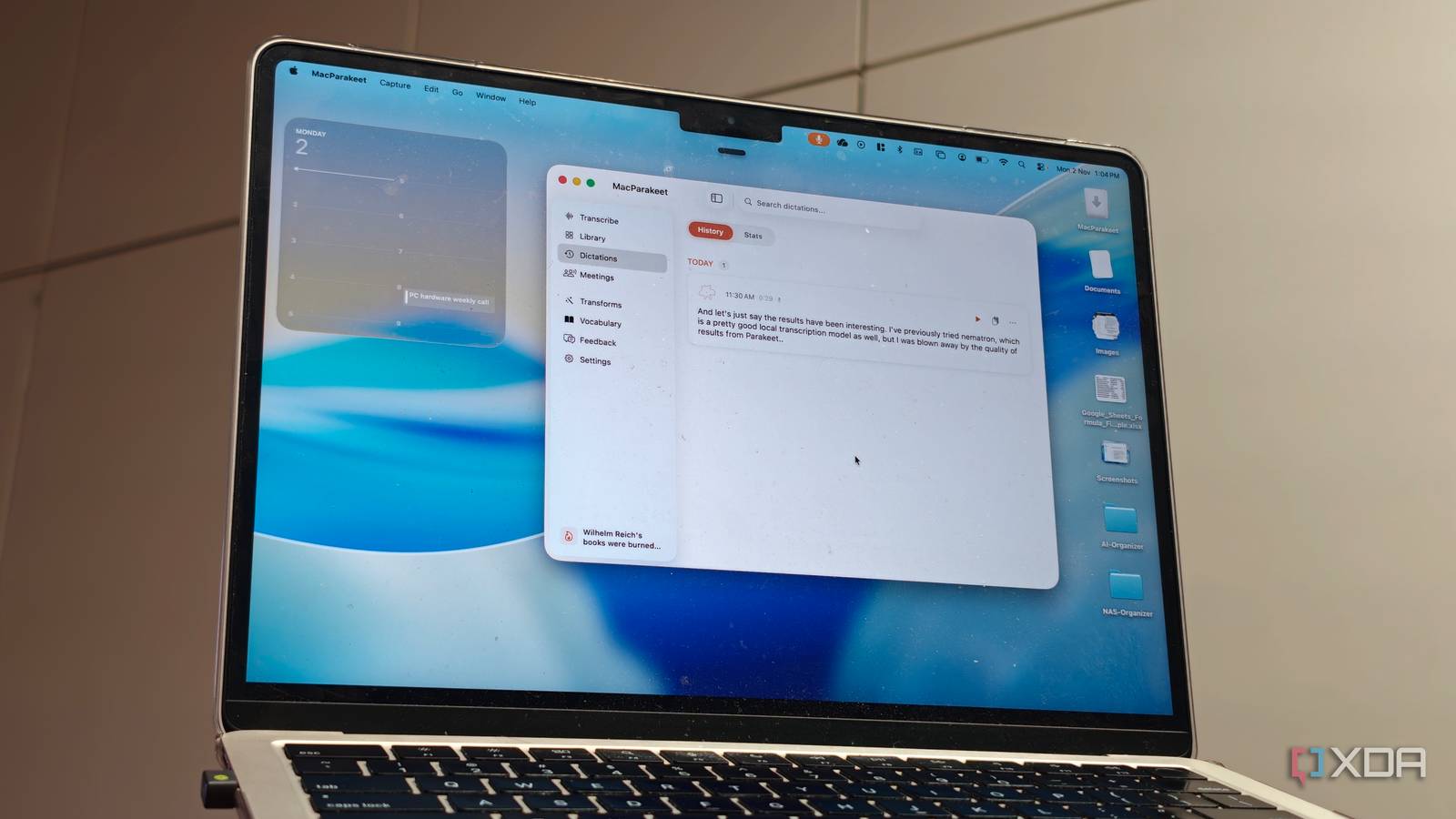
Published Nov 2, 2026, 4:00 PM EST Dhruv Bhutani has been writing about consumer technology since 2008, offering deep insights into the personal technology landscape through features and opinion pieces. He writes for XDA-Developers, where he focuses on topics like productivity, networking, self-hosting, and more. Over the years, his work has also appeared in leading publications such as Android Police, Android Authority, CNET, PCMag, and more. Outside of his professional work, Dhruv is an avid fan of horror media spanning films and literature, enjoys fitness activities, collects vinyl records, and plays the guitar. AI-based transcription is one of the most popular use cases of LLMs, but most tools tend to rely on offering a subscription and cloud-based transcriptions. I'm talking about tools like Whisper. Now, I've used Whisper enough for turning long interviews, voice memos and recordings into text, and it works well. However, in 2026, transcribing speech to text shouldn't need a subscription. I wanted something that runs locally and doesn't really need powerful hardware to boot. So, I installed Parakeet, a speech recognition model that can run on almost anything from a Raspberry Pi to a decade-old computer. I tested out both the Docker-based model and a bespoke app that gives you a pretty GUI to interact with on a Mac. Here's how it went. You don't need powerful hardware to run Parakeet A lightweight alternative to cloud-based transcription I've spent years with self-hosting software. Enough to know that there's invariably tweaking needed to extract the most out of these tools. Parakeet gets the fundamentals right by keeping the model small, with borderline zero config requirements and minimal hardware requirements, making transcription possible without a dedicated graphics card. That last one might come as a surprise given that the model was developed by Nvidia. But, I digress. So, what is Parakeet? This is an automatic speech recognition model that turns spoken audio from recordings, voice notes and even straight from the mic into text. The version I tested out was the Parakeet TDT 0.6B v3 model. That's a 600 million parameter model. Small enough to not bog down a MacBook Air, but capable enough to get the job done. As far as specs go, the quantized model takes up around 700MB of space and consumes around 2GB of RAM. That's not insignificant, but also nowhere close to what larger models need in terms of system resources. To get started, I pulled up Parakeet in Docker. The local server is easy to deploy, and you can either use the API or point it to a file on your computer and ask it to transcribe the file. It works perfectly fine, but there's a trade-off. While this is great if you are trying to integrate the API into a broader service or tool, it isn't quite as convenient for everyday use. I wanted a WisprFlow-like experience on my computer. That's where MacParakeet steps in. MacParakeet makes local transcription easy on a Mac My preferred tool for hands-free dictation MacParakeet takes the same idea and model and packages it in a Mac-friendly desktop app. To start with, it comes with a proper onboarding workflow that guides you through system permissions and steps needed to ensure that the Parakeet model can be deployed everywhere. It also takes over the function key to perform the audio input workflows. With that in mind, I set up the appropriate shortcuts, including one for hands-free mode so I wouldn't have to keep holding the function key while speaking to my computer. In fact, I dictated the entirety of this write-up in MacParakeet to see how well it worked. And let's just say the results have been interesting. I've previously tried Nematron, which is a pretty good local transcription model as well, but I was blown away by the quality of results from Parakeet. Both in terms of speech and accuracy, Parakeet has been on point even with an accent. Not just that, the performance impact on my machine has been minimal at best. I've been using Parakeet via MacParakeet to jot down outlines for articles while walking on my treadmill, replying to emails, and working with personal notes. For meeting recordings, I can just drop the audio files straight into Parakeet and let it transcribe the text. An added benefit of using a front end like MacParakeet has been that it lets me transcribe web-based audio using the same local Parakeet model that has performed well for me. So, you can drop in YouTube links, Instagram links and more, and the app will pull down the audio and transcribe it for you. I often use this function when I'm watching an interesting research-based video. I can pull down a transcript, save it for later reading, or even use it with a local LLM to distill key insights. Using a front end like MacParakeet also exposes other use cases like meeting recording. The app can capture system audio and microphone input, allowing me to build my own local Otter alternative. It also supports speaker identification, making it a viable alternative to commercial solutions. Once done, these transcript files can be exported in Markdown for archival purposes. It goes without saying that all of this runs on-device, ensuring all data, including voice recordings and transcriptions, remains fully private. Parakeet is proof that high-quality local transcription doesn't need high-end hardware This isn't my first foray into local AI-based, offline voice transcription, but Parakeet has been one of the best implementations I've tried out so far. It is light on resources while still delivering the accuracy that is so important for a tool like this to become a part of your workflow. Combined with the MacParakeet front end, it gives me the entire gamut of transcription services, and the best part is that I don't need to send any of these recordings to a cloud service. Everything runs locally, on par with commercial services, making Parakeet perhaps the best on-device speech recognition model I've used. Parakeet Parakeet is an open-source speech recognition model developed by Nvidia that converts speech to text locally.
The best speech recognition you can run at home is absolutely tiny, and it runs on a ten-year-old laptop
Full Article
Original Source
Read the full article at Xda-developers →KhanList aggregates and links to publicly available news content. We do not host full articles from third-party sources. Always verify important information with original sources.