
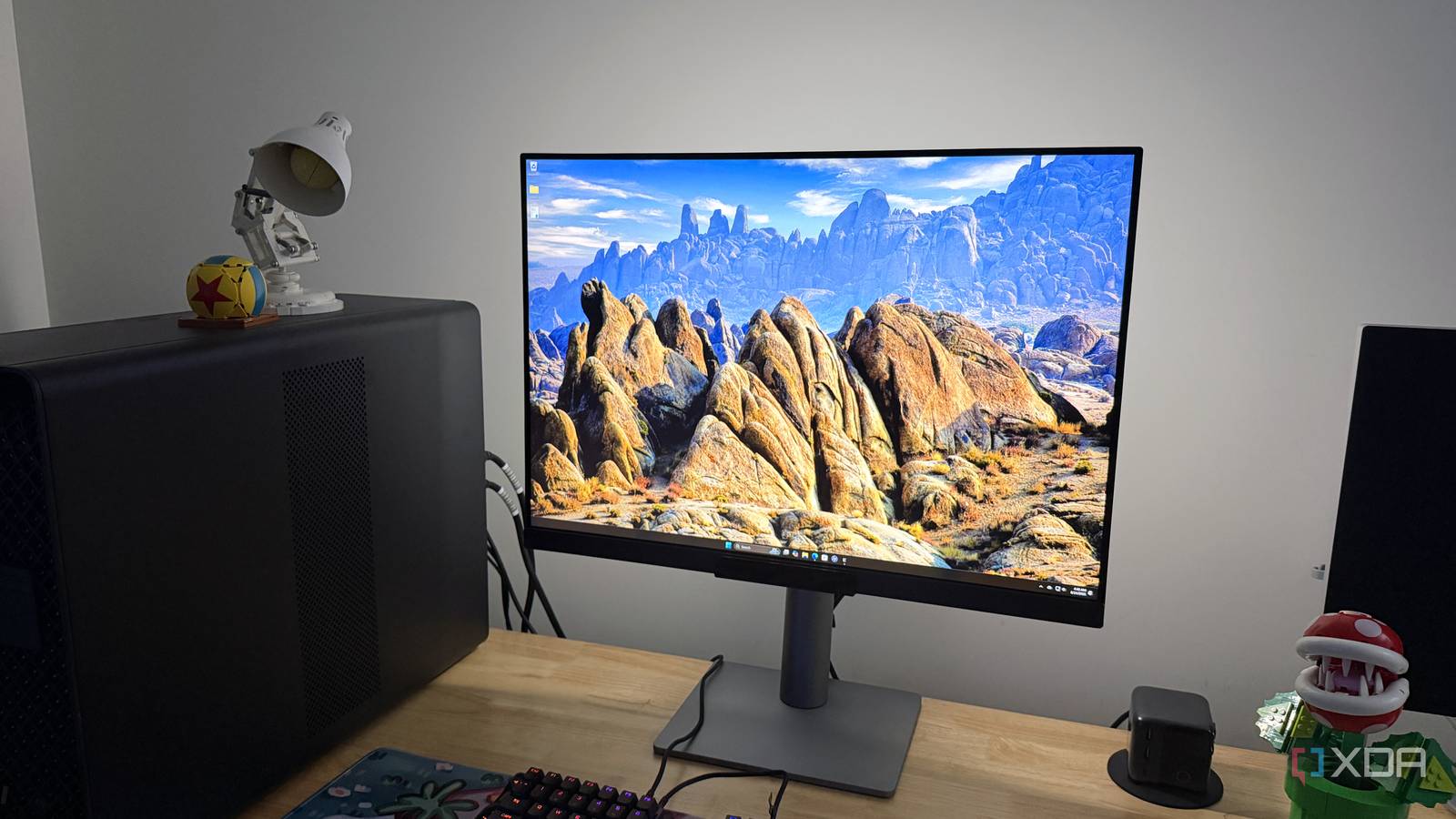
Published Aug 24, 2026, 4:30 PM EDT I've fallen in love with the 3:2 aspect ratio all over again I use ultrawide monitors most of the time, so the first few minutes using this 3:2 display from BenQ was an adjustment. But once I got over the initial shock, I discovered how much nicer it is to read text. Or should I say rediscovered, because I grew up on 4:3 and 3:2 monitors, and I'd forgotten how much the added vertical space helps with productivity. While it's true that OLED has gotten better, it's still not quite up to staring at code for eight hours every day, and that's just how it is. The new crop of RGB stripe panels has improved text clarity, but IPS still has a slight edge here, and BenQ has a winner on its hands with the RD280UG. About this review: BenQ provided the RD280UG for this review, but had no input into its contents. BenQ RD280UG The best coding monitor got better $700 $760 Save $60 9.5/10 Resolution 3840 x 2560 Refresh Rate 120 Hz The BenQ RD280RG is an unashamedly niche product aimed at coders and those who spend their time staring at text all day. I absolutely love the MoonLight backlighting and the inbuilt display modes, and the 3840x2560 resolution with a 120 Hz refresh rate isn't bad either. Screen Size 28.2 inches Ports HDMI 2.1, DisplayPort 1.4, USB-C with 90W PD and DP Alt mode, USB-C out (MST), USB-B Upstream 5 Gbps, 2x USB-A 5 Gbps, 2x USB-C 10Gbps Pros & Cons 3:2 aspect ratio is great for productivity Crisp resolution and 120 Hz refresh rate 90W USB-C plus KVM and USB hub High price as niche product No more ergo arm option The included stand wobbles at the top Price, specs, and availability BenQ launched the RD280UG in January 2026, and it's available directly from BenQ, Amazon, and larger electronics retailers. This is the second generation of the company's coding-focused 28.2-inch programming monitor, and it improves on the original in almost every way. The only thing I'm sad not to see is the optional ergonomic monitor arm from the originals, which offered a more adjustable arm that could clamp to your desk. BenQ RD280UG Resolution 3840 x 2560 Refresh Rate 120 Hz Screen Size 28.2 inches Ports HDMI 2.1, DisplayPort 1.4, USB-C with 90W PD and DP Alt mode, USB-C out (MST), USB-B Upstream 5 Gbps, 2x USB-A 5 Gbps, 2x USB-C 10Gbps Display Technology IPS Aspect Ratio 3:2 Display coating Nano Matte Screen Brightness 350 nits, 400 nits (HDR) Dimensions 18.3 - 24.2 x 24.0 x 9.2 (465.2 - 615.2 x 610.4 x 233.3 mm) Weight 22.2 lbs (10.1 kg) Mounting Options 100 x 100 VESA HDR HDR10, VESA DisplayHDR 400 Variable Refresh FreeSync Premium Response Time 5 ms Tilt -5˚ - 20˚ Swivel 15˚/ 15˚ Pivot 90 Curve No PIP/PBP Yes KVM Yes Speakers 3W x 2 What I liked about the BenQ RD280UG This panel is a joy to look at all day The 3:2 aspect ratio is the marquee feature here, giving you the height of a 32" 16:9 monitor without the width. It can be rotated into portrait mode in either orientation, which is handy both because the controls stick out slightly and because three of the USB ports are on the bottom edge, along with the 3.5mm audio jack. I measured a peak brightness of 404 nits in SDR, with 100% of sRGB and 88% of P3. The contrast as measured was 2010:1, slightly better than the 2000:1 BenQ markets. That's good for IPS, and color accuracy is nice, with an average deltaE of 0.69. Luminance was a little more variable, up to 10% below the maximum at 50% brightness, but only in one corner, and the drift improved as brightness increased. I'm not sure that this matters as much for this type of monitor, where you're more concerned about clarity than consistency. And it's very good for clarity, with the slightly-above 4K resolution of 3840x2560 working out to 164 pixels per inch. Even small fonts were legible, and using fonts designed for clarity when coding made this even better. And it's 120 Hz, which makes scrolling through code more pleasant (if there is such a thing). I can't work on 60 Hz monitors anymore; it's too much of a stutter-fest for my eyes. You also get PiP/PbP, and you can have both inputs side-by-side with different display modes active on each. That's handy if you have code on one device and want to use the other for research, or even if you have two different IDE themes for ease of identification. And it's packed with eye-friendly features The BenQ RD280UG has a host of features designed to be gentle on the eyes of the programmers, editors, and creators who are the intended audience for this panel. The most visible is the MoonHalo bias lighting on the back, which can cover a 270- or 360-degree span and is linked to the monitor's ambient light sensor, so it adjusts both brightness and color temperature throughout the day to match the adjustments made to the IPS screen. Then there's the choice of display modes, including an E Ink analog, Coding Dark, Coding Light, and a color paper mode that makes it kinda like reading a newspaper. These work really well in conjunction with your IDE of choice, and the Nano Matte coating handles reflected light like a champ, cutting down on all but the worst sources of glare. Yes, that means you can keep the curtains open even if your desk is near the window. What I disliked about the BenQ RD280UG The included stand could be a little stiffer at the top I'm not going to take marks off the BenQ RD280UG for gaming performance, or most of the things I'd usually pick at on monitors because it's not designed for those use cases. But there was one thing that bugged me from the get-go: the included stand. To be clearer, it's not really the stand, which is serviceable enough and has a handy faux leather loop to keep your cables tidy. It's that when you extend the monitor to the top of the range, it wobbles. Now, this is solely down to how heavy this panel is, so if you put it on a monitor arm, you won't have this issue. But it shouldn't be a problem at all, not at this premium price point. The included KVM is a little temperamental, but I'm glad it's there The included KVM has upstream USB-B and USB-C options, with 90W power delivery on the USB-C port and MST, so you can daisy-chain another DisplayPort monitor to it via USB-C. This will work on most sources, although MacBooks require Thunderbolt for MST, so you won't be able to do this here. You also get two downstream USB-A ports and a second USB-C port on the bottom edge, along with a 3.5mm audio jack. This is mostly good news, but there is one issue. If you have a system that turns off the display signal when sleeping, such as the default behavior on many Linux distros, the monitor doesn't always pass the USB peripherals back to the device. That makes it so the KVM switching doesn't work. I'm not sure whether this is a monitor firmware or a GPU driver issue, but hopefully it'll get fixed one way or another. Should you buy the BenQ RD280UG? You should buy the BenQ RD280UG if: You spend your days looking at code You like the 3:2 aspect ratio If you like retro gaming You should NOT buy the BenQ RD280UG if: You want a different aspect ratio You need a more stable stand You need more inputs The BenQ RD280UG is a niche product, but for that subset of users, it's unmatched. The 3:2 aspect ratio gives you tons of vertical space for coding and document editing, and the anti-reflective coating actually works, cutting out glare. And really, that's the draw of a monitor designed for staring at text all day: it has as many eye-friendly features as possible. The inbuilt KVM and bias lighting are great, as are the color profiles. I particularly enjoy the e-paper setting, which makes it feel close to E Ink while still retaining 120 Hz responsiveness. Most of the market might want OLED at this stage, but for anyone who needs pristine text clarity, the BenQ RD280UG is among the best. BenQ RD280UG $700 $760 Save $60 9.5/10 The BenQ RD280RG is an unashamedly niche product aimed at coders and those who spend their time staring at text all day. Refresh Rate 120 Hz Screen Size 28.2 inches Ports HDMI 2.1, DisplayPort 1.4, USB-C with 90W PD and DP Alt mode, USB-C out (MST), USB-B Upstream 5 Gbps, 2x USB-A 5 Gbps, 2x USB-C 10Gbps
The BenQ RG280UG convinced me that 3:2 displays are the future of productivity
Full Article
Original Source
Read the full article at Xda-developers →KhanList aggregates and links to publicly available news content. We do not host full articles from third-party sources. Always verify important information with original sources.