
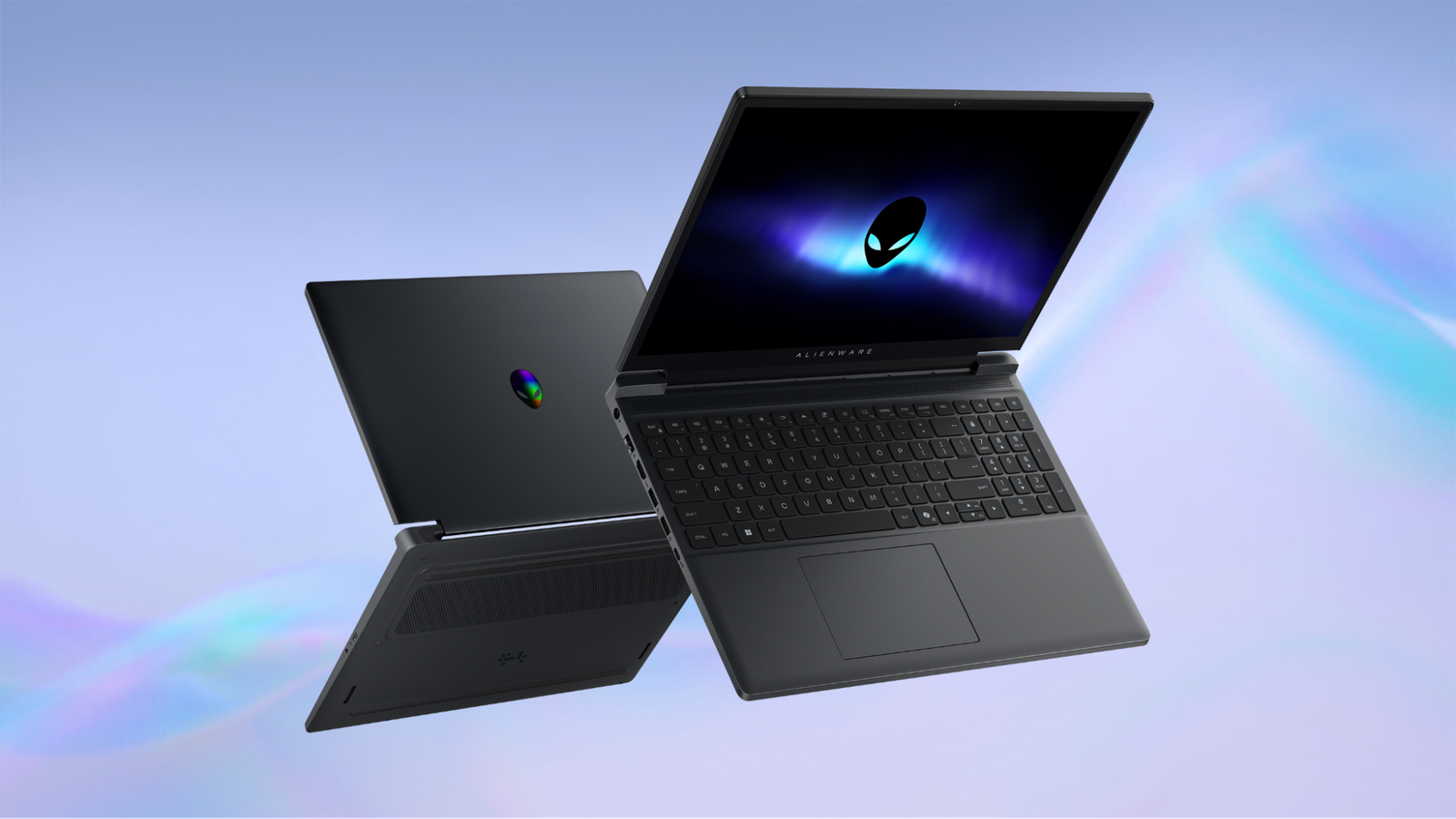
Published Nov 18, 2026, 12:21 PM EST The below articles are sponsored by one of our partners. Product choices and opinions expressed are from the sponsor and do not reflect the views of the XDA editorial staff. It’s not hard to build a thinner and more portable gaming laptop if you’re willing to sacrifice tons of performance. Limit the power, limit the heat, and then limit the frame rate. It’s simple math, but then you have to ask what the point of a gaming laptop is at all. Dell, through its Alienware brand, has built some of the top and most uncompromising gaming laptops in history. But that doesn’t mean the engineers behind some of the most audacious gaming laptops can’t also build a machine that offers a sublime balance of portability, performance and everyday versatility. That’s what the Alienware 15 is all about, and the more you look at the details, the more it feels like a good choice for an all-round Windows 11 laptop. Credit: Intel/Microsoft Built for gaming, ready for every day Alienware 15 CPU AMD Ryzen 5 220, AMD Ryzen 7 260, Intel Core 5 210H, Intel Core 7 240H GPU Nvidia RTX 3050, RTX 4050, RTX 5050, RTX 5060 Display type IPS Display (Size, Resolution) 15.3-inch WUXGA (1920x1200), 165Hz, sRGB 62.5%, FreeSync, 16:10, 300 nits brightness RAM Up to 32GB DDR5 (two SODIMMS) Storage Up to 1TB PCIe Gen 4 NVMe SSD Great gaming specs don't have to just be for your desktop. The Alienware 15 model proves it, offering the power you need for performance in an unexpected slim and portable package. The 15 provides everything from up to an NVIDIA RTX 560 GPU to a snappy 165Hz display. When you think of high-performance laptops, you’re probably imagining something that’s “portable” but not truly mobile. Big, bulky, with hard edges and corners. That’s fine for lugging from one desk to the next, but not something you’d ever want to use on your actual lap. The Alienware 15 strikes a remarkable balance, bringing the same AW30 design language as the flagship Area-51 to a more portable form factor. Thoughtfully engineered with subtle ergonomic touches, it's designed to keep you comfortable whether you're working, studying, or gaming throughout the day. Rounded corners make it pleasant to hold while carrying it from one class to the next. An ergonomic “V-rail” makes opening the laptop easier, without wrestling with the hinge. The rounded palm rests keep your wrists comfortable whether you're gaming or writing an essay, while the large, precision multitouch touchpad features a smooth, fingerprint-resistant surface that makes navigation feel effortless. Credit: Dell If you’re a fan of Alienware laptop designs, you know they’re famous for that little sports car “trunk” that pushes past the hinge of the screen. The proper name for this is the “thermal shelf,” and it contains additional cooling elements to boost the laptop’s internal cooling capacity. Well, as distinctive as the shelf is, the engineers at Alienware have done away with it in the latest generation of Alienware Aurora and Alienware 15 laptops. Advancements in computer hardware (such as modern Intel Core CPU efficiency) and cooling technology mean the Alienware 15 is a true thin, light gaming laptop. This gives it a footprint and dimensions similar to a non-gaming 15-inch system. At just 0.9 inches thin, the Alienware 15 is built to go wherever the day takes you. The removal of the traditional thermal shelf reduces overall depth to just 9.85 inches, creating a more compact design that slides easily into a backpack without sacrificing gaming capability. Paired with a tower hinge that optimizes rear exhaust airflow and reinforces the chassis, the Alienware 15 proves that portability and thermal performance don't have to be a tradeoff. The result is a sleeker, more travel-friendly laptop that still delivers reliable cooling under load. Discrete RTX graphics keep gaming at the center of the experience The Alienware 15 offers a choice of an NVIDIA RTX 4050, RTX 5050, or an RTX 5060. These are midrange options when it comes to dedicated gaming GPUs, but don’t be fooled. These laptop GPUs are comparable to the GPU power of modern current-generation gaming consoles. That’s before you take NVIDIA DLSS upscaling and frame generation into account. Paired with the 1920x1200 display in the Alienware 15, modern PC games should offer no issues at sensible settings. A 165Hz display prioritizes gaming responsiveness Speaking of the display, this is a 165Hz model, which makes it an excellent system for AAA games. Either of the discrete GPU options, coupled with powerful Intel Core processors, should make the most of this immersive display. Upgradeable memory and storage add flexibility beyond the initial configuration The Alienware 15 is designed to handle any challenge with ample storage and memory. With user-upgradeable options for up to 32GB[5] DDR5 memory and up to 1TB[6] PCIe SSD (Gen4) storage, it gives you the flexibility to adapt for whatever comes next. USB-C charging adds flexibility, but power limits still matter Many gaming laptops only allow charging using the high-wattage proprietary adapter. While the Alienware 15 needs to be hooked up with its power brick to play at maximum performance from the wall, you don’t have to carry that large power brick to school or work. For non-gaming, productivity purposes, the Alienware 15 will happily accept up to 100W of USB-C power. This means you can travel light during the day with a small USB charger and then hook your laptop up to a full power source at home and get down to some serious gaming. You don’t have to compromise on connectivity Speaking of taking your Alienware to school or work, you also don’t have to drag a bunch of dongles with you. Unlike some other thin and light laptops, the port selection here is comprehensive: Two USB 3.2 Gen 1 Type-A ports operating at up to 5Gbps One USB 3.2 Gen 2 Type-C port with 10Gbps transfer speeds, DisplayPort 1.4a, and USB Power Delivery One additional USB 3.2 Gen 1 Type-C port HDMI 2.1 with direct discrete-GPU output Gigabit RJ-45 Ethernet A Global audio jack The HDMI 2.1, in particular, is an important feature for any gamer with a modern external display that can take advantage of the features this display standard offers. A practical balance for gamers who need more than a desktop replacement If you are a PC gamer, but have only one computer that doubles as your work or school machine and your gaming system, the Alienware 15 is extremely suited to that job. It even has a one-button Stealth Mode toggle so you can use it in class, meetings, or the library. The display’s modern 16:10 aspect ratio gives it more flexibility beyond playing games, and Alienware’s Cryo-Chamber structure for the RTX 5050 and 5060 allows for greater air intake, optimized for the specific GPU option in your laptop. Aggressive power management and temperature control allow the Alienware 15 to offer excellent sustained GPU performance, despite its compact size. The Alienware 15 offers all the engineering and build quality that the brand is known for at an affordable entry point. And, since it’s versatile enough to cover the needs of most users from work to entertainment, you can save even more by making it the only computer you own. With flexible upgrade options, this is one laptop that will serve you for years to come. Explore the available Alienware 15 configurations on the brand site or your local retailer to find the combination of CPU, GPU, memory, and storage that works best for your setup.
The Alienware 15 rewrites what’s possible, with power, versatility, and value
Full Article
Original Source
Read the full article at Xda-developers →KhanList aggregates and links to publicly available news content. We do not host full articles from third-party sources. Always verify important information with original sources.