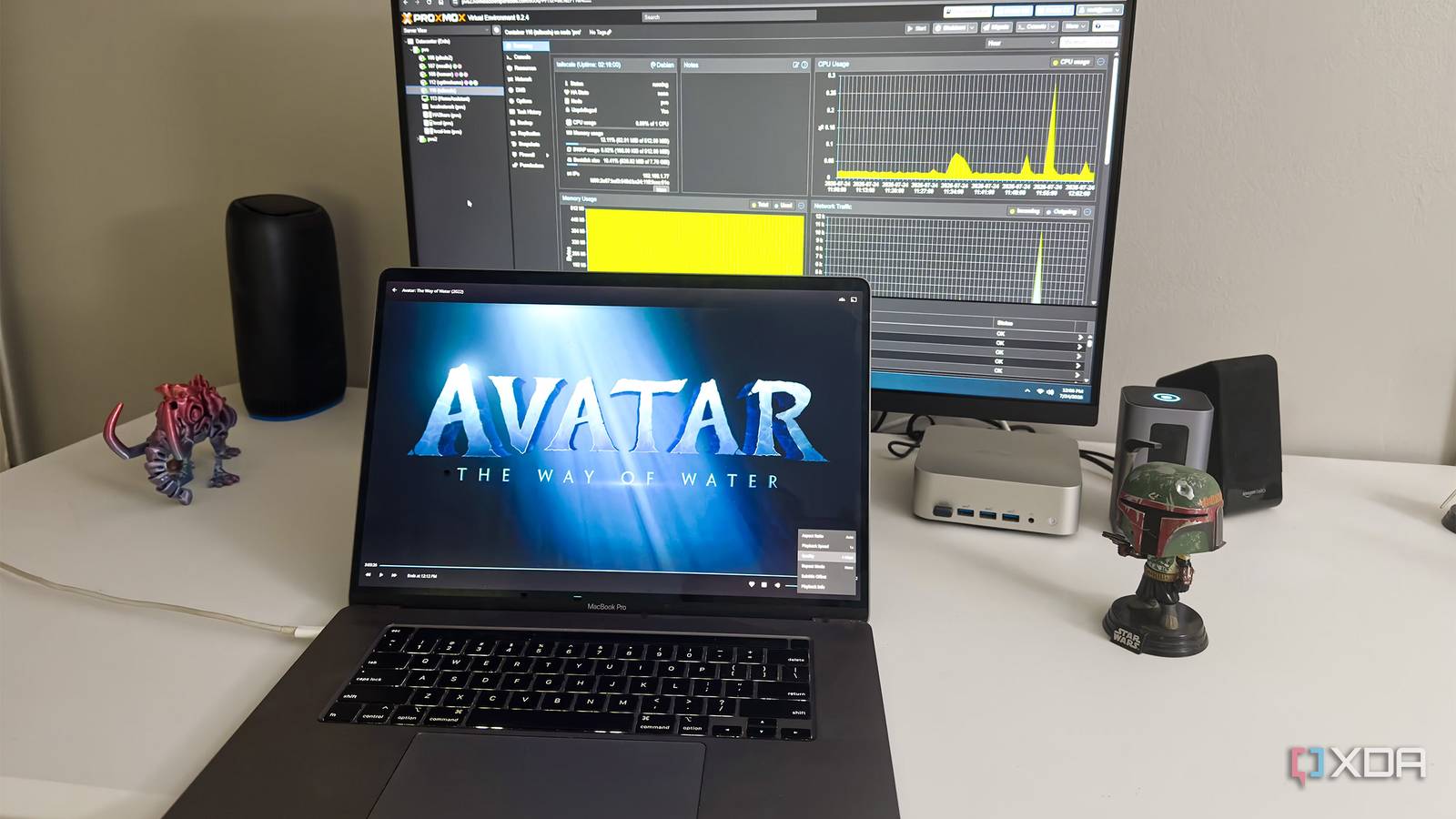
Published Jul 30, 2026, 3:00 PM EDT Jeff's been involved in the IT industry since before the Internet and spent more than 20 years working in technical support, system administration, network administration, and consulting roles. He holds an undergraduate degree in English, a Master's degree in English with a focus on professional writing and editing, and another Master's degree in Computing & Information Systems. After teaching university English and computer science for a few years, Jeff launched his writing career. He's written for Macworld, Tom's Hardware, groovyPost, The Mac Observer, and more before beginning here at XDA. Remote access was the one part of my Jellyfin setup I kept putting off. Opening a port on my router would have been the fastest option, but I never liked the idea of putting the server directly on the internet just so I could watch something away from home. A reverse proxy would have been cleaner, though it also meant dealing with a domain, certificates, and another public-facing service I’d have to maintain. I ended up putting Tailscale in a small Debian LXC, using it as a subnet router, and learning that secure access was only half of what Jellyfin needed to feel reliable. Tailscale gave me private access without changing Jellyfin A subnet router kept the NAS configuration completely untouched My Jellyfin server runs in Docker on my UGREEN DXP4800 Pro NAS, and I wanted to leave that setup alone. Installing Tailscale directly on the NAS might have worked, but it would have tied remote access to whatever UGOS allowed me to install and whatever survived future updates. I already had a Proxmox cluster sitting there, so a dedicated Debian LXC made more sense. It only needed one CPU core, a small amount of memory, and access to the host’s TUN device. Getting Tailscale running inside the container wasn’t difficult, but it wasn’t quite a one-command job either. I had to enable nesting, pass /dev/net/tun through from the Proxmox host, turn on IP forwarding inside Debian, and then advertise my full 192.168.1.0/24 network. Missing any one of those pieces meant the container could join Tailscale without actually routing traffic to anything behind it. Once they were all in place, authenticated Tailscale devices could reach Jellyfin even though the NAS itself wasn’t running Tailscale. After approving the advertised route in the Tailscale admin console, the path worked exactly as intended. My Mac connected to Tailscale, traffic passed through the Debian LXC, and the LXC forwarded it to Jellyfin at its existing local address on port 8096. I didn’t have to alter the Docker container, install another package on the NAS, or open an incoming port on my Spectrum router. Jellyfin remained unavailable to random internet traffic but reachable from a device I had explicitly added to my tailnet. Testing over cellular exposed the real weak points A cellular hotspot created a useful outside-network test connection For the remote test, I disconnected my Mac from home Wi-Fi and connected it to my iPhone’s Personal Hotspot. Tailscale stayed active on macOS, so the laptop had a private path back through the Debian LXC even though it was now coming in over cellular. That felt like a realistic use case rather than a contrived benchmark. If I’m traveling and want to watch a movie, a laptop is a perfectly normal device to use. Jellyfin loaded at the same private address I use inside my apartment, which was the first moment the setup felt properly finished. The Mac had no ordinary way to reach a 192.168.1.x address over the hotspot, yet I could browse the library, open item pages, and start playback without changing the saved server address. From the client side, it behaved as though I were still on my own network. That confirmed the subnet router was doing exactly what I built it to do. I checked tailscale status because the first playback test still had enough lag to make me suspicious. The connection to the Debian LXC was direct, not relayed, and the transfer counters climbed steadily while the video played. That ruled out the easiest explanation and was mildly annoying, because the private route clearly worked while seeking still left the video hanging for ages. The networking problem I thought I’d solved had turned into a playback problem almost immediately. Secure access did not automatically mean smooth playback The original stream overwhelmed a connection with limited bandwidth The first video mostly played once it got going, so I initially thought the setup was probably fine. Then I tried skipping ahead. Jellyfin stopped and sat there long enough that I started wondering whether the connection had stalled completely. It wasn’t the kind of delay I’d tolerate while actually trying to watch something. The Jellyfin dashboard showed the session was remuxing rather than fully transcoding, which ruled out one obvious problem. Jellyfin was mostly repackaging the existing streams instead of making the server perform a heavy video conversion. Tailscale had also confirmed that the Mac was connected directly to the Debian LXC rather than through a relay. Neither the server nor the private tunnel appeared to be the real source of the slowdown. My home connection has limited upstream bandwidth, and the cellular side of the test kept shifting between different levels of 5G service. Normal playback could continue once the player had buffered enough data, but seeking forced it to request a fresh chunk immediately. The original bitrate was simply too high for that data to arrive quickly over both connections. The setup was secure and technically working, but it still felt unreliable whenever I touched the playback timeline. A lower bitrate made the whole setup practical Four megabits finally made seeking fast enough for travel I opened Jellyfin’s playback controls and lowered the quality to 4Mbps. The dashboard changed from remuxing to Direct Play for that file and client combination, and the difference was immediate. Seeking stopped being a drawn-out test of whether the connection was still alive. Playback resumed in roughly two seconds instead of leaving me staring at a frozen frame. A secure Tailscale connection doesn’t guarantee smooth playback by itself. If Jellyfin starts normally but seeking takes ages, lower the playback bitrate before changing your VPN or server configuration. In my test, 4Mbps turned long stalls into a roughly two-second delay. That result cleared up what I’d been treating as one large networking problem. Tailscale had already done its job by giving the Mac a private, authenticated route into my home network. Lowering the bitrate handled a separate limitation by keeping the stream within the bandwidth I actually had available. I didn’t need to rebuild the container, adjust the subnet router, or troubleshoot a direct connection that was already working. Four megabits won’t be the correct setting for every file or every network, and I wouldn’t force it on local playback. A faster upstream connection could handle more, while poor hotel Wi-Fi might require dropping the quality again. Jellyfin lets me make that adjustment from the player instead of imposing one permanent limit across the server. The remote device still needs access to my tailnet, but for my own laptop that’s a tradeoff I’m comfortable making. Private remote streaming now works within realistic limits Tailscale didn’t make my internet connection faster, and it didn’t remove the need to pay attention to Jellyfin’s quality settings. What it fixed was the part of remote access I trusted least. I can now reach Jellyfin through a direct encrypted connection without forwarding port 8096, exposing the NAS, or maintaining a public reverse proxy. Once I dropped the stream to 4Mbps, the setup stopped feeling like a networking demo and started feeling useful. The Debian LXC also keeps the whole arrangement easy to understand. Jellyfin stays where it was, the NAS keeps its normal LAN address, and one lightweight container handles the private route into my network. There are still limits, especially when upstream bandwidth or cellular service gets shaky, but at least those limits are visible and manageable. For my own remote streaming, that’s a much better compromise than putting Jellyfin directly on the internet and hoping its login page is enough. Tailscale Tailscale is invaluable for providing remote access to your home lab without exposing it to the entire Internet.
Tailscale made my Jellyfin streaming secure, but 4Mbps made it actually work
Full Article
Original Source
Read the full article at Xda-developers →KhanList aggregates and links to publicly available news content. We do not host full articles from third-party sources. Always verify important information with original sources.