
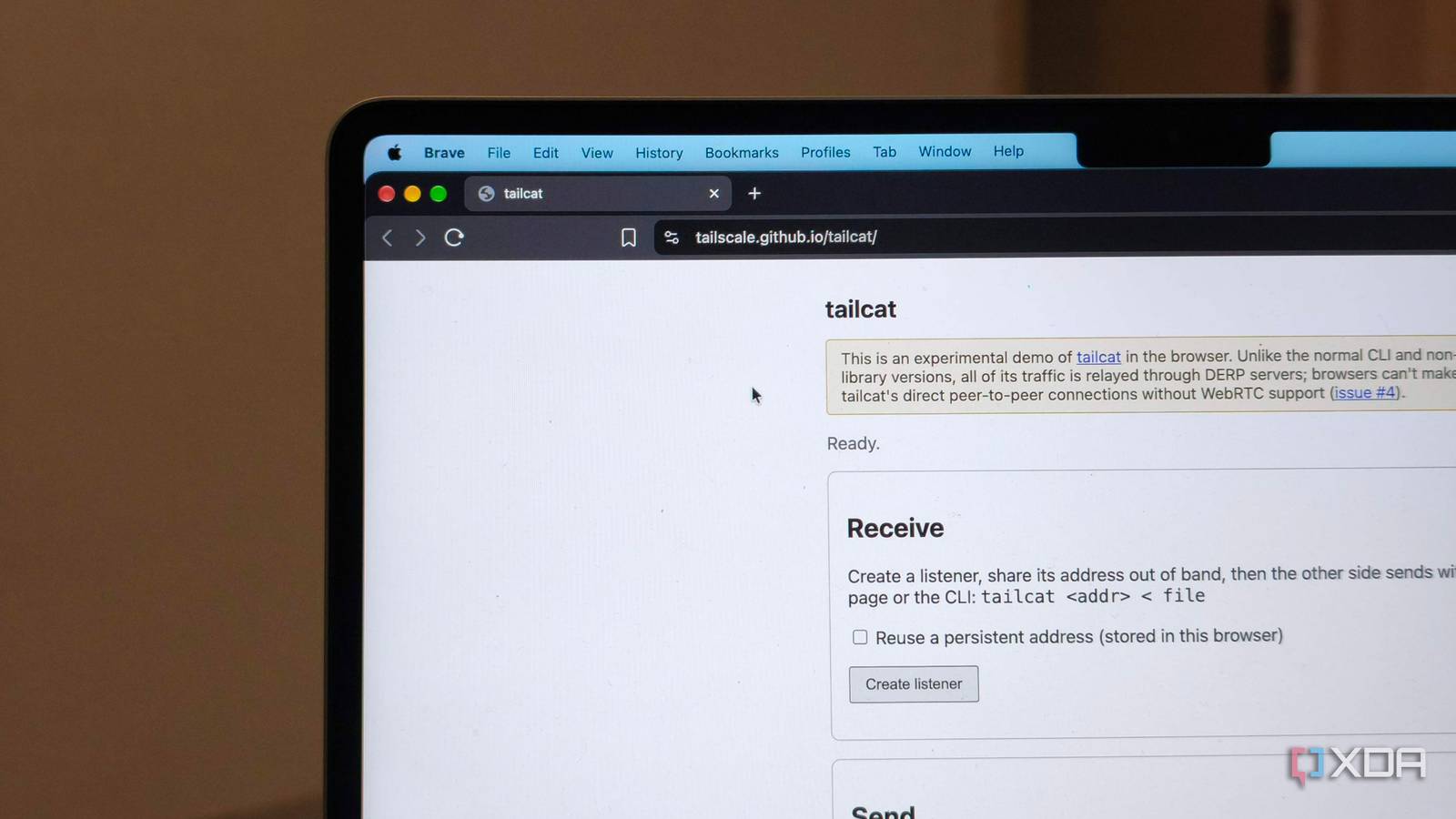
Published Sep 14, 2026, 10:00 AM EDT Anurag is an experienced journalist and author who’s been covering tech for the past 5 years, with a focus on Windows, Android, and Apple. He’s written for sites like Android Police, Neowin, Dexerto, and MakeTechEasier. Anurag’s always pumped about tech and loves getting his hands on the latest gadgets. When he's not procrastinating, you’ll probably find him catching the newest movies in theaters or scrolling through Twitter from his bed. I keep running into jobs that need a private connection between two machines and nothing more. I sometimes want to copy a file, open an SSH session, or let a temporary development environment reach a service on another device. For work that might last ten minutes, creating a Tailscale account and setting up a tailnet is excessive. And also creating a cloud account for something I am doing locally doesn't make sense to me. It goes without saying that I’ve been looking for Tailscale alternatives, and I finally landed on Tailcat. It gives me WireGuard encryption, NAT traversal, and DERP fallback in a command-line tool. You start a listener, share the address it generates, and connect from the other machine. You don’t need an account, and you don't have to manage a private network after the connection closes. Tailcat asks for almost nothing It's a truly open-source tool Tailcat runs in user space and works without root or administrator privileges. It leaves your routing table and DNS settings alone and doesn’t create a TUN device. Its embedded network stack handles TCP inside the process, while the operating system carries encrypted WireGuard packets or traffic to a DERP relay. You can run it inside a container, disposable VM, remote development box, or another locked-down environment. A Tailcat connection has no user account, device list, SSO provider, policy file, or admin dashboard behind it. The server generates an address containing the cryptographic information a client needs to connect. That address includes a pre-shared key, so anyone who receives it has access. You treat it like a password. Tailcat generates a fresh address when you use its default ephemeral key, and it also supports reusable keys, client-key allowlists, and SSH authorized keys for tighter access. Everything is open-source. Tailcat uses Tailscale’s public, rate-limited DERP relays by default, and you can point it at a DERP server you run yourself. With your own relay, the connection has no dependency on Tailscale’s hosted infrastructure. Setup takes two terminals and one address That's all With Tailscale, you install the client on both machines, sign in through a browser, and add each one to the same tailnet. Each device gets a Tailscale IP address and a MagicDNS name, and it stays listed in the admin console until you remove it. I don’t want to create that permanent footprint for an SSH session or file transfer that lasts a few minutes. After installing the Tailcat binary on both machines, the rest happens in the terminal. You can run the tailcat command on the receiving machine, and it prints an ephemeral address. Share the address privately, then pass it to Tailcat on the other machine. For example, echo hello | tailcat tc... sends text directly to the receiving terminal. Tailcat also includes commands to copy files, open SSH sessions, forward ports, and expose a local service. The default key exists only in memory for that run. When you close the listener, it automatically discards the key, and its address stops working permanently. If you need a stable address, tailcat genkey saves the key to disk and keeps the address available across restarts. I prefer the ephemeral default because the connection disappears when I’m finished. Tailcat is the better choice for personal use You need Tailscale for production tools Tailcat uses the same core networking pieces as Tailscale to set up the connection. It first connects through a DERP relay, runs NAT traversal, and then tries to switch the traffic to a direct peer-to-peer WireGuard tunnel. Once that works, the data moves directly between the two machines. Tailcat also lets you check whether the connection is still going through a relay or has switched to a direct path, and it can keep checking until that direct connection is established. If NAT traversal doesn't work, traffic stays on DERP. Tailscale’s public Tailcat relays are rate-limited, available in only a few regions, keep metadata logs, and do not come with uptime or throughput guarantees. That makes them a bad fit for large file transfers or services that need to stay online all the time. You can run your own DERP server, but then you have another server to manage. For production use, you usually need more than just connectivity. You need central access controls, device revocation, audit logs, reliable uptime, and technical support. Tailscale provides those features because companies need to control who can access each machine and remove that access quickly when needed. My use case is much simpler. I want to copy a file, open an SSH session, forward a port, or connect to a temporary development environment, and then close the connection when I am done. Tailcat does that with encrypted direct connections without leaving a private network behind for me to manage. Tailcat is definitely a better alternative than port forwarding If you’re looking for a Tailscale alternative, Tailcat is definitely a much better option than going back to port forwarding. That introduces another set of challenges, including router configuration, public IP addresses, and the security risk of exposing a service to the internet.
Tailcat replaces Tailscale without the account bloat, and it's exactly what I needed
Full Article
Original Source
Read the full article at Xda-developers →KhanList aggregates and links to publicly available news content. We do not host full articles from third-party sources. Always verify important information with original sources.