
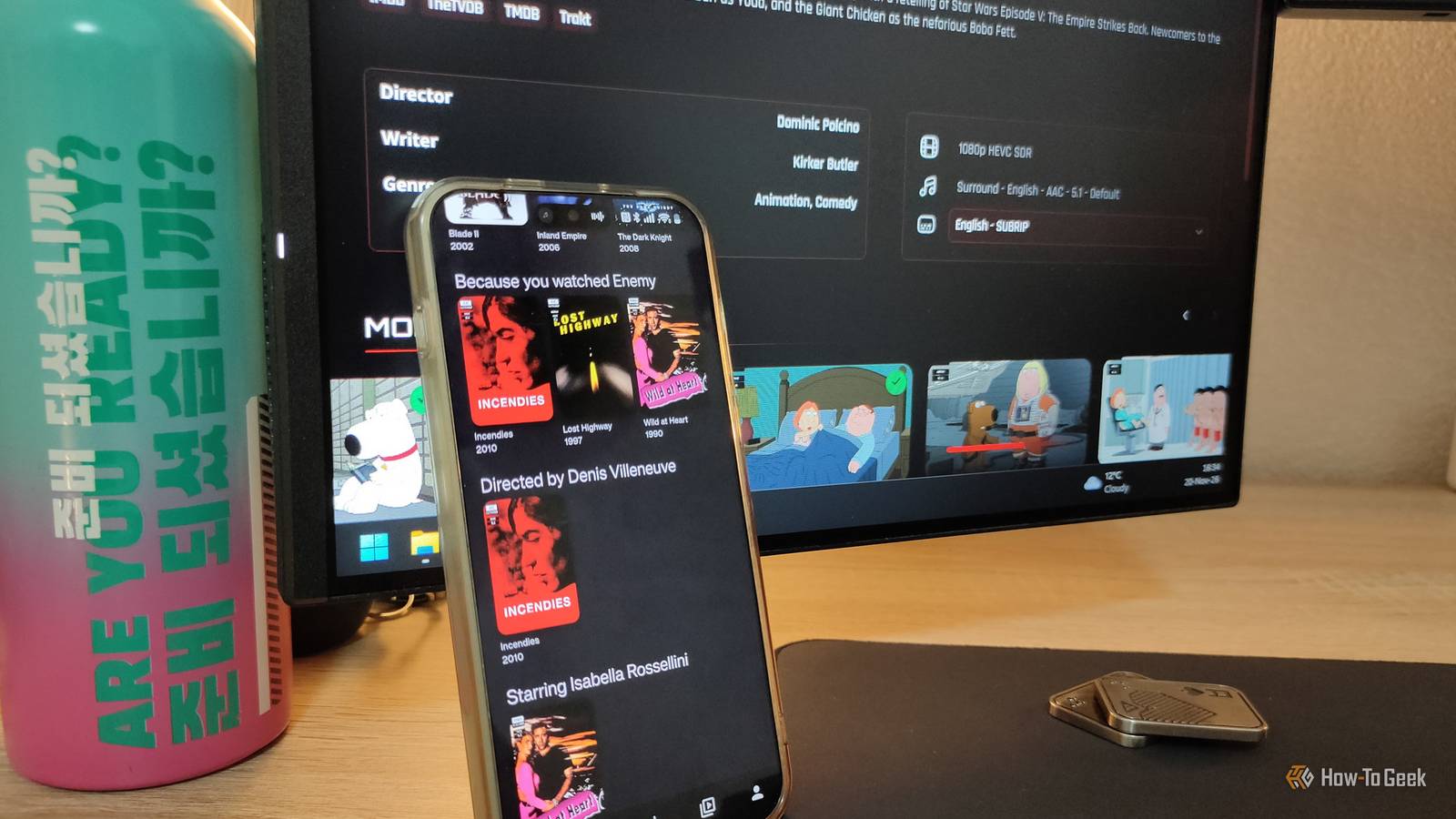
Published Nov 21, 2026, 6:00 PM EST Ismar is a Senior Author at How-To Geek. He previously worked as a writer, editor, and general manager at a content agency before joining the team in 2023. He began his writing career in 2021 after completing a BA in English Language and Literature. Beyond How-To Geek, Ismar has contributed to Red Stag Fulfillment and Authority Hacker. He has also worked on various SEO projects to help clients improve their search visibility. Ismar has been around Windows PCs since the age of three, so friends and family naturally chose him as the resident tech support. His projects often involve tinkering, such as disassembling mechanical keyboards and gaming mice to mod his beloved gear. He also enjoys pushing hardware to the max through overclocking while staying on a reasonable budget. An avid gamer, Ismar has logged thousands of hours across various genres, including first-person shooters, RPGs, racing games, and roguelites. When he is not at his desk, he is probably exploring other people’s phones to discover their quirks and features or experimenting with the latest AI tools. In his free time, Ismar enjoys spending time with his wife, working out at the gym, playing guitar and bass, cooking gourmet meals, and traveling. Above all else, he’s a proud cat owner. When it comes to having a constant rotation of fresh shows at your fingertips, Netflix and other streaming services are hard to beat. But that convenience comes with some frustrating trade-offs, such as when a platform geoblocks a show or removes it from its catalog before you've even finished watching it, despite the monthly subscription you pay for access. After growing tired of this nonsense, I decided to take control. I built my own streaming service by running Jellyfin on my home server, and saving money turned out to be just one of the many benefits. I don't have to worry about streaming services pulling content overnight You can take my favorite shows... from my cold, dead hands! Whether it's Netflix, Disney+, or HBO Max, no streaming service is immune to shows getting dropped. Platforms license many of the shows they offer, and when these agreements expire, a show can disappear if the platform decides the deal isn't worth renewing. Other times, the studio that owns the rights wants to keep a show exclusive to its own platform, so it takes the rights back when the licensing deal expires. That's what happened with Marvel shows such as Jessica Jones and Daredevil, which were originally available on Netflix. When the deals ended, Disney brought the popular shows to Disney+. It's understandable, but incredibly frustrating for us. Imagine starting one of the many Marvel shows on Netflix, only to later find out that you'll have to cancel your Netflix subscription and move to Disney+ to continue following the story. There's also geoblocking, which typically happens when a streaming platform strikes a deal for shows but only in certain locations. A high-profile example is Netflix's Studio Ghibli catalog, which is available in many countries but not in the US or Japan. Thankfully, I don't have to worry about either problem anymore. Once something is in my library, I'll have permanent copies of the shows and movies I watch stored on my server's hard drive. Even if the publisher decides to remove a show from all streaming services because it wasn't popular enough or met their expectations, my server won't be affected. As long as I don't delete the copy, I can watch and rewatch a show or movie whenever and as many times as I want without ever worrying that it's going to disappear. I don't have to jump between five different streaming apps anymore Everything I want to watch lives in one place Apart from having to pay for all those streaming services, you also have to keep track of where each show is available. Admittedly, Plex can solve this by bringing streaming services together under one umbrella, but this means that you have to open another platform before finally turning on something to watch. It can show you where content is available, but the actual playback still happens in the streaming app. In my setup, I don't have to worry about using Plex or remembering which service has a particular show. Jellyfin, the app I use to stream movies and shows, brings my entire library into one place. I don't have to switch between different apps, and I'm not forced to adapt to their various layouts. Jellyfin presents all my content through a single, consistent interface, and luckily, it's very easy to use and is highly customizable. My setup organizes the library without making me do all the busywork Radarr, Sonarr, and Bazarr do all the heavy lifting One of the most obnoxious tasks that puts people off self-hosting is having to organize all their shows and movies. When you rip a Blu-ray or DVD, an episode might end up with a filename like Dexter.S01E08.Shrink.Wrap.1080p.BluRay.x264.mkv. Radarr (for movies) and Sonarr (for TV shows) can automatically rename, organize, and import video files into their respective folders, while Jellyfin fetches the metadata and artwork for posters and thumbnails. So, that random Dexter episode sitting in a random folder could, with the help of Sonarr, get organized into neat folders, for example: Dexter (2006) > Season 01 > Dexter S01E08.mkv. This way, I get a properly organized and polished collection instead of a bunch of randomly named files. Bazarr, on the other hand, handles subtitles for me. I never watch a show without subtitles, as I sometimes like to turn the volume down or am doing something else while watching, so I like having the option to read the dialogue. While Jellyfin can automatically download subtitles, Bazarr is considerably more configurable. I can choose multiple providers, set my preferred languages, and keep subtitles saved alongside the media files. My streaming service doesn't change unless I want it to I'm in charge I think most of us can agree that unnecessary app redesigns are one of the most frustrating parts of everyday life. Streaming services constantly change or remove features, move things around, and generally "improve" their interfaces in ways that aren't always intuitive. Some streaming services have even introduced cheaper, ad-supported tiers, which can make the whole experience even more frustrating. Since Jellyfin runs on my own server, I don't have to worry about the app changing its layout without my say-so. I decide when to install server updates, and I can customize the interface to my liking. But the coolest part about Jellyfin is just how customizable it is. I can install custom plugins and themes that completely change how the app looks and feels, and adjust the layout to my preference. There are even third-party clients (apps) that offer their own interfaces. For instance, I use a Netflix-themed skin called NetFin for Jellyfin, which makes the interface look more like the Netflix app I'm familiar with. I also use a dedicated Jellyflix client to access my server. My setup even shows recommendations based on what I've watched. I also have to mention plugins, which further enhance functionality. For instance, I can hover my mouse over a thumbnail to preview a trailer or click on it to read the description and see the cast and crew. I even have IMDb ratings and Rotten Tomatoes audience and critic scores with the help of plugins. If I'm being honest, I always check the IMDb score before watching something to get an idea of what to expect, so having these ratings readily available is an incredibly useful feature. My library doesn't have everything I want to watch, but it's the best way to watch Look, having your own streaming service comes with genuine benefits, but you're also responsible for sourcing the content you watch. It's a fun hobby, but it limits what you can watch, so it's not for everyone. Many streaming exclusives never get physical releases or DRM-free downloads, so I still occasionally subscribe to a streaming service just to binge a particular show before cancelling again. Still, when it comes to the overall experience, Jellyfin remains my favorite way to watch shows. I control the service, don't have to deal with ads, and don't have to worry about my library disappearing overnight. I also don't have to pay a monthly subscription to access it, so content availability is a trade-off I'm more than happy to make in the long run.
Streaming services kept taking my shows away, so I built my own Netflix
Full Article
Original Source
Read the full article at Howtogeek →KhanList aggregates and links to publicly available news content. We do not host full articles from third-party sources. Always verify important information with original sources.