
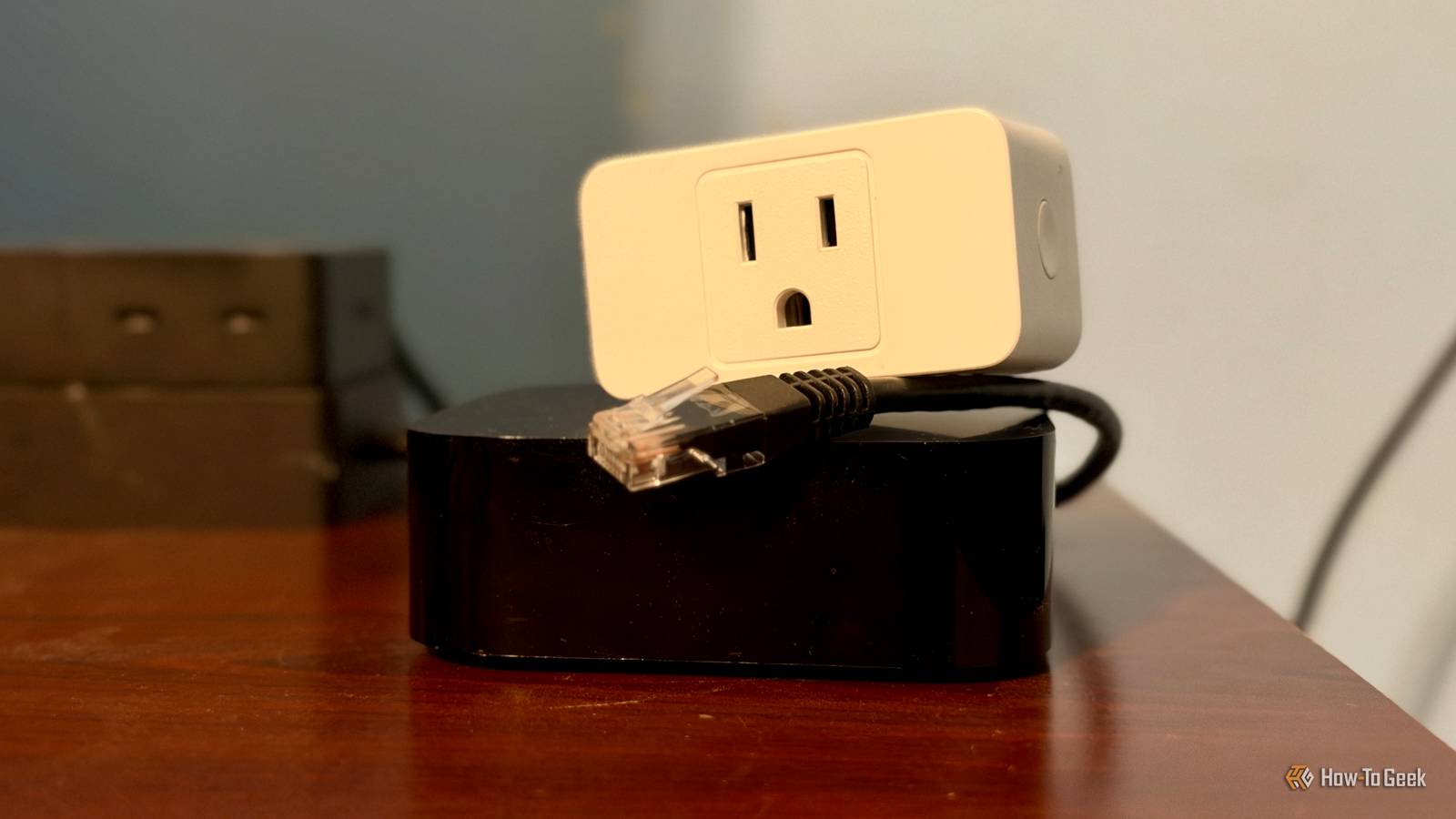
Published Nov 21, 2026, 6:30 PM EST Nathaniel Pangaro is a tech enthusiast who dives deep into Apple’s world, from Macs and iPads to iPhones, Apple Watches, and every gadget in between. He loves turning tricky tech features into guides and reviews that are actually fun to read—and easy to use. At AppleInsider, he broke down the latest Apple releases with hands-on testing, clear explanations, and visuals that make readers feel like they’re right there with him. He also keeps SEO in mind so people can actually find his work online. He’s also written for The Student Loan Help Group, turning tech and finance topics into simple, helpful, and engaging content. Nathaniel also takes photos and creates rendered visuals to showcase devices and highlight features. When he’s not writing, Pangaro enjoys listening to music, working out, baking, and spending time with his pets. These hobbies help him recharge and bring a fresh, creative perspective to his work, keeping his writing energetic and relatable. Pangaro's goal is simple: help readers get the most from their Apple devices and actually enjoy doing it. It's an age-old question when you get a new version of technology: What do you do with the old version? Typically, some people use them as hand-me-downs, put them in a box and forget about them, or recycle them entirely. I would be lying if I said I didn't do the same — especially with my old streaming devices. However, this time around, I decided to repurpose my oldest one into a whole new category: the center hub for my smart home. Too many streaming boxes A plethora of streaming boxes but not enough televisions Every television in my house is connected to an Apple TV 4K from a different generation. No matter the room, there is an Apple TV: the living room, in each bedroom, and even in every office. In simpler terms: If there’s a TV, an Apple TV is connected via the HDMI port. Recently, however, the number of Apple TVs I had exceeded the number of televisions in my household. Usually, when I got a new one, I would move the oldest generation of the streaming box to the next least-used television. Apple TV 4K Operating System tvOS Resolution 4K Immerse yourself in stunning 4K HDR with Apple TV 4K. Stream your favorite content with exceptional clarity and color, powered by the A15 Bionic chip. Enjoy seamless access to apps, games, and Apple Originals, all with the convenience of Siri voice control and personalized recommendations. For example, when I upgraded the one in the living room, I moved that one to my room and the one in my room to my office. Then, once the cycle restarted, I moved the oldest one from my office to my mother’s. It was a hand-me-down situation throughout my household, with each jumping from room to room. Yet I hit a point where there could be no more jumping. Repurposing my old Apple TV Giving new life to an outdated streaming box Since I didn’t have a television to connect my Apple TV to permanently, my next step was to put it in a box until I needed it or give it to my sister to use in her apartment. I even thought of using it as a travel streaming device so when I go on trips, I can connect it to the hotel television. These were all valuable options, and honestly, I wasn’t too sad about either packing it away for minimal use or giving it away because it was an older model. This was the first-generation Apple TV 4K, which came out in 2017 and recently lost major software update compatibility starting with tvOS 27. All my other Apple TVs were newer generations, either the second or the third. They were faster, more up-to-date, and now offered Siri AI. However, even though my first-generation Apple TV wasn't as fast as my other models, it did beat them in one area: connectivity. This was because it had an Ethernet port on the back. Unlike my other Apple TVs, which connected to the internet wirelessly, this one offered a wired connection. While this may seem like a minor specification to most — and it did to me when I first noticed it — after some research, I found it might be the key to solving one of my smart home’s biggest issues. Offering better connectivity to accessories With Apple Home — also known as HomeKit — you need an active home hub in your household to control devices remotely. This device can be an Apple TV, a HomePod, a HomePod mini, or — now — a HomeView. I have multiple in my house, as previously mentioned: a HomePod mini in nearly every room, an Apple TV connected to every TV, and a HomeView sitting on my kitchen counter. Yet, my smart home accessories always seemed to go offline or become unresponsive. Apple HomePod Mini Connectivity Bluetooth, Wi-Fi Voice Assistant Siri The Apple HomePod Mini is a Siri-enabled smart speaker for those invested in the HomeKit ecosystem. Compact and discreet, the HomePod Mini is available in five different colors, too. This was strange, especially since they were reachable in the manufacturer’s own app. After some research, I found this could happen when you set any Apple Home device to automatically become a hub, regardless of its location. For example, even with a smart plug in my living room, the HomePod mini tucked in the corner of my mother’s bedroom — hiding behind multiple pictures — could be the active hub. However, because it was obstructed, the signal it needed to connect to the smart accessory was disrupted, causing the plug to become unresponsive. New Eve Energy Smart Plug Dimensions 2.36 x 2.76 x 1.52 inches Hub Required No The latest Eve Energy HomeKit smart plug supports Matter and Thread networking, a protocol that extends the range of your smart home devices. It can also monitor energy usage. A resolution was to pick a main hub without the title bouncing around the house. But with this power came great responsibility, because without the hub, my smart home would start to crumble. This is when I turned to my old Apple TV. While the Wi-Fi in my house is good, nothing beats a wired connection because it eliminates wireless interference, especially in a smart home. This is especially apparent when an Apple TV is wired via Ethernet, since it then acts as a stable, high-speed anchor for your entire smart home. From streaming box to smart home hub Converting my Apple TV to the center hub of my smart home I took my old Apple TV out of the box, blew the dust off the top, and brought it into my office, where the main Wi-Fi router was. From there, I connected it to my router with an extra Ethernet cord from my desk drawer. Luckily, the router is right next to my television, so I could unplug the existing Apple TV and swap in the older one. This allowed me to verify the Ethernet connection was established and everything was set. Once I confirmed everything was connected as it should be, I opened the Home app and selected the old Apple TV as my main home hub. This ensured no other device could act as the main hub. After everything was connected, set up in the app, and ready to go, I unplugged the HDMI cord from the old streaming box. I didn't keep it plugged in because, for one, there was already an Apple TV in there, and two, the box doesn't need a television to work as a home hub; it only needs power and an Ethernet connection — if available. I'll be honest, at first I didn't see much of a difference in my smart home's performance, but in the long haul I did. This was most apparent with my security cameras, which previously went offline multiple times a day. With the wired connection to the hub, those cameras stayed online more often, and they refreshed faster when I opened the app. The same was true for other accessories, especially the response time after I controlled them. Using my old Apple TV as my main smart home hub was one of the best decisions I could have made, since it was originally going to collect dust. It made my smart home more reliable, and the best part is it doesn't need to stay by a television — it just needs power. If you have an old Apple TV and don't know what to do with it, consider making it the center hub for your smart home. There's no better hub than one wired directly to your router, and an old Apple TV with an Ethernet port can deliver that.
I wired an old Apple TV to a router and my smart home stopped going offline
Full Article
Original Source
Read the full article at Howtogeek →KhanList aggregates and links to publicly available news content. We do not host full articles from third-party sources. Always verify important information with original sources.