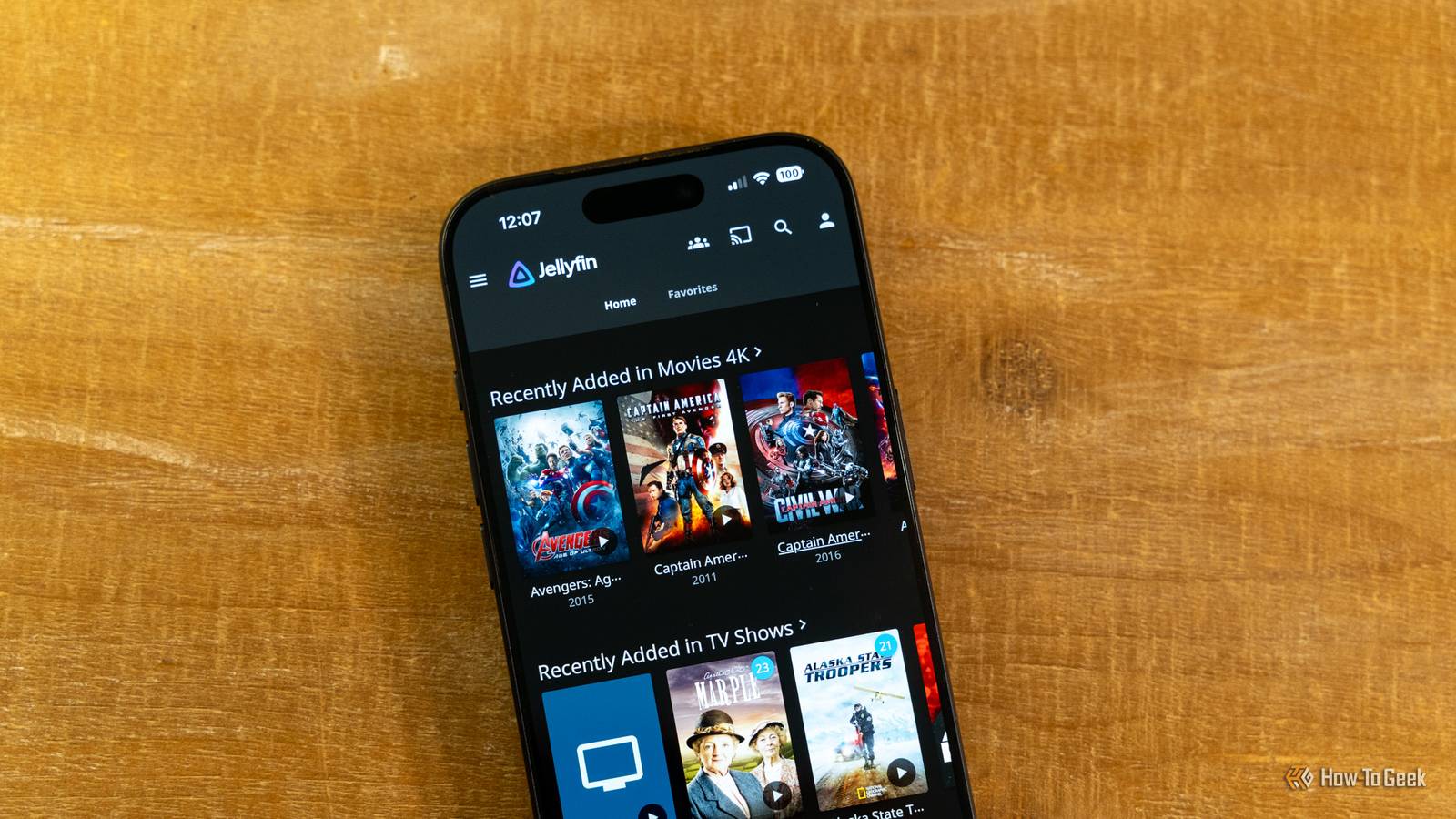
Credit: Patrick Campanale / How-To Geek Published Jul 23, 2026, 10:45 AM EDT Ismar is a Senior Author at How-To Geek. He previously worked as a writer, editor, and general manager at a content agency before joining the team in 2023. He began his writing career in 2021 after completing a BA in English Language and Literature. Beyond How-To Geek, Ismar has contributed to Red Stag Fulfillment and Authority Hacker. He has also worked on various SEO projects to help clients improve their search visibility. Ismar has been around Windows PCs since the age of three, so friends and family naturally chose him as the resident tech support. His projects often involve tinkering, such as disassembling mechanical keyboards and gaming mice to mod his beloved gear. He also enjoys pushing hardware to the max through overclocking while staying on a reasonable budget. An avid gamer, Ismar has logged thousands of hours across various genres, including first-person shooters, RPGs, racing games, and roguelites. When he is not at his desk, he is probably exploring other people’s phones to discover their quirks and features or experimenting with the latest AI tools. In his free time, Ismar enjoys spending time with his wife, working out at the gym, playing guitar and bass, cooking gourmet meals, and traveling. Above all else, he’s a proud cat owner. Sign in to your How-To Geek account For over a decade, Plex was the undisputed choice for anyone looking to self-host a media server. Unlike its alternatives, Plex was polished, feature-rich, and years ahead of the competition. However, Plex has gradually shifted its focus from its core audience of self-hosting enthusiasts toward becoming a broader entertainment platform, and recent changes like the Lifetime Pass price increase to $750 perfectly highlight that shift. These changes have pushed many self-hosters to start looking at alternatives, with many choosing Jellyfin. Plex forgot who made it popular Plex's downfall will be studied Before we can talk about how Plex slowly lost its core audience of self-hosters, it's important to acknowledge that the app isn't necessarily a bad choice. It's still excellent media server software that you can use to stream and organize your media library even on the free tier, and things only get better with the subscription. The software works well, and its apps on the devices you're streaming to offer a polished experience that's on the same level as many other streaming services. It's what allowed Plex to become popular among enthusiasts in the first place. If you went on any forum a few years ago and asked what app to use for your first media server, Plex would almost always be one of the top recommendations. At the core of the problem is that Plex has, as a whole, shifted its focus from self-hosted media streaming toward general media. While Plex's reputation was built by self-hosters through word of mouth and forum posts, its focus now also includes providing cloud-connected entertainment features to a broader audience, with strong incentives to pay for a Plex Pass subscription. Quiz 8 Questions · Test Your KnowledgePlex media serverTrivia challengeThink you know Plex inside and out? Put your streaming smarts to the test with this ultimate Plex quiz.FeaturesHistorySetupStreamingPlatformsBegin In what year was Plex first released as a standalone media server application?A2006B2008C2010D2012That's right! Plex was first released in 2008, growing out of a fork of the XBMC (Xbox Media Center) project. It quickly evolved into its own distinct platform focused on client-server media streaming.Not quite — Plex launched in 2008, originally derived from the open-source XBMC project. It has come a long way since then, expanding from a simple media server into a full streaming ecosystem.Continue What is the name of Plex's free, ad-supported streaming service that offers movies and TV shows without a subscription?APlex FreeBPlex NowCPlex TVDPlex's free ad-supported streaming service is simply called PlexCorrect! Plex's free, ad-supported streaming tier is simply branded as part of the Plex app itself — often referred to as Plex's free streaming or the Plex ad-supported library. It offers thousands of movies and TV episodes without any subscription required.The free ad-supported streaming feature is integrated directly into the Plex app under the 'Movies & TV' section, without a separate branded name like 'Plex Free' or 'Plex Now.' It competes with services like Tubi and Pluto TV.Continue What is the default port number used by Plex Media Server for web access?A8080B3000C32400D5000Spot on! Plex Media Server uses port 32400 by default for its web interface and local connections. Knowing this is especially useful when setting up manual port forwarding on a router for remote access.The correct answer is 32400 — that's the default port Plex Media Server listens on. Port 8080 is commonly associated with alternative HTTP traffic, while 5000 is often used by Flask or other development servers.Continue Which gaming console was notably among the first to receive an official Plex app, helping broaden its living room presence?ANintendo WiiBPlayStation 3CXbox 360DSega DreamcastCorrect! The Xbox 360 was one of the early console platforms to get an official Plex app, helping Plex establish itself as a living room media solution. This was a significant step in Plex's expansion beyond desktop and mobile devices.The Xbox 360 was one of the first major gaming consoles to receive an official Plex client app. The PlayStation 3 and Nintendo Wii, while capable media devices, were not the early adopters for Plex's console strategy.Continue What Plex feature allows users to watch and record over-the-air broadcast TV using a compatible tuner and antenna?APlex RelayBPlex Live TV & DVRCPlex BroadcastDPlex AirWatchThat's right! Plex Live TV & DVR lets users connect a compatible over-the-air tuner (like an HDHomeRun) to watch and record free broadcast channels. It turns Plex into a fully functional DVR system for cord-cutters.The feature is called Plex Live TV & DVR. It requires a compatible tuner device and an active Plex Pass subscription to unlock DVR recording capabilities, making it a popular tool for cord-cutters who still want live television.Continue What is 'Plex Pass' and what does it primarily unlock?AA physical media player sold by PlexBA premium subscription that unlocks features like offline sync, Live TV, and hardware transcodingCA free tier that removes ads from the Plex interfaceDA cloud storage service for backing up media librariesExactly right! Plex Pass is Plex's premium subscription service, unlocking powerful features including hardware-accelerated transcoding, offline sync (downloads) for mobile, Live TV & DVR, and mobile sync. It's available as a monthly, annual, or lifetime purchase.Plex Pass is a premium subscription — not a physical device or a free tier. It unlocks a suite of advanced features such as hardware transcoding, Live TV & DVR, offline downloads to mobile devices, and more. It's one of Plex's main revenue streams.Continue Plex originally forked its codebase from which open-source media player project?AVLC Media PlayerBMythTVCXBMC (Xbox Media Center)DKodiCorrect! Plex began as a fork of XBMC, the Xbox Media Center project, in 2008. While Kodi is also a descendant of XBMC, Plex took a different direction by focusing on a client-server model with a polished user experience.Plex forked from XBMC — Xbox Media Center — in 2008. Interestingly, Kodi is also derived from XBMC, making Plex and Kodi distant relatives. VLC and MythTV are separate projects with entirely different codebases and origins.Continue When Plex cannot directly stream a file to a client device, what process does it use to convert the media in real time?ARemuxingBTranscodingCEncodingDBufferingCorrect! Transcoding is the process Plex uses to convert media on the fly when a client device cannot play the original format directly. It can be CPU-intensive, which is why Plex Pass offers hardware-accelerated transcoding to ease the load on the server.The answer is transcoding — the real-time conversion of a video or audio file into a format compatible with the requesting client. Remuxing is a related but different process that repackages streams without re-encoding them, which is less resource-intensive.See My Score Challenge CompleteYour Score/ 8Thanks for playing!Try Again When opening the Plex app, you may not see your own media front and center. Instead, you're served rows of other content, like Plex's ad-supported movies and shows VOD, free live TV, watchlists, discover, rentals, purchases, redirects to other streaming services, and so on. Each time you want to stream one of your shows, you have to scroll past all that extra content to get there. Sure, you can technically configure the app to stop seeing the online media and change the layout to prioritize your media server, but updates can sometimes change these settings, forcing you to adjust things again. Still, the recent price hike of the Lifetime Pass was the tipping point for many users. For an eye-watering price of $750, the Lifetime Pass gives you permanent access to Plex's premium features. Credit: David J. Buck / How-To Geek The problem is that many of these "premium" features are things that some self-hosters feel should either be free or much more affordable. We're not talking about thousands of hours of free content every week; we're talking about features like hardware-accelerated transcoding, mobile downloads, advanced media controls like skipping intros, and so on. For those $750, you could pay for multiple yearly subscriptions or, better yet, build the hardware required for a powerful media server with terabytes of storage to jumpstart your own media library using a free alternative. UGREEN NASync DXP4800 GT Brand Ugreen CPU AMD Ryzen Embedded R2514 The Ugreen DXP4800 GT is the latest NAS from Ugreen, featuring dual 10Gb Ethernet, two NVMe slots, and a whole lot more. Shipping with 8GB of DDR4 RAM, you actually can replace it yourself and upgrade it to have up to 64GB of RAM should the need arise. Plus, UGOS continues to mature and is becoming a very solid NAS operating system. Memory 8GB DDR4, expandable to 64GB Drive Bays 4 3.5/2.5-inch, 2 NVMe Ports USB-A/USB-C 10Gb/s, USB-A 480Mb/s, dual 10GbE, HDMI OS UGOS Price $660 Dimensions 10.1 × 7.0 × 7.0 inches LAN Ports Dual 10Gb Ethernet While Plex chased new audiences, Jellyfin just kept improving Time was on Jellyfin's side Credit: Jordan Gloor / How-To Geek Plex was supposed to be the app people downloaded to escape the modern streaming services, not the ultimate aggregator of such services. Plex has blurred the lines between apps like Pluto TV or Tubi and self-hosted media server software. But as Plex's user experience evolved over the years, alternatives kept getting better, and Jellyfin is now the current king of these alternatives. When you fire up Jellyfin for the first time, the focus on self-hosting is right front and center. There are no ads, no live TV, or any other kind of bloat that Plex serves you. You're only being served what you want: your library. When Jellyfin launched as a free and open-source alternative in 2018 as a fork of Emby, it was quite rough around the edges. It lacked many features that Plex had. However, thanks to the open-source nature and the dedicated work of volunteers and contributors, today the app has managed to largely reach feature parity with Plex, all for free. Credit: Patrick Campanale / How-To Geek Years ago, official platform support was extremely limited compared to Plex, but today, there's an official Jellyfin client app for many major platforms, and in fact, it's easier than ever to configure an unofficial client as well. Paywalled features on Plex Pass, like hardware transcoding, might require some manual setup in Jellyfin, but you only have to do it once. There are also multiple user profiles, downloads/offline sync, live TV and DVR support, and so on. Things like advanced media controls might require a plugin, but again, that's one of the beauties of Jellyfin. There's no shortage of official and community-developed plugins that can transform your home media streaming experience. Jellyfin OS Windows, Linux, macOS, Android, iOS, Fire TV, Roku OS, WebOS, Xbox, Price Free I've been using Jellyfin for months now, and I can't think of a single feature that I wish it had that I couldn't set up in Jellyfin through settings or plugins. Jellyfin is becoming the first recommendation among enthusiasts A new default has emerged Credit: Jordan Gloor / How-To Geek Enthusiasts are the least loyal and simultaneously one of the most demanding types of consumers. So, if so many enthusiasts have been switching to and recommending Jellyfin as the new default, you can rest assured knowing that it's become the new default for a reason. Whether it's your first time self-hosting a media server or you're thinking about switching away from Plex because you don't want to pay for a Plex Pass subscription anymore, Jellyfin is a compelling alternative. Sure, setting up hardware transcoding and access outside your home network might take some time, but you only have to do it once. The best part is that it's completely free, opening up your budget for the fun parts of self-hosting like buying more storage space, expanding your media library, and upgrading your server. Credit: Patrick Campanale / How-To Geek Aside from not being tied into a subscription, Jellyfin has another major benefit: your server can stay offline. Plex relies on online services for things like account authentication and remote access features, which can become a problem if your ISP goes down or Plex's servers are having a bad day. To top it off, Plex does collect some telemetry data. Jellyfin works fully offline out of the box. No data is sent to any third-party service, and when you use it to stream your own content, you won't even notice if your internet connection went down half an hour ago. You retain full privacy and ownership over your server, your data, and your media library. Switching from Plex to Jellyfin has never been easier If you want to evaluate Jellyfin for your first media server or wish to step away from Plex's subscription fees, I'm happy to report that it's now easier than ever, but you don't have to do it right away. You can set up Jellyfin in an afternoon and run it side-by-side with Plex while using plugins like Plexyfin to sync metadata between the two until you make up your mind.
Stop paying for Plex—Jellyfin does everything for free
Full Article
Original Source
Read the full article at Howtogeek →KhanList aggregates and links to publicly available news content. We do not host full articles from third-party sources. Always verify important information with original sources.