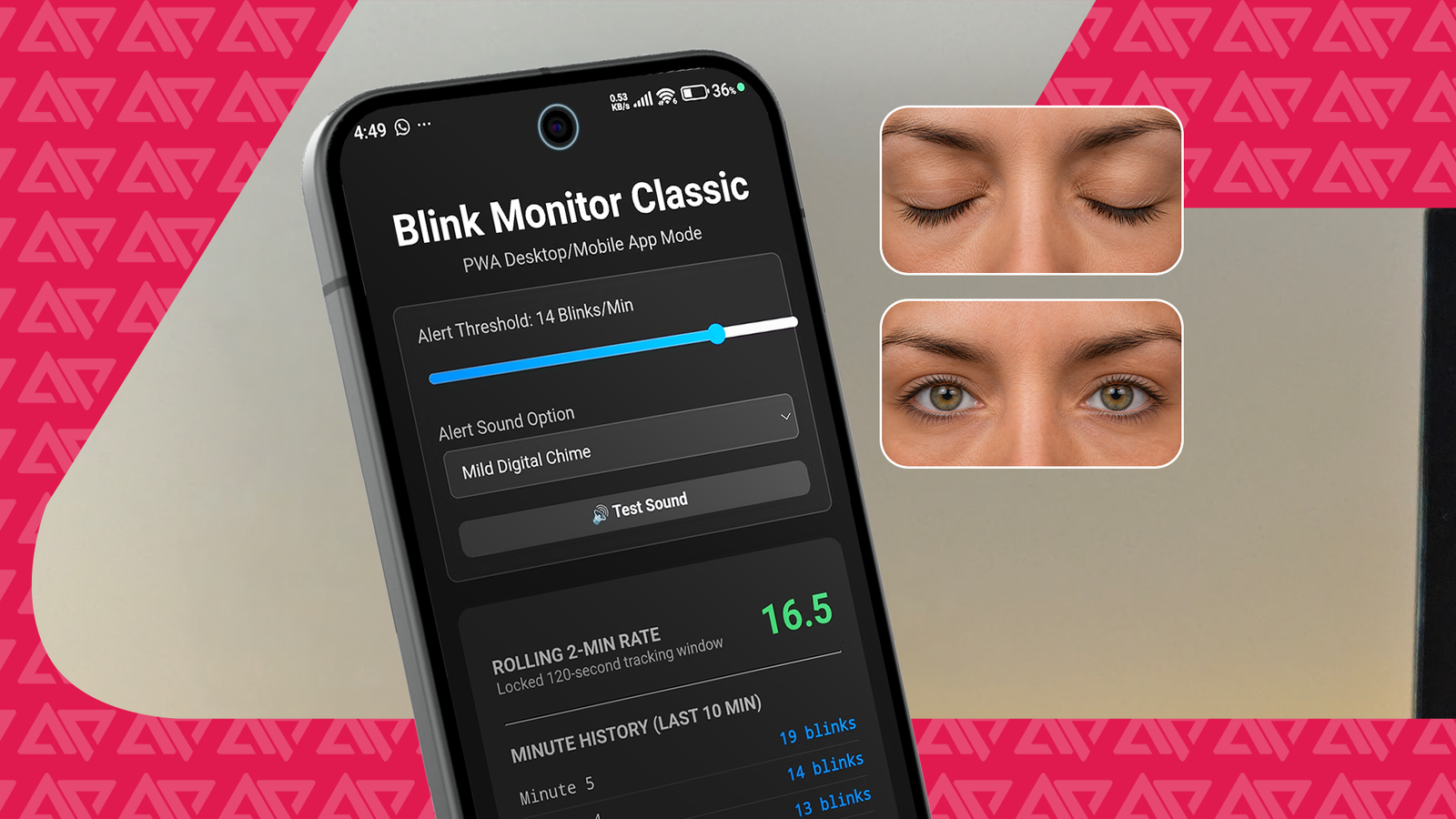
Published Jul 30, 2026, 6:00 AM EDT Passionate about the ever-evolving world of consumer technology, he spends a big part of his day observing the latest developments in Android, smartphones, wearables, and a variety of mobile accessories. He wrote for Android Headlines for about a year, starting in 2023, before moving on to cover the more interesting smartphone space at Gizmochina. When he’s not at his desk, you’ll usually find him behind a camera, capturing moments through the lens. One of the most common pieces of advice about protecting your vision is to reduce your screen time. However, avoiding screens is not the most practical solution for everyone. I was advised to follow the 20-20-20 rule to reduce my digital eye strain: Every 20 minutes, look at something at least 20 feet away for 20 seconds. But it's difficult to follow this method when you’re trying to focus on something. So I wanted to find a more practical solution: a tool that could monitor my blink rate and remind me to blink when it drops below a healthy level. The problem: Your blink rate drops drastically while you focus on a screen Why I built a blink tracker instead of following the 20-20-20 rule I did some research on digital eye strain, and apparently, it's primarily driven by a drastic drop in how often you blink. We normally blink about 15 times per minute, and according to studies, it drops by half when looking at screens. The solution: Let your phone remind you to blink. After all, your devices have what it takes to track a blink. I looked for an app on the Google Play Store and Microsoft Store for tracking and stats, but I couldn't find one. So, I asked Gemini to build a tool to make it happen, and the result surprised me. Gemini created a single downloadable HTML file that uses the front camera to track blinks and records the number of blinks per minute over the last 10 minutes. It was exactly what I asked for. But the tool has more. Gemini understood the intent and added an alert feature. It plays a sound when the blink rate drops below a certain level. There are three alert sounds to choose from. I can also choose an alert threshold between 10 and 15 blinks per minute. I was especially surprised by the alert logic. A sudden drop in blink rate would barely affect the overall average blink rate. So the alert feature would be somewhat useless for long sessions. Gemini figured out the problem and based the alert on a rolling 120-second tracking window. But there was another problem. It would stop tracking whenever I left the browser window, which made it useless. I won't just stare at the camera feed and the changing blink rate. In the second version, Gemini added an "Enable Background Mode" option. It opens a picture-in-picture window, allowing you to do whatever you want while preventing the browser from forcibly stopping the camera processing. Now I get non-intrusive alerts whenever my blink rate drops below a healthy level during focused work. This tool is intended to help improve blink rate and is not a substitute for medical advice or supervision in case of discomfort or vision problems. From a single HTML file to a practical, privacy-friendly tool Credit: Debasish Mandal / Android Police The setup process is a little bit more complicated than asking Gemini to build the tool. Android would not allow camera access unless the file was hosted on an HTTPS-enabled site. Platforms like Netlify or Vercel make it easy for you. It's reasonable to be concerned about data privacy here. After all, this AI-made tool uses your selfie camera feed. It turns out that all the processing happens entirely on-device. Gemini uses Google's MediaPipe Face Mesh, a lightweight machine learning model that runs locally inside your browser. No external API or remote server receives the camera feed from this tool. As a result, it only requires internet access to load the file from the HTTPS site. The downside of native processing is that it's about as demanding as scrolling through Instagram. And here's the best part: I can ask for any addition or refinement to the tool, and Gemini returns the updated version in seconds. It's completely free and allows anyone like me, without coding knowledge, to transform cool ideas into useful tools. Up to this point, the tool is a simple HTML file hosted online that you can open in Chrome. The easiest way to get an app-like experience is to add a shortcut to the home screen. Turning it into an app I wanted it to look like an app, and Gemini had a solution to that, too. Google Chrome can create an installable APK package for projects like this, given you feed it the right ingredients: an app icon, a manifest file, and a service worker. Again, AI can generate the files and link them together. You host them in one place and get the link. For Google Chrome, it qualifies as an installable app. It generates a lightweight APK using a Google server behind the scenes and allows you to install it on your device. It's still technically different from an actual app you can find on the Play Store. But it's more than enough to get you excited about implementing your cool ideas. You can always learn more, iterate the project quickly, or maybe end up with something that can be published on the Play Store. The bigger takeaway is that AI has made it much easier to turn small ideas into working tools. I wanted to implement a simple idea to track my blink rate but ended up with a functional tool with alerts, background tracking, and an app-like experience, without writing a single line of code. Turning your ideas into reality has never been easier AI is making personal software projects accessible to everyone Only four years ago, turning ideas like this into reality would have meant learning programming for months, building an app, and spending weeks debugging. Today, you can start with a conversation on your phone. The blink tracker isn't revolutionary on its own. What's remarkable is how quickly my everyday problem became a working solution that I could refine simply by typing suggestions. That's the real shift AI brings: it lowers the barrier between having an idea and testing whether it actually works. Whether I keep this project as a personal tool or eventually turn it into a real app almost doesn't matter. What matters is that it's never been easier to experiment.
Staring at your screen too long? I used Gemini to build a tool Android doesn't have (yet)
Full Article
Original Source
Read the full article at Androidpolice →KhanList aggregates and links to publicly available news content. We do not host full articles from third-party sources. Always verify important information with original sources.