
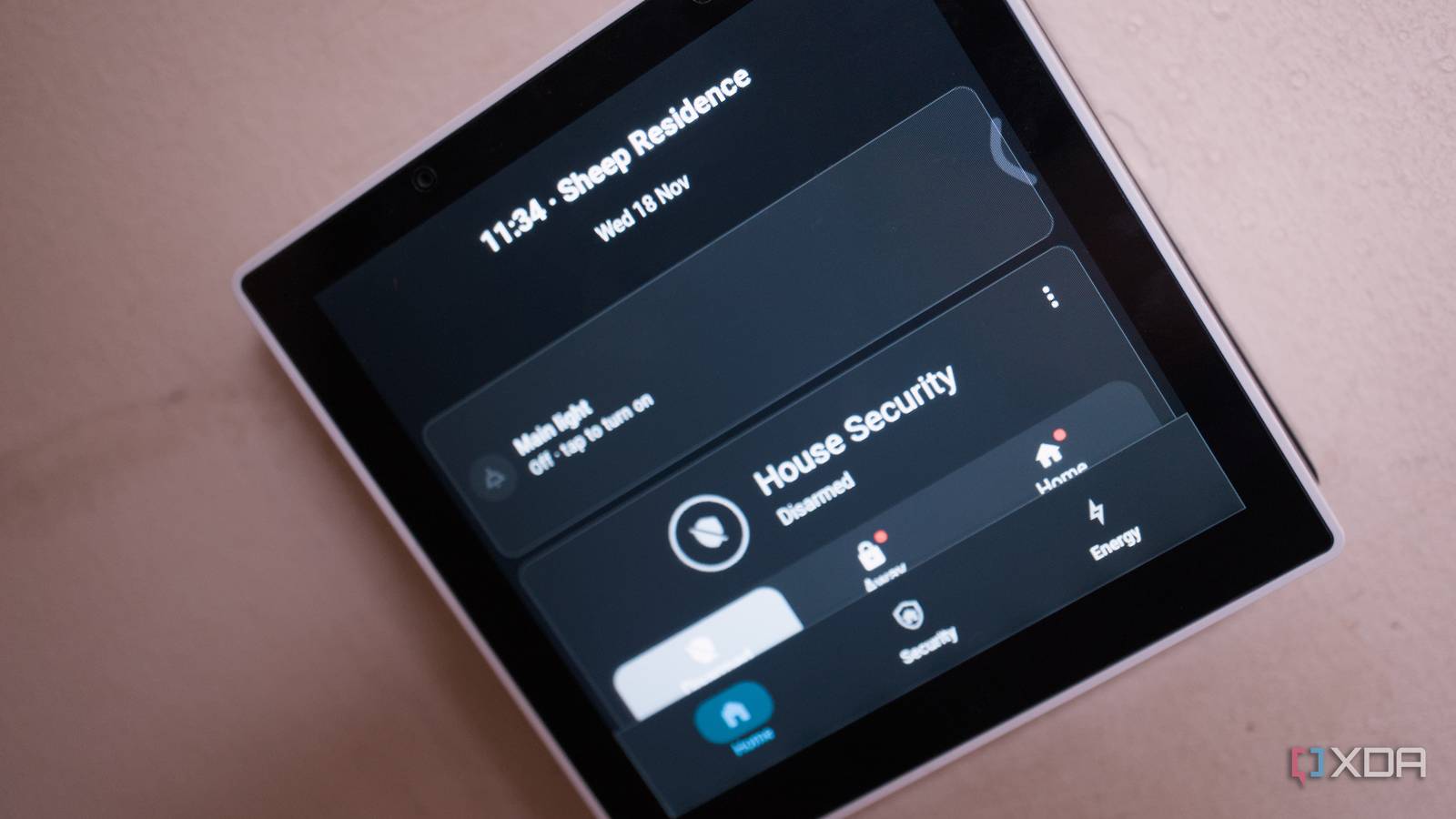
Published Nov 18, 2026, 10:00 AM EST Richard is the PC Hardware Lead at XDA and has been covering the technology industry for almost two decades. He's been building PCs since young, and when not creating content, you can often find him inside a chassis somewhere. I wanted to escape the clutches of Jeff Bezos when it came to my home alarm system. We used Ring throughout, including sensors and even the doorbell. The latter part of the setup is brilliant. I'm a big fan of the doorbell and believe it to be among the best in the business, but the wider ecosystem requires a subscription and locks you in without offering the means to really use all the devices with other platforms. That's why I decided to build my own alarm system using Home Assistant and Alarmo. Home Assistant is the foundation It's already running most of the home It's probably no surprise that I'm using Home Assistant as the base for the home alarm system. The platform already handles and manages Zigbee networking, smart home automations, and much more. It's absolutely terrific for those looking to save money on recurring subscriptions without sacrificing functionality. What's more, everything interconnects, regardless of brand, so I can effectively mix devices and hardware depending on price and feature sets. For the Zigbee network, it's essentially mostly Sonoff, and that's largely by accident. I don't have any brand loyalty, and the same goes for Sonoff. That said, the hardware I have used from the company has all been flawless. I have an army of smart plugs handling heating controls, monitoring power draw of devices, office setups, and the home lab, and I picked up a few door/window sensors, motion sensors, and a smart display running Android. I could have gone with an e-ink display or an old Android tablet for the alarm system interface, but the Sonoff NSPanel Pro Gen2 is perfect for what I needed. Our old cottage doesn't have an abundance of power outlets, most notably in the hallway, which has just one halfway through. We had the old Ring keypad connected here, but it's often in the way, and the cabling looks untidy. I was going to wall-mount a tablet and then charge it every other day, but then I came across the NSPanel from Sonoff. Meet the NSPanel Pro Gen2 It has everything you need for a smart home interface First, the model I bought is specifically designed to fit inside a light switch box. That's right, it doesn't get wall-mounted per se, but rather hard-wired into the light circuit. This is brilliant for a situation such as ours, where outlets are a premium, and we have a compatible light switch box that can house the Sonoff panel. Powering the device with live cabling and using Zigbee bulbs in the connected light fixture would be a done deal, but the Pro Gen2 has a party trick — relay switches! Inside the unit are two relay switches. These can physically connect and disconnect the light from the power source, acting as a light switch. Granted, if the screen is off, there aren't any physical buttons to toggle the light. But the screen is usually connected, and we have batteries for power outages, so we shouldn't find ourselves in that situation. It's great, though, to be able to tap the screen and hear the relay click when the light turns on and off. And that display allows for anything to be shown to household members and guests. Home Assistant is incredibly versatile when it comes to data and how it's presented, with full customizations that can be made by many of the frontier AI models available today. Simply ask ChatGPT to make your Dashboard look pretty, and you'll have a truly unique offering that could be made responsive for something as compact as this Sonoff display. Under the hood is Android and a relatively weak processor, but it has enough grunt to handle what we need it to do. Thankfully, it has the ability to install third-party apps, and Home Assistant is one such option. The software runs great on the display, and we can customize it to show the Alarmo modes and keypad, energy charts for the PV system, and heating controls for the various oil-filled radiators connected to smart plugs. Where it almost falls apart eWeLink ... an almost mandatory cloud connection After some digging, because I hadn't heard of the platform before setting up the NSPanel, I worked out that eWeLink is the chosen cloud-based infrastructure by Sonoff to handle all its hardware. That, unfortunately, includes the display. This wouldn't be an issue if it were optional, but it's not. I can handle everything internally with regard to running Home Assistant itself and not connecting outside the LAN, but to use the relays and other sensors, it all requires the cloud. There is a workaround, which involves the installation of a Home Assistant integration called Sonoff LAN, which works with original Sonoff (eWeLink) firmware with no need to flash hardware. It can work over the local network and/or the cloud server, works with devices without DIY mode, supports single- and multi-channel devices, and can handle instant device state updates. So, now the screen is effectively locally managed, but it still requires an eWeLink account to begin with. But what I have is a local-first alarm system with a clear and reliable way to interact with the system itself, as well as energy and other related content within Home Assistant. I don't need to pass through access to guests, and there's a way to flip a setting or change the alarm mode without having to grab the phone from one of our pockets as we pass it by when moving between rooms. It's not perfect, and I would prefer everything to be local, with a proper digital light toggle to be displayed alongside the Home Assistant dashboard, but it's a great upgrade from a dumb light switch.
Sonoff's smart home display is great for a DIY alarm system, but it has one almost deal-breaking flaw
Full Article
Original Source
Read the full article at Xda-developers →KhanList aggregates and links to publicly available news content. We do not host full articles from third-party sources. Always verify important information with original sources.