
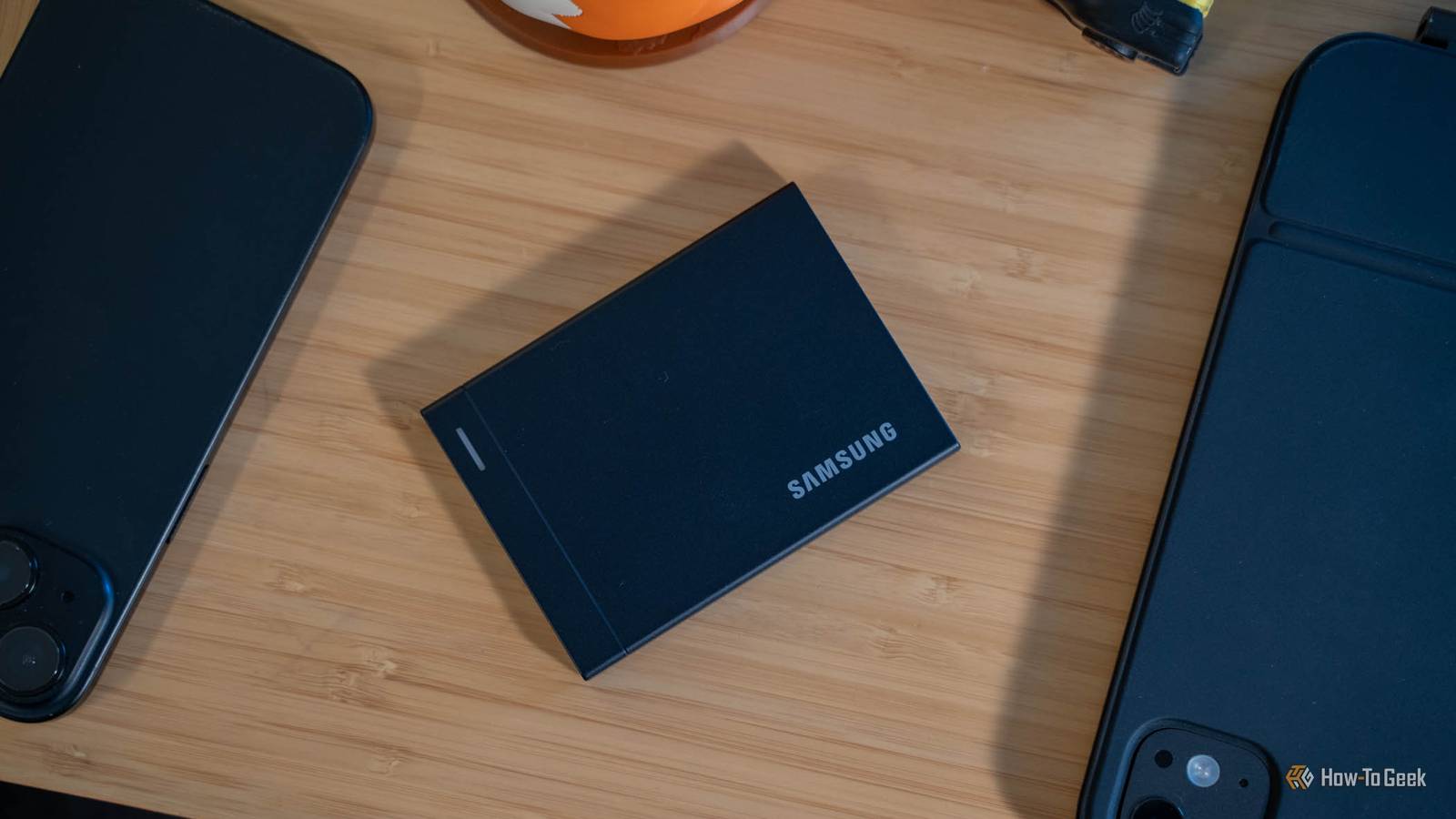
Published Nov 12, 2026, 7:30 AM EST Samsung's first USB4 drive is pricey, rugged, and fast enough to edit from. I've tested a lot of fast portable SSDs, and Samsung's P9 is the first that keeps up with my internal drives If you're a video editor, photographer, or other power user that needs ultra-fast portable storage, the options are relatively limited. Samsung's latest P9 USB4 External Solid-State Drive changes that, though, with up to 4,000MB/s transfer rates. I've spent the past few weeks with this tiny-but-mighty portable drive, and it has made it easier for me to edit photos and videos both at home and on the go. Though expensive at $650 for the 2TB model, I think this drive is absolutely worth it if you need internal drive performance from a USB SSD. Samsung P9 USB4 External SSD 8/10 Capacity 2TB (also 1TB, 4TB, 8TB) Power USB bus-powered Speed Up to 4,000MB/s read, 3,800MB/s write Connection USB4 Gen 3x2 (40Gbps), USB-C Samsung's P9 USB4 portable solid-state drive is one of the first 4GB/s drives to hit the market. With a 40Gb/s USB4 port backing it, this compact drive delivers transfer speeds that rival internal NVMe drives, but using a portable USB-C cable design instead of requiring an internal M.2 mount. Pros & Cons Up to 4GB/s transfers over USB4 Holds strong speeds on long sustained writes Compact metal design with a 6.5-foot drop rating Stays cool under heavy load Works across Mac and Windows Expensive, especially at higher capacities Needs a full 40Gbps USB4 port for full speed No IP rating for water or dust Price and availability The Samsung P9 USB4 External SSD comes in four sizes ranging from 1TB to 8TB with pricing starting at $340. It is available to purchase at Amazon, directly from Samsung, and B&H Photo Video. Specifications Capacity 2TB (also 1TB, 4TB, 8TB) Power USB bus-powered Speed Up to 4,000MB/s read, 3,800MB/s write Connection USB4 Gen 3x2 (40Gbps), USB-C Portable Yes Durability 6.5-foot drop resistance, no IP rating Warranty Limited 5-year Dimensions 3.54 x 2.56 x 0.33 inches Weight 3.39 oz (96g) Upgradeable No Brand Samsung This is the first portable SSD that feels like an internal drive Twice the T9's speed, if your port can keep up I have used many "fast" portable drives. PNY's Duo Link V3 is my favorite flash drive that I've ever used—it's fast and compact with around 1GB/s transfer speeds. Crucial's X10 portable SSD was one of the first portable drives that I used which started to feel more like internal storage than just something plugged into my computer. The previous-generation Samsung T9 could even hit 2GB/s transfer rates. The Samsung P9 takes portable drives to a whole new level that I've never experienced before. With transfer speeds rated at 4,000MB/s read and 3,800MB/s write (4GB/s and 3.8GB/s), I was quite skeptical going into this review that I would actually hit those speeds. However, with the right cable and computer, it is entirely possible to move data faster than a PCIe 3.0 NVMe drive over a USB cable. On my M1 Max MacBook Pro, I saw transfer speeds of 3,450MB/s read and 3,163MB/s write in AmorphousDiskMark. On Windows, using DiskSpd, I saw transfer speeds of 4,066MB/s read and 3,265MB/s write. While I didn't quite hit the 3,800MB/s write speeds that Samsung claims, I still got pretty close to what it showed and even overshot the read speeds by a hair. Normally, I expect to come in under what a manufacturer claims for transfer rates as they always report "ideal conditions" and testing in the real-world is never ideal. This drive holds up well with long writes Barely noticeable slowdowns only show up after hundreds of gigabytes Those numbers above are just benchmark numbers, though. Whenever I tested the drive with real-world file transfers, it felt just as fast. I moved around 1.8TB of data from my MacBook to my desktop when I moved from macOS to Windows a few weeks ago and it only took about 20 minutes to transfer all the files. When doing small file transfers, I definitely saw the 4,000MB/s read and 3,000MB/s+ write speeds. But, during longer sustained writes, transfer speeds definitely fell some. Rates didn't drop to abysmal speeds—it actually held up at about 1,800MB/s for me when I was writing several hundred gigabytes at a time. This lines up with what Samsung rates the drive at. After TurboWrite (the caching system of the drive) is full, it should sit at around 2,000MB/s transfer speeds. I did see a little bit of a further drop off after around 250GB was transferred, with speeds falling to around 1,655MB/s, but that's honestly not bad at all for an external drive like this. Overall, this is the absolute fastest external drive that I have used and one of the fastest on the market. Samsung is definitely showing its strength here. Plug it into the wrong port and all the benefits go out the window Your 10Gb/s ports cut it to old-drive speeds This should go without saying, but I'll say it anyway: you need a full 40Gb/s USB4 port to take full advantage of this drive. If it gets plugged into a 10Gb/s port, you'll lose 75% of the speed the drive has to offer. Same with a 20Gb/s port—you'll lose 50% of the speed. The thing is, not all USB4 ports are created equal. I have a Strix Halo desktop that has USB4 on the front of it and it refuses to see this drive at USB4 speeds. My MacBook Pro and Lenovo Yoga Mini PC both see it at 40Gb/s speeds (using the same cable). That port seems finicky though, as it works with other USB4 devices just fine at the full 40Gb/s bandwidth. But, it does go to show that USB4 is a very finicky standard. I still remember when USB 3.0 came out and people fell back to using USB 2.0 when installing an operating system because it was more reliable—this feels like that. It's not Samsung's fault—the drive works exactly how it should in multiple computers. But, it's definitely worth noting that if you don't plug it into a compatible port, it will slow down. Thankfully, the drive supports USB 3.2 Gen 2x2 which is 20Gb/s, USB 3.2 Gen 2 10Gb/s, and USB 3.2 Gen 1 5Gb/s. So, you'll get the fastest transfer speeds possible of whatever port you plug it into. This drive is rugged enough to handle just about anything you throw at it Just don't drop it in a puddle I don't know about you, but my technology has to withstand quite the beating. Outside of my laptop and iPad, I really just toss stuff in my laptop bag and say, "Good luck!" The P9 has withstood everything that I've put it through. Not only can it stand up to daily wear and tear, but it actually is rated for a 6.5-foot drop and the shock that goes along with it, as well as being able to withstand running in hotter environments. Under load in my office, it never got above 37°C and that was after writing 1TB of data consistently. One thing I wish Samsung would have added here is some form of IP rating to protect it from water intrusion. Even a low rating, like IP54 would have been nice to see. As it is, the only "durability" that Samsung gives the drive is a 6.5-foot fall resistance. Should you buy the Samsung P9 USB4 External SSD? Realistically, I think there are very few reasons that one would need 4GB/s transfer speeds on an external SSD. However, if you do need to move data that fast, then Samsung's P9 is one of the best options out there, even at $650 for the 2TB version. The thing is, building a DIY NVMe enclosure that could get anywhere close to the read/write speeds of the Samsung P9 will set you back around $460, if not more (depending on the drive you choose). The P9 is an all-in-one system that's plug-and-play, and there's a lot to be said for that. At the end of the day, I think the Samsung P9 USB4 external SSD is a fantastic piece of expensive tech that lives up to the hype if you need blazing-fast read and write speeds on the go. It has become my new go-to portable drive for on-the-go photo and video editing, and I absolutely love it. Samsung P9 USB4 External SSD 8/10 Capacity 2TB (also 1TB, 4TB, 8TB) Power USB bus-powered Speed Up to 4,000MB/s read, 3,800MB/s write Connection USB4 Gen 3x2 (40Gbps), USB-C Samsung's P9 USB4 portable solid-state drive is one of the first 4GB/s drives to hit the market. With a 40Gb/s USB4 port backing it, this compact drive delivers transfer speeds that rival internal NVMe drives, but using a portable USB-C cable design instead of requiring an internal M.2 mount.
Samsung P9 USB4 portable SSD review: 4GB/s speeds that hold up on long transfers
Full Article
Original Source
Read the full article at Howtogeek →KhanList aggregates and links to publicly available news content. We do not host full articles from third-party sources. Always verify important information with original sources.