
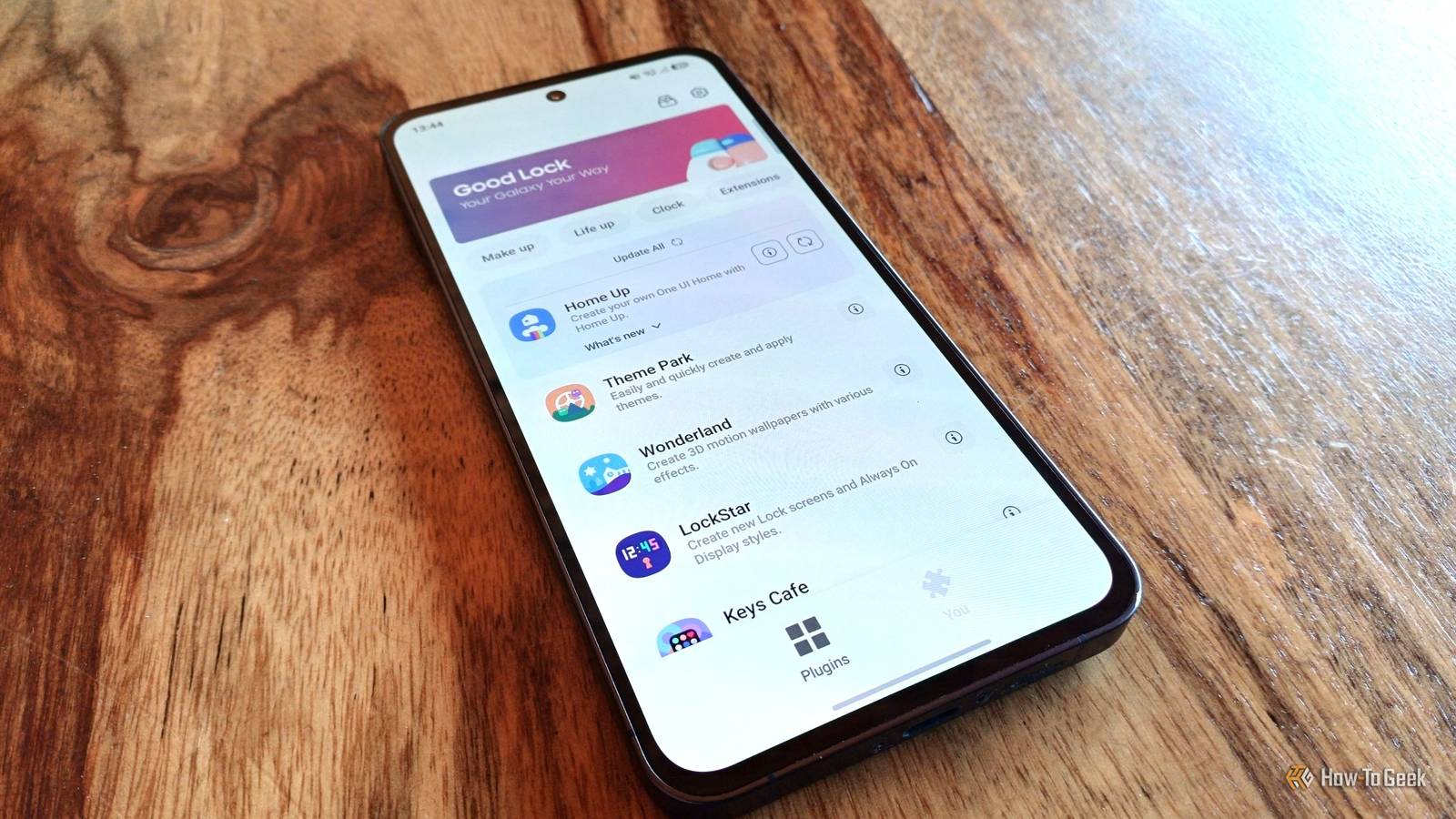
Published Nov 10, 2026, 4:30 PM EST Tyler is an journalist and content contributor at How-To Geek with over three years of experience covering the automotive and tech industries. His work focuses on delivering clear, well-researched, and engaging content that helps readers better understand the vehicles they drive and the technology that they use everyday. Before entering automotive media, he spent five years as an academic editor, developing a strong foundation in research methodology, factual accuracy, and structured analysis. This background informs his journalistic approach today, ensuring that every article balances technical insight with accessibility for a broad audience. One of the big benefits of Samsung devices is that they are pretty deeply customizable. However, if you're looking to take things a step further, then you absolutely need Good Lock. It is a free and official suite of modules designed by Samsung to give Galaxy users the ability to deeply personalize their devices, boost productivity, and streamline navigation. There are a ton of different modules in Good Lock, and most of them are pretty useful. However, whether you're an enthusiast or just a casual user, there are some modules that are so good everyone should have them installed. I run through some of the top Good Lock modules in this list and how they can improve your Galaxy experience, ranking them based on just how big of an impact they make to your day-to-day use of your phone. LockStar Customize your lock screen LockStar is a pretty useful module, with it giving you deep customization of your lock screen and your always-on display (AOD). The coolest part about it is that you can add unblocked app widgets directly to your lock screen. You also have the ability to edit the layout however you want, without widgets or apps being locked to a grid. The module also allows you to give your Galaxy custom unlock effects and extend the lock screen display timeout. Keys Café A must-have if you use Samsung Keyboard There are a lot of popular keyboard choices out there for Android devices, but the default option on your Galaxy device is actually pretty solid. It gets even better if you install the Keys Café module. It offers so much more customization over Samsung Keyboard, allowing you to do things like build custom shortcuts, use custom gestures, design personalized themes, and even completely rebuild your keyboard's layout. It even offers some typing insights, allowing you to see how quickly you type as well as showing you a heat map of your common typos. Camera Assistant Your Galaxy can take better photos than you think As someone who pretty frequently uses the camera on their Galaxy device, the Camera Assistant app has definitely helped me take better photos. It gives you quite a lot of control over your camera app as well as the way that your device processes images. There are a lot of really useful features in this module, including the ability to soften Samsung's heavy processing, capture images the second you push the shutter button, disable auto lens switching based on digital zoom or lighting, and add a manual toggle for night mode. You can also enable a 24MP resolution, which gives you a good middle ground between 12MP photos and 50/200MP photos. Routines+ More functionality for an already powerful feature Modes and Routines already exist as one of the most underrated and powerful features on Samsung Galaxy devices. It gives you the ability to automatically control your phone's settings and behaviors based on things like your location, the time of day, or what you're doing. Routines+ takes this a step further, giving you even more control. You can set it up to do things like open specific apps when you unlock your phone with a specific fingerprint (thumb/index finger, etc.), create touch macros that replay when a routine is triggered, and enhance your Now Brief with timely and contextual cards. There is a ton you can do here, and the module is best explored to really understand its scope. RegiStar I like to play around with my Samsung's settings, and I change things up pretty frequently. This means that I am often going back to the same places in my settings menu. RegiStar has worked really well for me, allowing me to completely reorganize my settings menu in a way that works for me. It also creates a log of all the changes you make to your settings, making it easy to back track on things when you change your mind. This isn't all this module does, though. The star of the show here is actually an extension to your Shortcuts and Gestures settings. You can add back-tap actions, where you tap the back of your phone to execute specific actions. You can also remap your side button so that it does different things when you press it and hold it down. Home Up Perfect for advanced customization If you're looking to customize the experience of your Samsung, then Home Up is perhaps the most impactful Good Lock module that you can install. It has an extremely long list of uses, giving you the ability to change just about everything about your device. You can completely customize the layout of your home screen, change how the recent apps window works, adjust how folders look, change transition animations, configure custom gestures, and alter your edge panel. You can make your Samsung device completely unique to this module. Sound Assistant Take control of your device's audio A lot of the features in this module are so good that I feel they should be integrated as default settings. One of my favorite features is that it allows you to set different volume levels for individual apps, meaning you can have your music player loud and your Instagram Reels quiet. Other great features include being able to set which apps can play sound at the same time, changing the rate at which pushing the volume button changes the volume, altering what your volume keys do, and integrating a voice changer into certain apps. The best part of this module by far is that you can customize your volume panel. Not only can you change its appearance, but you can change where it appears on the screen, have it show the volume level, and show dual app volume sliders. You can also add modules to the expanded panel, such as an equalizer, a toggle for live captions, and a shortcut that takes you to the Sound Assistant module. One Hand Operation+ Use your thumb for everything Phones have gotten quite big over the years, and it is harder than ever to use them one-handed. While there are some decent settings for one-handed use, the One Hand Operation+ module makes using your Samsung so much more convenient. You can add gesture handles to the left or right side of the screen, making using it with one hand much more comfortable. When active, the gesture handles can be customized in a ton of different ways. You can change what swiping to the side does, as well as add custom actions to diagonal swipes too. You can have these swipes do anything from opening a Quick Tools panel to a more accessible task switcher. The custom panels for one-handed mode are so incredibly useful and worth playing around with. Good Lock has a ton of useful modules While the eight modules on this list are definitely some of the most impactful on offer in Good Lock, there are a ton of other modules too. The default Samsung environment is great, but if you're not making use of Good Lock, you're simply missing out on some of your phone's most useful and powerful features.
Ranking the 8 Good Lock modules that do the most for your Galaxy phone
Full Article
Original Source
Read the full article at Howtogeek →KhanList aggregates and links to publicly available news content. We do not host full articles from third-party sources. Always verify important information with original sources.