
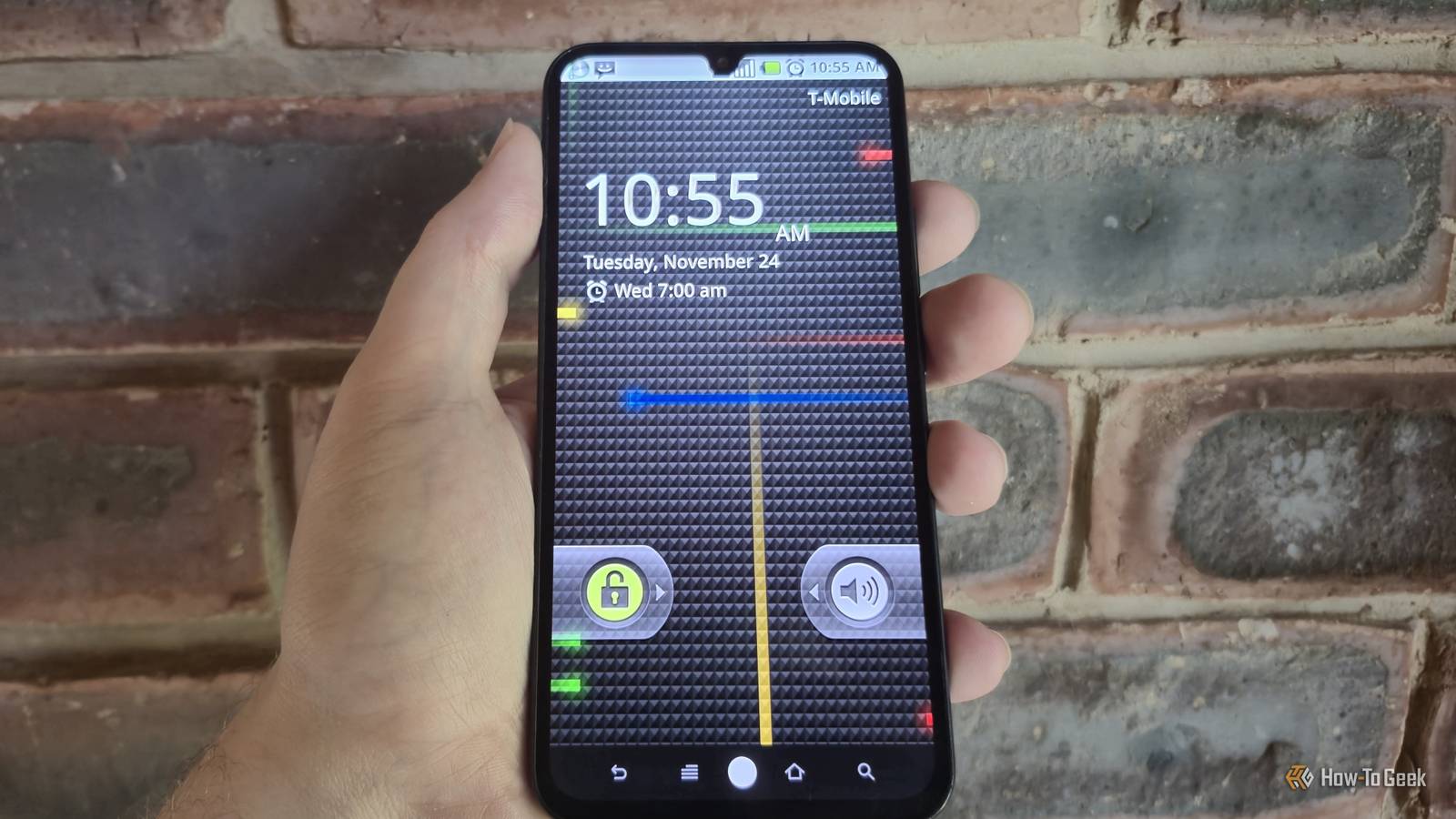
Published Nov 25, 2026, 4:31 PM EST Tyler is an journalist and content contributor at How-To Geek with over three years of experience covering the automotive and tech industries. His work focuses on delivering clear, well-researched, and engaging content that helps readers better understand the vehicles they drive and the technology that they use everyday. Before entering automotive media, he spent five years as an academic editor, developing a strong foundation in research methodology, factual accuracy, and structured analysis. This background informs his journalistic approach today, ensuring that every article balances technical insight with accessibility for a broad audience. Android smartphones have come a long way from their humble roots, and a lot has changed over the years. They have become pretty impressive devices, with a seemingly endless flow of features added all the time. While they are more powerful and practical than ever before, they don't quite capture the charm of early Android devices. A newly launched web-based project lets you revisit the whimsy and fun that defined the operating system years ago. Without downloading anything, you can experience old Android versions as they ran on a list of old Google smartphones. It's a project that kept me entertained for longer than I cared to admit, and gave me perspective on how much more fun getting a new phone used to be. Android Time Machine is a browser-based Android simulator Revisit old Android builds and Nexus phones Android Time Machine is a really cool project that I stumbled upon this week. The open-source project, published by szabolevi, is a simulator that allows you to revisit some of the most iconic Android versions ever released. It simulates these Android builds as they ran on the Google Nexus line of smartphones, which predated the Pixel. Below is a list of devices that you can simulate using the website. Nexus One - Android 2.1 Nexus S - Android 2.3.6 Galaxy Nexus - Android 4.0.4 Nexus 4 - Android 4.3 Nexus 5 - Android 4.4.4 Nexus 6 - Android 5.1.1 Nexus 5X - Android 6.0.1 Nexus 6P - Android 7.1.2 The project is clear that it is a simulator and not an emulator. The key difference is that an emulator would boot the original Android software on virtual hardware, whereas the site uses HTML, CSS, and JavaScript to rebuild the environments of these old Google smartphones. This means it boots quicker, isn't demanding, and offers demos of all the key features of each device. For any smartphone enthusiast, it is a blast of pure nostalgia. Some of the above environments were definitive in my own tech enthusiasm, and getting to experience them again was so much fun. Exploring Google's original Nexus smartphone is super nostalgic Before Google built their own phones Today we have the Google Pixel line of phones, which are designed and branded by Google. That wasn't how they got their start in the smartphone world, though. Back in 2010, when Google launched the Nexus lineup, they partnered with other smartphone manufacturers to bring devices to market. The Nexus One debuted the range, co-developed with HTC, and ran a pure version of Android 2.1 (Eclair) without manufacturer skins. It might not have been a huge commercial success, but its impact on the direction of Android going forward can't be understated. The Android Time Machine simulator lets you relive some of the coolest features of the original Nexus One smartphone, and the Android 2.1 build it shipped with. You can even use the trackball below the screen, which was cool because it lit up in different colors when you got a notification. I remember thinking the live wallpaper on the Nexus One was amazing, and seeing it again now, I'm equally impressed. The 3D app drawer is also really fun to play with. I never owned a Nexus One back in the day, but I wanted one really badly. It blew my cheap Samsung Corby out of the water. I spent ages on the site playing with other Nexus phones too Each Nexus was different from the last While Google worked with HTC to produce the Nexus One, they didn't stick with one manufacturer throughout the lineup. As the Nexus lineup grew, Google would work with different manufacturers for new releases, including Samsung, LG, Motorola, and Huawei. This meant that there was a decent amount of variance in the experience of each Nexus phone. This, of course, only made the simulator that much more fun to play with. Alongside the Nexus One, there were a couple of other phones that I was really excited to simulate. I spent a lot of time fiddling with the Galaxy Nexus in particular. Because it was co-developed with Samsung, it was one of the few Nexus phones actually available in South Africa, where I'm from. A big part of why it was so appealing to me is that Android 4.0 (Ice Cream Sandwich) absolutely changed the game back in the day. The fact that it had no hardware navigation buttons also blew my mind when I was younger. I also had a blast revisiting the Nexus 4 and 6P, as well as the Nexus 5, which many people consider 'peak Nexus'. Android Time Machine will keep you occupied for hours When I first came across the project, I thought it was cool and that it would offer a couple of minutes of nostalgia-induced fun. A couple of minutes turned into a couple of hours. While smartphones have definitely come a long way, with cutting-edge features and almost endless connectivity, Android Time Machine made me realize how much I miss the character that old phones had back in the day. Smartphones have become so homogenized in modern times, and they have lost the whimsy that they once had.
Pretend it's 2010 with this fully interactive Nexus One
Full Article
Original Source
Read the full article at Howtogeek →KhanList aggregates and links to publicly available news content. We do not host full articles from third-party sources. Always verify important information with original sources.