
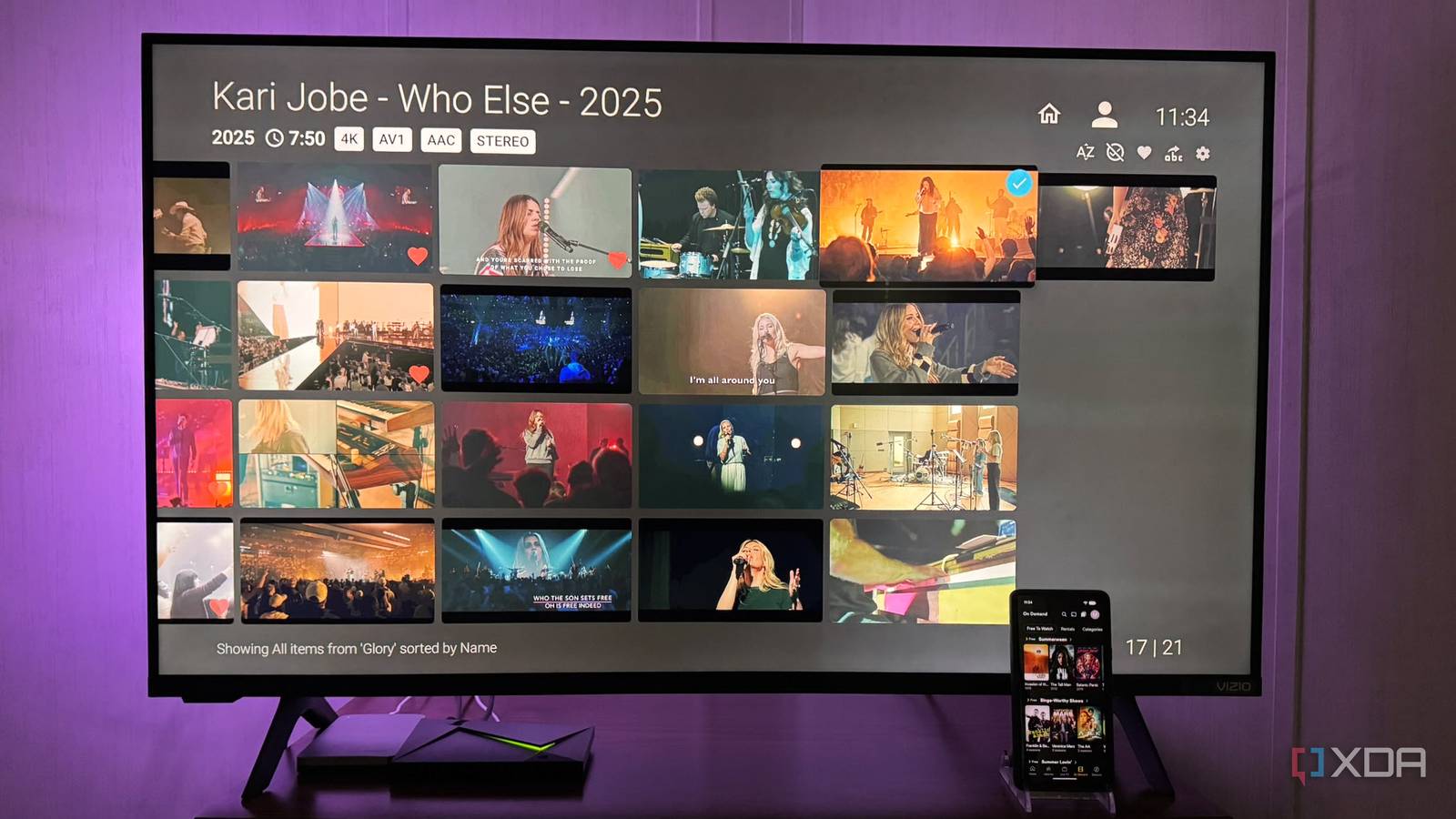
Published Sep 2, 2026, 3:00 PM EDT Based in rural Minnesota, Brian Burgess worked in IT for 10 years before finding his passion for writing about consumer technology. Brian earned his degree in computer and network technology in 2000. He held various IT positions, including help desk support, router installations for IBM, database administration, and other associate network administration roles. He's been a personal technology journalist for 18 years and has written thousands of articles about Microsoft products and services, Android, iOS, streaming, and more. He has written for notable tech sites including XDA, InformationWeek, How-To Geek, Byte, groovyPost, and others. When he is away from the keyboard, you will hear him playing guitar, working outdoors, and watching Star Trek. I've been using Plex ever since the self-hosting media server was first released. However, the company has started to nickel-and-dime users, and now some of its best features are completely paywalled behind Plex Pass. Since some of the features I like require Plex Pass, I started running Jellyfin alongside Plex with essentially the same media library. Virtually all Plex Pass features are available in Jellyfin without paying a dime. Plex's walled-off garden of features You might not notice until you need them I usually forget what features require a Plex Pass subscription until I want to use them. I find it quite irksome when the platform throws up a screen wanting me to choose a Pass package. It's no secret that you need Plex Pass to access features like hardware-accelerated transcoding and downloads, but even simple functions like skipping intros and credits require a subscription. Plex also changed its remote streaming policy in 2025, making the feature available only to Plex Pass subscribers. Every self-hosting media server admin should be able to access their personal media from remote locations. However, under the policy change, remote streaming requires a Plex Pass subscription ($7/month, $70/year, $750/lifetime) or a Remote Watch Pass ($2/month, $20/year). The company has moved features to Pass over the years since its initial rollout. It's hard to know what's next. The entire Plex service might become locked down and become subscription-based. So, to get Plex's paywalled features, I turned to Jellyfin. Using Jellyfin for Plex Pass features An eye-opening experience once I got started It took me a while to get into the Jellyfin craze and set up my server. I was skeptical that it could handle the paywalled Plex tasks well. Even though there has been dissent among the project's leadership, I still moved my media library to Jellyfin. Overall, however, I've been impressed with how well Jellyfin handles my content. Everything that's included in Plex Pass is completely free with Jellyfin. Some features require a plugin or manual configuration, like remote streaming or skipping intros or credits. Other functionality, like hardware encoding, SyncPlay (watch parties), HDR-to-SDR tone mapping, and Live TV/DVR with a compatible tuner, is built in. It's also beneficial that the community is growing, and developers have released improved clients, which are plentiful across all platforms. Some third-party clients work better with the server than others, but in the end, I always find one that does specific tasks well. Plus, I add countless plugins to my Jellyfin server to make it do exactly what I need. I'm not choosing one platform over the other I use both Plex and Jellyfin in tandem Since Jellyfin and Plex can run alongside each other on my network without conflict (that I've experienced yet anyway), I see no reason to choose one over the other. I guess I could pick Jellyfin over Plex on principle alone. It's open source, and everything is free, including a vast array of plugins. Then again, Plex can do certain things better or more easily than Jellyfin, and vice versa. However, I am ditching Plex Pass, which is likely a first step in breaking away from Plex altogether. The more I get comfortable with how Jellyfin works, get my metadata and library properly configured, and keep trying new plugins, the more I appreciate the self-hosted platform's freedom and flexibility. Sure, paying a monthly or yearly Pass to have features that "just work" without manual configuration saves time, but there's something to be said about putting in the work. It's nice to get the satisfaction of building the perfect self-hosted media system for my media. Teaming Plex and Jellyfin A strong media duo Running both lets me keep the familiar Plex system and user interface, while still switching to Jellyfin when I need functionality that's locked behind a paywall. Plex might look more polished and seem easier to manage, but once I started digging into Jellyfin, I found all sorts of cool things I can do with my media without paying a cent. Plex is fine for local-only streaming with the occasional GPU-heavy load. I use Plex for its glossy user interface and speed on my Nvidia Shield, since it's built-in and optimized for the device. When a UHD or 4K file needs transcoding for lower bandwidth or other incompatible devices, I use Jellyfin because it includes hardware transcoding. I also use Jellyfin more on various devices where I want a specific client. For instance, I might use Moonfin for theming on my phone or streaming box, and Streamyfin or Findroid for movies on Android. Jellybox is a free client for my self-hosted streaming music player. I like that it provides most of the features Plexamp includes without paying. Plenty of Jellyfin clients suit specific needs or devices. Running Plex and Jellyfin simultaneously pays off I appreciate that Jellyfin is open source and does everything that's trapped behind Plex Pass. The community also offers media-consumption customization with a wide variety of plugins and clients. It's difficult to break away from Plex, but I can't justify paying a convenience fee for features I can manually configure myself. So, for now, running both apps in tandem gives me the best of both worlds.
Plex paywalled the features I need, so I started using Jellyfin alongside it
Full Article
Original Source
Read the full article at Xda-developers →KhanList aggregates and links to publicly available news content. We do not host full articles from third-party sources. Always verify important information with original sources.