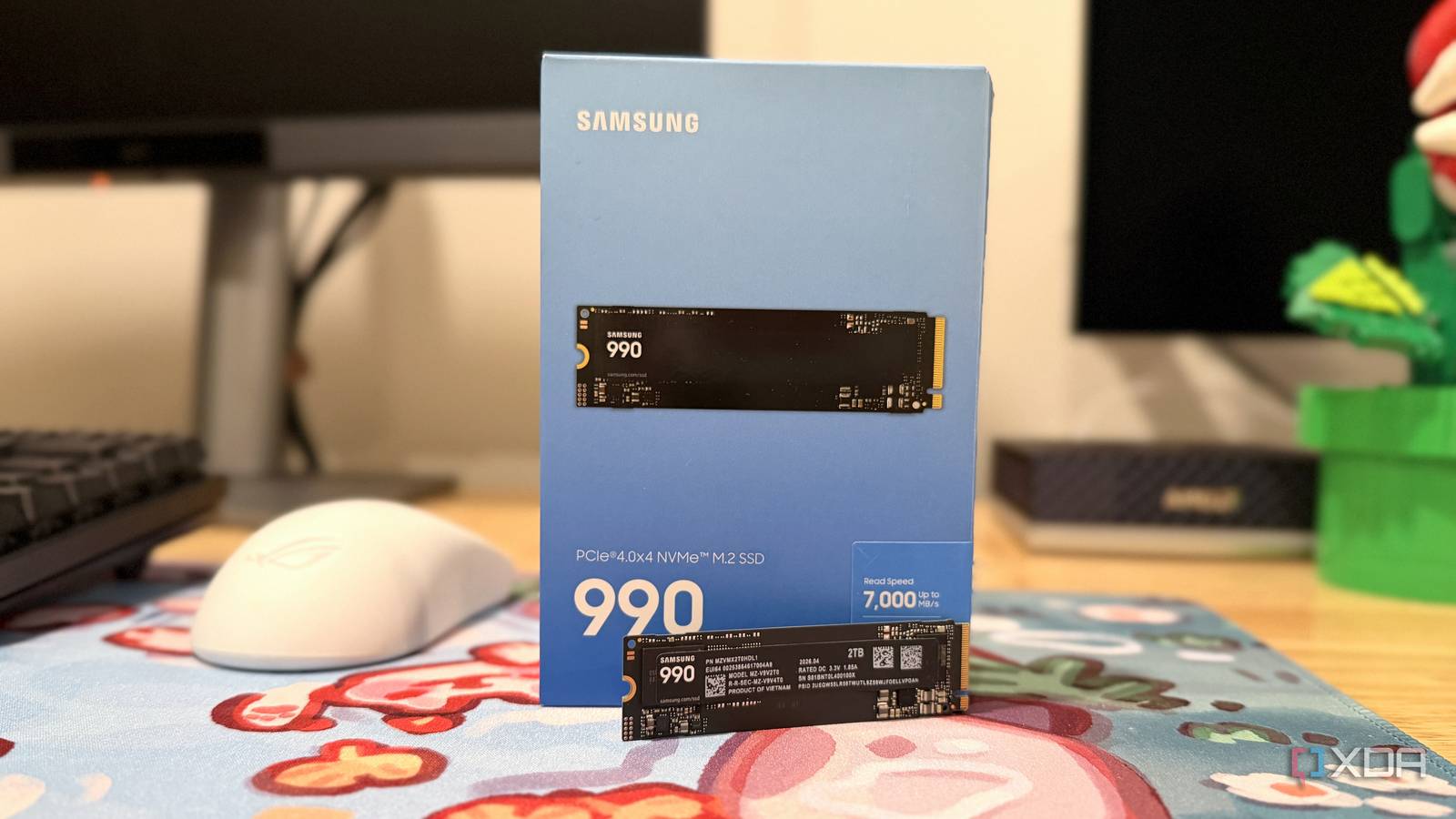
Published Jul 30, 2026, 12:00 PM EDT Maker, meme-r, and unabashed geek, Joe has been writing about technology since starting his career in 2018 at KnowTechie. He's covered everything from Apple to apps and crowdfunding and loves getting to the bottom of complicated topics. In that time, he's also written for SlashGear and numerous corporate clients before finding his home at XDA in the spring of 2023. He was the kid who took apart every toy to see how it worked, even if it didn't exactly go back together afterward. That's given him a solid background for explaining how complex systems work together, and he promises he's gotten better at the putting things back together stage since then. We’re at the point in the Gen 5 SSD generation where we should be looking forward to PCIe 6.0 drives, but instead manufacturers continue to release Gen 4 drives. Maybe that shouldn’t surprise me, since the faster speed of Gen 5 NVMe is only useful for some tasks and those aren’t the ones you run daily. Samsung knows this, and while the Samsung 9100 Pro lives up to its cost, most users will be fine with a Gen 4 drive. The two generations of PCIe aren’t that different when you consider random read and write speeds, which are what your PC does most of the time. The new Samsung 990 is a budget Gen 4 QLC SSD that still has respectable speeds, without needing the hefty heatsinks of Gen 5 drives. About this article: Samsung sent XDA the Samsung 990 SSD used, but had no input into its contents. The Samsung 900 goes back to Gen 4 basics New flash optimized for density and not speed The Samsung 900 is essentially the 990 EVO Plus, but with QLC NAND instead of SLC NAND, and it drops the ability to run at x2 Gen 5 speeds. Which is fine; it still runs at x4 Gen 4, and that’s equivalent speeds. This is not designed to be class-leading; it’s a basic drive that still can handle a lot of bandwidth. What you do get is a single-sided SSD with a controller at one end and a single NAND chip at the other, and no DRAM package. That’s the same if it’s the 1TB or 2TB version, which means lots of bare PCB. It also means that OEMs can offer this drive in 2230 or 2245 packages for smaller devices, like the Steam Deck. The 2TB version is rated for 7,250 / 6,450 MB/s for sequential reads and writes. Nothing earth-shattering, but it’s close to the maximum that Gen 4 PCIe can support. It’s also rated for roughly 4W of power draw, which is good news for laptops and gaming handhelds. Gen 5 SSDs can draw up to several times that on consumer devices, so the power efficiency here is welcome, and one of the reasons why Gen 4 drives still matter. It’s worth pointing out that while the 400TBW rating for this drive seems good, it’s spread over three years, not the usual five for SSDs. Most QLC drives are rated for five years of warranty at 300TBW, but in practice most people won’t get anywhere near these numbers. The only time it matters is if you know your workload will hammer the drive with writes, and then the 400TBW rating makes a more attractive drive. The move to release another Gen 4 NVMe SSD, even one that positions itself as “budget,” doesn’t mean pricing is sane. 1TB will cost you $270, while the 2TB capacity has a $530 MSRP, although I’ve noticed that most retailers have it on a deep discount. Samsung 990 $370 $530 Save $160 7/10 Storage capacity Up to 2TB Hardware Interface PCIe 4.0 x4 / NVMe 2.0 Brand Samsung The Samsung 990 SSD is a Gen 4 NVMe drive with decent performance and a single-sided design that fits easily in laptops, gaming handhelds, and other space-constrained devices. Pros & Cons Efficient NAND that means the PCB is mostly bare Close to maxing out Gen 4 speeds Samsung-built controller and NAND 3 year warranty instead of 5 It’s not speedy (and that’s okay) Most of your devices don’t need PCIe 5.0 speeds I wanted to test this SSD where people might be actually using it, so I popped it into the MSI Claw EX AI+. The 1TB SSD that was in there is a Micron 2500, which is also Gen 4, so I knew it would work, and the slot could handle the speeds. Running CrystalDiskMark gave respectable results for SEQ1M Q8T1: 6,708 MB/s for reads and 5,737 MB/s for writes. SEQ128K Q32T1 got closer to the full speeds, with 7,048 MB/s for reads and 5,688 MB/s for writes. RND4K Q32T16 had impressive read performance of 3,420 MB/s and 804 MB/s for writes, and RND4K Q1T1 dropped off to 63 MB/s for reads and 189 MB/s for writes. The sequential results aren’t the ones to pay attention to. The random results are, and those are respectable numbers for simulating the types of file access your computer does daily. Sequential speeds might look impressive, but how often do you shift multi-GB files around? It’s the small stuff that matters more, and this drive will perform in the same ballpark as any other Gen 4 SSD. To further illustrate the point, I’ve tested Gen 4 SSDs at Gen 3 to see how it measures up in real-world use, and it doesn’t matter. Even using SATA instead of NVMe doesn’t measurably change game boot times or other real tasks. The decision about which SSD to use then comes down to price, capacity, which form factor your device needs, and what’s available when you buy. It’s perfect for upgrading your gaming handheld As long as it uses 2280 form factor drives The storage upcharge when you buy gaming handhelds is real, and it’s not getting any better in the age of inflated NAND and RAM prices. That’s if you can buy a larger capacity to begin with, with the MSI Claw 8 EX AI+ only having a 1TB option, and the ROG Xbox Ally only has 512GB as a choice. But since they both use 2280 M.2 drives, the Samsung 990 is a natural fit. It has low power consumption, is single-sided for no clearance issues, and has a mostly bare PCB, which means a little more room for air to flow past. It didn’t take long to clone the drive with Macrium Reflect, but there was one thing to note. MSI puts a 760 MB-ish recovery partition on the drive, and you’ll want to shift it over to the end of the larger drive and then expand the main partition. Usually if there’s a recovery partition, it won’t work unless it’s at the end of the drive, at least for every laptop or handheld I’ve had to clone a drive from. But that’s the only consideration, and a few minutes with a screwdriver later, there was 2TB of storage inside the handheld, when it topped out at 1TB before. With how SSDs slow down as you get near to filling them, I don’t like having 512GB or 1TB of storage, and neither should you. It’s not enough for a gaming device. Gen 4 SSDs are still the best for most users While transfer speeds do matter when setting up a device the first time, it’s not a task you often perform. And even if you have a device with Gen 5 M.2 slots, that doesn’t mean you need to use a Gen 5 drive. PCIe generations are backward compatible, so you can use a Gen 4 drive in a Gen 3 or Gen 5 slot, and it will perform at the speed of the lower version of the two.
PCIe 5.0 SSDs are overkill, and manufacturers finally realized most people don't need them
Full Article
Original Source
Read the full article at Xda-developers →KhanList aggregates and links to publicly available news content. We do not host full articles from third-party sources. Always verify important information with original sources.