
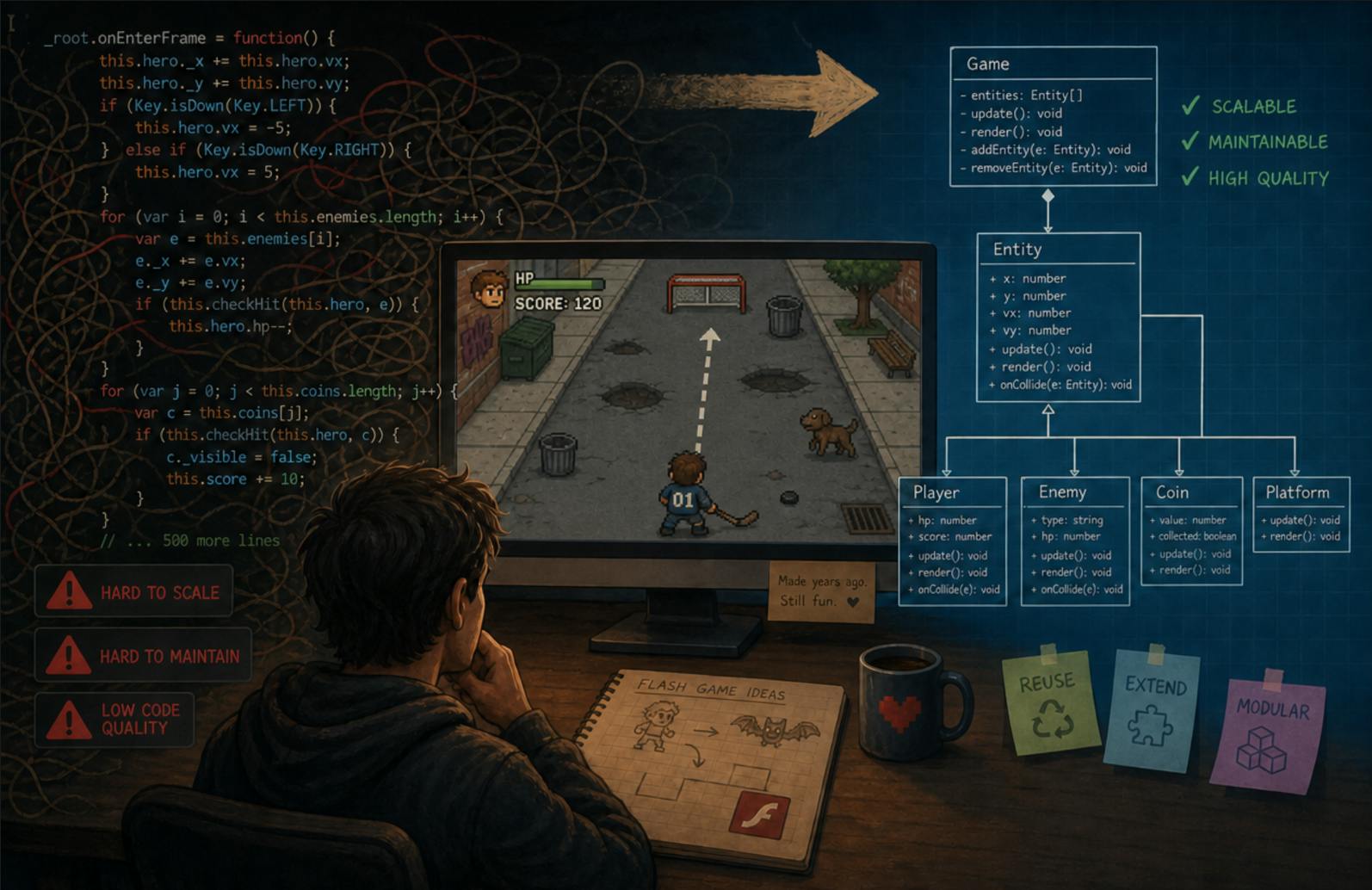
Most web developers I’ve worked with can build a React component, wire up an API route, and deploy to Vercel. What many of them can’t do is tell you what a class hierarchy is for, when to use inheritance versus composition, or why separating data from behaviour matters. This isn’t their fault. The educational model for web development is still built on the HTML/CSS/JavaScript triad, where the focus is on making things render and respond. Object-oriented principles get a lecture or two in the intro course and then never come back. The result is predictable: code duplication, spaghetti logic, and changes that require touching fifteen files instead of one. I’ve seen this pattern in every web codebase I’ve inherited. The problem isn’t that web developers are bad programmers. The problem is that they were never taught the foundational principles that make code scalable and maintainable. To illustrate what good object-oriented design looks like in practice, I’m going to walk through a game I wrote many years ago in ActionScript, which I know is a dead language, but it bears a strong resemblance to modern TypeScript. The principles are timeless. The language is irrelevant. The Problem With How Web Development Is Taught Pick up any web development bootcamp curriculum or online course. You’ll learn HTML for structure, CSS for presentation, JavaScript for interactivity. You’ll learn a framework: React, Vue, or Angular. You’ll learn about state management, hooks, components, props. What you almost certainly won’t learn is how to design a class hierarchy, when to use abstract classes versus interfaces, or how to structure your code so that adding a new feature doesn’t require modifying existing logic. This gap exists because web development evolved from a document markup tradition, not a software engineering tradition. HTML was invented for sharing scientific papers. CSS was invented for styling them. JavaScript was invented for adding minor interactivity to pages. The entire stack grew from a “make this thing show up in a browser” mindset, not a “build maintainable software” mindset. Meanwhile, on the other side of the fence, developers working in Java, C++, C#, and even ActionScript were learning object-oriented design from day one. They were thinking about inheritance hierarchies, interface contracts, encapsulation, and polymorphism as foundational skills, not optional advanced topics. Web development grew up, but the educational model didn’t follow. Modern web applications are as complex as any desktop application ever was. They have state machines, data layers, rendering pipelines, and business logic that spans dozens of modules. But the people building them are often working with tools and mental models that were designed for a simpler era. What OOP Actually Gives You Let me be specific, because the textbook definitions of encapsulation, inheritance, and polymorphism are useless if you don’t know what problem they solve. Inheritance gives you a single source of truth. When you have ten different types of objects that all need to load images, parse XML, manage animations, and handle collisions, you have two choices. You can write that logic ten times, in ten different files, and maintain ten copies when something changes. Or you can write it once in a base class and have each specialised type inherit it. When you fix a bug in the base class, it’s fixed everywhere. When you add a new feature to the base class, every inheriting type gets it. The alternative is finding every copy of the duplicated logic and updating each one, hoping you don’t miss one. Composition gives you plug-and-play behaviour. Instead of hardcoding how an object responds to a collision, you give it a collection of behaviours that are loaded from external data. New behaviour means adding a new entry to a data file, not writing new code. This is the open/closed principle in action: open for extension, closed for modification. Encapsulation gives you boundaries. Each object manages its own state and exposes only what other objects need. When something breaks, you know where to look: the object responsible for that state. Without encapsulation, state leaks everywhere, and debugging becomes archaeology. Polymorphism gives you interchangeability. When your code expects an IState interface, it doesn’t care whether the concrete object is an IdleState, a MovingState, or a ShootState. It calls enter(), update(), and exit() on whatever it receives. You add new states without touching the code that uses them. These aren’t academic concepts. They are practical tools for keeping code maintainable as it grows. And they are exactly what most web codebases lack. The Game: SharpShooter Several years ago, I built a Flash-based hockey shooting game called SharpShooter. The client wanted a simple Flash game to run a promotion. I could have simply hammered out a Flash game with everything baked in, and if the client wanted to bring it out next year, myself (or another developer) would have to obtain the original codebase, add, remove, and replace assets, code new behaviours, elements and levels. I decided instead to write an application that could be reskinned and rebranded for different promotions without touching the source code or recompiling anything. New graphics, new animations, new levels, new objects, new behaviours, all defined in external files. The game was built in ActionScript 3 using the Starling framework for GPU-accelerated rendering. The source code is available at github.com/AJCrowley/sharpshooter. Let me walk through the architecture. The Class Hierarchy The core of the game is a class hierarchy that starts with SpriteBase, which extends Starling’s Sprite class. SpriteBase handles everything common to every visible object in the game: loading sprite sheets from external image files, parsing XML definitions, managing textures, handling animations, and managing hit areas. For those unfamiliar with ActionScript, the Vector type is simply an array, so: Vector. is simply an array of strings. It’s a way of enforcing the type of elements encapsulated in an Array. public class SpriteBase extends Sprite { protected var xml:XML; protected var _mc:MovieClip; private var textureManager:TextureManager; public var stateMachine:StateMachine = new StateMachine(); public var hitAreas:Vector. = new Vector.; public function SpriteBase(spriteXML:XML) { // Load position, scale, frame rate from XML frameRate = spriteXML.@framerate; x = spriteXML.@x; y = spriteXML.@y; scaleX = scaleY = spriteXML.@scale; // Load the sprite sheet definition from an external XML file var xmlLoader:XMLLoader = new XMLLoader(path + spriteXML.@file); xmlLoader.addEventListener(XMLLoaderEvent.LOADED, parseXML); } } Above SpriteBase sit the specialised types. Actor extends SpriteBase and adds state management for interactive objects in the scene. Player extends SpriteBase and adds aiming, shooting, and aim/power logic. Puck extends SpriteBase and adds physics and collision response. public class Actor extends SpriteBase { public var id:String; public var idleState:IdleState = new IdleState(); public function Actor(xml:XML) { this.id = xml.@id; super(xml); // SpriteBase handles all the loading // Add states specific to actors stateMachine.addState(idleState); stateMachine.addState(new ActionState()); stateMachine.addState(new RestState()); stateMachine.setState(StateConstants.IDLE); } override public function reset():void { stateMachine.setState(StateConstants.IDLE); super.reset(); // Let SpriteBase do its cleanup } } Notice what’s happening here. Actor doesn’t reimplement image loading, texture management, or hit area setup. It inherits all of that from SpriteBase. It only adds what’s specific to actors: state management and the three states an actor can be in (idle, action, rest). When I later needed a Player type, I didn’t copy Actor’s code. I extended SpriteBase again and added aiming and shooting logic. This is inheritance earning its keep. Every bug fix in SpriteBase, every performance optimisation, every new feature propagates to Actor, Player, and Puck automatically. If I’d written this without inheritance, I’d have had three copies of the image loading code, three copies of the texture management code, and three copies of the animation queue logic. When I fixed a memory leak in texture disposal, I’d have had to find and fix it in three places. The State Machine Every interactive object in the game has a state machine. The state machine is built on an IState interface that defines three methods: enter(), update(), and exit(). public interface IState { function get id():String; function enter(event:Event = null):void; function update(event:Event = null):void; function exit(event:Event = null):void; } StateBase implements IState and provides default behaviour. Each concrete state extends StateBase and overrides what it needs. MovingState adds a frame listener that dispatches a move event every frame. StillState does nothing, which is the whole point. IdleState dispatches a reset event on entry. Each state also declares which states it can transition from, so the state machine can enforce valid transitions. public class MovingState extends StateBase { public function MovingState(startListener:Boolean=false) { super(startListener); fromStates.push(StateConstants.STILL); } override public function enter(event:Event=null):void { _model.stage.addEventListener(Event.ENTER_FRAME, updatePuck); } override public function exit(event:Event=null):void { _model.stage.removeEventListener(Event.ENTER_FRAME, updatePuck); } override public function get id():String { return StateConstants.MOVING; } } The StateMachine class manages all of this. It holds a vector of states, tracks the current state, and handles transitions. When you call setState(), it checks whether the transition is valid (the new state’s fromStates list includes the current state’s id), calls exit() on the old state, and calls enter() on the new one. public function setState(stateId:String):void { var newState:StateBase = getState(stateId) as StateBase; if(_state) { if(newState.fromStates.indexOf(_state.id) >= 0) { _state.exit(); _state = newState; _state.enter(); } } else { _state = newState; _state.enter(); } } This is polymorphism in action. The StateMachine doesn’t know or care what MovingState, StillState, or IdleState do. It knows they implement IState, and that’s enough. It calls enter() and exit() on whatever it receives. Adding a new state means creating a new class that extends StateBase and registering it with the state machine. No existing code changes. How many web applications have you seen where state management is a tangled mess of boolean flags and if/else chains? A state machine pattern like this solves that problem cleanly. It’s not exotic. It’s not complicated. But it’s rarely taught in web development courses. The Data-Driven Design Here’s where the architecture goes beyond standard OOP and into something more powerful. Every object, behaviour, and interaction in the game is defined in XML files. The ActionScript code knows nothing about specific game content. It only knows how to parse XML and create the appropriate objects. A scene definition looks like this: Each actor definition references its own XML file, which contains the sprite sheet data (texture coordinates for each animation frame) and, critically, the hit area definitions and collision behaviours: -200 stateAction dog When the puck hits the dog, the game deducts 200 points, plays the dog sound, triggers the dog’s action animation, and makes the puck vanish. None of this is hardcoded in ActionScript. It’s all in the XML. If the client wanted to change the penalty from -200 to -500, they change a number in a text file. If they wanted to replace the dog with a raccoon, they swap the image files and the XML. No recompilation. No source code access. This is the logical conclusion of object-oriented design: not just reusable code, but a complete separation between the code that defines behaviour and the data that configures it. The code is the engine. The data is the content. They don’t know about each other. The Behaviour System The collision behaviour system is where composition shines. Each hit area contains a collection of CollisionBehaviour objects. Each behaviour has a condition (was the puck moving fast enough? was the angle right? has this behaviour already triggered?), a puck modifier (what happens to the puck’s momentum), an animation sequence, a sound, and optional scoring. CollisionBehaviour is a class that loads its configuration from XML and executes when a collision is detected: public function execute(variables:Array = null):void { // Check if conditions are met if(condition.test(variables)) { // Apply puck behaviour (momentum changes, vanishing) if(puckBehaviour) puckBehaviour.execute(); // Trigger animations if(animation) dispatchAnimation(); // Play sound if(sound) dispatchEvent(new SoundEvent(SoundEvent.PLAY_SOUND, sound)); // Award or deduct points if(points) dispatchEvent(new ScoreEvent(ScoreEvent.SCORE, false, points)); } } CollisionCondition tests whether the collision should actually trigger the behaviour. It checks puck speed, angle, and custom variables: public function test(variables:Array = null):Boolean { if(minPower && _model.puck.speed maxPower) return false; if(minAngle && _model.puck.angle maxAngle) return false; // Test custom variables if(variables) { for each(var variable:CollisionVariable in variables) { if(!variable.test()) return false; } } return true; } Adding a new type of collision behaviour, one that only triggers on the third hit, or only when the puck is moving above a certain speed, means adding a condition to the XML. Not writing new code. The behaviour system, the condition tester, and the variable evaluator are all already built. They’re general-purpose components composed together by data. This is what composition gives you that inheritance alone can’t. Inheritance lets you share implementation. Composition lets you assemble behaviour from independent pieces. Together, they give you a system where new features arrive as data, not as code changes. How This Applies to Modern Web Development You might be thinking: this is a Flash game from years ago. What does this have to do with my React app? More than you think. Component hierarchies are class hierarchies. A React component that renders a base button, extended by a PrimaryButton that adds styling, extended by a SubmitButton that adds form submission logic, is the same pattern as SpriteBase → Actor → Player. The difference is that most web developers don’t think about it this way, so they end up with three separate button components that each implement their own onClick handler, their own disabled state, and their own styling. When the button API changes, they update three files instead of one. State management is a state machine. Redux, Zustand, Context, whatever you use, you’re managing state transitions. Most web apps do this with ad-hoc boolean flags: isLoading, hasError, isComplete, isRetrying. A formal state machine with defined transitions and invalid-state prevention is more robust, more testable, and more maintainable. The pattern I used in ActionScript applies directly to TypeScript. Configuration-driven design works on the web too. Instead of hardcoding feature flags, content layouts, and behavioural rules in JavaScript, externalise them. JSON configuration files, CMS-driven content, or even environment-specific config. The principle is the same: your code should be the engine, your data should be the content, and they shouldn’t be tangled together. TypeScript makes OOP on the web practical. Interfaces, abstract classes, generics, access modifiers. TypeScript has the tools. The problem is that most web developers learn TypeScript as “JavaScript with types,” not as a proper object-oriented language. They use interfaces for shape definitions but never for behavioural contracts. They use classes for React components but never for domain models. The tools are there. The mental model isn’t. The Cost of Not Knowing OOP I’ve inherited web codebases where the same API call was made in fourteen different components, each with its own error handling, its own loading state, and its own response parsing. A change to the API required finding all fourteen call sites and updating each one. That’s the cost of not understanding DRY (Don’t Repeat Yourself), which is OOP’s most basic principle. I’ve seen React applications where a single component file was 2,000 lines long, handling rendering, data fetching, business logic, and UI state all in one place. That’s the cost of not understanding single responsibility, which is OOP’s second most basic principle. I’ve seen state management where a component could be in an invalid state, like “loading” and “error” both being true simultaneously, because there was no state machine enforcing valid transitions. That’s the cost of not understanding state as a formal concept. None of these problems are caused by bad developers. They’re caused by developers who were never taught the foundational principles that would have prevented them. The web development educational pipeline produces people who can make things render and respond. It doesn’t produce people who can design maintainable software architectures. Those are different skills, and the gap between them is where most technical debt is born. What I’d Recommend If you’re a web developer and you’ve never seriously studied object-oriented design, here’s where to start: Read about design patterns, not just frameworks. The Gang of Four book is dense, but the concepts, factory, strategy, state, observer, decorator, are the building blocks of every well-architected system. You don’t need to memorise all 23 patterns. You need to understand that patterns exist, that they solve real problems, and that reaching for one is better than inventing a solution from scratch. Think in terms of contracts, not implementations. When you define an interface, you’re defining a contract: “anything that implements this can be used here.” This is how you build code that’s extensible without being modifiable. When your state machine accepts an IState, it doesn’t care about the concrete implementation. That’s the whole point. Separate data from behaviour. Every time you hardcode a value, a path, a configuration option, or a behavioural rule in your code, ask whether it should be externalised. Not everything should be, but the default should be to externalise, not to hardcode. The SharpShooter game is an extreme example of this: everything is externalised. Your web app doesn’t need to go that far, but the principle scales down. Feature flags, API endpoints, validation rules, and content definitions all benefit from being outside the code. Learn a language that forces OOP on you. Java, C#, or even TypeScript with strict mode. A language where you can’t avoid classes, interfaces, and type systems will teach you OOP faster than any tutorial. JavaScript lets you write object-oriented code, but it doesn’t require it, which means most JavaScript developers never do. The Takeaway The web development field has a gap in its educational foundation. We teach people how to make things appear in browsers. We don’t teach them how to design software that can grow without collapsing under its own weight. Object-oriented programming is the missing piece, and it’s not because it’s old-fashioned or irrelevant. It’s because the web development educational pipeline grew up making documents, not software, and it hasn’t fully caught up to the fact that web applications are software. The SharpShooter game I wrote years ago still runs. Its architecture still makes sense. The code is clean, the hierarchy is logical, and the data-driven design means the game could be completely reskinned and rebranded without touching a single line of ActionScript. That’s what OOP gives you: code that lasts, code that adapts, code that doesn’t require you to rewrite everything when the requirements change. If you’re building web applications and you’re not thinking about class hierarchies, interface contracts, state machines, and the separation of data from behaviour, you’re building technical debt. Not because you’re doing it wrong, but because you’re doing it without the tools that would let you do it right. Those tools are available. They’ve been available for decades. The web development community just hasn’t fully adopted them into its educational model. It’s time to fix that. The complete source code for the SharpShooter game is available at github.com/AJCrowley/sharpshooter.
Object-Oriented Programming for Web Developers: Lessons From an Old Flash Game
Full Article
Original Source
Read the full article at Hackernoon →KhanList aggregates and links to publicly available news content. We do not host full articles from third-party sources. Always verify important information with original sources.