
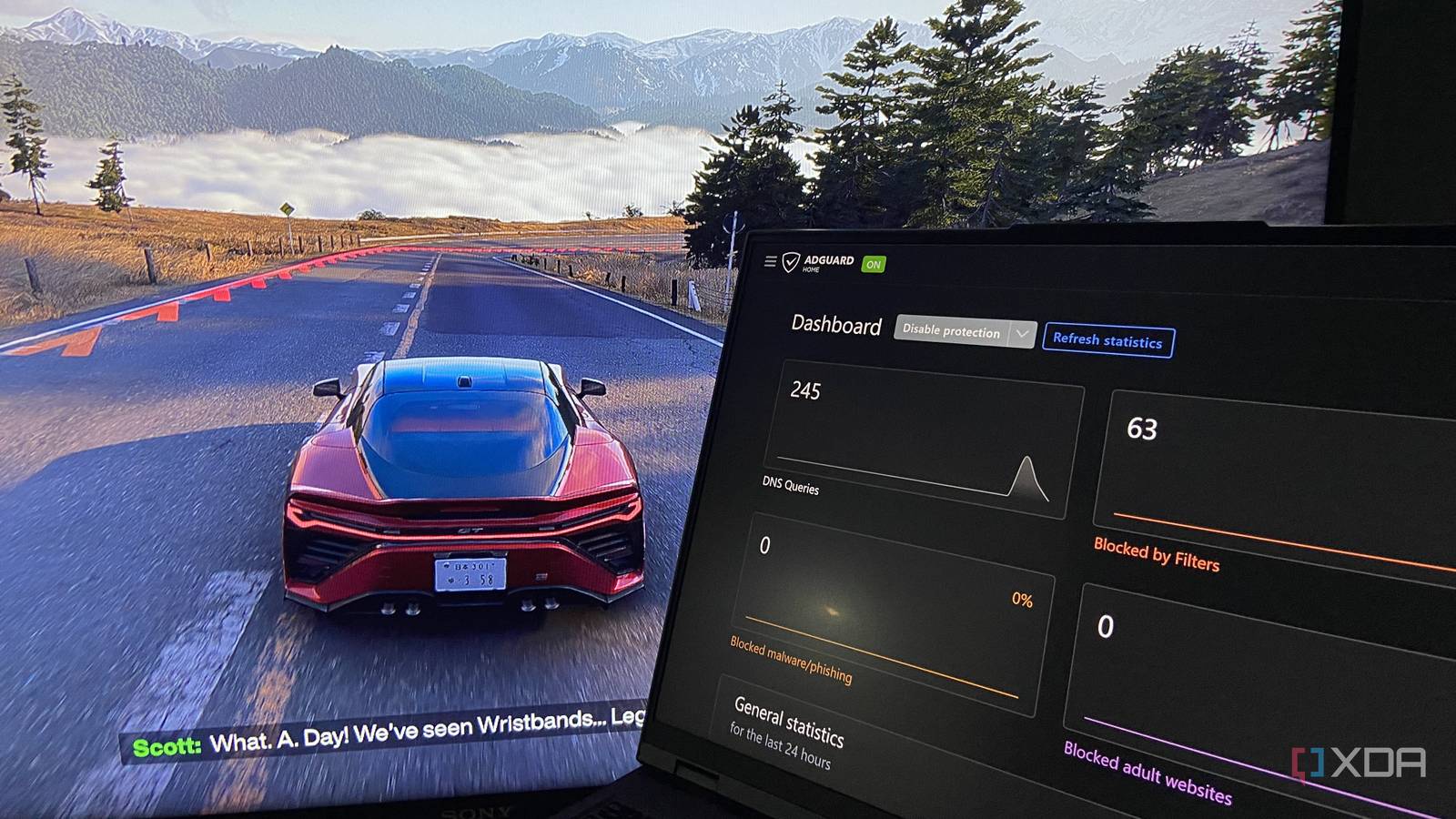
Published Sep 19, 2026, 7:00 AM EDT Abhinav pivoted from a career in banking to pursue his first love in writing. Even while working full-time, he continued contributing as an editor-at-large, a role he has held for more than 7 years. A lifelong tech enthusiast who has built three gaming and productivity powerhouse PCs since 2018, his passion for technology keeps him closely following the semiconductor industry, from NVIDIA and AMD to ARM. His MSc dissertation explored how artificial intelligence will reshape the future of work, reflecting his curiosity about the wider social impact of emerging technologies. My Lenovo Legion 5 Pro has definitely seen better days. It carried me through university from 2021 to 2023, and at some point one of its cooling fans gave out, so every time I turned it on, it welcomed me with a rather horrendous screech. Laptops age far less gracefully than desktops, so it is easy to forget them in a drawer and leave it there for a long while. Eventually, though, I decided to stop ignoring it and put it to work making my own life easier. I finally sent it in for a repair, and within a month of getting it back, it had earned an invaluable place. I don't use it for the same things that I used to back in college, though. It's now running a network-wide ad blocker for my entire home and hosts my game library through an open-source utility. I can't really imagine my home network without it anymore. Network-wide filtering via AdGuard pays for itself AdGuard Home is something that I've been wanting for a long time, but I never had a host device for it, and I certainly didn't think that my old laptop from five years ago could become one. Because it filters DNS for the entire network, every device that connects gets the same protection without being bloated by an ad-blocker, and my bank account doesn't even see a subscription charge for it since it's free. The most profound effect that it had was felt on my mobile devices, like my iPad and the phones around the house. Apps that I found painful to use felt cleaner, and so did the assorted websites that I went through the day. AdGuard's tracker blocking also helps with the retargeting ads, which means I no longer get a dozen recommendations of variations of a product that I looked up once. Setting it from the ground up was unimaginably easy. I was able to get it up and running in less than ten minutes, and that's probably because I've never hosted it before. I installed AdGuard Home on the laptop with a single PowerShell command: winget install AdGuard.AdGuardHome I had to restart the shell and re-open in an elevated shell to run AdGuardHome, post which I had to register it as a Windows service so it survived all subsequent reboots. AdGuardHome.exe -s install After that, I went through a browser wizard to set the admin login and the DNS port, gave the laptop a fixed IP, and then pointed the router's DNS at that address. If I had known it was that straightforward, I'd have done it ages ago. AdGuard Home AdGuard Home is a free, open-source, network-wide ad and tracker blocker which filters DNS for all devices on a home network. The laptop works better as gaming server than as a gaming device One machine holds the games, and every other device can reach them Once AdGuard was up and running, the laptop had proven it could sit in a corner and do a job, and that got me wondering if there was something else that I could let it take care of. It was already going to be on all day, and a machine that's always on is wasted just running a single service. My desktop at home runs an RTX 2070 Super, which is not the greatest GPU in the world right now. The laptop, on the other hand, has a mobile RTX 3070 and most of my library is on it. The catch, however, was the laptop's form factor itself. It weighs about 5 pounds, runs hot enough that I have already replaced one of its fans, and it's a genuine pain to use anywhere without a desk. What good is a good GPU when it's just wasted on 16-inches of a laptop that I don't want to sit around all day? I had already run Sunshine and Moonlight across my machines for a while, so setting the laptop up as a host wasn't an idea that I hadn't flirted with. With the laptop running Sunshine as a host, I can put my 27-inch monitor and my 55-inch TV to good use, and Moonlight on both lets them pull the stream from the laptop across the network. An added benefit of this approach is the fact that I never have to download a game twice or move them from one place to another. They can stay installed on the laptop, and I don't have to duplicate a library across two machines or clear disk space on any device. Sunshine Sunshine is a free, open-source host application that streams your PC games to almost any device. You can teach an old laptop new tricks And save a lot of dollars doing it For the longest time, the community's preferred way of building a home server has always been to spend it on a Raspberry Pi or a mini PC and leave it somewhere. There is certainly merit to the established approach, however, the longer I run this setup, the more I'm convinced the laptop was the right device to get started with. There are a couple of reasons for this, and the elephant in the room is, of course, the battery, which functions as a built-in UPS when it comes to power-loss events. Everything I've hosted stays up, so nothing in the house notices the cut. The second is the fact that the screen and the keyboard are built into the machine unlike a headless home server. When the admin port landed on the wrong number and my dashboards wouldn't load, I fixed it on the laptop itself, with no spare monitor needed to dig out. Lastly, the laptop has a decent RTX 30-series GPU. Hosting games through Sunshine requires something that can actually render them, which a Pi cannot do at all, and most budget mini PCs will do rather shabbily. That being said, the laptop does draw more power than a Pi would, and that's the trade-off I'll settle with for now. Not bad for a machine that I hadn't used in years I hadn't planned any of this when I sent the Legion off for a repair. For what it's worth, I thought I'd get to use it while laying down on the couch and casual web browsing now and then when I feel the need to step away from my desk. Now, it can block ads for every device I own and hold my game library ready to stream whenever I want it. Perhaps the best part of it all is that, all of it has been possible thanks to some free, open-source tools.
My old laptop became a game-streaming hub and ad-blocking powerhouse, and now it's irreplaceable on my home network
Full Article
Original Source
Read the full article at Xda-developers →KhanList aggregates and links to publicly available news content. We do not host full articles from third-party sources. Always verify important information with original sources.