
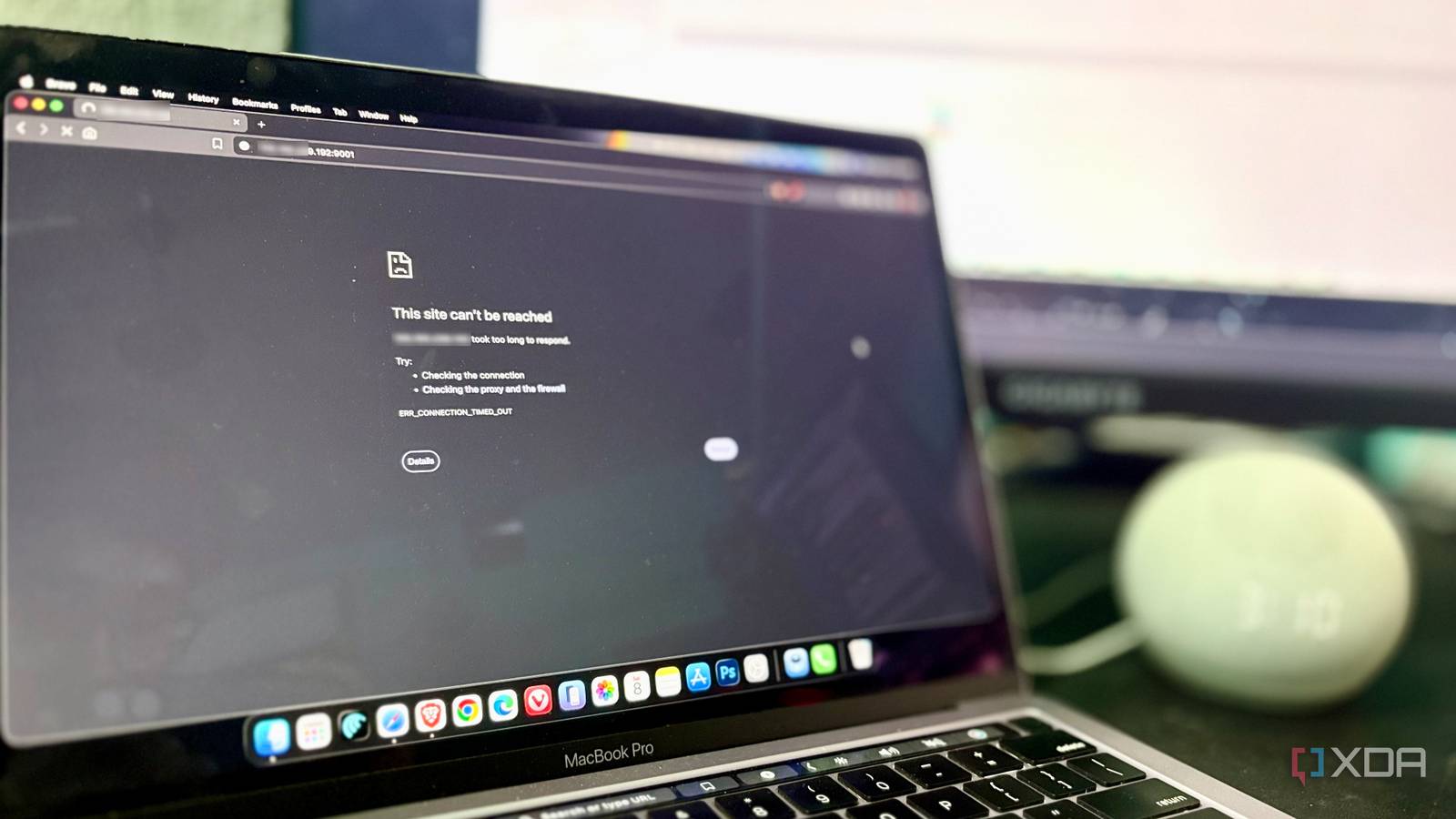
Published Aug 9, 2026, 5:00 PM EDT Shekhar Vaidya is a veteran technology journalist and computer science engineer. He is the founder of TechLatest, where he has spent years providing technical analysis on hardware and Windows ecosystems. Now a Computing Writer at XDA, Shekhar leverages his deep background in NAS, storage solutions, and PC internals to help readers master their tech. There is an unwritten rule in the homelab community. When something stops working, we immediately look at our own setup first. The same thing happened a few days ago. One morning, my external access broke. I checked everything from my internet connection to router settings, firewall, and reverse proxy. The server was running, the service was running, and the internet itself was working. And yet, external access was still dead. Everything was configured exactly the way it should be. Then I started rechecking everything, and this time I noticed something: the problem wasn't inside my network at all. Something had quietly changed between my router and the wider internet without me noticing. My port forwards suddenly died Everything worked, until it didn't One weekend, I woke up and picked up my MacBook Pro, which was next to my bed. Since it was a weekend, I was planning to watch something. As usual, I started by opening my Jellyfin on the browser. It failed to open. I thought it was a network issue on my side. I reloaded a couple of times, but got the same ERR_CONNECTION_TIMED_OUT error each time. Then I tried opening Google in another tab; it instantly loaded. That made me a little suspicious of what was happening. Here's the thing: that day my MacBook was connected to my iPhone’s hotspot, not my home Wi-Fi. Maybe my Wi-Fi went down at night, so it auto-connected to my iPhone. Then I immediately connected to my home Wi-Fi and tried to open Jellyfin via the local IP address. It loaded instantly. That told me the service itself wasn't the problem. So why did it fail over the hotspot? My first assumption was that something might have changed on my side, so I started checking everything one by one. I opened my TP-Link ER605 admin page, where I was running a dual-WAN setup. One obvious hint was on the homepage, but I didn’t notice and went directly to Virtual Servers under Transmission/NAT, which is where TP-Link buries port forwarding, to check the rules. Everything was the same as I configured before. Then, I checked the firewall; nothing was unusual. I was now getting annoyed because everything checked out alright — the server was online, the services worked locally, the forwarding rule looked correct, and the internet connection itself was working normally. The browser was only showing a timeout, and a timeout doesn't tell me where the connection disappeared. I already checked the possible areas — router, firewall, server, and reverse proxy — nothing was unusual. At that point, I’d effectively eliminated the things I controlled. I opened my ER605 admin dashboard again, and this time I noticed something out of the ordinary. Then I compared two IP addresses One hop confirmed my worst suspicion If everything inside the network looked fine, the problem had to be outside it. So I went back to check what the router thought its own internet-facing address was. When I reopened the ER605 admin page, I noticed my WAN IP had changed. Instead of a normal public IPv4 address, the ER605 had been assigned a private/local address. The local IP immediately made sense, and I started connecting the dots. The router wasn't actually holding the public-facing address I expected. I then immediately opened Google and searched for my public IP address. It didn't match what the router was showing at all. So, I had two IP addresses — the local/WAN address assigned to my router and the public address assigned by the ISP upstream. This strongly pointed towards CGNAT. My first assumption was CGNAT because my second ISP was already behind one. But I still wanted confirmation before any conclusion. I opened my terminal and ran a traceroute. I was surprised by the replies. One of the early hops landed inside 100.64.0.0/10. That was my final clue that I was pushed behind Carrier-Grade NAT. I was already familiar with that subnet. 100.64.0.0/10 was the address range specifically reserved for carrier-grade NAT. So, my ISP effectively put another NAT layer between my router and the public internet. ISPs share public IPv4 infrastructure with multiple customers to save some infrastructure costs on their end. Now, everything connected automatically. The server, services, forwarding rules, and internet connection were fine; what was missing was direct inbound connectivity. I didn’t notice the change immediately because outbound traffic still worked normally through CGNAT. The hidden change only revealed itself the moment I tried to reach my homelab from outside — over the iPhone hotspot. Obviously, I had to contact my ISP to ask why they did it. The answer was brutal: they simply said our contract didn’t mention a public static IP address, and if I wanted one, I could get it by paying extra. The price for a static IP was half of the bill I was paying for a 300 Mbps connection. So I decided to look for a workaround before committing to that unrealistic monthly charge. I had to change how I accessed home The fix was already one tunnel away Shekhar Vaidya/XDA Half of the issues were already solved for me because I was using Tailscale to securely access my private services like Portainer, Pulse, and Beszel. Tailscale was completely unaffected by this change, because it didn't depend on forwarding ports from the internet into my home network. Every device just opened an outbound connection to Tailscale's coordination servers, and Tailscale handled the peer-to-peer from there. That meant I could access my machines privately from outside my network. What I still needed was a way to publicly expose the services that had to be reachable — Jellyfin, Immich, Nextcloud, and others. Tailscale A zero-config mesh VPN that gives your own devices private, encrypted access to your home network — no ports, no exposed IP. As usual, my go-to destination is Reddit. I went through a few threads, and the most common suggestion was Cloudflare Tunnel. There were a few other recommendations, but I’d already been using Cloudflare for DNS, Pages, Workers, etc. So I figured, why not another CF product? Everything would be in the same place. The setup was straightforward, and it was up and running in just a few minutes. Cloudflare Tunnel changed things entirely. No router changes. No real port forwarding. Just publicly accessible URLs for each of my services. Whereas a traditional setup waits for inbound traffic, Cloudflare (or cloudflared) establishes a persistent outbound connection (known as a tunnel) between my resources and Cloudflare’s global network. And that’s how it solves the CGNAT issue with a single reversal of traffic direction. At that point, my home lab was publicly reachable. Even behind CGNAT. Cloudflare's ToS around media streaming through a free Tunnel is sketchy. So if you're trying something similar, Jellyfin might be safer to keep on Tailscale rather than going public. Finally, Cloudflare Tunnel handled my public ingress for self-hosted services, and Tailscale became my private mesh for my own devices. CGNAT didn’t kill my self-hosting services, just the traditional way of exposing them I was used to. Cloudflare Tunnels An outbound-only connection that publishes your self-hosted services to the internet without opening a single port on your router. Nothing failed. I just didn't know. The biggest lesson from this whole experience wasn’t that I found a clever workaround, but that I now think differently about exposing services from a home internet connection. Nothing broke in my case — my homelab was healthy. My ISP just quietly pushed me behind CGNAT. CGNAT doesn’t make self-hosting impossible; it just changes the traditional way of punching a hole through your router. Frankly, services like Cloudflare Tunnel and Tailscale are much safer than traditional methods and require far less effort. A public IPv4 address from the ISP would have been another option, but I didn't need to pursue it because the tunnel met my specific requirement. If you self-host, don't just check that your internet works; check what kind of internet you actually have.
My ISP quietly put me behind CGNAT, and it broke half my home lab before I noticed
Full Article
Original Source
Read the full article at Xda-developers →KhanList aggregates and links to publicly available news content. We do not host full articles from third-party sources. Always verify important information with original sources.