
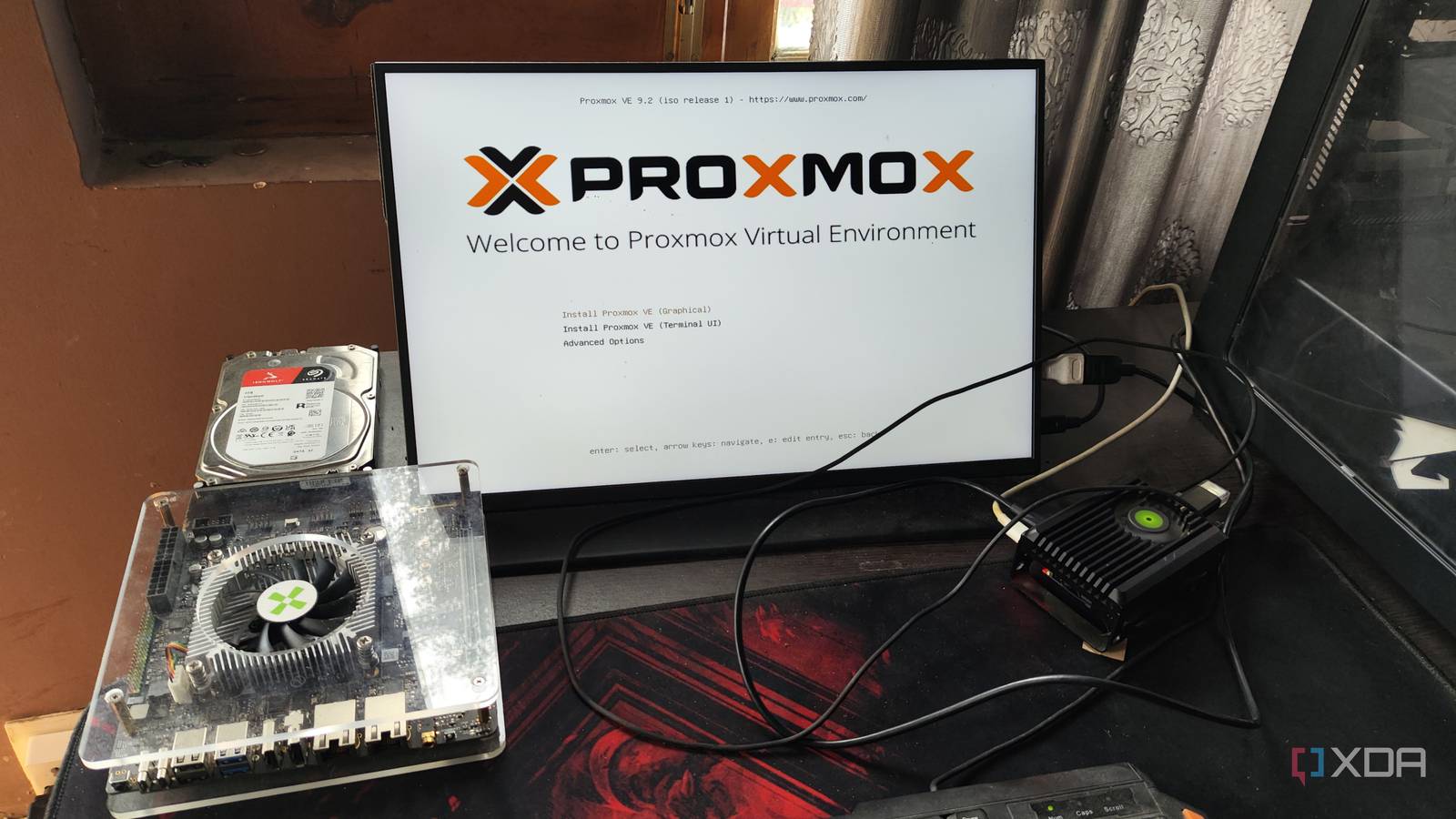
Published Aug 23, 2026, 1:30 PM EDT Ayush Pande is a PC hardware and gaming writer. When he's not working on a new article, you can find him with his head stuck inside a PC or tinkering with a server operating system. Besides computing, his interests include spending hours in long RPGs, yelling at his friends in co-op games, and practicing guitar. Sign in to your XDA account When I first came across Proxmox Virtual Environment, I was looking for a simple platform to deploy my virtual machines and containers. Before long, Proxmox had won me over with its top-tier virtualization provisions, and it quickly became my primary choice for server nodes. That said, my tinkering antics would often lead me to cool virtualization-centric distributions, many of which offered their own niche features to my home lab. But after trying out practically every Proxmox rival out there, I realized that none of them can offer the same set of functionality as PVE. Sure, some may have a couple of unique and interesting tools, but I haven’t found anything that could replace Proxmox for my virtualization and containerization projects. XCP-ng and Harvester are arguably the best Proxmox alternatives out there The former, however, has some annoying quirks Starting with platforms that are reliable enough for home lab tasks, XCP-ng and Harvester are solid competitors to Proxmox. Unlike Proxmox, XCP-ng is based on the Xen hypervisor, and contrary to what many folks claim, Xen is not dead by any means. If anything, I find XCP-ng’s XOA web UI a lot cleaner (and more intuitive) than Proxmox’s interface. Configuring clusters is fairly simple on XCP-ng, and with version 8.3 adding support for vTPM configs, it’s possible to deploy Windows 11 virtual machines on this neat platform. I’ve also tested a couple of Linux distributions on XCP-ng, and I don’t have any complaints on the performance front. That said, I encountered a couple of minor issues with XCP-ng that soured the whole experience. XCP-ng typically runs a lightweight interface called XO Lite by default, and I had to deploy the advanced Xen Orchestra Appliance interface as a virtual machine to run typical home server workloads. Although the latter web UI just adds some extra resource drain on low-end systems, I’m willing to overlook this problem. But what I’m not a fan of is the fact that XOA restricts quite a few essential features behind a paywall, including backups, network proxies, and automation settings. Credit where it’s due, I appreciate that compiling XOA from scratch removes the paywalls on its services. However, that’s a pretty cumbersome process for beginners (and even intermediate tinkerers), especially when Proxmox runs an ultra-light web UI and only locks the enterprise package repo (and first-party maintenance assistance) behind premium plans. It also doesn’t help that XCP doesn’t include LXC/LXD/OCI support, and the only thing close to containerization is the Kubernetes package in the Hub Recipes section. Harvester’s wild minimum system requirements aren’t ideal for budget-friendly home labs On paper, both Harvester and Proxmox run KVM under the hood, but there are a ton of distinctions between the two. For one, I consider Harvester’s interface the best out of every virtualization platform I’ve tinkered with, which isn’t a small feat by any means. It also has a solid collection of optional plugins baked into its interface, and some of them are game-changers for home lab setups. The Grafana + Prometheus plugins are one of them, and a single toggle is all it takes to get these top-notch monitoring tools to keep an eye on my virtual guests. I also adore the Rancher web interface for managing Harvester clusters, and its compatibility with Amazon EKS, Azure AKS, and Google GKE makes it a solid option for tinkerers who want to configure cron jobs, persistent storage configs, and other advanced features in a hybrid (local + cloud) server environment. Then there are the PCI and Nvidia GPU passthrough plugins, which make assigning Team Green graphics cards to virtual machines a breeze. However, Harvester has one fatal flaw: its abnormally high minimum system requirements. For something as simple as a testing environment, it requires an x86 CPU with 8 cores and 32GB of RAM. Even leaving the RAM apocalypse out of the equation, those are some wild specs for repurposing an old PC into a server node. It also doesn’t help that deploying containers on Harvester isn’t as straightforward as spinning up an LXC from a template or running a simple Proxmox VE Script, as I’d have to look into K8s and Rancher setups. Canonical MicroCloud and Sylve show promise, but they need some home lab-centric QoL features They’re definitely a lot of fun to tinker with, though I encountered Canonical MicroCloud last year when I was looking for fun Proxmox alternatives, and despite my tendency to avoid Snap packages, it’s actually a neat option for building a home lab node with a Raspberry Pi. Unlike Proxmox, Harvester, and XCP-ng, Canonical’s MicroCloud needs to be set up on a pre-existing distribution, preferably something like Ubuntu Server. But the fact that it supports both LXD containers and VMs makes it a solid option for self-hosting as well as typical virtualization projects. Unfortunately, MicroCloud doesn’t feature a dedicated backup utility, making it a bit annoying if you’re coming from PBS. Certain advanced features like network VNets, ACME (specifically challenge plugins) settings, Fabrics, and (ZFS) storage settings aren't fleshed out enough on MicroCloud's web UI, and you don’t get the same amount of community support as Proxmox. Sure, MicroCloud meshes well with clusters, but as someone accustomed to Proxmox Datacenter Manager, I find the latter significantly easier when it comes to controlling high-availability environments alongside standalone systems. Setting up network shares for virtual guests is still a bit of a hassle on MicroCloud, and its networking stack isn't as detailed as Proxmox. I also find Proxmox's web UI a lot better when it comes to monitoring the resource consumption stats, especially with newer PVE versions adding even more graphics to its dashboard. Nevertheless, it's still my recommended platform for folks looking to build a home lab on Raspberry Pi SBCs without the workarounds needed to install the ARM version of PVE on these unsupported boards. Sylve is another Proxmox alternative that I’d classify in the same group as MicroCloud, though it's nowhere near as developed as the latter. Despite its FreeBSD roots, it’s mind-blowing how easy it is to get Sylve up and running. It also works pretty well with Bhyve-based virtual machines, and even includes provisions to run Linux and FreeBSD jails. The best part? Sylve’s web interface is largely reminiscent of Proxmox’s, and it supports cloud-init templates, remote backups, and PCI passthrough. However, the lack of an advanced SDN stack, first-party apps, and other quality-of-life features puts Sylve far behind Proxmox in terms of sheer capabilities, even though it’s a fantastic FreeBSD platform in and of itself. TrueNAS, Unraid, and ZimaOS are better for NAS operations than home lab tasks Even if you can use them for server projects, it’s better to rely on PVE anyway Since I’ve already covered a bunch of platforms with virtualization capabilities, I also wanted to go over certain NAS-centric distributions. With TrueNAS buffing up its VM-hosting and LXC deployment capabilities, I’ve seen many folks compare it to Proxmox. In fact, I’ve even seen tinkerers recommend Unraid for home server tasks. While there’s nothing wrong with using either of them (or even the beginner-friendly ZimaOS) for simple home servers, their ideal use case lies in their ability to manage storage disks, network shares, and other NAS-heavy tools. Heck, I've even got a few containers (and even a VM) deployed on my TrueNAS node, but it’s not enough to replace Proxmox by any means. The free version of TrueNAS doesn’t feature any clustering provisions whatsoever, and I don’t get to tinker with hardcore networking services on it, either. Not to mention, deploying virtual machines and managing them en masse can be a little clunky on TrueNAS, Unraid, and ZimaOS. As for Unraid, its licensing fees are a massive problem for budget-friendly setups, especially if you want lifetime access to new updates. Meanwhile, ZimaOS may be the most beginner-friendly distro so far, but its virtual machine app is lacking in essential management tools. I wouldn’t even recommend ESXi these days I really don’t trust Broadcom after the stunt they pulled with the free version of ESXi If you’re wondering why I didn’t mention ESXi so far, that’s because it’s a completely different can of worms. While it used to be the flagship platform for home labs back in the day, things have changed a lot after Broadcom’s takeover of VMware. In early 2024, the company removed the free version of ESXi altogether, which caused a lot of controversy within the home lab community (and rightfully so). What’s more, the free version of ESXi got reinstated the very next year, but the whole drama made many folks (including yours truly) wary of building a dedicated home server with this platform. But leaving this controversy aside, my experience with the current version of ESXi has been absolutely terrible. For one, the platform only works with a small set of Ethernet controllers, meaning you’d have to invest in a specific NIC before you can get it to run on your PC. Heck, out of every NAS, home server, PC, SBC, and other x86 devices in my arsenal, only two currently make the cut for ESXi. If you’re looking to run taxing distros on bulky workstations with ESXi, the platform also restricts the maximum number of vCPUs you can allocate to a single VM to eight on the free plan. Plus, this version of ESXi doesn’t support vCenter, vMotion, or high-availability clusters, and you don’t get the same containerization provisions as Proxmox, either. Combine all that, and you can see why it’s the only server platform that I wouldn’t recommend for a home lab. Meanwhile, Windows Server’s fees make it too expensive for home servers Moving on from the Linux ecosystem, Windows Server is actually a decent OS for Hyper-V-powered home labs, and it’s even more useful if you’re planning to study AD and PowerShell scripting. However, I’m not very fond of its pricing. I’ve heard people mention that it’s possible to extend the free license by reactivating it every few months, but I’d rather not look into wild workarounds on a home server where I want to deploy essential virtual guests. There’s also the standalone Hyper-V Server, but it also has a similar pricing problem. Worse still, Hyper-V 2019 is the last free version of the platform, meaning a lot of the hypervisor features added to newer Windows Server variants won’t be available here. On top of that, Hyper-V 2019 is also going to hit EOL in 2029. So, even with its fairly normal minimum system requirements, it’s better to go the Proxmox + nested virtualization route if you really want to tinker with Windows-based experimentation environments. There really is nothing quite like Proxmox Honestly, there are a few aspects where many platforms I’ve mentioned beat Proxmox. Harvester, for example, has a simpler PCI passthrough procedure, while TrueNAS is simply better for NAS-centric tasks. But when it comes to repurposing old hardware into hardcore home lab nodes, Proxmox is by far the best option these days. After all, it has a light footprint, powerful KVM tools, terrific LXC-hosting prowess, solid first-party apps, enterprise-tier SDN utilities, ZFS pools, and high-availability clusters – a combo that doesn’t exist on any other platform. Plus, the fact that it’s backed by a highly active community of tinkerers is just the cherry on top. Proxmox Proxmox is an open-source platform built on Debian Linux designed for server virtualization.
I tried moving my home lab off Proxmox multiple times, but nothing came close to replacing it
Full Article
Original Source
Read the full article at Xda-developers →KhanList aggregates and links to publicly available news content. We do not host full articles from third-party sources. Always verify important information with original sources.