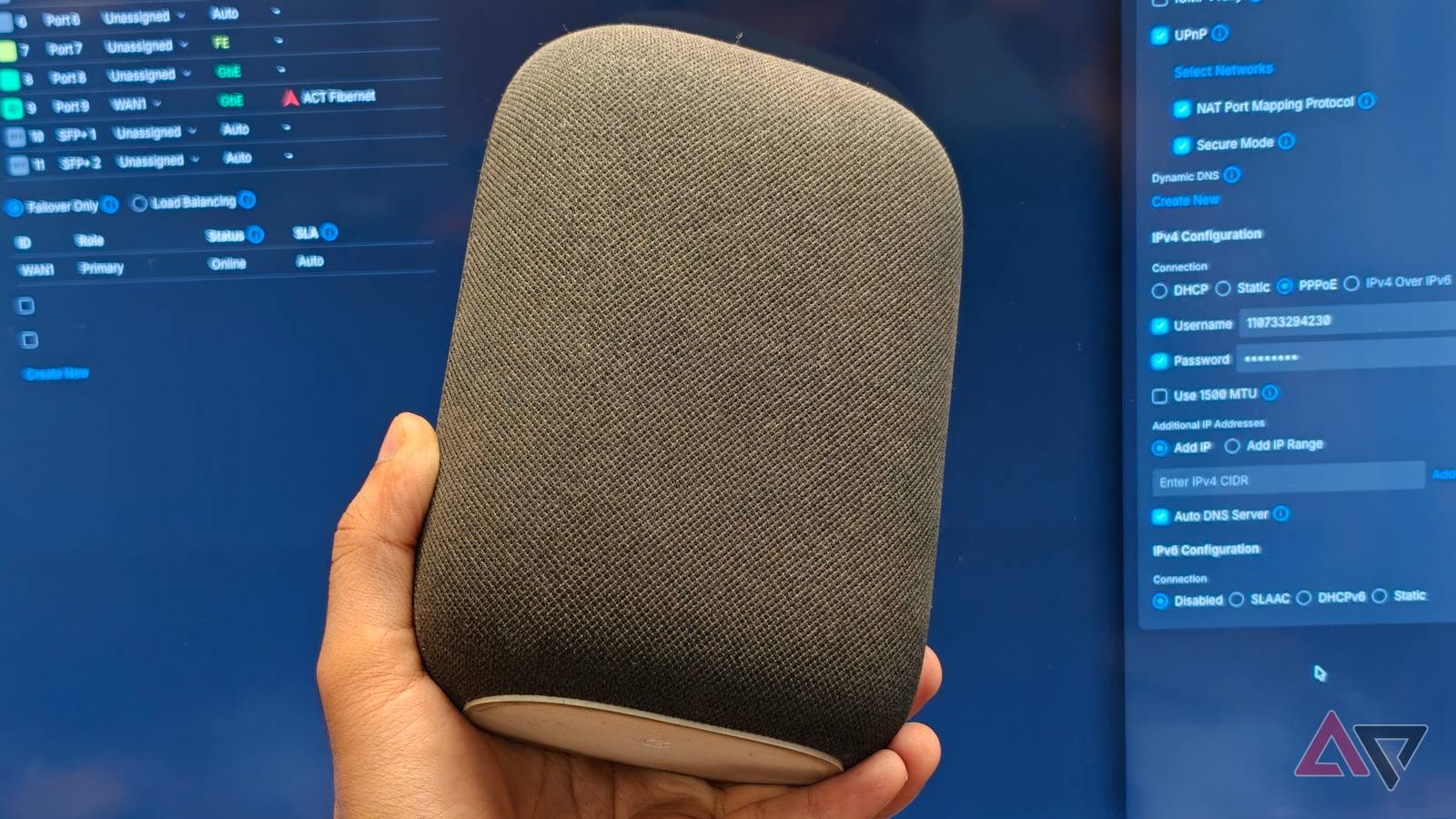
Published Jul 30, 2026, 8:00 AM EDT Dhruv Bhutani has covered the Android ecosystem since 2010, with a focus on smartphones, connected devices, and home networking. His reporting is informed by hands-on experience reviewing hundreds of smartphones and testing a wide range of smart home and audio products over more than a decade. He has attended Mobile World Congress eight times since 2011 and IFA Berlin five times, alongside regular coverage of launch events and industry briefings from companies including Google, Xiaomi, Oppo, and Qualcomm. This on-ground access and long-term exposure to product cycles inform how he evaluates hardware, software direction, and ecosystem shifts. First-Hand Experience Reviewed and tested hundreds of smartphones since 2009 Tested smart home, audio, and connected devices across multiple categories Attended Mobile World Congress (8 times, first in 2011) Attended IFA Berlin (5 times) Covered industry events including Qualcomm Summit and launch events from Google, Xiaomi, Oppo, and Vivo Career History CNET — Freelance Editor May 2024 – Present Android Police — Freelance Editor July 2023 – Present Android Authority — Contributor November 2022 – Present Android Authority — Editor January 2019 – October 2022 FoneArena — Editor February 2010 – January 2018 PhoneReport.info — International Correspondent February 2010 – May 2011 Nokia Mobile Talk — Writer June 2009 – October 2009 I have more Google Nest speakers scattered around my home than I care to count, and for the most part they have one job. That job is to stay connected reliably so that I can control my smart home, set timers, and stream music. Lately I've noticed that the speaker stops responding, disappears from the Google Home app, and no longer appears as a Cast target, even though my Wi-Fi is fully functional. I tried all possible fixes, including restarting and rebooting both the speaker and router, until I finally found the fix to keep my Nest speaker working reliably. All I had to do was disable IPv6 on the network. While on paper, Nest speakers support IPv6 networking, I've found the implementation to be spotty at best. The fix takes less than a minute, and if your Nest speaker constantly drops offline for no obvious reason, this is where I'd start. A smart speaker is only useful when it stays connected Intermittent connectivity ruins the experience of seamlessly controlling lights or playing music I use my Nest speakers dozens of times all day. Between turning on the lights before I get out of bed, and switching them off when I'm nicely tucked in, kitchen timers, my favorite tunes in the shower, and quick curiosity-led questions, it gets ample use. Since most of these use cases require quick responses, reliable connectivity matters more than you'd think. When the speaker randomly drops off the network, it's a big issue. Late at night, I don't want to troubleshoot why my lights won't switch off. When I'm on my walking pad, I shouldn't have to wonder why the speaker won't play my preferred track. And I certainly don't want to pause my workout to figure it out. Previously, I assumed that the speaker was faulty. Between restarts, factory resets, and physically plonking the speaker closer to the router, I tried all possible solutions. None of them worked. Disabling IPv6 was all it took to fix weeks of connectivity issues My Nest speakers finally stayed online without needless troubleshooting That's when I came across Google's recommendation to disable IPv6 as a troubleshooting step for Nest devices that frequently go offline. The exact steps vary based on your router, but you'll open your router's admin page to diagnose your IPv6 configuration. In my case, I observed that my Ubiquiti setup had IPv6 enabled by default. Since my ISP doesn't depend on IPv6 for anything I do at my home office, I figured it was worth giving it a toggle before giving up on the speaker. As I mentioned, the exact location of the IPv6 settings vary based on your specific router, but if the admin panel comes with a search option, I'd start there. After disabling IPv6, I recommend restarting your network so that the configuration change takes effect. All in all, it took me less than a minute to make the change, but the difference was immediately noticeable. Most importantly though, the change in configuration stayed the same. Since making the configuration change, I have yet to come across a single instance where my Nest speaker was not accessible online. The speakers show up consistently in the Google Home app, and are available as Cast targets. Speaker groups now work more reliably than they ever did. I haven't had to unplug a speaker or wonder why the speaker stopped streaming mid-album in weeks. The other benefit is improved reliability with voice commands. And that's arguably a bigger benefit. Voice commands are now much more reliable as the speaker stays connected and doesn't drop off the network mid-command. So, if I'm asking the speaker to turn off the lights, turn on a kitchen timer, or queue up a drum and bass playlist like I did before hopping on my walking pad, it reacts instantly. The problem wasn't actually IPv6. The Nest speakers support the protocol. However, networking is complicated, and a configuration that works between two devices might not work with another. It's clear that Google's IPv6 implementation has enough quirks that it doesn't work universally across the board. Disabling the feature removes that point of failure. If your Nest speakers have always worked flawlessly, you probably don't need to toggle off IPv6 or make changes to your networking stack. But if the Nest speakers are the only devices on your network that show intermittent connectivity issues, this is where I'd start. A smart speaker shouldn't need constant troubleshooting I like Google's Nest speakers. They look good, sound well enough, and generally blend behind the scenes. All of these factors are precisely why connectivity issues come across as so frustrating. These issues interrupt the very idea of a smart speaker disappearing into the background. I want the speakers to stay connected so that they can control the lights, answer questions, and play music when I want. Ever since I disabled IPv6, that's precisely what they do. It's a simple change that takes minutes to implement but can drastically improve the reliability of your speakers. And for a device that's supposed to blend into your routine, that's the most important fix or upgrade you can hope for. Google Nest Audio Smart speakers aren't generally built to provide room-shaking sound. Quite the opposite, in fact. They're meant to be unassuming, easily tucked away, readily availabler to hear wake words, and capable of communicating with your Wi-Fi and smart devices quickly. The Google Nest Audio is those things, in addition to sounding far better than its surprisingly slim body has any right to sound. If yours is a Google Assistant-based household and you want to stop constantly using your phone to control your smart home, the Nest Audio smart speaker is an easy choice.
My Google Nest speaker finally stopped ghosting the internet after I changed one network option
Full Article
Original Source
Read the full article at Androidpolice →KhanList aggregates and links to publicly available news content. We do not host full articles from third-party sources. Always verify important information with original sources.