
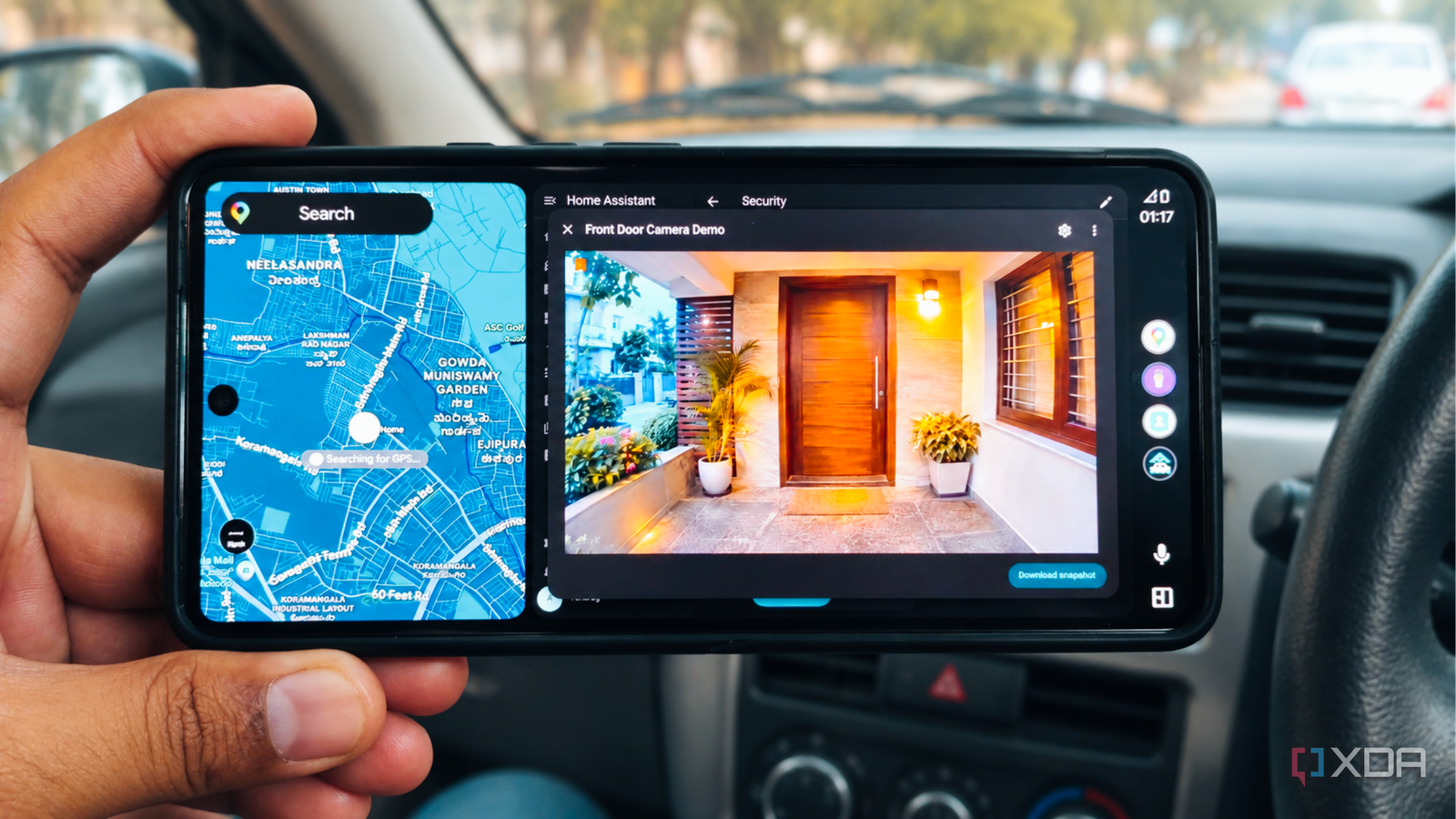
Published Nov 16, 2026, 8:30 AM EST Anurag is an experienced journalist and author who’s been covering tech for the past 5 years, with a focus on Windows, Android, and Apple. He’s written for sites like Android Police, Neowin, Dexerto, and MakeTechEasier. Anurag’s always pumped about tech and loves getting his hands on the latest gadgets. When he's not procrastinating, you’ll probably find him catching the newest movies in theaters or scrolling through Twitter from his bed. I've been using Home Assistant for quite some time now, and one of the things I like most about it is being able to access my smart home devices from almost anywhere. However, Android Auto has always been an exception. Although Home Assistant has official Android Auto integration, it's primarily designed to control devices and run scripts, so there's no way to view live security camera feeds through it. However, I recently came across an open-source app called HomeCar that solves exactly this. It brings the full Home Assistant dashboard to Android Auto. I decided to give it a try, and now I can pull up my security cameras directly on my car's infotainment screen to check who is at the door before I head inside. HomeCar brings Home Assistant dashboard to Android Auto You're no longer limited to basic controls Credit: Home Assistant already has an official Android Auto integration; you can use it to turn on lights, open your garage door, activate scenes, and run scripts directly from your car's infotainment screen. However, the integration only supports a limited set of entity types, and you don't get access to your actual Home Assistant dashboard. You can't view camera feeds, check your custom dashboard cards, or access everything you've configured in Home Assistant. This is where HomeCar comes in. It's an open-source project built on the Fermata Media Player codebase that loads your Home Assistant dashboard inside a full-screen WebView on Android Auto. Essentially, you're getting the same interface you'd see when opening Home Assistant in a browser, including your custom cards, camera feeds, and device controls. I don't have to configure everything separately for Android Auto. I can create a dedicated dashboard in Home Assistant, arrange the cameras and controls however I want, and have HomeCar display that dashboard on my car's screen. The app also preserves your login session and attempts to keep the dashboard loaded when you switch between Android Auto apps. HomeCar is still an experimental project, so compatibility isn't guaranteed across every phone and infotainment system. It also isn't an officially supported Android Auto app, but if you can get it running, it opens up far more possibilities than the standard integration. Getting my security cameras onto Android Auto The setup is surprisingly straightforward The first step is downloading HomeCar from its GitHub releases page. Since it isn't available on the Play Store, you have to install the APK manually. Depending on your phone and Android Auto version, you might also need KingInstaller and Shizuku for Android Auto to recognize it. Once installed, open HomeCar on your phone, go to Settings, and enter your Home Assistant server address. The app opens the dashboard through its built-in WebView, where you can sign in normally. I decided to create a separate dashboard specifically for my car rather than use my existing Home Assistant dashboard. I added my front-door camera as the main card, with a few other controls underneath it. Home Assistant's Picture Entity card supports live camera streams, so you can select your camera entity and set camera_view: live to display the feed instead of periodically updated snapshots. One important consideration is remote access. Your Home Assistant server needs to be reachable when you're away from home; otherwise, the dashboard won't load over mobile data. I already use Tailscale to access services on my home network, so I used the same connection for HomeCar. You could also use Home Assistant Cloud. There's more to it than watching security cameras A few useful controls and some limitations Although viewing my security cameras was the main reason I installed HomeCar, there's quite a bit more I can do with it. Since the app loads a standard Home Assistant dashboard, I also added controls for my entrance lights, checked whether the front door is locked, and activated automations before stepping out of the car. You could even add garage door controls if you have a compatible opener connected to Home Assistant. Another interesting possibility is combining this setup with Home Assistant's Android Auto notifications. For example, if your doorbell camera supports person detection, you can create an automation that sends an alert to your car whenever someone approaches your entrance. Home Assistant supports this through the car_ui: true notification parameter. There are a few limitations worth knowing about. HomeCar is still a pre-release project, and its compatibility depends on your phone, Android Auto version, and car's infotainment system. Some users have also reported problems with the dashboard reloading after switching from navigation apps, and controls don't work equally well on infotainment systems that rely on rotary knobs instead of touchscreens. There's also the question of safety. Having access to your cameras doesn't mean you should watch them while driving. I see this as useful primarily when I'm parked outside my home or waiting in the car.
My Android Auto screen shows my Home Assistant cameras now, and I see who's at the door before I pull in
Full Article
Original Source
Read the full article at Xda-developers →KhanList aggregates and links to publicly available news content. We do not host full articles from third-party sources. Always verify important information with original sources.