
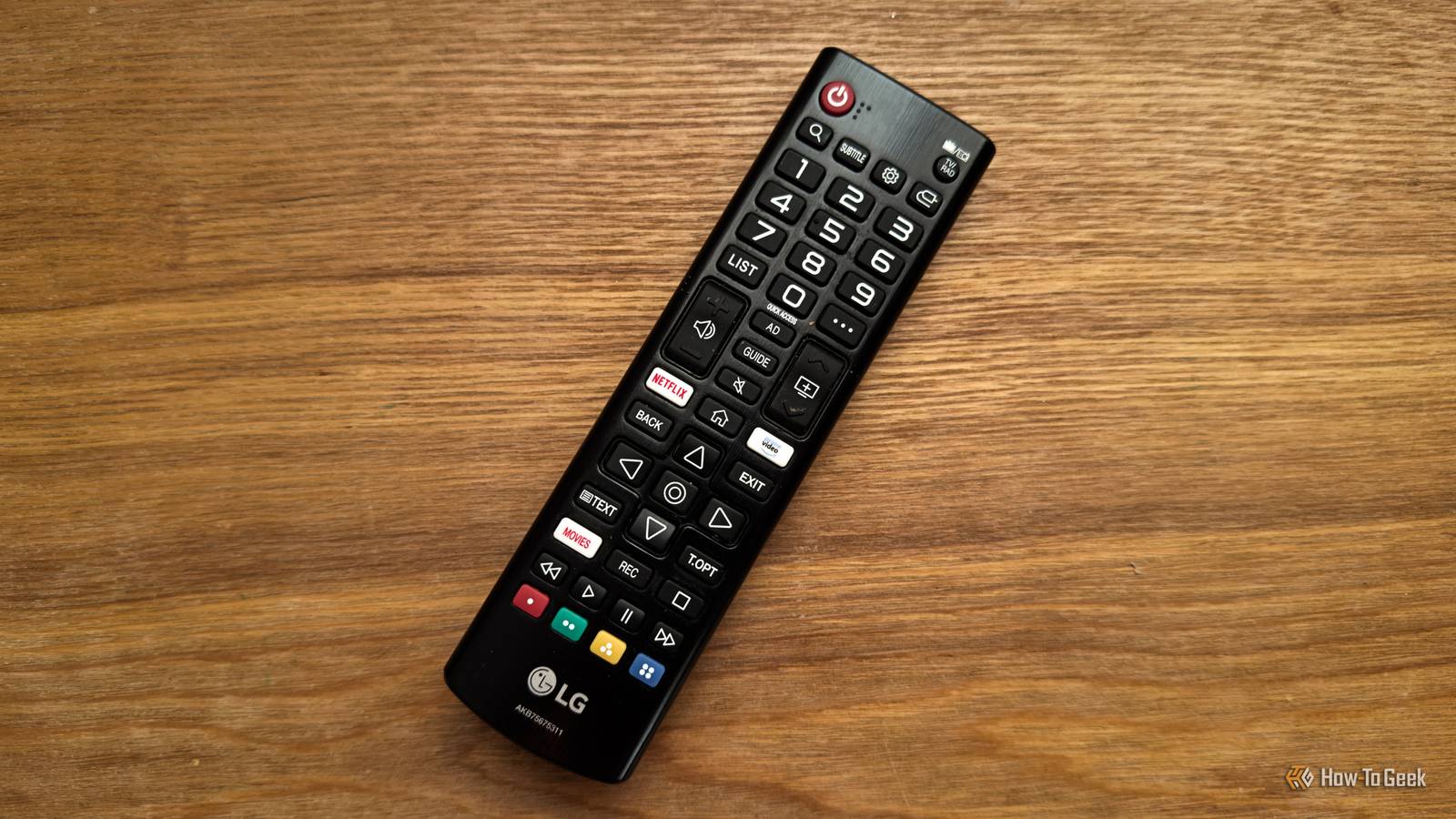
Published Nov 16, 2026, 8:30 AM EST Adam has a degree in Engineering and has a life-long interest in technology. He has been writing for over a decade for various print and online publications, with a focus on consumer tech. He joined How-To Geek in 2024 while working at Pocket-lint. As well as being a long-term fan of Apple products, he also has a strong interest in smart home tech, running a Home Assistant server at home to automate all his smart home devices. He believes that the ideal smart home should work with minimal interaction from the user, with automations running as if by magic rather than requiring you to push buttons on a control panel. You can find more of his work on Muck Rack. After the release of a YouTube video by Gamers Nexus detailing just how much data some smart TVs send back to companies, I decided to root my TV to try to stop this from happening. Once it was rooted, it opened up a world of other possibilities. What I didn't expect was that I would finally be able to create the single, universal remote I'd always wanted using just the stock remote that came with my TV. I hated having to use a crazy number of different remotes The Logitech Harmony Hub solved the problem (for a while) My collection of remotes used to be one of my biggest frustrations. When I sat down to watch TV, I'd need to use one remote to turn the TV on, another to control my set-top box, another to control my Apple TV, another to change the volume on my surround sound system, another if I wanted to use my Roku streaming stick, and so on. I had a huge pile of remotes I had to pick through to find the right one to use at any given moment. It reached the point where I'd had enough, so I bought a Logitech Harmony Hub and its companion remote. The Harmony Hub is a small device that can communicate via Wi-Fi, Bluetooth, and infrared (IR). By adding your AV devices to the companion app, the Harmony Hub can send out the relevant signals to control those devices. Using the Harmony Hub, I was able to replace all of my remotes with a single remote that did everything. I couldn't have been more delighted, but sadly, that delight wasn't to last. When my Harmony remote died, I decided to build my own My Wi-Fi remote works but has some issues My Harmony Hub served me well for several years, but then the worst happened. The button that I used to select every menu or confirm every option fell out of the remote. I resigned myself to having to buy a new one, but when I looked online, there were none available, as Logitech had discontinued its entire line of universal remotes. I was devastated. The thought of having to go back to using 12 different remotes again filled me with dread, so I wondered if it would be possible to build my own. The Harmony Hub itself still worked and could send out the appropriate signals, and I'd already managed to add it to Home Assistant. In theory, if I could find a remote that emitted signals that Home Assistant could pick up, I could build an automation to make the Harmony Hub then send out the relevant commands. Finding a suitable remote was harder than I thought, but I eventually found a cheap air mouse remote that looked like a TV remote and had enough buttons for my needs. I spent a very long time building an incredibly complicated automation in Node-RED, but eventually, I had my own custom universal remote. All was well once again. Then a Home Assistant update threw another spanner in the works. When I rooted my TV, I wondered if I could just use the TV's own remote The TV can capture the signals before any actions are performed Before the update, I could do everything with my universal remote, including turning the TV on and off with the remote's power button. After the update, pressing the power button did something else instead: it shut down Home Assistant completely. The update was apparently intended to make it possible to shut down Home Assistant via a button, but it meant that Home Assistant saw the press of the power button on the remote as a signal to shut down. There was no way to intercept the signal before it shut down, so we had to go back to turning the TV on and off with the TV's own infrared remote and then switching to the universal remote for everything else. If we ever forget and press the power button on the universal remote, the whole smart home shuts down. After I rooted my TV, I noticed an app in the Homebrew Channel called LG Input Hook, which can log remote button IDs and lets you disable buttons on your remote, map them to other buttons, or make them run commands. I wondered if it might be possible to use this to turn my TV's own remote into a universal remote that could control all my AV devices. I finally have a true universal remote that's simple to use It's everything I ever wanted from my remote It turned out that I could, and it was even better than I'd hoped. A small script running on the TV captures button presses from the remote and can then pass them through to the TV to respond as usual or intercept them and instead send a command to Home Assistant. Home Assistant can then send out the appropriate commands to other devices such as my set-top box via dedicated integrations or an IR blaster. The best part is that the TV already knows what is on screen, so the same buttons on the remote can do different things depending on what I'm watching. If I'm in the TV's own Netflix app, for example, the pause button will let the command through to the TV, but if I'm watching TV through my set-top box, the same button will send a signal to the set-top box via Home Assistant and pause the TV show I'm watching instead. I can now control every single AV device in the living room all from the TV's own cheap IR remote. The majority of the time, I don't have to worry about switching modes or choosing which device I need to control; the buttons will always work for whichever app is on the screen. The only outlier is my surround sound system. I had to add a dedicated button on the remote that switches between controlling the volume on my TV and controlling the volume on my surround sound system. It's honestly a breeze to use, and I'm finally back down to only needing a single remote once again. I wish I'd rooted my TV far sooner When I finally jailbroke my old Kindle after Amazon stopped supporting that model, I wished I'd done it sooner, as my Kindle can do so much more than it could before. The same is true of my TV; now that I've rooted it, it can do everything from showing a live video feed when someone comes to the door to displaying my own custom local teletext service.
I turned my TV's stock remote into a universal remote that knows what I'm watching
Full Article
Original Source
Read the full article at Howtogeek →KhanList aggregates and links to publicly available news content. We do not host full articles from third-party sources. Always verify important information with original sources.