
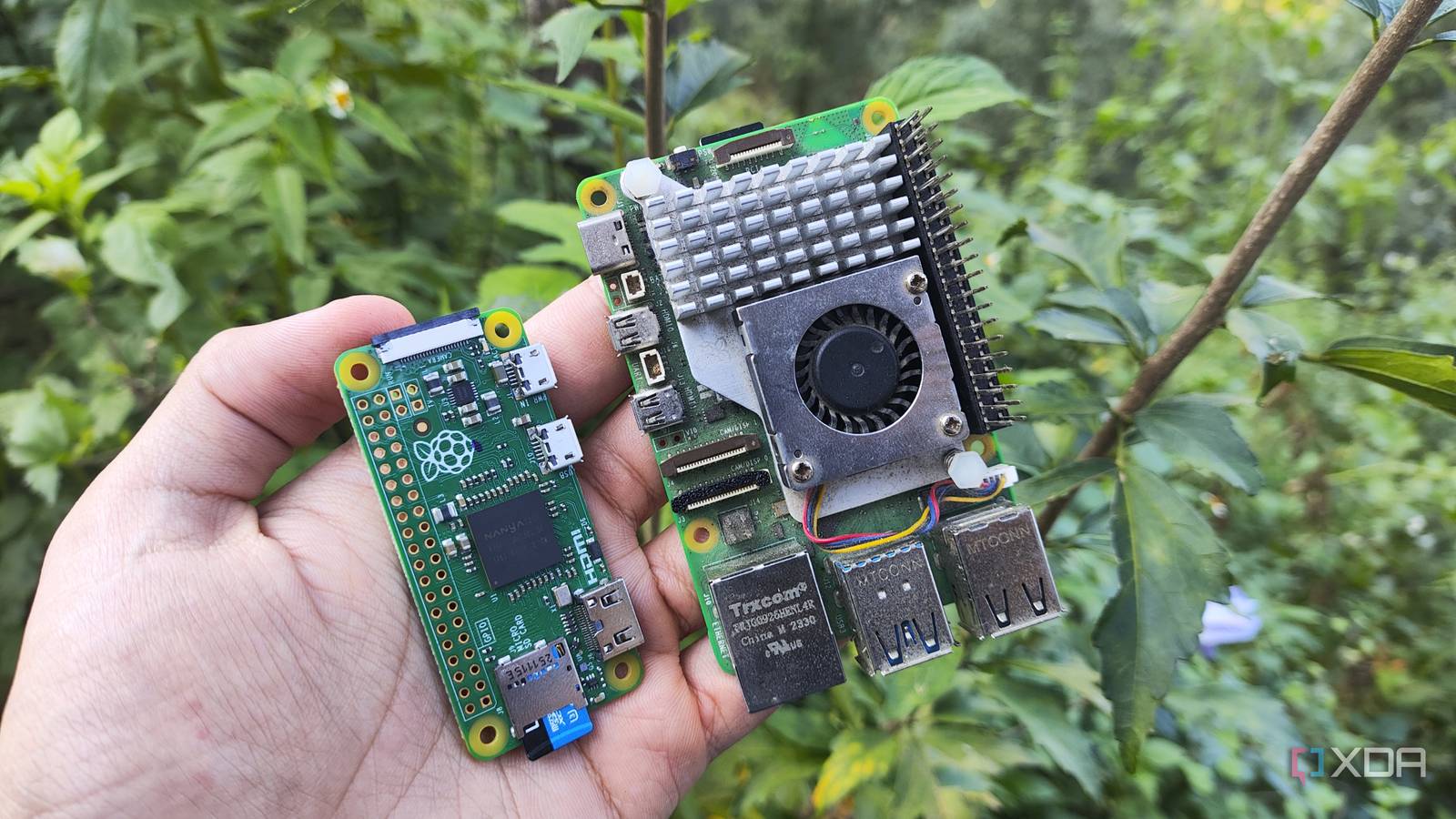
Published Sep 22, 2026, 3:30 PM EDT Ayush Pande is a PC hardware and gaming writer. When he's not working on a new article, you can find him with his head stuck inside a PC or tinkering with a server operating system. Besides computing, his interests include spending hours in long RPGs, yelling at his friends in co-op games, and practicing guitar. When I bought the 8GB variant of the Raspberry Pi 5 at launch, I got it pretty close to its official price tag, and it’s the one I use the most to benchmark random distros and unsupported emulators. Unfortunately, if I were to buy the same single-board computer today, I’d probably have to pay close to $200 (and even more, once you toss the active cooler and storage accessories into the equation), However, I’ve been experimenting with cheaper Raspberry Pi models for a while, and models with lower RAM are nowhere near as terrible as you’d think. Sure, running the likes of Windows 11 ARM on a 1GB Raspberry Pi is bound to result in performance issues. But the majority of Raspberry Pi projects you’d find online don’t siphon anywhere close to the memory on high-end models. Projects involving sensors and DMA peripherals don’t need a lot of RAM You don’t need an expensive RPi model for your display and camera accessories If you’re fascinated with the GPIO pins, DSI/CSI (or depending on your board, MIPI) connectors, and other cool interfaces on your Raspberry Pi, most of the projects utilizing them work well on low-end boards that aren’t blessed in the memory department. Let’s say you’re trying to build a setup that displays a dashboard on a screen plugged into a DSI slot on your Raspberry Pi. Unless you’re attempting to run a bulky website with hundreds of pages that each save new records to a database, you shouldn’t have a lot of trouble hosting a tiny Flask/LAMP web server on a RAM-deficient board and sending the output to a tiny DSI-compatible screen. Likewise, for folks trying to build a timelapse camera, you can pair any ol’ module capable of snapping pictures with the CSI interface. Then, you can write a small script that captures a new image every few seconds, and voilà, even a cheap RPi can get the job done. Of course, the situation is vastly different if you’re trying to run Frigate or other NVR tools to manage live video feeds from the camera or an AI accelerator to analyze the recordings. But leaving these scenarios aside, most display and camera projects are so simple that you can even use the humble Raspberry Pi Zero and get solid results, even though the Zero lineup has painfully low RAM. Then you’ve got sensor-heavy projects, which follow the same principle. For example, when I built a weather station using my Raspberry Pi 5 and a BME280 sensor a few years ago, I could’ve substituted an RPi Zero (one with soldered GPIO pins), and the result would’ve been the same regardless of the board. In fact, a large part of the RAM allocation would go to the underlying Linux distribution, while the sensors and their code barely need any memory. Lightweight services run just fine on low-end Raspberry Pi units Especially when you opt for an ultra-lightweight distribution When I first got into self-hosting free and open-source apps as Docker containers, I figured I’d need a lot of RAM on the host machine. That’s not necessarily incorrect, because certain bulky services can hog memory like there’s no tomorrow. But there are just as many lightweight tools you can deploy on RAM-constrained boards. Apps such as BentoPDF, IT-Tools, and ConvertX are a godsend for productivity tasks, but you don’t have to spend hundreds of megabytes to deploy them, let alone a gigabyte or two. A complex AdGuard/Pi-hole setup that sees a massive volume of queries from dozens of devices and needs a ginormous collection of block lists might be too much even for a 4GB Raspberry Pi. But for a simple ad-blocker instance that serves a few client devices in a beginner-friendly home lab, you don’t necessarily need a high-end RPi unit laden with RAM. The same goes for lightweight monitoring services, and the Uptime Kuma + Gotify combo works surprisingly well on most Raspberry Pi boards. If you’re as fond of Proxmox high-availability setups as I am, but only possess two PCs for the cluster, arming any ol’ Raspberry Pi with QDevice packages and letting it serve as a tie-breaker node can let you build a reliable dual-system cluster without worrying about split-brain issues. Interestingly enough, I recently tried turning the original Raspberry Pi Zero board into a Docker-hosting workstation, and despite adding a few services, the SBC chugged along nicely. If anything, the aged CPU inside the OG RPi Zero model was more of a bottleneck than the 512MB RAM. But when it comes to running a Tailscale subnet router, this cheap SBC is more than enough to cover my entire home lab. That said, a few Raspberry Pi projects can be absolute RAM hogs Honestly, most of the projects I’ve covered over the years on XDA would work just as well on a 2-4GB RAM Raspberry Pi unit. That said, certain wacky experiments did require a lot more memory investment. Attempting to run dozens of bulky containers, for example, would crash a low-memory model, and the same applies to DIY Windows 11, TrueNAS, and Proxmox installations. Likewise, I wouldn’t recommend emulating newer 3D consoles on a RAM-constrained Pi or using such a board to run an OpenMediaVault instance loaded with tons of plugins.
Most Raspberry Pi projects will never touch the extra RAM you're paying for
Full Article
Original Source
Read the full article at Xda-developers →KhanList aggregates and links to publicly available news content. We do not host full articles from third-party sources. Always verify important information with original sources.