
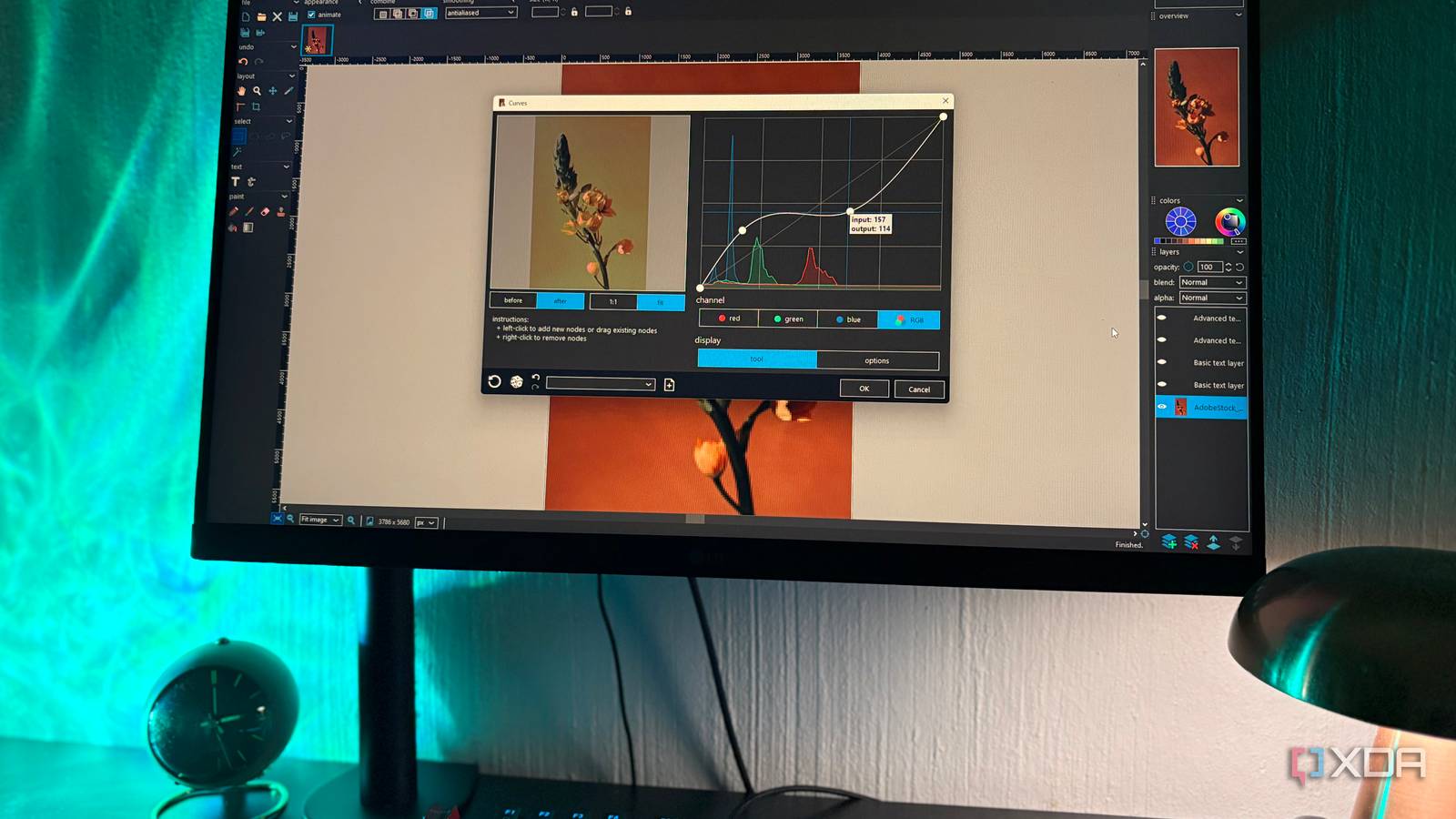
Published Aug 30, 2026, 4:00 PM EDT Nolen began their writing career in 2019, with three years dedicated to editing the Creative section at MakeUseOf. Their expertise lies at the crossroads of technology and creativity, covering areas like photography, video editing, and graphic design. Outside of work, you'll often find Nolen diving into a good book, writing their own stories, or playing video games. Anyone who's Googled "open source Photoshop alternative" can probably count the results they got on one hand. There's GIMP, and maybe Krita. The truth is, most of your Photoshop alternatives are going to be closed and proprietary, so I'm talking about the Photopeas and the Affinitys and the Pixlrs. There might also be a Canva recommendation when you look up free Photoshop alternatives. It's pretty difficult to find an open-source option that genuinely competes, and that isn't GIMP. So what ends up happening is users tend to reach for highly-regarded open-source tools that might not be suited for the job, and that's what I've been doing too. Turns out, there is a tool that gets closer than GIMP does, called PhotoDemon, and almost nobody's talking about it. GIMP is the default answer, and that's exactly the problem Flagship status hasn't been kind to GIMP GIMP 3.2 landed in March 2026 and it's actually a strong release. Link Layers and Vector Layers extend the non-destructive workflow that 3.0 established, and non-destructive filters now apply to channels. The release notes also cover text handling upgrades, better PSD compatibility, a new GEGL filter browser, and more. So this isn't about GIMP being a bad tool because it's not. GIMP 3.0 in March 2025 was a foundational rewrite. GTK3 replaced GTK2, Python 2 got killed off, and the plugin API was replaced. Right call for the long-term health of the project, though it also broke the entire third-party plugin ecosystem that made GIMP genuinely useful in the first place. Resynthesizer, G'MIC, BIMP, Heal Selection, plus hundreds of Script-Fu scripts stopped working. Many are back in 3.2 but others are still being ported, and some aren't coming back at all. Which build you install (installer versus portable versus Microsoft Store versus Flatpak) also determines which plugins actually work in that specific copy. File exports also feel noticeably slower than GIMP 2 for a lot of users, and first-launch times can stretch out while settings migrate. GIMP will get there, I think probably by 3.4 or 4.0. But this isn't anything you want to be troubleshooting just for editing a JPEG. The rest of the open source shortlist has its moments Each one is somebody's top software, but none of them are really a Photoshop replacement Krita is the one I reach for the most out of this group, but it's honestly a painting app that happens to edit images. If you're an illustrator, the brush engine will keep you happy for years, but photo work in Krita can feel a bit like using a screwdriver as a hammer if you don't figure out the right workflow. Darktable's a slightly different case in that it's genuinely great, but it's competing with Lightroom and not Photoshop. It's great for color grading/correction but not for composites. Inkscape can show up in Photoshop alternative lists just because they need a fifth entry. But to be fair, it is a real part of Photoshop's territory as it can also do basic vector editing. But ultimately, it's not going to be suitable for retouching photos. Bitmappery is another hidden gem that I found to be quite impressive. It's one of those editors that just gets to the point, exactly as the developer intended. But it's not exactly a place for serious composites. And same with PhotoFlare: it's fast and handles the basics but not quite Photoshop or GIMP level. PhotoDemon is the one that clears the bar A portable Windows editor built by someone who cared about the interaction, not just the feature list PhotoDemon is a free, portable, open source photo editor for Windows. The latest stable release is 2025.12 which dropped in December last year, and it uses calendar versioning with pretty steady release cadence. Source is on GitHub under a BSD license, actively maintained, and the entire thing is a 22MB zip file with no installer required. Unfortunately, if you're on Mac or Linux then PhotoDemon isn't going to be your answer to a GIMP alternative. There are over 200 tools that sit inside that 22MB. It has the full kit, including layers, selection tools, content-aware fill, shadow/highlight recovery, perspective correction, digital paintbrushes, and a bunch more I probably haven't used yet. What I really like is that PSD files open properly and so do PaintShop Pro files and GIMP's own XCF format, which is more than GIMP itself does the other way around, funnily enough. Import support covers JPEG XL, HEIC, AVIF, and around a hundred other formats. That "will this file even open" question tends to derail a workflow in other editors but it doesn't exist here. The things that matter are even smaller though. All tools have real-time previews on effects and adjustments, which sounds minor but it's a huge workflow win. It also has unlimited undo/redo, a Fade Last Action tool borrowed straight from Photoshop, save/load presets on every tool, customizable hotkeys, and a macro recorder that pairs with a batch processor for running the same edit across a folder of images. So it's not that PhotoDemon is some all-powerful editor, it really isn't. It's more about the workflow - these small conveniences add up, and it's what actually gets you to stay in the editor and not experience enough frustration to just close the edit and leave. If GIMP keeps breaking your workflow, there's a smaller tool doing a better job GIMP has been the default answer for over 20 years, and momentum is a hard thing to argue with. But I think the assumption is worth revisiting every so often, especially for anyone on Windows who's doing photo edits rather than digital painting or graphic design. PhotoDemon will run on nearly any Windows PC, it's free, and it's an easier user flow to switch to than GIMP if you're coming from Photoshop. PhotoDemon
Most people think GIMP can replace Photoshop, but I found the one that actually does
Full Article
Original Source
Read the full article at Xda-developers →KhanList aggregates and links to publicly available news content. We do not host full articles from third-party sources. Always verify important information with original sources.