
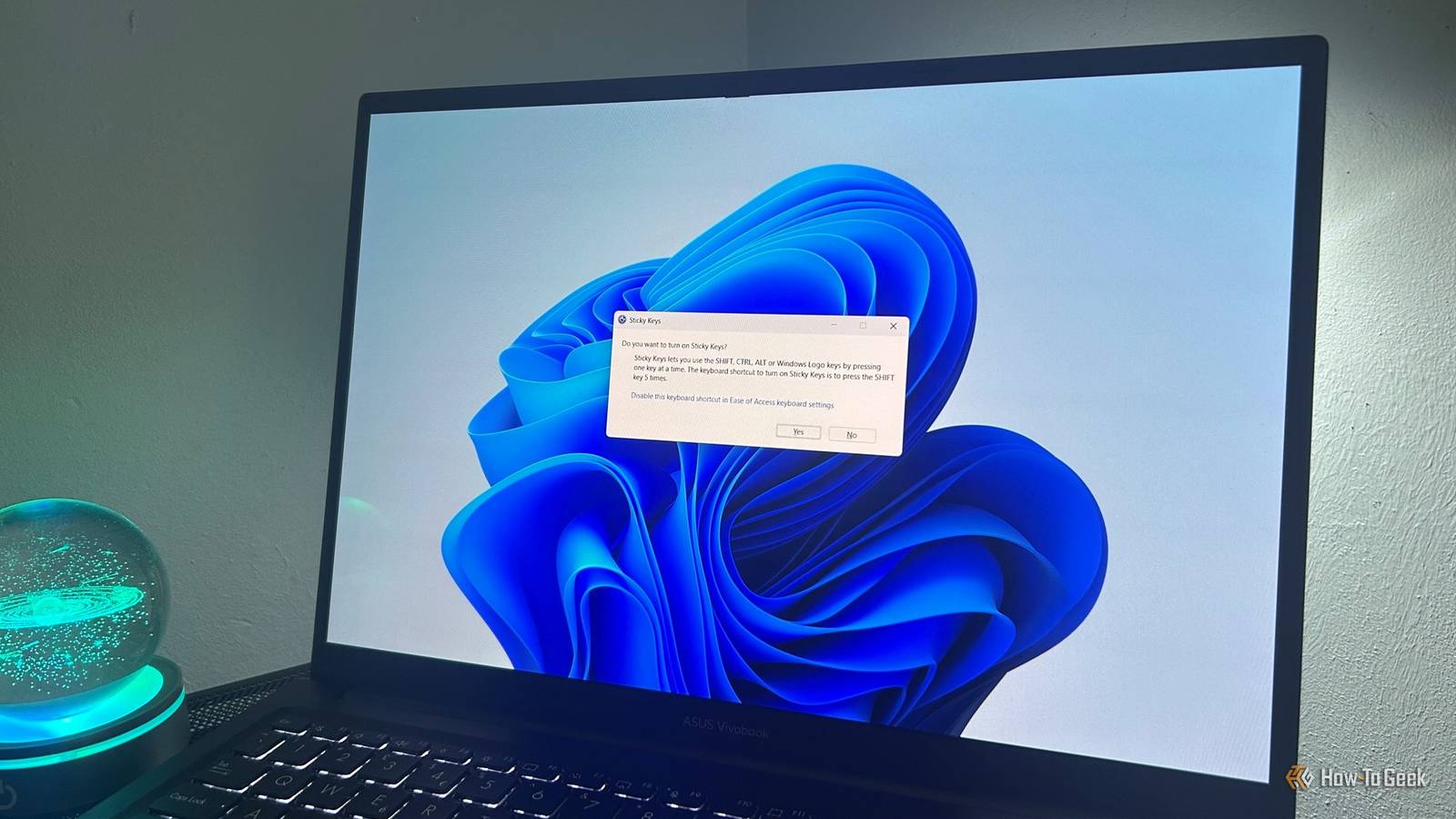
Published Nov 16, 2026, 8:00 AM EST Tony Phillips is a senior author at How-To Geek with over a decade of experience working with documents, data, and digital productivity tools. Holding a dual-honors degree in Linguistics and Hispanic Studies, he combines technical expertise with a passion for making complex topics easy to understand. Before joining How-To Geek in 2024, Tony worked as a document producer, data manager, legal document specialist, and content creator. He has also proofread and edited more than 3 million words of academic and professional writing. While Tony specializes in Microsoft 365, particularly Excel, his interests extend far beyond Office. He enjoys testing software, exploring open-source projects, discovering useful companion apps, and finding ways to customize and optimize Windows. Whether he's building spreadsheets, evaluating new tools, or uncovering hidden features, Tony enjoys helping readers get more from their technology. Outside of tech, he enjoys spending time with his dog, watching football, astrophotography, gardening, and golf. Few Windows sounds make me panic as quickly as the Sticky Keys chime. I know exactly what it means. For a split second, though, it always feels like I've triggered something I wasn't supposed to, and Windows is about to tell me I've broken something. That initial panic quickly disappears when I see the Sticky Keys prompt, but the interruption remains. That's why I was pleased to see Microsoft finally fixing what I consider the most annoying thing about Sticky Keys. Windows 11 Insider builds are introducing an option to permanently dismiss the activation prompt directly from the dialog, without having to navigate through Settings. Sticky Keys exists for a good reason The feature isn't the problem To be clear, I don't think Sticky Keys itself is the problem. The feature exists to make keyboard shortcuts more accessible to people who have difficulty pressing multiple keys at the same time. Instead of holding several keys simultaneously, Sticky Keys lets you press them one after another. You'll find it tucked away in Windows' Accessibility settings alongside other features designed to make PCs easier to use. I've often seen people suggest online that Microsoft should simply remove Sticky Keys altogether, but I don't think that's the right solution. Accessibility features exist for a reason, and the people who rely on them shouldn't lose them because other users find them annoying. The issue is that many Windows users stumble across Sticky Keys by activating it accidentally. The feature serves an important purpose, but the activation prompt can be frustrating for people who never intended to use it in the first place. The prompt always appears at the worst possible time Accidental activations are frustratingly common By default, pressing Shift five times in a row triggers the Sticky Keys prompt. On paper, that sounds deliberate. In practice, it's surprisingly easy to do accidentally. I've encountered it while sprinting in a game, selecting text, capitalizing words, or navigating shortcuts throughout Windows. The interruption feels especially jarring when you're focused on something important. A prompt that suddenly appears in the middle of a game, during a deadline, or while you're in the middle of a productive flow can instantly break your concentration. If Sticky Keys ends up enabled by mistake, the resulting keyboard behavior can be even more confusing, as modifier keys may continue behaving differently than expected. Even though I've heard it countless times, the Sticky Keys chime still manages to sound oddly alarming. For a brief moment, it feels less like an accessibility feature and more like Windows warning me that I've managed to break something. Microsoft is finally addressing the real problem Microsoft recently announced that it is updating both the Sticky Keys and Filter Keys prompts to make them easier to dismiss permanently. In the company's release notes, Microsoft explained: "The dialogs that ask whether you'd like to turn on Sticky Keys or Filter Keys are being updated, making it easier to dismiss these prompts permanently. If you don't use these keyboard features, you can choose not to be asked again directly from the dialog, helping you continue what you're doing with fewer interruptions." In practice, that means you'll be able to stop these prompts from repeatedly appearing without having to dig through Windows Settings. The updated Sticky Keys dialog includes a checkbox labeled Never turn on Sticky Keys with this shortcut. Microsoft engineer Jen Gentleman recently highlighted the change on X. She also confirmed that Microsoft is making a similar change to the Filter Keys prompt. Importantly, Microsoft isn't removing Sticky Keys or disabling the feature by default. Instead, the company is giving people who don't use the feature an easier way to stop the activation prompt from appearing whenever they trigger the keyboard shortcut. Microsoft has been considering this fix since Windows 95 A former Microsoft engineer revealed the feature's origin The most fascinating part of this story is that Microsoft apparently thought about a similar idea more than 30 years ago. Charles Opperman, a former Microsoft engineer, said on X that he wrote the dialogs in early 1995 after children kept accidentally activating Sticky Keys while playing Space Cadet Pinball. While Microsoft discussed adding a checkbox back then, it ultimately decided against it because the team wanted to give greater visibility to Windows' wider range of accessibility features. Although a Settings link was added later in Windows 98 or NT5, the ability to permanently suppress the prompt has never made it into a public Windows release. That makes Microsoft's latest change feel less like a brand-new idea and more like a long-delayed solution. More than three decades later, Windows users are still accidentally triggering Sticky Keys, and Microsoft is finally revisiting an idea it considered in the Windows 95 era. You might not see the change yet The feature is currently limited to Insider builds Credit: Microsoft You might not be able to try the new option for yourself just yet. Microsoft announced the feature in Windows 11 Insider Beta Preview Build 26320.9876, released on November 6, 2026. That build was later updated to version 26320.9877 on November 9, 2026. Microsoft also announced the change in Experimental Build 26340.9882, indicating that the feature is still working its way through Insider testing. As with many Insider features, availability is being controlled through a gradual rollout process. Even users running the relevant builds may not see the update immediately, and Microsoft has not yet announced when the feature will arrive for all Windows 11 users. Sometimes the smallest Windows updates matter the most This isn't an AI feature, a Copilot update, or a major Windows redesign. But knowing Microsoft considered a similar solution more than 30 years ago makes this update even more satisfying. Sticky Keys is still available for the people who rely on it, while everyone else will soon have a much easier way to stop one of Windows' oldest interruptions from appearing again.
Microsoft is finally fixing a Sticky Keys annoyance from the Windows 95 era
Full Article
Original Source
Read the full article at Howtogeek →KhanList aggregates and links to publicly available news content. We do not host full articles from third-party sources. Always verify important information with original sources.