
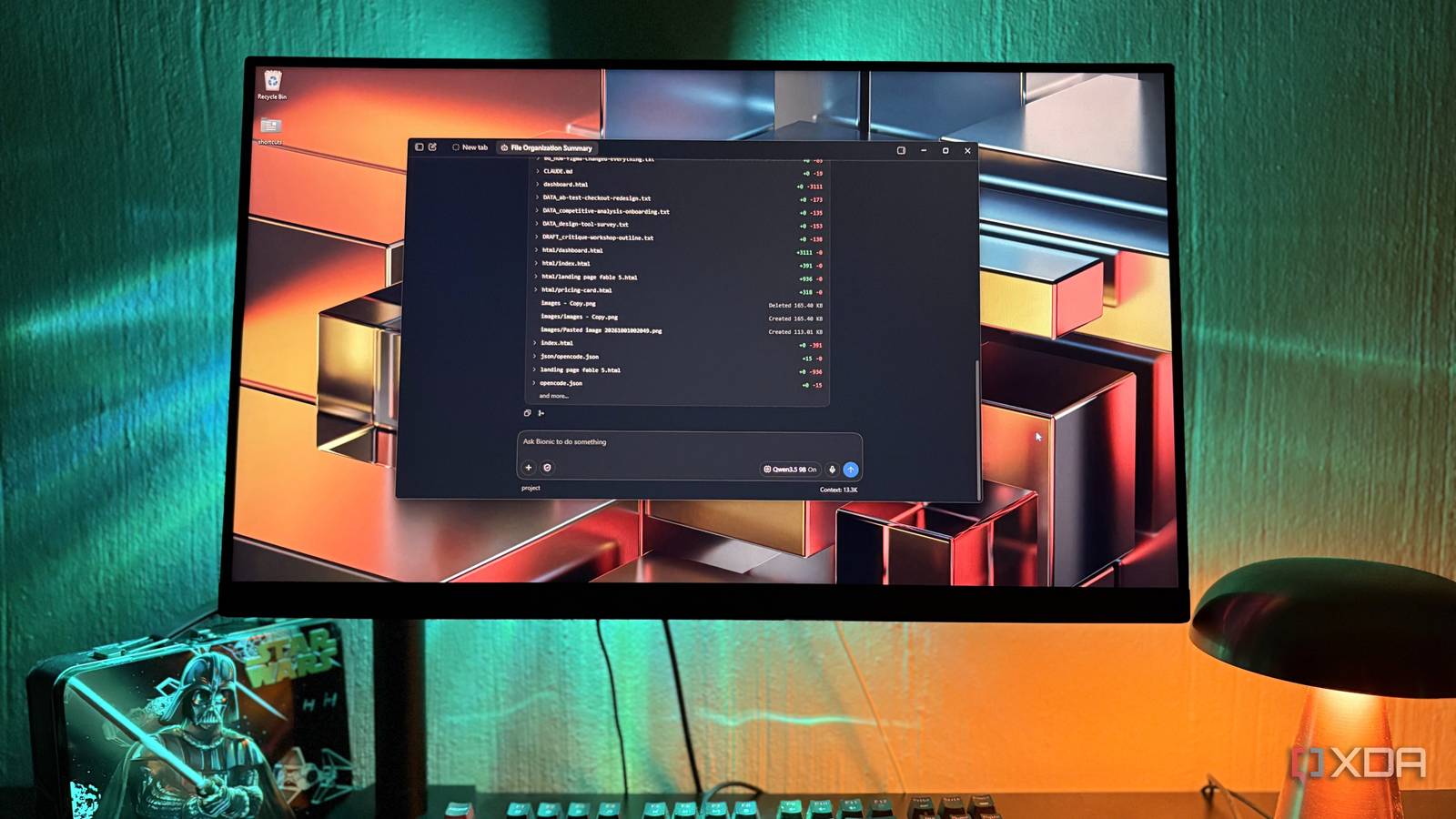
Published Nov 19, 2026, 2:00 PM EST Nolen began their writing career in 2019, with three years dedicated to editing the Creative section at MakeUseOf. Their expertise lies at the crossroads of technology and creativity, covering areas like photography, video editing, and graphic design. Outside of work, you'll often find Nolen diving into a good book, writing their own stories, or playing video games. This past year or so, AI tools seem to have moved out of the chat window and into agent workspace apps. Think Claude, Codex, Antigravity, and even the free local options like Eigent or AnythingLLM. These all work inside a folder on your computer and actually changes what's inside it, rather than just synthesizing the data like a chatbot would. The catch is that to get a near-decent agent tool, you usually have to pay a subscription, plus whatever the agent reads gets sent off to someone's servers. Local models have been the obvious alternative pretty much since proprietary agentic tools have been around. However, getting one to act as an agent is a different story - sure there are tools like the filesystem MCP, but depending on where you're running your model from, you likely still lack the workspace tools. That was until LM Studio dropped its own agentic desktop app. Meet LM Studio Bionic It's different from the LM Studio you probably already have LM Studio Bionic is a separate app from the LM Studio most people already have installed. The original is still where you go to download models and mess with their settings before chatting with them, or spin up a server to pull your models into other tools. Bionic launched in July as an agent app for Mac and Windows, which means the model gets tools to work on your actual files and run commands on your PC. I'm a little late to the party, yes, but at least I found it on my own and not through another pop-up begging me to try it. It's actually a lot closer to Claude's desktop app or Codex than the LM Studio chat window. You get a sign-in option the first time you open it, but it's not necessary to use the app. Local models run without an account, so it works completely offline if that's all you want. You'd only need an account for LM Studio's cloud models, which run on credits, and you also have to be signed in for the built-in web browser which is limited on the free tier. Bionic is free for local models, while Bionic+ costs $20 a month and adds hosted open models and expanded web search; and Pro costs $100 a month and includes five times the usage limits. I'm not paying the sub because it's honestly not necessary, unless your local workflow is much heavier than mine. Every model I'd already downloaded in LM Studio was sitting in Bionic's model picker without me having to point it anywhere. Other local agent apps I've tried wanted LM Studio's server switched on with the endpoint pasted in before they'd show me my models. Bionic runs on the LM Studio runtime itself so your models will just show up. Letting a local model loose in my folders It's not just a chatbot Although you can use it outside of a folder, the main use case here is pointing Bionic at a folder on your PC and that folder becomes the agent's workspace, in which you can create separate sessions for separate tasks. You pick your model, in my case it's Qwen 3.5 9B or Qwythos 9B v2, ask it for something, and then the model will look through the folder and work out a plan. Bionic does expose a little reasoning toggle for your models if they have it. But if you've read any of my local LLM pieces you know I like to keep it off for most tasks because it eats into the limited context length I can have on 8GB vram. What I love is that it can both read and also create documents, PDFs, spreadsheets, and even decks, which will open in a second panel next to the chat. You can also use it for frontend code and it will render an interactive prototype in the side panel. This is not something you can do with the original LM Studio, and you'd have to pull your model into a dedicated design app like Open Design. Letting a 9B model loose on real files made me a little nervous, so the review is important. Every change shows up as a diff, which marks what got added or removed in each file, and automatic checkpoints let you roll things back. Files you point it at outside the project's own workspace get edited directly though, so there's no separate copy and your original file is the one that changes. MCP servers, which plug outside apps into the agent, are supported too, and this is where the free, local setup gets limiting. Notion's MCP makes you sign in to your Notion account first, and Bionic's own web search won't work until you sign in with an account. So, as with any good thing, there's usually a little catch. Running it locally, in the cloud, or both You get to mix and match models and workflows On my 8GB card, Qwen 3.5 9B gets through admin jobs fine, but there's a ceiling. Apps like Jan let you paste in an API key from OpenAI or Anthropic and use those models next to your local ones. Bionic mostly doesn't work that way. There's experimental support for external API models in the latest update, but it's early, and the main route is LM Studio's Secure Cloud, using credits tied to your account. What you spend depends on the model and how many tokens you use. LM Studio says requests aren't kept after processing or used for training, and since inference runs on its servers, my VRAM will stay free for other stuff. You don't have to commit to one or the other though. Every session lets you pick a model and you can swap it mid-session, so you can leave a local model tidying up a folder in one tab then give a cloud model a report that needs big brains in another tab. A vision subagent setting hands images to a separate local or cloud model when your main one is text-only. Then there's LM Link, which lets you use a model running on another computer you own, if you happen to have a beefier one in the house. Finally, LM Studio has workspace features Bionic hasn't made me completely abandon Claude, and I don't see that happening while my GPU tops out around 9B models. But it has taken a chunk of the admin work I used to send to Claude though. I'll admit, this is a much easier route to handling my private documents than using my filesystem MCP in LM Studio, and I wish I'd paid attention so I could have discovered this app sooner. LM Studio Bionic
LM Studio's new agent app handles the work I used to pay Claude for
Full Article
Original Source
Read the full article at Xda-developers →KhanList aggregates and links to publicly available news content. We do not host full articles from third-party sources. Always verify important information with original sources.