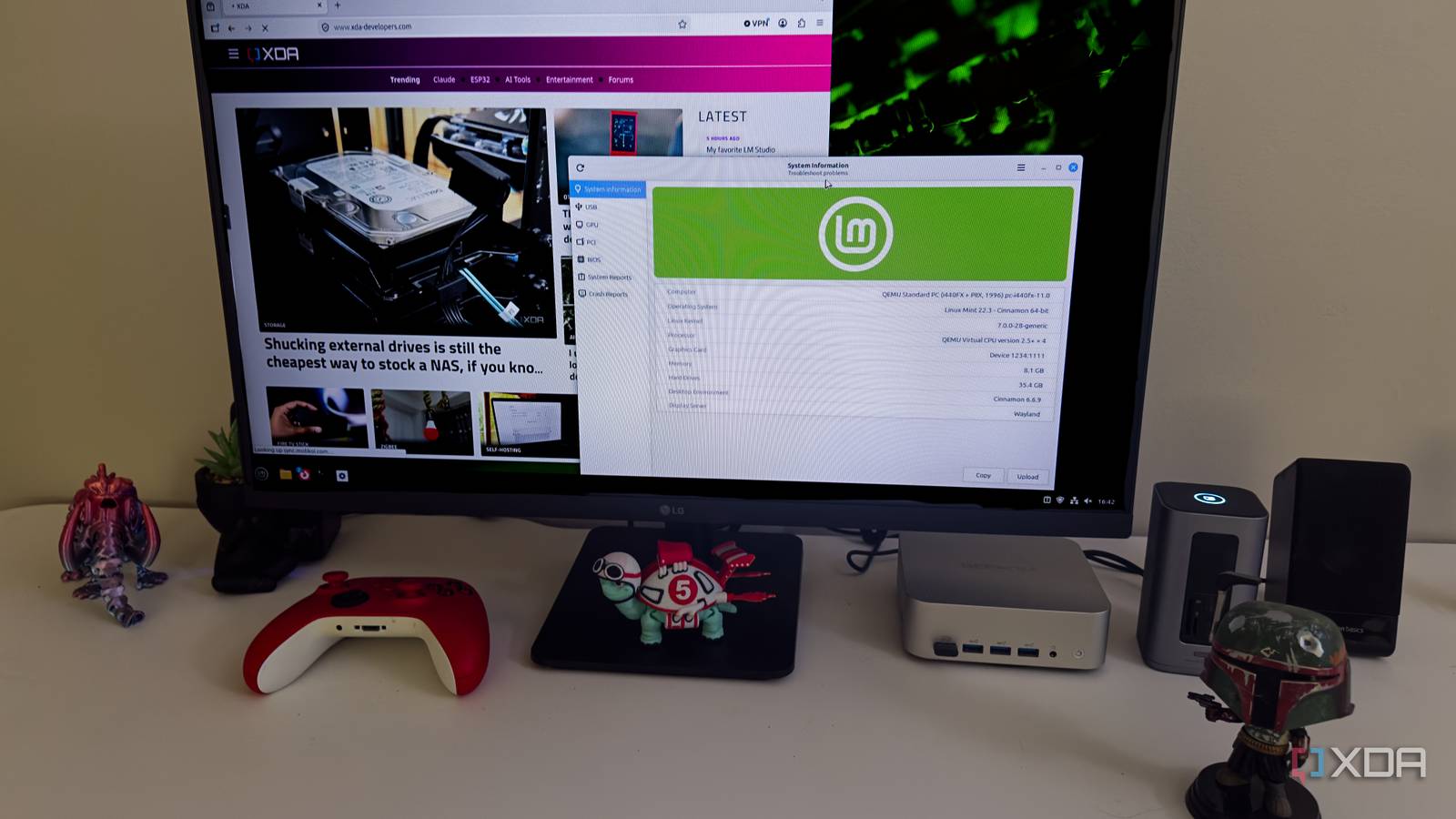
Published Jul 26, 2026, 12:30 PM EDT Jeff's been involved in the IT industry since before the Internet and spent more than 20 years working in technical support, system administration, network administration, and consulting roles. He holds an undergraduate degree in English, a Master's degree in English with a focus on professional writing and editing, and another Master's degree in Computing & Information Systems. After teaching university English and computer science for a few years, Jeff launched his writing career. He's written for Macworld, Tom's Hardware, groovyPost, The Mac Observer, and more before beginning here at XDA. Linux Mint has spent years watching the rest of the Linux desktop move toward Wayland while Cinnamon stayed planted on X11. For a while, that caution made sense. Then it started to look less like patience and more like a growing list of work that would eventually have to be done anyway. Mint has finally reached the point where Wayland support in Cinnamon is close enough to X11 that the experimental label can come off, but the more important decision is what happens next: users won’t be shoved into the new session before the project has seen how it holds up outside the development team’s own machines. Mint waited until Wayland stopped feeling like homework Cinnamon’s slow work fixed the parts users actually notice Wayland support technically showed up in Cinnamon years ago, but being able to log into a session isn’t the same as being able to trust it. I’ve tried enough experimental Linux desktop features to know how quickly that distinction becomes obvious. A session can launch, draw a panel, and open a terminal while still falling apart the moment you lock the screen, move a window between monitors, or run something that needs elevated privileges. At that point, “experimental” stops sounding cautious and starts sounding like a warning you should have taken more seriously. Mint’s developers have spent their time on the parts that don’t make for impressive screenshots but absolutely decide whether someone keeps using the session. The recent work includes window sizing and placement, focus-stealing prevention, applet menus, multiple monitors, KVM switches, HiDPI rendering, hardware acceleration, and a long list of Cinnamon and Xwayland crashes. Administrative applications can now run as native Wayland clients instead of being forced through Xwayland. That’s the kind of cleanup users notice only when it hasn’t been done, usually right after something simple behaves in a way that makes no sense. The lock screen was one of the bigger problems because Cinnamon’s existing screensaver depended on behavior provided by X11. Under Wayland, a separate GTK application can’t just place itself over everything else and assume that makes the desktop secure. Mint had to move that responsibility into Cinnamon’s compositor and build a lock screen that works under both display systems. It’s not glamorous work, but it’s exactly the sort of thing that should be finished before a project tells ordinary users the new session is ready. Keeping X11 available respects how people use Linux A supported fallback changes the entire desktop migration experience Linux Mint’s next release will support both X11 and Wayland, but Wayland won’t immediately become the default. Linux Mint project leader Clement Lefebvre has said the team wants at least one full release and roughly a year of feedback before even considering that change. That may sound overly cautious after all these years, but Mint’s users didn’t choose the distribution because it enjoys making them relearn their desktop every six months. They chose it because it usually waits until a change is useful, boring, and unlikely to ruin the afternoon. The next Linux Mint release will treat Cinnamon’s Wayland session as fully supported, but X11 will remain the default while developers collect roughly a year of real-world feedback. Users will be able to try Wayland without losing the option to return to X11 if an application, peripheral, or workflow still causes trouble. Many Linux Mint users are running older hardware. Others depend on remote-access tools, unusual peripherals, automation utilities, graphics applications, or software that still behaves differently under Wayland. Plenty of them probably couldn’t explain the practical difference between X11 and Wayland if they wanted to, and they shouldn’t need to. They know the computer worked yesterday, and they expect it to work after an update. Making Wayland fully supported without making it mandatory gives those users room to try it without turning the test into a trapdoor. Keeping X11 also makes troubleshooting less vague. When something breaks in Wayland but behaves normally after logging back into X11, that comparison immediately narrows the problem. Without that fallback, the user is left wondering whether the fault sits in Cinnamon, the application, Xwayland, a portal, a graphics driver, or some interaction between all five. I’ve been in that sort of debugging spiral often enough to know that “it works in the other session” is valuable information, not resistance to progress. GNOME had good reasons to push Wayland harder Old compatibility layers can stall necessary platform development indefinitely GNOME has taken a much harder line, especially with GNOME 49 turning off its dedicated X11 session by default. Applications that still rely on X11 can continue running through Xwayland, but the desktop itself is clearly moving on. From a development standpoint, the appeal is obvious. Maintaining two full session types means duplicated work across GNOME Shell, Mutter, GDM, and everything around them. That burden gets harder to justify as fewer developers actively test the older path. There are also real technical reasons to leave X11 behind. It was built for a different computing environment, and its broad access between applications creates security problems that modern desktops shouldn’t keep accepting forever. Wayland limits what applications can see and control, then routes sensitive actions such as screen capture and input handling through defined interfaces. Those restrictions have caused some of Wayland’s most annoying compatibility issues. Still, the old model where applications could inspect or manipulate nearly anything on the desktop was never a good long-term answer. A firm deadline can force software to catch up, too. As long as distributions promise that an X11 session will always be waiting, some developers have little reason to prioritize portals, native Wayland support, or newer screen-sharing methods. Removing the old session concentrates testing and exposes neglected problems much faster. GNOME isn’t wrong about that. At some point, maintaining the transition forever becomes its own decision, and usually not a very good one. Mint proves progress doesn’t require removing the escape hatch Choice gives developers feedback without punishing cautious desktop users The problem is that GNOME’s priorities don’t automatically match the priorities of every distribution or every person sitting in front of a Linux desktop. A project may reasonably want cleaner code and fewer maintenance paths, but a user mostly cares whether a graphics tablet, remote-desktop tool, accessibility utility, game, or work application still functions. Architectural cleanup is hard to appreciate when the result is a workflow that no longer works. Telling someone the old system needed to go doesn’t make the missing function any less missing. Mint’s slower approach still puts pressure on Wayland because the session is moving from experimental to supported. Users can report problems with the expectation that someone is actually paying attention, developers can target it with more confidence, and the project can collect feedback from hardware and workflows it doesn’t have in its own testing pool. The important difference is that users aren’t trapped there while those remaining problems are found. They can log back into X11, finish what they were doing, and try Wayland again after the next round of fixes. That also gives Mint a stronger basis for making Wayland the default later. If the project supports both sessions for a full release and Wayland proves reliable across the hardware its users actually own, the eventual switch won’t feel like a guess based on what the rest of the Linux desktop has already done. It’ll be backed by bug reports, regressions that were fixed, and months of ordinary use. Mint is arriving later, no question, but it’s also making the transition in a way that’s less likely to turn cautious users into unwilling beta testers. This is the Wayland transition Linux users deserved Linux Mint isn’t rejecting Wayland, and it can’t keep treating the protocol as something Cinnamon will deal with eventually. The project has now handled many of the dull, difficult pieces that separate a session you can demonstrate from one you can trust. It’s preparing to support Wayland as a normal part of the desktop while leaving X11 available for people who still need it. That may not generate the same sense of momentum as removing the old option, but it’s a much better way to find out whether the new one is actually ready. After years of Wayland transitions that often felt decided before users had much say in them, Mint’s approach feels slower, but it also feels far more respectful. Wayland will probably become Cinnamon’s default at some point, and that’s where the desktop needs to go. Mint’s better decision is refusing to treat the removal of X11 as proof of progress by itself. Users get two supported sessions, developers get better feedback, and the project gets time to fix what only shows up after thousands of people start using the thing every day. After years of Wayland transitions that often felt decided before users had much say in them, Mint’s approach feels slower, but it also feels far more respectful. Linux Mint It may seem late to the game, but Linux Mint is taking the "Experimental" tag off Watyland support.
Linux Mint is finally ready for Wayland, and it's handling the switch the way GNOME never did
Full Article
Original Source
Read the full article at Xda-developers →KhanList aggregates and links to publicly available news content. We do not host full articles from third-party sources. Always verify important information with original sources.