
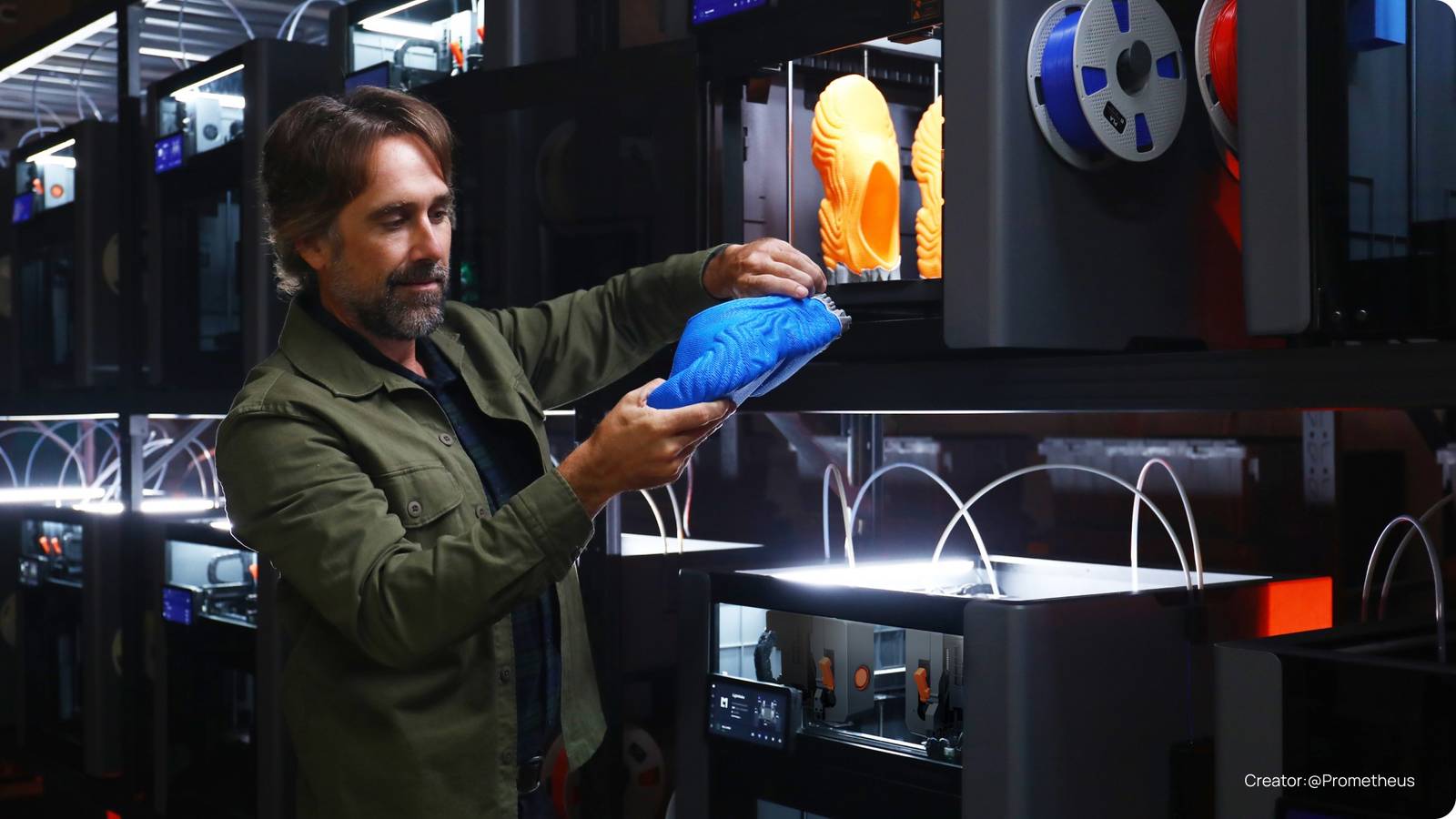
Published Aug 21, 2026, 9:15 AM EDT The below articles are sponsored by one of our partners. Product choices and opinions expressed are from the sponsor and do not reflect the views of the XDA editorial staff. Are you tired of the waste traditional 3D printers create when completing multicolor or multi-material prints? How about only printing a single object at a time? The LightMake L4, to be launched via Kickstarter during Q3 2026, aims to solve all those problems with four independently moving and lifting print heads. The additional hardware will enhance printing workflows to improve production times. This is helpful for all printing setups, whether you are a 3D printing enthusiast looking to upgrade your home decor or a creator scaling up to more extensive production workflows. You can secure your spot today with a $50 deposit and unlock up to $1,300 in savings. Four print heads change what one printer can do Lightmake L4 Brand LightMake Build Volume 354 × 370 × 386 mm single-color; 354 × 350 × 386 mm multi-color Printing Accuracy ±1 μm claimed closed-loop motion precision Connectivity Wi-Fi, wired LAN/Ethernet, and external USB storage Heated Build Plate es—PEI plate, up to 110°C Feed Type FDM/FFF filament; four independent direct-drive toolheads The LightMake L4 3D printer is unique in that it has four independent toolheads, not just four nozzles. Each toolhead can print simultaneously, meaning you can create up to four models simultaneously. Dimensions 615 × 624 × 677 mm; 780 × 624 × 677 mm with four spool holders Dual-Color Printing Yes—four colors natively; up to 16 planned with the optional FEDS Multifunction Multicolor, multi-material, mirrored/duplicate, and four-part batch printing. No laser or CNC functionality announced. Just a few years ago, a typical 3D printer featured just one print head — but things are changing. These days, several 3D printers feature multiple print heads, but they’re still limited to one print head running at a time. Multiple filament printers have an even bigger limitation, where the unit retracts, feeds, and purges each filament for every change. However, the LightMake L4 is a completely new type of printer. Each of the four print heads operates independently. They are powered by a beltless and contactless motor system, swapping in just one second for color or filament changes on the same print. Swapping filament isn’t the only way the LightMake L4 shines, though. Since each print head is independent, the LightMake L4 can also print four separate models at once. This allows one LightMake L4 to effectively replace four standalone machines. The LightMake L4 has a unique capability of being able to print four models at one time. This is perfect for batch printing of models, as one machine can create four independent products at the same time. This only supports printing identical or mirrored models, though, so do keep that in mind. Plus, the print volume is sizable, at 354x370x386mm, which means you can print four fairly large models at the same time. Credit: Lightmake While the four print heads allow for printing four models, they also enable simultaneous printing with four colors or materials. This is as good as it sounds because, with single-head printers, multicolor prints were tedious — each color change requiring the filament to be purged, often creating lots of waste. A multicolor print could even purge more filament than the entire model required. With the LightMake L4, that's a worry of the past. Since it has four independent print heads, the filament stays loaded in the head from start to finish. A color change just requires one print head to dock and the other to come to life. LightMake says that the L4 can swap colors in just one second. This swap also happens with little to no waste, as no purging is required, since the color stays loaded. The feature helps with multicolor prints and allows multiple materials to be loaded into a single printer. This is useful if you're printing PLA and want to use PETG as the interface layer for the supports or if you're printing a functional part and want to print a TPU gasket inside the print. Looking ahead, LightMake is developing the auto filament expansion and dry system to expand L4's multicolor capabilities. This system will support up to 16 colors, providing greater flexibility for complex projects and applications. Streamline your home studio or print farm with LightMake Credit: LightMake While the headlining feature of the LightMake L4 is the quad-head print system, LightMake has designed the L4 with an eye toward 3D printing enthusiasts and larger production models. Whether you only have a handful of machines running in your own house, or your business is expanding into manufacturing, LightMake’s slicer is built to manage printer clusters from the ground up, so it’s simple to get a lot done with very few issues. From dispatching batch jobs to automatically allocating machines based on order deadlines, the LightMake L4 simplifies the workflow for anyone. Through an OpenClaw integration, you can manage your printing operations and leverage AI directly within WhatsApp — helping you build the ultimate one-person studio. The machine automatically swaps finished build plates with empty ones when tasks are done, saving effort in manually starting the process. Smart Cluster Management, as LightMake calls it, can send work to more than 1,000 printers with one click. And Smart AutoQueue monitors the fleet status and allocates enough machines to finish the order on time. With multiple print heads, the opportunities are endless Really, the LightMake L4 is designed to help remove limits that traditional printers have been limited by for years. With four independently moving and lifting print heads, users can easily speed up their personal projects or cut waste when printing. Printing four models at once can significantly speed up production, especially when paired with AutoQueue and Smart Cluster Management. So, if you've been waiting to upgrade your printing setup for your personal workbench or your growing business, check out the LightMake L4. It could be just what you've been looking for.
LightMake’s L4 promises four simultaneous prints from one machine
Full Article
Original Source
Read the full article at Xda-developers →KhanList aggregates and links to publicly available news content. We do not host full articles from third-party sources. Always verify important information with original sources.