
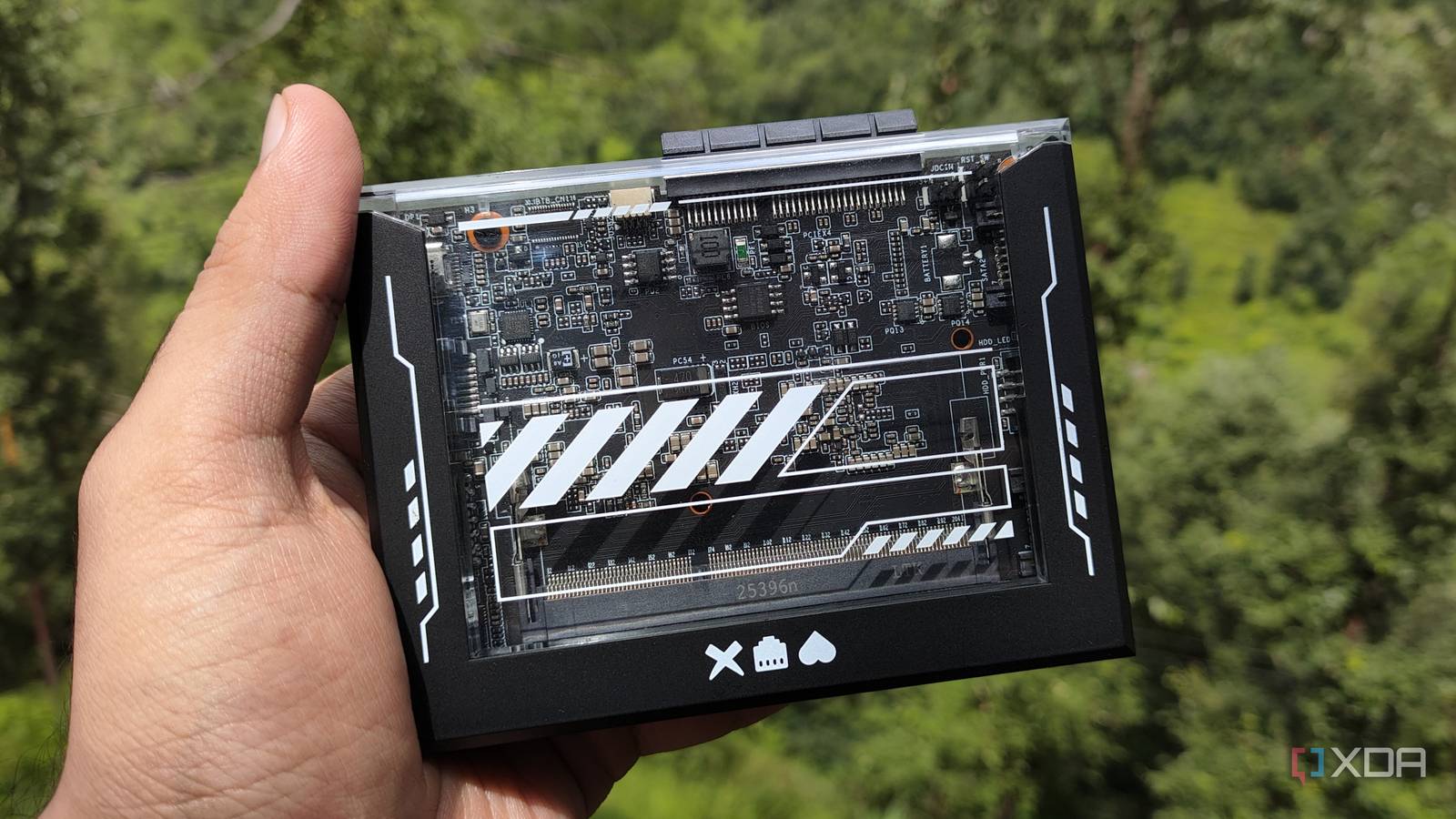
Published Aug 22, 2026, 3:30 PM EDT Ayush Pande is a PC hardware and gaming writer. When he's not working on a new article, you can find him with his head stuck inside a PC or tinkering with a server operating system. Besides computing, his interests include spending hours in long RPGs, yelling at his friends in co-op games, and practicing guitar. Putting together a Network-Attached Storage server is a popular intermediate-level project for Raspberry Pi tinkerers, and for good reason. A backup rig that barely sips any power and remains small enough to be carried eveyrwhere sounds really neat on paper. That said, its utility starts to shrink when you factor the Raspberry Pi’s ARM CPU, massively-inflated prices, low performance, and I/O limitations into the equation. But with x86 single-board computers making the rounds, I figured I could try building a reliable NAS server out of a pint-sized device. With the RAM shortage in full swing, finding something that doesn’t cost $300+ on just the board seemed impossible until I ran into the ZimaBlade. Specs-wise, it's nothing special – to the point where the Raspberry Pi 5 manages to beat it in terms of raw performance. But after experimenting with it for nearly two weeks, I have to admit that this cheap (yet outdated) SBC is better than the latest and greatest Raspberry Pi board for NAS and home server projects. About this article: IceWhale sent me a ZimaBlade for my experiments, but the company had no input into the contents of this article. Technically, the ZimaBlade has weaker specs than a Raspberry Pi But its cost-effective nature makes it a solid option for entry-level home servers I’ll be brutally honest here: for an SBC that officially debuted around the same time as the Raspberry Pi 5, the ZimaBlade has some wild specifications. And I don’t mean that in a good way. The model I’ve got packs an Intel Atom x7-E3950, a 4-core processor that debuted all the way back in 2016. However, the real problem lies in the SODIMM slot, which can only accommodate slow and outdated DDR3L memory sticks. Weirdly enough, that’s also one of the biggest reasons why it’s a solid SBC for beginners. Mini-PCs, thin-clients, and x86 SBCs with DDR5 (and DDR4) memory have gotten extremely overpriced as of late, and this price hike has also spread to used devices featuring modern RAM standards. Considering that an 8GB Raspberry Pi 5 alone can cost upwards of $200, the ZimaBlade’s $69 ($120 if you try to pick up a bundle with a 16GB RAM stick) price tag is pretty budget-friendly when you’re just starting out. Its I/O provisions actually beat the Raspberry Pi for server projects The ZimaBlade has a couple of neat tricks that make it viable for NAS experiments. One of my biggest problems with Raspberry Pi-powered storage servers is that I’d either have to rely on the flimsy (and somewhat slow) USB interfaces on my RPi or spend dozens of extra bucks on picking up a SATA HAT. In contrast, the ZimaBlade already has dual SATA 6.0 ports, which can drive internal HDDs (or SSDs, if you want a low-power, noise-free setup) without the same stability caveats as a Raspberry Pi. Unlike the Raspberry Pi 5’s tiny PCIe port, the one on ZimaBlade has the standard x4 dimensions. I’m a bit disappointed that it only goes up to PCIe Gen 2.0 speeds, but the silver lining is that I can simply plug high-speed NICs and other cards into this slot without looking into specialized adapter cards as I’d otherwise have to on a Raspberry Pi. Plus, the ZimaBlade’s processor may be weak, but it still has the x86 architecture that’s supported by most home server platforms. Sure, there's a community port of TrueNAS for the Raspberry Pi, but the sheer number of workarounds and certain broken features make OpenMediaVault the only reliable option for a NAS project. With the ZimaBlade, however, I had plenty of options to choose from. I eventually went with TrueNAS as the main distro for ZimaBoard And this tiny SBC actually held up pretty well for NAS tasks By default, the ZimaBlade has Debian pre-configured on its eMMC module. Although this Debian instance includes CasaOS packages, I wanted to go for a dedicated NAS platform. Since I’d already slotted the 16GB RAM stick into the SBC, I realized it met all the requirements for the ZFS-heavy TrueNAS. Unfortunately, ZimaBlade has a single USB port, which meant I had to look into a workaround to connect both the flash drive and keyboard to the SBC. I initially tried using PXE boot, but for some reason, the installation process failed twice when I hosted the TrueNAS 26 Beta 3 ISO on an iVentoy server. Eventually, I relented and plugged my KVM into the ZimaBlade just so I could use the former’s extra USB ports. I also slotted a PCIe-to-NVMe adapter into the ZimaBlade and armed it with an old M.2 SSD, partly because I didn’t want to use a slow eMMC module for TrueNAS, and also since I wanted to check if the ZimaBlade would play fair with PCIe cards. To my surprise, the TrueNAS installation wizard detected the NVMe drive immediately, and I had no other problems during the setup process. Following a fresh boot, I logged into the TrueNAS web UI and configured the two hard drives I’d plugged into the ZimaBlade earlier into separate storage pools. I didn’t have any trouble setting up SMB shares on this DIY NAS, and the same applies to the user configuration process and ACL tweaks. Just to check the ZimaBlade’s performance with self-hosted services, I headed to the App Store and used a couple of pre-built templates to spin up some FOSS tools. Considering the lightweight nature of containers, it shouldn’t come as a surprise that I was able to deploy well over a dozen services without any performance hiccups. That said, I wouldn’t go so far as to enable machine learning tasks in Immich or configure dozens of automations within Home Assistant. What the ZimaBlade lacks in specs, it makes up for in cost-effectiveness If we were to compare the raw performance numbers between a simple Raspberry Pi 5 Docker workstation and a similar setup on ZimaBlade, the latter would definitely lose big time. However, its x86 processor opens up a lot more possibilities OS-wise, and although it relies on DDR3L modules, the SBC remains pretty affordable even in the middle of the RAM apocalypse. The better PCIe port and built-in SATA ports are just as handy for home server operations. Despite its lackluster hardware, it’s something I’d actually recommend picking up this SBC over the likes of a Raspberry Pi, especially for folks looking to build a cheap yet reliable NAS setup. ZimaBlade Brand IceWhale Storage 32 GB eMMC 5.1 CPU Intel N3450, J3455, E3950 Memory 1x DDR3L SODIMM Operating System CasaOS, ZimaOS Ports 2x SATA III, 1x 1GbE, 2x USB-A 3.0, 1x PCIe 2.0 x4, 1x Mini-DisplayPort 1.2
I ditched my Raspberry Pi and built a DIY NAS with a cheap rival SBC
Full Article
Original Source
Read the full article at Xda-developers →KhanList aggregates and links to publicly available news content. We do not host full articles from third-party sources. Always verify important information with original sources.