
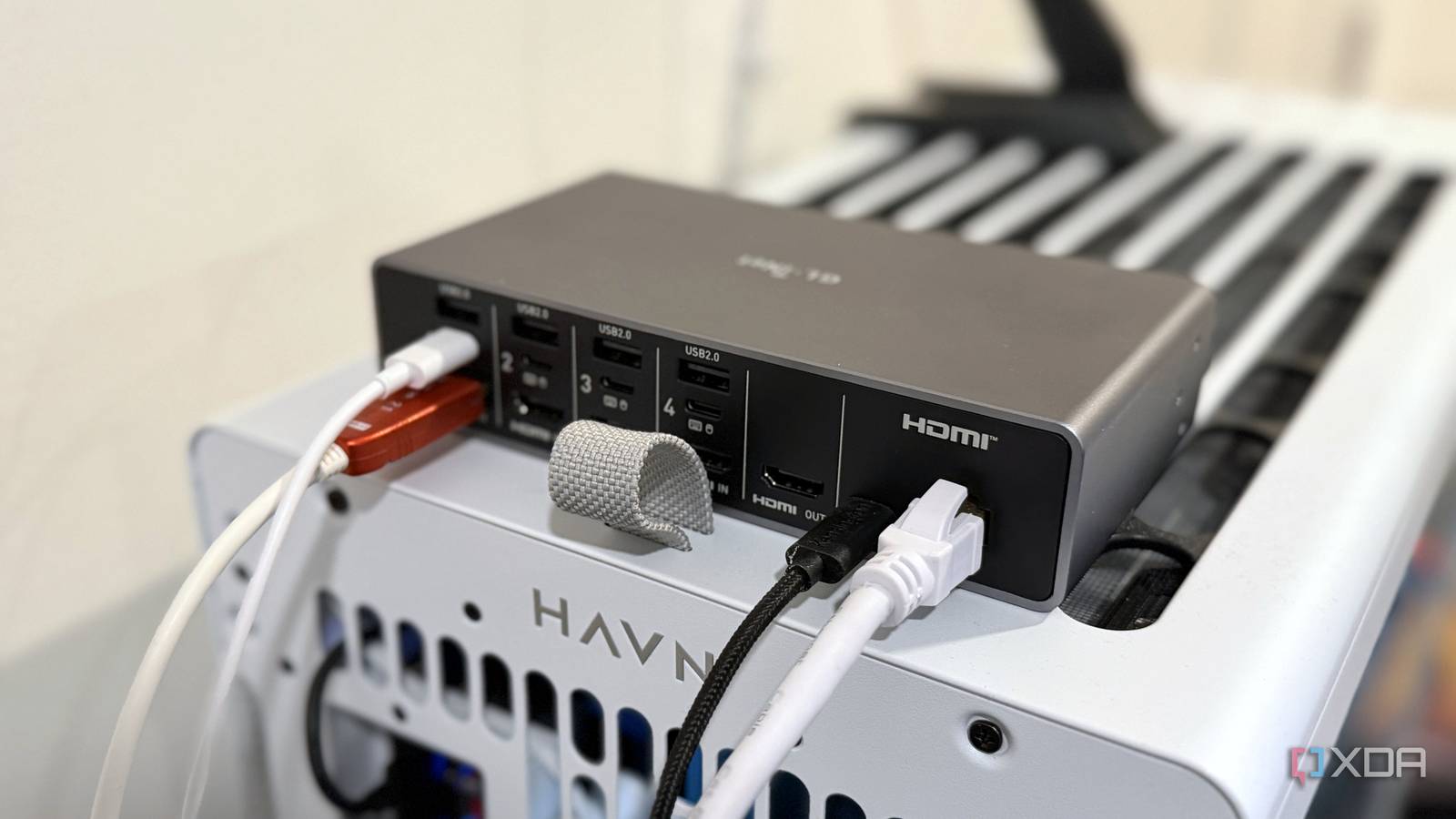
Published Nov 16, 2026, 5:00 PM EST Maker, meme-r, and unabashed geek, Joe has been writing about technology since starting his career in 2018 at KnowTechie. He's covered everything from Apple to apps and crowdfunding and loves getting to the bottom of complicated topics. In that time, he's also written for SlashGear and numerous corporate clients before finding his home at XDA in the spring of 2023. He was the kid who took apart every toy to see how it worked, even if it didn't exactly go back together afterward. That's given him a solid background for explaining how complex systems work together, and he promises he's gotten better at the putting things back together stage since then. Remote access for your desktop PC is often solved by using a VPN or remote desktop software. That's how I've managed things for years: a combination of remote desktop software and Tailscale, so the software only worked on my tailnet. It was smooth, secure, and worked everywhere, until one day Windows rebooted after an update when I wasn't at home and didn't make it back to the desktop. But it didn't have to be like this. I'm already familiar with KVM-over-IP devices, as I run them in my home lab. I've even used one to remotely overclock my PC from BIOS, but I never thought about keeping it plugged in because I had software solutions for remote access. So I plugged it back in, and now my desktop workstation is reachable from anywhere I am. Remote desktop software stops working exactly when I need it RDP, Parsec, and Sunshine all depend on Windows being up and logged in I've used many remote desktop tools over the years, and I can't argue against how useful they are. Being able to remote into your powerful desktop from anywhere and run programs as if you're sitting at your desk at home is fantastic. But it has one major issue: all software-based solutions live inside your OS. That's fine if nothing goes wrong, but a failed update, a BitLocker issue, or anything that keeps you from the desktop environment can stop you from accessing your PC. The answer is a small box that plugs into your PC and your network. An IP KVM is essentially a virtual keyboard and mouse you can control over the network, with HDMI capture so you can see what's going on. Your PC just sees it as a monitor and input devices, and you don't need to install anything on the host PC to use it. You used to need server hardware for this IPMI-style control arrived for ordinary desktops, and the hardware is tiny The ability to control your computer remotely from KVM-over-IP used to be limited to server hardware, or to a few specialized motherboards with IPMI control. I hunted for weeks for a PCIe IPMI card for the Asus motherboard in my server and ended up buying a motherboard with a mangled CPU socket to get the expansion card I needed. But that PCIe card only works on a handful of Asus motherboards. What works on any computer is PiKVM, which was the open-source original that started a new product category. Now we have options from JetKVM, NanoKVM, and GL.iNet, and all of my current KVM-over-IP devices are from GL.iNet. While the multi-device box I use has PoE, I use it with a USB-C wall adapter instead. I've got a whole-house UPS, so I'm not worried about power, and then I can use the KVM-over-IP box on any of my network switches. The rest of it is simple. HDMI out from the GPU (this can be the onboard graphics), and one USB between the back of the PC and the KVM. Capture tops out at either 1080p60 or 4K30, depending on the device, so if you're using a high-refresh-rate monitor like me, you'll want to use a second GPU output for the KVM. Power control is essential While the device can control my PC during boot or in the BIOS, it still has one restriction. It can't press the power button. Okay, it can use Wake-on-LAN to wake the PC from sleep, trigger a Fingerbot to turn it on, or use an ATX board that splices into the front-panel headers to turn it on. My fallback is a smart plug and a "restore on AC power" setting in the BIOS. Cycling the plug from Home Assistant takes seconds, and then the BIOS setting should work. It's not perfect, but the ATX board does the work most of the time. Tailscale is what makes it work from anywhere The KVM joins the tailnet, so nothing is exposed and nothing is forwarded GL.iNet used to offer only OpenVPN and WireGuard for secure remote access, but now you can use Tailscale. After adding the KVM to my tailnet, I don't really have to think about it anymore. It might look like the same software issue that pushed me to use a KVM in the first place, but the GL.iNet box has no power button, never sleeps, and is connected to a giant UPS. If the KVM is offline, I have bigger issues than remote access. And it's pretty responsive. I've used it to remotely overclock my PC from the BIOS, and it felt as smooth as when sitting at my desk. Typing has a little bit of lag, as does the mouse cursor, but no more than typing in cloud-based text editors. There's also a vendor-based cloud relay if I'm on a device that's not on my tailnet, Goodcloud, but I only use that if I'm using something I don't want to add to Tailscale, like a PC I don't own. I still use Remote Desktop for some tasks For longer work sessions, I still prefer remote desktop apps like RustDesk. They're sharper and smoother than using the KVM-over-IP route. The KVM is there to ensure I can reach my workstation if it's turned off, or stuck on reboot, or any of the other things that can go wrong with Windows and put me offline. The KVM is good enough for short tasks, but I'd rather keep it to those. An IP KVM is a keyboard plugged into your PC that lives on the network You want to trust the company that makes it There's a good reason I use Tailscale for my IP KVM, with ACLs to limit which devices can access it. In March 2026, security researchers found nine vulnerabilities in popular IP KVMs. These ranged from missing brute-force protection and firmware update verification to other issues. Then there's the NanoKVM's onboard microphone, which is worrying, but if someone has device control of your IP KVM, you have more to worry about than it listening to you. It still requires root access to your device. Now my workstation is reachable whether Windows is running or not Most remote access tools only work when your computer is on and logged in. That's not always the situation, especially with desktop workstations, and even then you can't do some tasks like change BIOS settings. A KVM-over-IP device is the always-on solution that lets you access your computer securely from anywhere. GL.iNet Comet X The GL.iNet Comet X is a KVM-over-IP device that supports up to four devices, letting you use and manage them from anywhere with an internet connection.
KVM-over-IP gave me an office workstation that actually works from anywhere
Full Article
Original Source
Read the full article at Xda-developers →KhanList aggregates and links to publicly available news content. We do not host full articles from third-party sources. Always verify important information with original sources.